
1. บทนำ
This manual provides detailed instructions for the Varmilo VA Series V2 Aurora Bluetooth White LED Mechanical Keyboard. It covers setup, operation, maintenance, and troubleshooting to ensure optimal performance and user experience. The VA Series V2 features an upgraded design with a standard USB-C cable, a double-section kickstand for enhanced adjustability, North-facing LEDs, and sound-proof silicone pads for a quieter typing experience. Indicator lights are positioned on the top right to minimize distractions.
2. เนื้อหาบรรจุภัณฑ์
กรุณาตรวจสอบสิ่งของภายในกล่องเมื่อแกะกล่อง หากมีสินค้าใดสูญหายหรือเสียหาย โปรดติดต่อฝ่ายสนับสนุนลูกค้า
- Varmilo VA Series V2 Aurora Mechanical Keyboard
- สาย USB-C
- คู่มือการใช้งาน (เอกสารนี้)
3. การตั้งค่า
3.1 การตั้งค่าทางกายภาพ
- แกะคีย์บอร์ดออก: ถอดคีย์บอร์ดและอุปกรณ์เสริมทั้งหมดออกจากบรรจุภัณฑ์อย่างระมัดระวัง
- ปรับขาตั้ง: แป้นพิมพ์มีปุ่มสองปุ่มtage height adjustable feet. Flip out the desired kickstands on the underside of the keyboard to achieve your preferred typing angle.

Image: The underside of the keyboard, highlighting the two-stagขาตั้งปรับระดับได้เพื่อการใช้งานที่เหมาะสมตามหลักสรีรศาสตร์
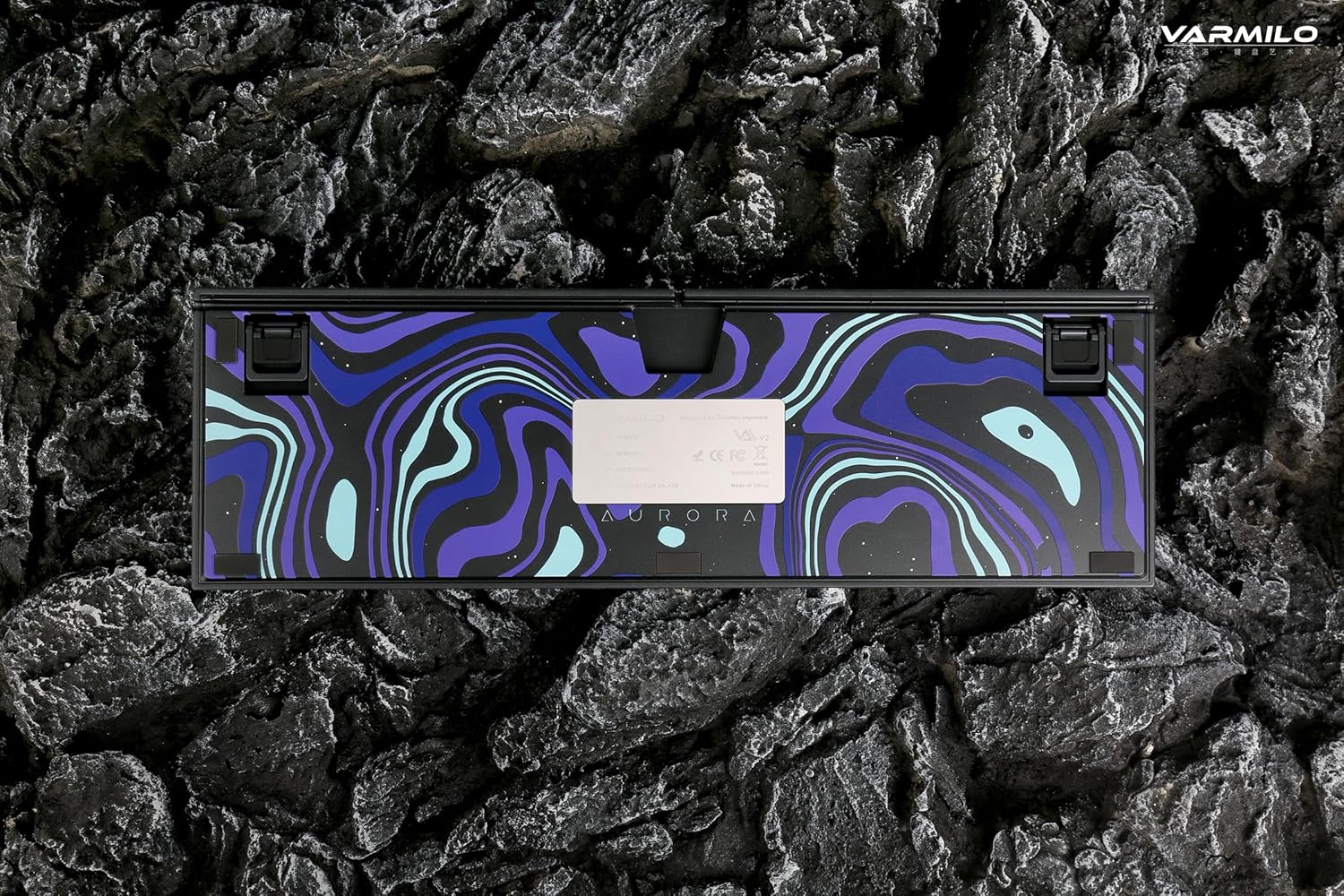
Image: The bottom of the keyboard, illustrating the cable grooves that allow the USB-C cable to exit from the left, right, or middle.
3.2 วิธีการเชื่อมต่อ
3.2.1 การเชื่อมต่อแบบมีสาย (USB-C)
- หาพอร์ต USB-C ที่ด้านหลังของคีย์บอร์ด
- Connect the provided USB-C cable to the keyboard and the other end to an available USB port on your computer or device.
- The keyboard will be automatically recognized by your operating system. The indicator light will show charging status if the battery is low.
3.2.2 การเชื่อมต่อไร้สายบลูทูธ
The Varmilo VA Series V2 Aurora keyboard supports connecting up to 3 devices wirelessly via Bluetooth.
- สลับไปที่โหมดบลูทูธ: Locate the mode switch on the keyboard (usually on the back or side) and set it to Bluetooth mode.
- เข้าสู่โหมดจับคู่: กดค้างไว้ Fn + แทรก (for Bluetooth device 1), Fn + บ้าน (for Bluetooth device 2), or Fn + เลื่อนหน้าขึ้น (for Bluetooth device 3) for 3-5 seconds until the indicator light flashes rapidly, indicating pairing mode.
- เปิดใช้งานบลูทูธบนอุปกรณ์ของคุณ: On your computer, smartphone, or tablet, go to Bluetooth settings and turn on Bluetooth.
- เลือกแป้นพิมพ์: Look for "Varmilo VA2" or a similar name in the list of available devices and select it to pair.
- ยืนยันการจับคู่: Once paired, the indicator light on the keyboard will stop flashing and remain solid for a few seconds, then turn off or show battery status.
- Pair Additional Devices: Repeat steps 2-5 using a different Fn key combination (Fn + Home or Fn + Page Up) to pair up to two more devices.
4. คู่มือการใช้งาน
4.1 การสลับระหว่างอุปกรณ์
- To switch to Bluetooth device 1: Press Fn + แทรก.
- To switch to Bluetooth device 2: Press Fn + บ้าน.
- To switch to Bluetooth device 3: Press Fn + เลื่อนหน้าขึ้น.
- To switch to Wired mode: Set the mode switch on the keyboard to Wired mode.
4.2 การควบคุมแสงไฟ LED
The keyboard features a White LED backlight. Use the following key combinations to control the backlight:
- Fn + < (Left Arrow): ลดความสว่างของแสงไฟด้านหลัง
- Fn + > (Right Arrow): เพิ่มความสว่างของไฟแบ็คไลท์
- Fn + ลูกศรขึ้น: Change backlight mode/effect.
- Fn + ลูกศรลง: Change backlight mode/effect (reverse direction).
- Fn + Z: เปิด/ปิดไฟแบ็คไลท์
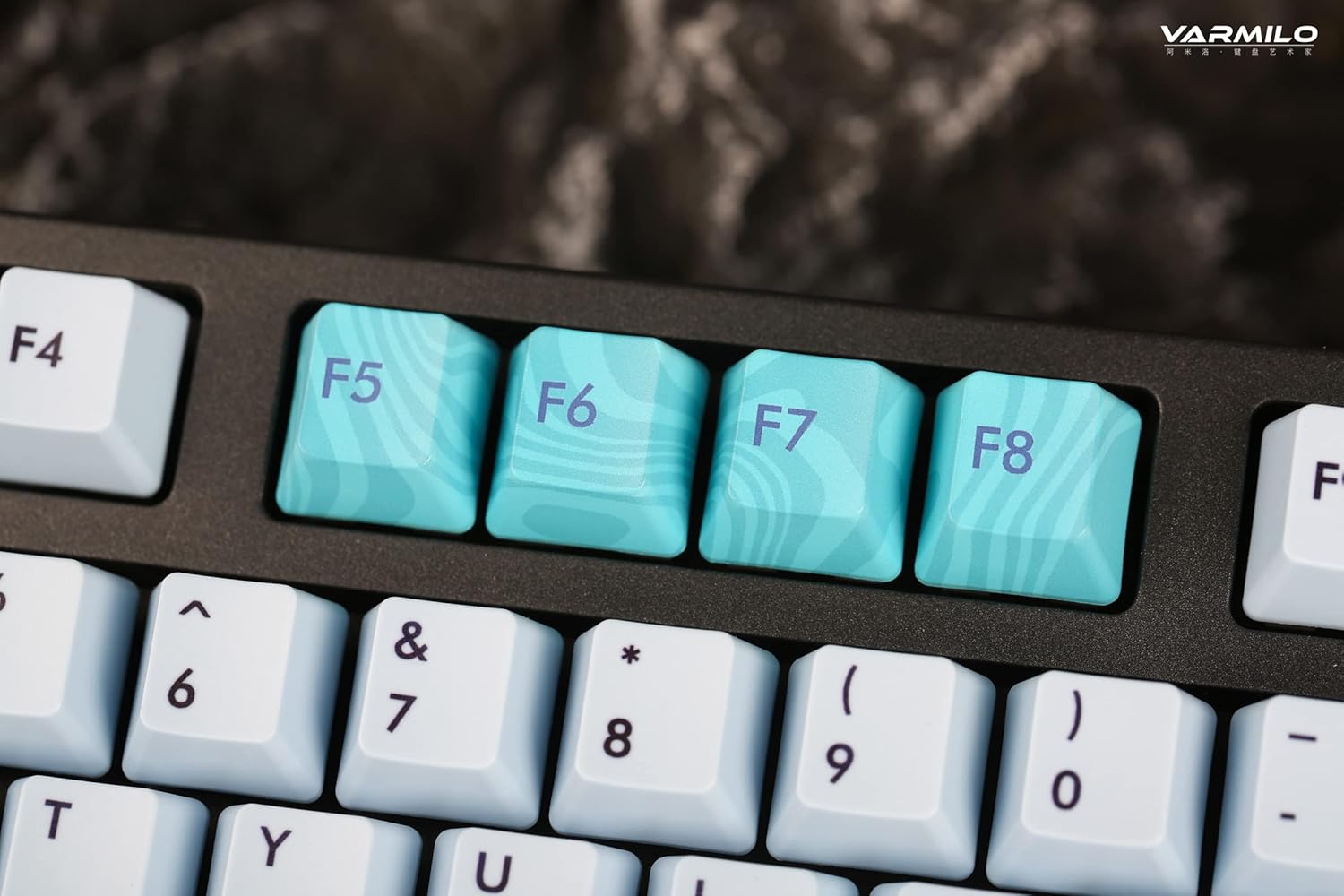
Image: Close-up of the arrow keys, which are used in combination with the Fn key to control backlight brightness and modes.
4.3 ปุ่มฟังก์ชันและปุ่มควบคุมมัลติมีเดีย
The keyboard features a full-size (104 + 4) layout with dedicated function keys and multimedia controls accessible via the Fn สำคัญ.
- Fn + F1-F12: Access various system functions (e.g., media playback, volume control, screen brightness). Refer to your operating system's settings for specific mappings or common keyboard shortcuts.
- กดปุ่ม Fn + ปุ่ม Windows: ล็อก/ปลดล็อกปุ่ม Windows เพื่อป้องกันการกดโดยไม่ตั้งใจขณะเล่นเกม
- Fn + Ctrl ขวา: Switch between Mac/Windows layout (if applicable, check specific model features).

ภาพ: ภาพระยะใกล้ view of the F5-F8 keys, showcasing their unique design and potential secondary functions.
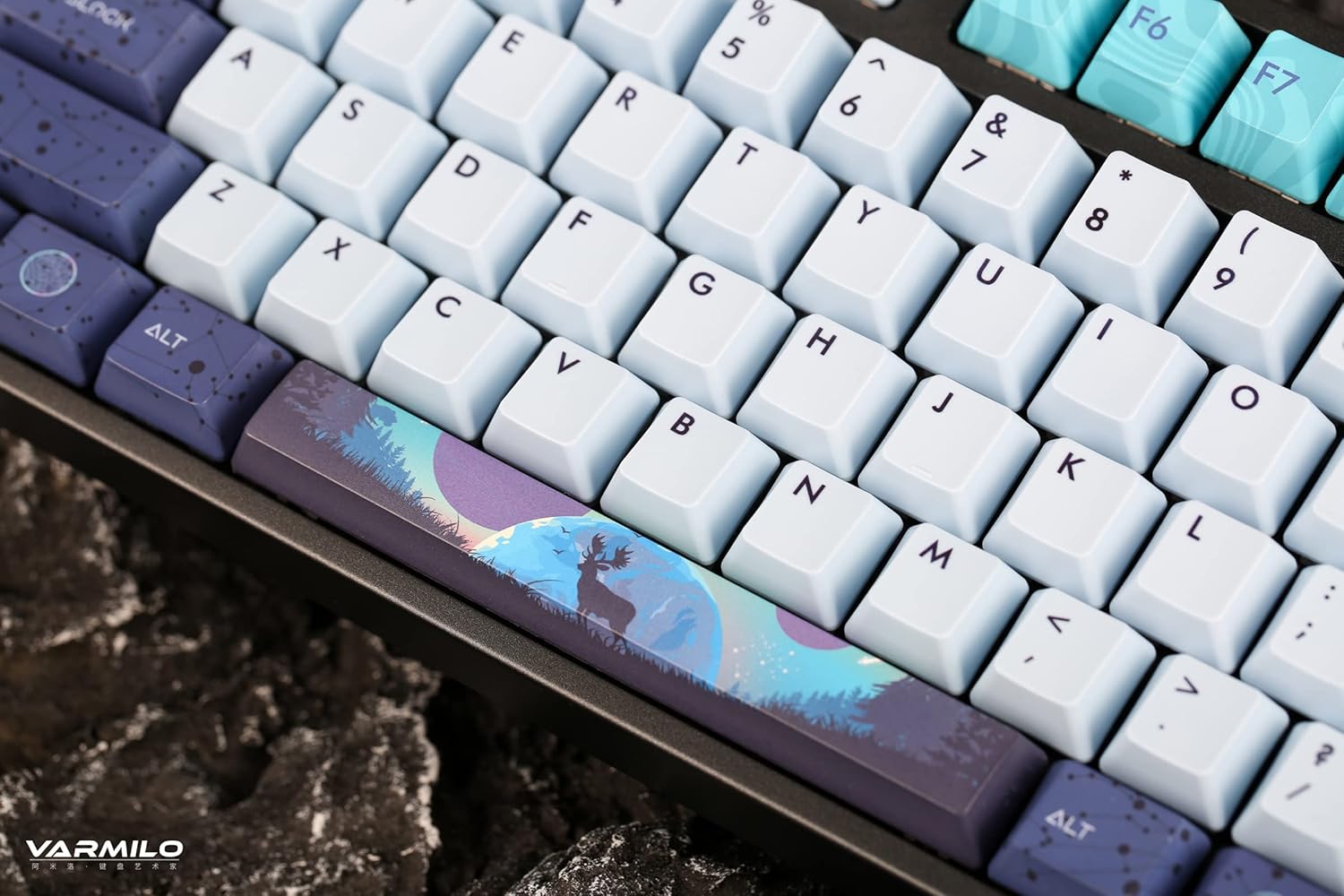
ภาพ: รายละเอียด view of the keyboard's keycaps, including a custom-designed spacebar, highlighting the thick Dye Sub PBT keycaps.
5. การบำรุงรักษา
Proper maintenance ensures the longevity and performance of your Varmilo keyboard.
- การทำความสะอาด: Use a soft brush or compressed air to remove dust and debris from between the keycaps. For stubborn dirt, gently wipe the keycaps with a damp cloth and mild soap solution, ensuring no liquid enters the keyboard.
- การถอดคีย์แคป: If you need to clean under the keycaps or replace them, use a keycap puller. Gently pull the keycap straight up to avoid damaging the switch. The keyboard features durable Dye Sub PBT keycaps.
- พื้นที่จัดเก็บ: เมื่อไม่ได้ใช้งานเป็นเวลานาน ควรเก็บแป้นพิมพ์ไว้ในที่แห้งและปราศจากฝุ่น
- หลีกเลี่ยงของเหลว: อย่าให้แป้นพิมพ์โดนของเหลว เพราะน้ำที่หกอาจทำให้แป้นพิมพ์เสียหายถาวรได้
6 การแก้ไขปัญหา
| ปัญหา | สาเหตุที่เป็นไปได้ | สารละลาย |
|---|---|---|
| แป้นพิมพ์ไม่ตอบสนอง (มีสาย) | Loose USB-C cable connection; faulty USB port; incorrect mode. |
|
| แป้นพิมพ์ไม่ตอบสนอง (บลูทูธ) | Not paired; out of range; low battery; incorrect Bluetooth channel selected. |
|
| แสงไฟไม่ทำงาน | Backlight turned off; brightness set to minimum; low battery. |
|
| กุญแจไม่ลงทะเบียนหรือพิมพ์ซ้ำ | Dust/debris under keycap; switch malfunction; software issue. |
|
7. ข้อมูลจำเพาะ
| คุณสมบัติ | รายละเอียด |
|---|---|
| ยี่ห้อ | วาร์มิโล |
| แบบอย่าง | VA Series V2 Aurora |
| ประเภทแป้นพิมพ์ | เครื่องจักรกล |
| ประเภทสวิตซ์ | Kailh Prestige Red |
| การเชื่อมต่อ | USB-C (Wired), Bluetooth (Wireless) |
| อุปกรณ์ไร้สาย | Connects up to 3 devices wirelessly |
| ปุ่มกด | Thick Dye Sub PBT |
| แสงไฟแบ็คไลท์ | White LED, North-facing |
| เค้าโครง | Full-size (104 + 4 keys) |
| อุปกรณ์ที่รองรับ | แล็ปท็อป, พีซี, สมาร์ทโฟน, แท็บเล็ต |
| คุณสมบัติพิเศษ | สอง-tage height adjustable feet, Sound-proof silicone pads, Cable grooves |
| วัสดุ | Silicone (internal sound dampening) |
8. การรับประกันและการสนับสนุน
Varmilo products are designed for quality and durability. For warranty information, technical support, or service inquiries, please refer to the official Varmilo webเว็บไซต์หรือติดต่อร้านค้าปลีกของคุณ
You can visit the official Varmilo Store for more information: Varmilo Store on Amazon.


