
การแนะนำ
Thank you for choosing the American Lifetime DC12-EL Digital Dementia Clock. This large display clock is designed to provide clear and concise time, day, and date information, along with customizable alarms, to assist individuals who may benefit from enhanced daily orientation. Its user-friendly interface and robust features make it an ideal addition to any home environment.
คำแนะนำการตั้งค่า
Follow these steps to set up your American Lifetime Digital Dementia Clock:
- แกะกล่อง: Carefully remove the clock and all accessories from the packaging. Ensure all components, including the power adapter and stand, are present.
- การเชื่อมต่อไฟฟ้า: Connect the provided power adapter to the DC IN port on the back of the clock and plug it into a standard electrical outlet. The clock will power on automatically.
- การติดตั้งขาตั้ง: The clock includes a removable stand for tabletop use. Insert the stand into the designated slots on the back of the clock. For wall mounting, remove the stand and use the keyhole slots on the back of the device.
- การตั้งค่าเริ่มต้น: Upon first power-on, the clock may display default settings. Use the control buttons on the back or side of the clock to navigate the menu and set the correct time, date, and preferred display format.
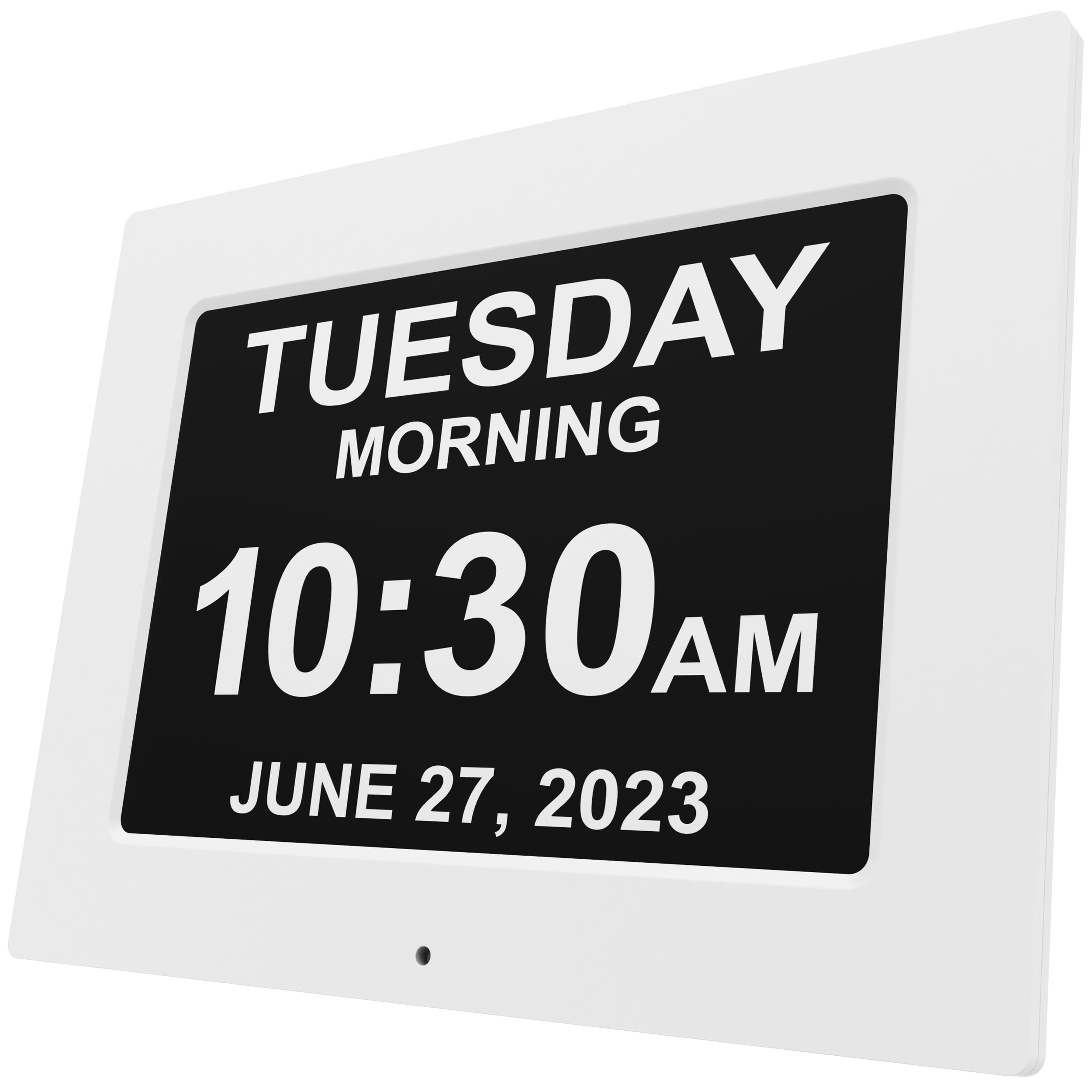
รูปที่ 1 : ด้านหน้า view of the American Lifetime DC12-EL Digital Dementia Clock.

รูปที่ 2: ด้านหลัง view of the clock showing the removable stand and control buttons for setup.
Video 1: Unboxing and initial setup of the American Lifetime Digital Dementia Clock. This video demonstrates how to unpack the clock, connect the power, and attach the stand.
คำแนะนำการใช้งาน
The American Lifetime Digital Dementia Clock offers various features to enhance usability:
- จอแสดงผลที่ชัดเจน: The large, high-contrast display clearly shows the day of the week, period of the day (Morning, Afternoon, Evening, Night, Before Dawn), time (AM/PM), and full date.
- สัญญาณเตือนที่ปรับแต่งได้: Set up to 5 daily alarms for important events such as medication reminders or appointments. Each alarm can be customized with a specific message.
- ลดแสงอัตโนมัติ: The clock automatically adjusts its brightness based on ambient light conditions, ensuring readability during the day and preventing disturbance at night.
- รองรับหลายภาษา: Choose from multiple language options to suit user preferences.
- Hourlใช่ เสียงระฆัง: Activate an optional hourly chime feature, configurable for specific time ranges (e.g., 9 AM - 6 PM or 24 hours).
- Time and Date Modes: Select between 12-hour or 24-hour time formats and various date display formats (e.g., Month-Day-Year).

รูปที่ 3: อดีตample of the clock's clear display showing the day, period, time, and date.

Figure 4: The clock displaying a customizable medication reminder message.
Video 2: Demonstration of the clock's menu for setting time, date, alarms, and other customizable features.
การซ่อมบำรุง
To ensure the longevity and optimal performance of your clock:
- การทำความสะอาด: Wipe the screen and frame with a soft, dry cloth. Avoid using abrasive cleaners or solvents that may damage the display or finish.
- แบตเตอรี่สำรอง: The clock uses 1 CR2 battery for backup in case of power outages. Replace the battery as needed to maintain settings during power interruptions.
- การจัดวาง: Place the clock on a stable surface or mount it securely on a wall. Avoid exposing it to extreme temperatures, direct sunlight, or high humidity.
การแก้ไขปัญหา
| ปัญหา | สาเหตุที่เป็นไปได้ | สารละลาย |
|---|---|---|
| นาฬิกาไม่เปิดเครื่อง | ไม่ได้เชื่อมต่ออะแดปเตอร์ไฟหรือเต้ารับไฟฟ้าชำรุด | ตรวจสอบให้แน่ใจว่าอะแดปเตอร์ไฟฟ้าเชื่อมต่ออย่างแน่นหนาและเต้ารับสามารถใช้งานได้ |
| เวลา/วันที่ไม่ถูกต้องหลังจากไฟดับtage. | Backup battery is low or depleted. | Replace the CR2 backup battery. The clock should automatically reset to the correct time and date when power returns. |
| หน้าจอแสดงผลสว่างเกินไปหรือมืดเกินไป | Auto-dimming feature or manual brightness setting. | Check the brightness settings in the menu. The auto-dimming feature adjusts automatically, but manual override may be available. |
| สัญญาณเตือนภัยไม่ดัง | Alarm is turned off or volume is too low. | Verify that the alarm is enabled and the volume is set to an audible level in the settings menu. |
ข้อมูลจำเพาะ
- ยี่ห้อ: อายุการใช้งานของชาวอเมริกัน
- หมายเลขรุ่น: DC12-EL
- ASIN: B0CKT7GZD3
- สี: สีขาว
- ประเภทจอภาพ: ดิจิตอล
- สไตล์: ทันสมัย
- ขนาดสินค้า : กว้าง 12.4 นิ้ว x สูง 9.5 นิ้ว
- น้ำหนักสินค้า: 2.25 ปอนด์
- แหล่งพลังงาน: Power Cord (Corded)
- ประเภทห้อง: Bedroom (suitable for various indoor settings)
- รูปร่าง: สี่เหลี่ยมผืนผ้า
- การใช้งานในร่ม/กลางแจ้ง: ในร่ม
- วัสดุกรอบ: พลาสติก
- แบตเตอรี่: 1 CR2 battery required (for backup)
- ประเภทการติดตั้ง: ติดตั้งบนผนัง / วางบนโต๊ะ
- โหมดการทำงาน: Atomic (time synchronization)
การรับประกัน
The American Lifetime Digital Dementia Clock comes with a รับประกันจำกัด 1 ปี. Additionally, customers can return the product for free within the first 30 days, no questions asked. Extended protection plans are also available for purchase:
- แผนคุ้มครอง 2 ปี: ราคา 9.99 ดอลลาร์ (ชำระครั้งเดียว)
- แผนคุ้มครอง 3 ปี: ราคา 13.49 ดอลลาร์ (ชำระครั้งเดียว)
- การปกป้องที่สมบูรณ์: One plan covers all eligible past and future purchases for $16.99 (monthly billing).
สนับสนุน
For any questions, assistance, or troubleshooting not covered in this manual, please contact the American Lifetime customer service team. Our dedicated team is ready to help you.
Webเว็บไซต์: www.American-Lifetime.com