
1. สินค้าหมดview
The Creator C420 is a specialized OBD2 diagnostic scanner designed for BMW and Mini vehicles. It provides comprehensive system diagnostics and advanced service reset functions, in addition to standard OBD2 capabilities for all OBD2 compliant vehicles. This manual provides instructions for its proper setup, operation, and maintenance.
2. เนื้อหาบรรจุภัณฑ์
ตรวจสอบว่ารายการทั้งหมดที่ระบุไว้ด้านล่างนี้รวมอยู่ในแพ็คเกจของคุณ:
- 1 x Creator C420 BMW Code Reader
- 1 x กระเป๋าใส่ของ
- เครื่องอ่านบัตร 1 X
- สาย USB 1 เส้น
- 1 x คู่มือผู้ใช้ (เอกสารฉบับนี้)
3. การตั้งค่าและการเชื่อมต่อ
Follow these steps to connect the C420 scanner to your vehicle:
- ค้นหาพอร์ต OBD-II: พอร์ต OBD-II โดยทั่วไปจะอยู่ใต้แผงหน้าปัดด้านคนขับ หากหาไม่เจอ โปรดดูคู่มือการใช้งานรถยนต์ของคุณ
- เชื่อมต่อเครื่องสแกนเนอร์: Plug the C420's OBD-II connector firmly into the vehicle's OBD-II port.
- เปิดเครื่อง: The scanner will power on automatically once connected to the vehicle's OBD-II port, drawing power directly from the vehicle. Ensure the vehicle's ignition is in the 'ON' position (engine off or running, depending on the diagnostic task).
- Adapter for Older Models: For BMW and Mini vehicles manufactured between 1997-2004, a 20-pin adapter (not included) may be required to connect the C420 scanner.

Image: The Creator C420 scanner with its OBD-II connector, ready for connection to a vehicle.
4. คู่มือการใช้งาน
The C420 features a 2.4" TFT 240K true color LCD display and a silicone keypad for navigation. The menu layout is designed for ease of use.
4.1. ความคุ้มครองยานพาหนะ
The Creator C420 is compatible with most BMW and Mini models from 2001 and newer. Specific series covered include:
- ซีรี่ส์ 1: E81, E82, E87, E88, F20, F21
- ซีรี่ส์ 2: ฟ22, ฟ23, ฟ45, ฟ46, ฟ87
- ซีรี่ส์ 3: E46, E90, E91, E92, E93, F30, F31, F34, F35, F80
- ซีรี่ส์ 4: ฟ32, ฟ33, ฟ36, ฟ82, ฟ83
- ซีรี่ส์ 5: E39, E60, E61, F07(GT), F10, F11, F18
- ซีรี่ส์ 6: E63, E64, F06, F12, F13
- ซีรี่ส์ 7: E38, E65, E66, E68, F01, F02, F03, F04, G11, G12
- ซีรีส์ I: I01, I12
- ซีรีย์ X: X1: E84/F48/F49, X3: E83/F25, X4: F26, X5: E53/E70/F15/F85, X6: E71/E72/F16/F86
- ซีรีย์ Z: Z3: E36, Z4: E85/E86/E89
- มินิ: R50, R52, R53, R55, R56, R57, R58, R59, R60, R61, F54, F55, F56, F57

Image: Detailed list of BMW and Mini series and chassis codes supported by the C420 scanner.
4.2. การวินิจฉัยระบบแบบเต็มรูปแบบ
The C420 supports diagnostic functions for all major vehicle systems, allowing you to read and clear trouble codes. Systems include, but are not limited to:
- Engine (ENG)
- ระบบป้องกันล้อล็อกขณะเบรก (ABS)
- Supplemental Restraint System (SRS / Airbag)
- เซ็นเซอร์มุมบังคับเลี้ยว (SAS)
- ระบบเบรกจอดรถแบบอิเล็กทรอนิกส์ (EPB)
- ระบบจัดการแบตเตอรี่ (BMS)
- โมดูลควบคุมการส่งกำลัง (TCM)
- ระบบตรวจสอบความดันลมยาง (TPMS)
- Immobilizer System (IMMO)
- Air Conditioning / HVAC
- โมดูลควบคุมตัวถัง (BCM)
- ระบบเชื้อเพลิง

Image: Visual representation of the full system diagnostic capabilities of the C420 scanner.
4.3. Advanced Reset Features
The C420 offers several advanced service reset functions specifically for BMW and Mini vehicles:
- CBS Reset: การรีเซ็ตบริการตามเงื่อนไข
- การลงทะเบียนแบตเตอรี่: ลงทะเบียนแบตเตอรี่ใหม่เข้าสู่ระบบของรถยนต์
- รีเซ็ตน้ำมัน: รีเซ็ตไฟเตือนการบริการน้ำมันหลังการเปลี่ยนถ่ายน้ำมัน
- รีเซ็ต ABS: Resets the Anti-lock Braking System.
- รีเซ็ต SRS: Resets the Supplemental Restraint System (Airbag).
- รีเซ็ต SAS: รีเซ็ตเซ็นเซอร์มุมพวงมาลัย
- รีเซ็ต EPB: รีเซ็ตระบบเบรกมือไฟฟ้า
- บริการ DPF: Diesel Particulate Filter service functions.
- การจัดตำแหน่งลิ้นปีกผีเสื้อ: Performs throttle body adaptation.
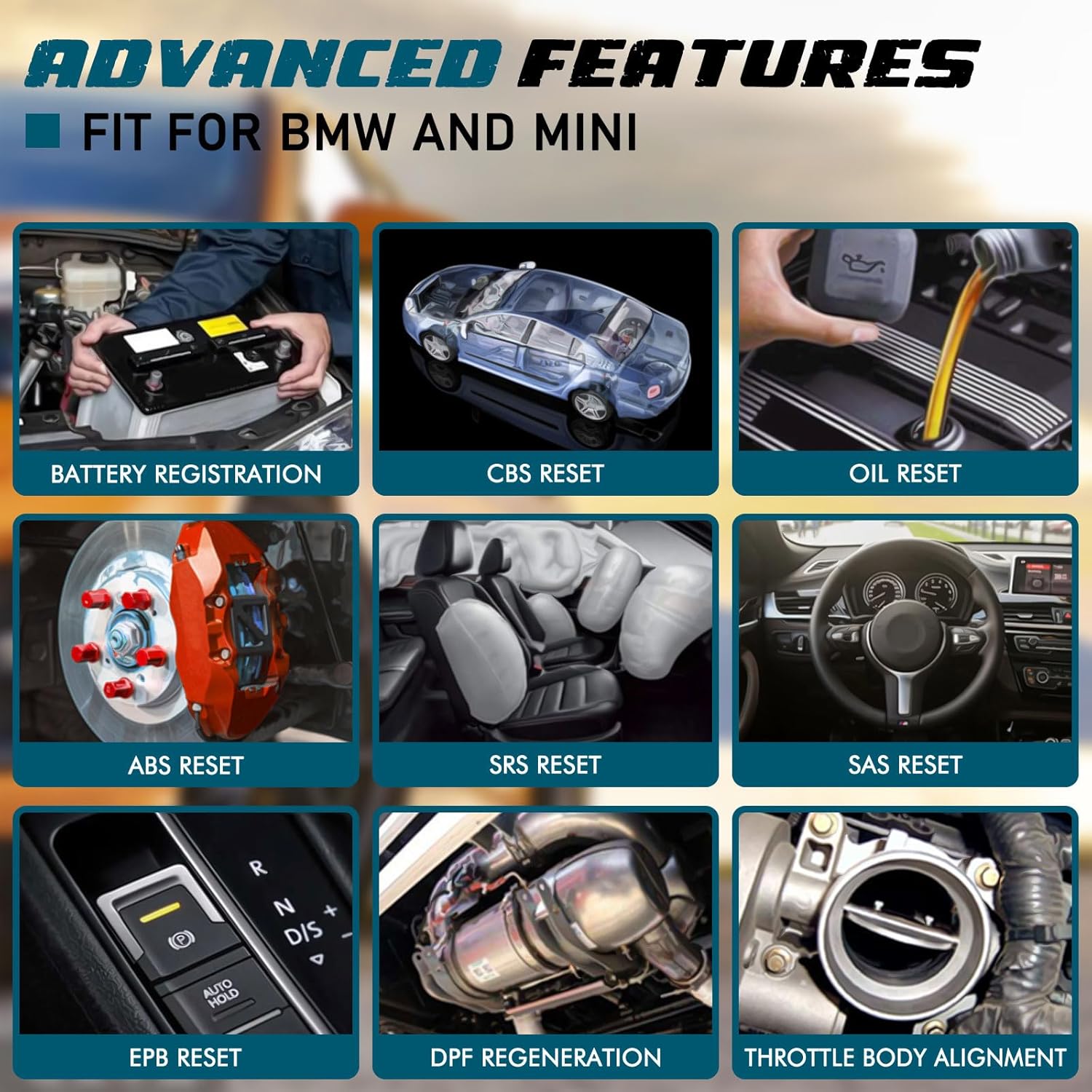
ภาพ: อดีตamples of advanced features available on the C420, including battery registration, CBS reset, and oil reset.
Battery Registration Specifics:
The battery registration function does not support vehicles manufactured before 2004, nor does it support the following E chassis models: 3_Series E46, 5_Series E39, 7_Series E38, X3_E83, X5_E53, Z3_E36, Z4_E85/E86, MINI_R50/R51/R52/R53. For these specific models, direct battery replacement is sufficient as registration is not required. The battery registration function is intended for batteries of the same type and capacity as the original.

Image: Step-by-step screen prompts for performing battery registration using the C420 scanner.
4.4. Universal OBD2 Functions
In addition to BMW/Mini specific functions, the C420 also serves as a universal OBD2 code reader for all OBD2 compliant vehicles, supporting functions such as:
- Turn-Off Malfunction Indicator Light (MIL)
- สถานะความพร้อม I/M
- การทดสอบแบตเตอรี่
- Live Data Streams
- ข้อมูลยานพาหนะ (VIN, CID, CVN)
- การทดสอบออนบอร์ดมอนิเตอร์
- ข้อมูลแบบฟรีซเฟรม
- การค้นหา DTC
- การทดสอบเซ็นเซอร์ O2

Image: The C420 display showing various universal OBD2 functions and icons for supported languages.
5. การบำรุงรักษา
5.1. การอัปเดตซอฟต์แวร์
The Creator C420 supports lifetime free software upgrades. New parameters, functions, and the latest vehicle data are regularly updated. To update the software:
- Visit the official Creator website to download the update tool and latest software package.
- Connect the C420 scanner to your computer using the provided USB cable.
- Follow the instructions provided with the update tool to install the new software.
5.2. การดูแลรักษาอุปกรณ์
- รักษาอุปกรณ์ให้สะอาดและแห้ง
- Store the device in its rugged drop-proof carrying case when not in use to prevent damage.
- หลีกเลี่ยงการวางอุปกรณ์ไว้ในอุณหภูมิที่สูงหรือต่ำเกินไปหรือโดนแสงแดดโดยตรงเป็นเวลานาน
6 การแก้ไขปัญหา
- อุปกรณ์ไม่เปิดเครื่อง: Ensure the scanner is securely connected to the vehicle's OBD-II port and the vehicle's ignition is in the 'ON' position. Check the vehicle's fuse for the OBD-II port if the issue persists.
- Limited information displayed: If using on a non-BMW/Mini vehicle, the scanner will only provide universal OBD2 functions. For BMW/Mini, ensure the correct vehicle model is selected if prompted.
- ปัญหาในการนำทาง: The menu system requires selection of vehicle model and series for specific functions. Use the 'OK' button to confirm selections and the 'ESC' button to go back.
- ปัญหาการอัปเดต: Ensure a stable internet connection during software updates. If the update fails, try a different USB port or computer.
7. ข้อมูลจำเพาะ
| คุณสมบัติ | ข้อมูลจำเพาะ |
|---|---|
| ยี่ห้อ | ผู้สร้าง |
| หมายเลขรุ่น | Creator C420 for BMW |
| แหล่งพลังงาน | อินเทอร์เฟซ OBD-II |
| ระบบปฏิบัติการ | ส.ม. |
| ขนาดหน้าจอ | 2.4 นิ้ว |
| ความละเอียดดั้งเดิม | 240K |
| จำนวนรายการ | 1 |
8. การรับประกันและการสนับสนุน
8.1. การรับประกัน
The Creator C420 comes with a 12-month manufacturer's warranty from the date of purchase. Please retain your proof of purchase for warranty claims.
8.2. การสนับสนุนด้านเทคนิค
Creator offers lifetime free software upgrades and dedicated technical support. For assistance with product operation, troubleshooting, or software updates, please refer to the contact information provided on the official Creator website or in the product packaging. Technical support is available to assist with any inquiries.