
1. บทนำ
Thank you for choosing the Modecom MC-899 Wired Gaming Mouse. This manual provides essential information to help you set up, operate, and maintain your new mouse. Please read these instructions carefully before using the product and retain them for future reference.
2. ข้อมูลด้านความปลอดภัย
- อย่าให้เมาส์สัมผัสกับของเหลวหรือความชื้นมากเกินไป
- หลีกเลี่ยงอุณหภูมิที่สูงหรือต่ำเกินไป
- ห้ามถอดประกอบหรือซ่อมแซมเมาส์ด้วยตนเอง การกระทำดังกล่าวจะทำให้การรับประกันเป็นโมฆะ
- เก็บอุปกรณ์ให้ห่างจากสนามแม่เหล็กแรงสูง
- ใช้ผ้าแห้งนุ่มในการทำความสะอาด
3. เนื้อหาบรรจุภัณฑ์
Please check the package contents. If any items are missing or damaged, contact your retailer.
- Modecom MC-899 Wired Gaming Mouse
- คู่มือการใช้งาน (เอกสารนี้)
4. สินค้าหมดview
The Modecom MC-899 is a wired optical gaming mouse designed for comfortable and precise control. It features a multicolored backlit design and an ambidextrous form factor.
ส่วนประกอบของผลิตภัณฑ์
The mouse typically includes:
- ปุ่มคลิกซ้าย
- ปุ่มคลิกขวา
- ล้อเลื่อน (ยังทำหน้าที่เป็นปุ่มคลิกกลางด้วย)
- เซ็นเซอร์แสง (อยู่ด้านล่าง)
- สาย USB
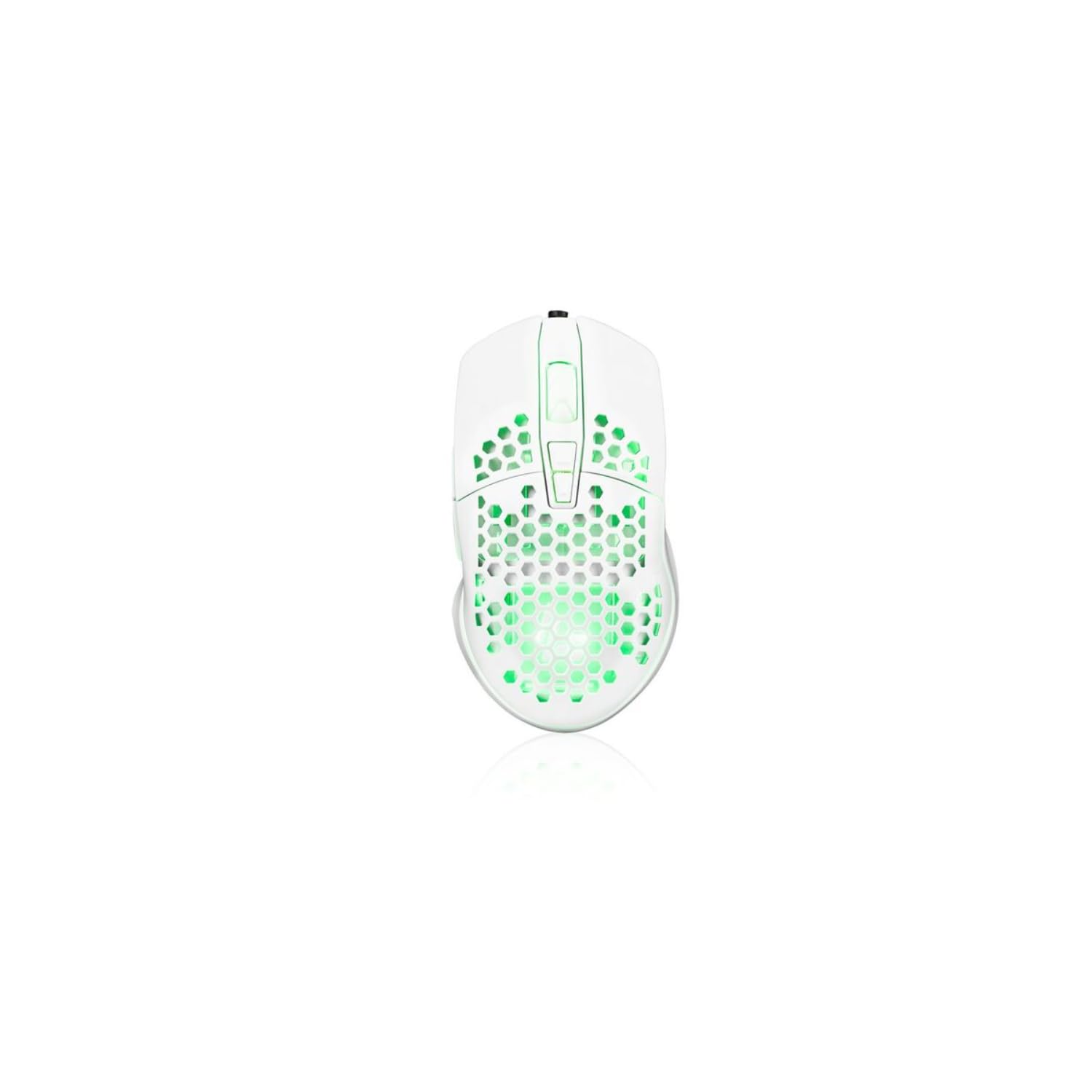
Image showing the Modecom MC-899 wired gaming mouse, featuring its ergonomic design and multicolored finish.
5. การตั้งค่า
การเชื่อมต่อเมาส์
The Modecom MC-899 is a plug-and-play device, requiring no special driver installation for basic functionality.
- ค้นหาพอร์ต USB ที่ว่างบนคอมพิวเตอร์ของคุณ (พีซีหรือแล็ปท็อป)
- Plug the USB connector of the Modecom MC-899 mouse into the USB port.
- Your operating system should automatically detect and install the necessary drivers. The mouse will be ready for use within a few seconds.
6. การใช้งานเมาส์
ฟังก์ชั่นพื้นฐาน
- คลิกซ้าย: Primary action, used for selecting items, opening fileและยืนยันการดำเนินการ
- คลิกขวา: เปิดเมนูบริบท ซึ่งมีตัวเลือกเพิ่มเติมสำหรับรายการที่เลือก
- ล้อเลื่อน: ใช้สำหรับเลื่อนดูเอกสารและ web pages vertically. Pressing the scroll wheel typically acts as a middle click, which can open links in new tabs or enable auto-scrolling.
การแบ็คไลท์
The Modecom MC-899 features integrated backlighting. This lighting is typically active when the mouse is connected and powered, enhancing its aesthetic appeal, especially in gaming environments.
7. การบำรุงรักษา
การทำความสะอาด
- ถอดเมาส์ออกจากคอมพิวเตอร์ของคุณก่อนทำความสะอาด
- ใช้ผ้านุ่มไม่เป็นขุยเช็ดเล็กน้อยampลงด้วยน้ำหรือน้ำยาทำความสะอาดอ่อนๆ
- Do not spray cleaners directly onto the mouse.
- หลีกเลี่ยงไม่ให้ความชื้นเข้าไปในช่องเปิดต่างๆ
- Clean the optical sensor area gently with a cotton swab if dust accumulation affects performance.
พื้นที่จัดเก็บ
- เก็บเมาส์ไว้ในที่แห้งและเย็นเมื่อไม่ได้ใช้งานเป็นเวลานาน
- Avoid placing heavy objects on the mouse or its cable.
8 การแก้ไขปัญหา
If you encounter issues with your Modecom MC-899 mouse, please refer to the following common problems and solutions:
| ปัญหา | วิธีแก้ปัญหาที่เป็นไปได้ |
|---|---|
| เมาส์ไม่ตอบสนอง |
|
| การเคลื่อนไหวของเคอร์เซอร์ไม่แน่นอนหรือกระตุก |
|
| ปุ่มต่างๆ ใช้งานไม่ได้ |
|
9. ข้อมูลจำเพาะ
ข้อมูลจำเพาะทางเทคนิค
| ยี่ห้อ: | โมเดคอม |
| หมายเลขรุ่น: | S9135943 (MC-899) |
| เทคโนโลยีการเชื่อมต่อ: | สาย (USB) |
| เทคโนโลยีการตรวจจับการเคลื่อนไหว: | ออฟติคอล |
| จำนวนปุ่ม: | 3 |
| การวางแนวมือ: | ถนัดทั้งสองมือ |
| คำแนะนำการใช้: | การเล่นเกม, ออฟฟิศ |
| อุปกรณ์ที่รองรับ: | คอมพิวเตอร์ส่วนบุคคล, แล็ปท็อป |
| สี: | หลากสี |
| ความยาวสายเคเบิล: | 2.2 เมตร |
| คุณสมบัติ: | มีไฟแบ็คไลท์ |
| ขนาด : | 5.5 x 13.5 x 19 ซม. |
10. การรับประกันและการสนับสนุน
Modecom products are designed and manufactured to the highest quality standards. For information regarding warranty terms and conditions, please refer to the warranty card included with your product or visit the official Modecom website. For technical support or service inquiries, please contact your local retailer or Modecom customer service.