
1. สินค้าหมดview
The THINKCAR THINKSCAN 641 is a wireless OBD2 diagnostic tool designed for comprehensive vehicle system analysis. It provides diagnostic functions for Engine, Transmission, ABS, and SRS Airbag systems, along with full OBD2 modes and 10 essential maintenance reset services. The device features a touchscreen interface and connects wirelessly via Bluetooth to the vehicle's OBD-II port.
1.1 เนื้อหาบรรจุภัณฑ์
- THINKCAR THINKSCAN 641 OBD2 Scanner (x1)
- Bluetooth Connector (x1)
- คู่มือการใช้งานผลิตภัณฑ์ (1 เล่ม)
1.2 ส่วนประกอบของอุปกรณ์
Familiarize yourself with the main components of your THINKSCAN 641 device:

Image: THINKCAR THINKSCAN 641 device layout with labeled buttons and ports.
- หน้าจอสัมผัสขนาด 4.8 นิ้ว: Main display for navigation and data viewการไอเอ็นจี
- ปุ่มเปิดปิด/ล็อคหน้าจอ: กดค้างไว้ 3 วินาทีเพื่อเปิดหรือปิด
- ปุ่มยืนยัน: Used to select options or confirm actions.
- Up, Down, Left, Right Toggle Key: For navigating menus and options.
- คีย์กลับ: To go back to the previous screen or menu.
- ช่องเสียบการ์ด TF: สำหรับพื้นที่เก็บข้อมูลที่ขยายได้
- พอร์ตชาร์จ: สำหรับเชื่อมต่อสายชาร์จ
- OBD Interface: Port for the Bluetooth connector.
2. การตั้งค่า
2.1 การเชื่อมต่อเริ่มต้น
To begin using your THINKSCAN 641, follow these steps to establish a connection with your vehicle:
- ค้นหาพอร์ต OBD-II ของรถยนต์ของคุณ ซึ่งโดยทั่วไปจะอยู่ใต้แผงหน้าปัดด้านคนขับ
- Plug the included Bluetooth 5.0 VCI Dongle into the vehicle's OBD-II port.
- Turn on the vehicle's ignition (engine off, key on).
- Power on the THINKSCAN 641 handheld unit by pressing and holding the Power/Screen Lock Button for 3 seconds.
- The device will automatically attempt to connect via Bluetooth. A stable connection should be established within 3 seconds.
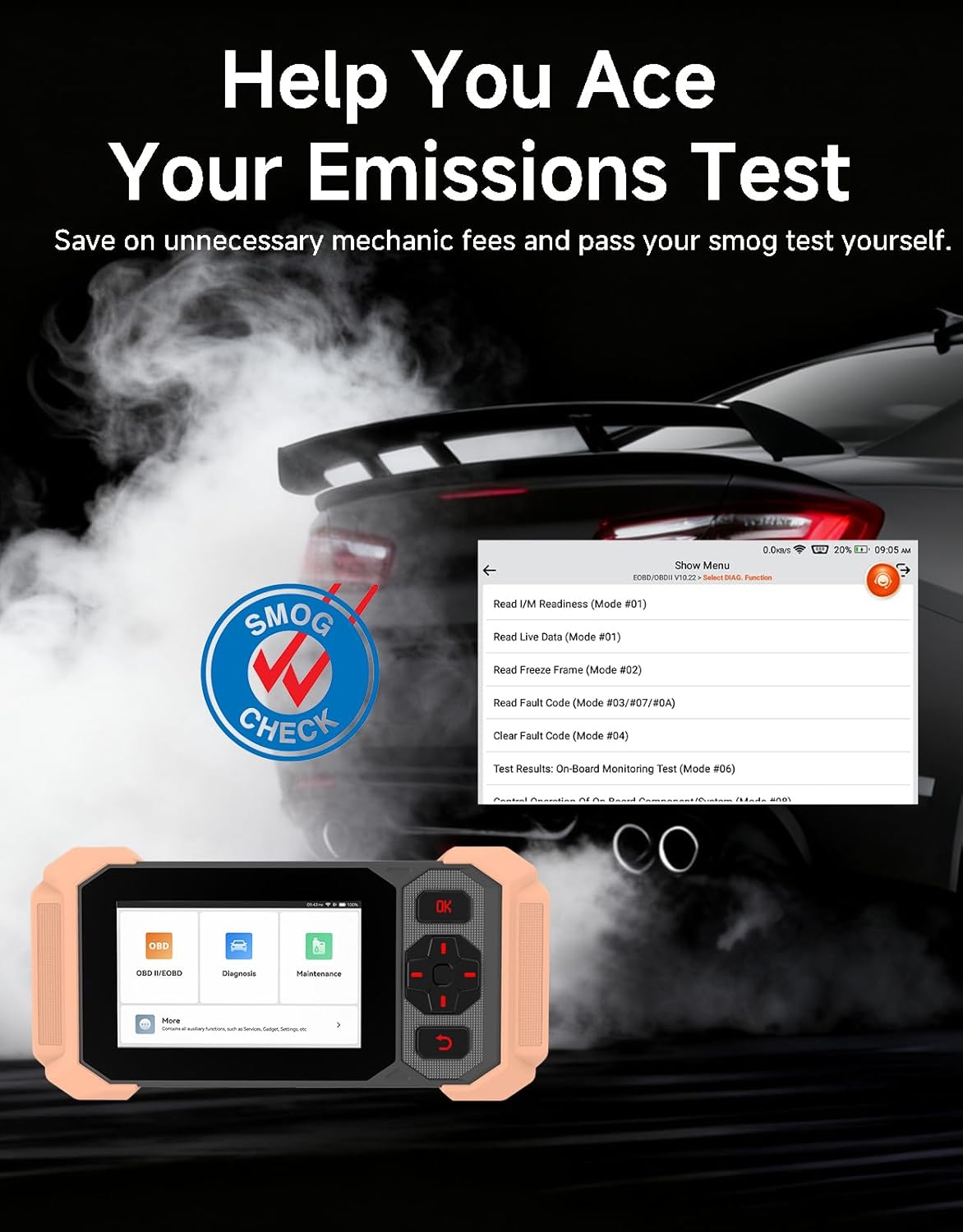
Image: Bluetooth VCI Dongle connected to the vehicle's OBD-II port.
2.2 Automatic Vehicle Identification (AutoVIN)
The THINKSCAN 641 supports AutoVIN functionality, which automatically identifies your vehicle's information upon connection. If AutoVIN fails for your specific vehicle model, you can manually enter the vehicle information to proceed with diagnostics.
2.3 การอัปเดตซอฟต์แวร์
The device supports lifetime free software updates via Wi-Fi. Ensure your device is connected to a stable Wi-Fi network to download and install the latest software versions, which include new vehicle models and improved functionalities.

Image: Lifetime Free Update icon.
2.4 Instructional Video: How to Use
Video: This video demonstrates the basic steps for connecting and using the THINKCAR THINKSCAN 641 diagnostic tool, including menu navigation and initiating a scan.
3. คู่มือการใช้งาน
3.1 การวินิจฉัยระบบ 4 ระบบ
The THINKSCAN 641 provides in-depth diagnostics for four core vehicle systems:
- ระบบเครื่องยนต์: Reads and clears engine fault codes, views live data, and performs various engine-related tests.
- ระบบเบรกป้องกันล้อล็อก (ABS): Diagnoses ABS issues, reads and clears ABS fault codes, and performs ABS bleeding.
- Supplemental Restraint System (SRS/Airbag): Detects and clears airbag system fault codes, and performs SRS resets.
- ระบบส่งกำลัง : Analyzes transmission performance, reads and clears transmission fault codes.

ภาพ: เหนือview of 4-System Diagnostic capabilities.
3.2 โหมด OBD2 เต็มรูปแบบ
The device supports all 10 OBD2 test modes, offering comprehensive diagnostic capabilities:
- อ่านรหัส: Displays Diagnostic Trouble Codes (DTCs).
- รหัสที่ชัดเจน: ล้างรหัสข้อผิดพลาด (DTC) และรีเซ็ตระบบตรวจสอบต่างๆ
- ข้อมูลสด: แสดงข้อมูลแบบเรียลไทม์จากเซ็นเซอร์ของรถยนต์
- ตรึงกรอบ: Stores a snapshot of vehicle operating conditions when an emission-related fault occurs.
- ความพร้อมของ I/M: ตรวจสอบสถานะของอุปกรณ์ตรวจวัดที่เกี่ยวข้องกับการปล่อยมลพิษ
- การทดสอบเซ็นเซอร์ O2: ดึงผลการทดสอบเครื่องตรวจสอบเซนเซอร์ O2
- การทดสอบจอภาพออนบอร์ด: ดึงผลลัพธ์สำหรับส่วนประกอบและระบบส่งกำลังที่เกี่ยวข้องกับการปล่อยมลพิษ
- การทดสอบระบบ EVAP: เริ่มการทดสอบระบบควบคุมการระเหยของเสีย
- ข้อมูลรถ: ดึงข้อมูลหมายเลขประจำตัวรถ (VIN), รหัสการสอบเทียบ และหมายเลขตรวจสอบการสอบเทียบ (CVN)
- การค้นหา DTC: Provides detailed explanations for diagnostic trouble codes.

Image: Full OBD2 Modes functions display.
3.3 10 Maintenance Reset Functions
The THINKSCAN 641 includes 10 specialized maintenance and reset functions:
- เลือดออกบริเวณ ABS: Bleeds air from the brake system.
- Airbag (SRS) Reset: Resets the airbag system after repairs.
- การจับคู่แบตเตอรี่: ลงทะเบียนแบตเตอรี่ใหม่เข้ากับ ECU ของรถยนต์
- การรีเซ็ตผ้าเบรก: Resets the brake pad life after replacement.
- การฟื้นฟู DPF: เริ่มกระบวนการฟื้นฟูตัวกรองอนุภาคดีเซล (Diesel Particulate Filter)
- การปรับคันเร่งอิเล็กทรอนิกส์: เรียนรู้ตำแหน่งของลิ้นปีกผีเสื้อใหม่
- การเข้ารหัสหัวฉีด: กำหนดหมายเลขหัวฉีดใหม่ให้กับ ECU
- การรีเซ็ตบริการน้ำมัน: รีเซ็ตไฟเตือนการบริการน้ำมันหลังการเปลี่ยนถ่ายน้ำมัน
- การรีเซ็ตมุมพวงมาลัย: รีเซ็ตเซ็นเซอร์มุมพวงมาลัย
- รีเซ็ต TPMS: รีเซ็ตระบบตรวจสอบแรงดันลมยาง

Image: 10 Maintenance Reset Functions.
3.4 การแสดงกราฟข้อมูลแบบเรียลไทม์
The device allows for real-time graphing of multiple sensor readings simultaneously, aiding in the diagnosis of intermittent issues and performance analysis.

Image: Live Data Stream icon.
3.5 ความเข้ากันได้ของยานพาหนะ
The THINKSCAN 641 is compatible with all OBDII-compliant vehicles manufactured in 1996 or later, covering over 118 automotive brands. It also supports the CAN FD protocol and FCA AutoAuth certification. Note that access to FCA AutoAuth requires a separate purchase and is currently supported for Renault, Nissan, and Chrysler brands.

Image: Wide compatibility with various car brands and regions.
4. การบำรุงรักษา
4.1 Routine Maintenance Resets
Utilize the 10 maintenance reset functions to perform routine service tasks and clear corresponding indicator lights after repairs. This includes tasks such as oil service resets, brake pad replacements, and battery registrations.
4.2 การอัปเดตซอฟต์แวร์
Regularly check for and install software updates via Wi-Fi to ensure your device has the latest vehicle coverage and diagnostic capabilities. Updates are provided free for life.
5 การแก้ไขปัญหา
5.1 Clearing Fault Codes
When a fault code is detected, it is crucial to diagnose and fix the underlying issue before clearing the code. Clearing codes without addressing the root cause will likely result in the fault code reappearing.
Image: Reminder to fix vehicle faults before clearing codes.
5.2 AutoVIN Failure
If the AutoVIN feature does not automatically identify your vehicle, proceed by manually entering the vehicle's information (make, model, year) to continue with the diagnostic process.
5.3 การนำทางส่วนติดต่อผู้ใช้
While the device is designed for ease of use, some advanced functions may require familiarity with diagnostic procedures. Refer to the built-in DTC Lookup Library for code definitions and consult the online customer service for further assistance if needed.
6. ข้อมูลจำเพาะ
| คุณสมบัติ | ข้อมูลจำเพาะ |
|---|---|
| ยี่ห้อ | ธิงค์คาร์ |
| หมายเลขรุ่น | ธิงค์สแกน 641 |
| แหล่งพลังงาน | ใช้พลังงานจากแบตเตอรี่ |
| ระบบปฏิบัติการ | แอนดรอยด์ 8.1 |
| ขนาดหน้าจอ | 4.3 นิ้ว |
| ภาษา | ภาษาอังกฤษ (รองรับ 23 ภาษา) |
| ประเภทความพอดีของยานยนต์ | พอดีทุกประการ |
| น้ำหนักสินค้า | 0.9 ปอนด์ |
| การเชื่อมต่อ | บลูทูธ 5.0 (ไร้สาย) |
| อัพเดท | Lifetime Free Updates via Wi-Fi |
| โปรโตคอลที่รองรับ | OBDII, CAN FD, FCA AutoAuth (separate purchase for specific brands) |
7. การรับประกันและการสนับสนุน
7.1 การรับประกันของผู้ผลิต
The THINKCAR THINKSCAN 641 comes with a 3-year manufacturer's warranty, ensuring coverage for potential defects or malfunctions.
7.2 การสนับสนุนด้านเทคนิค
Lifetime free technical support is provided for the THINKSCAN 641. For assistance, you can access the built-in online customer service feature directly from the device. This allows for direct communication with professional support staff to resolve any queries or issues.

Image: Timely Online Feedback and Support.