
การแนะนำ
ขอบคุณสำหรับการซื้อasing the Emerson EPD-1001 Portable 10-inch DVD Player. This manual provides essential information for setting up, operating, and maintaining your device. Please read these instructions carefully before use to ensure proper functionality and to maximize your viewการสร้างประสบการณ์
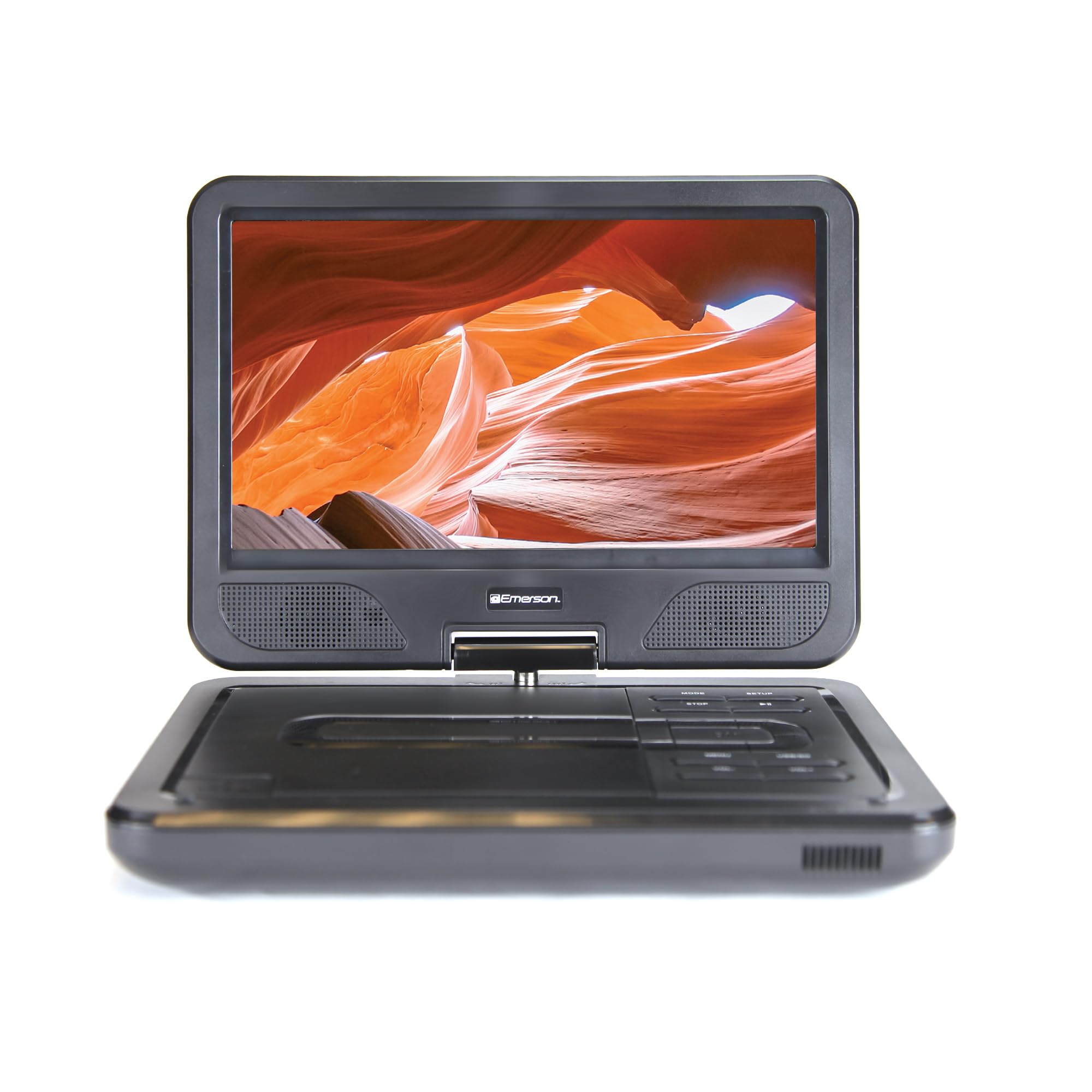
Image: The Emerson EPD-1001 Portable 10-inch DVD Player shown with its screen open, displaying a vibrant image.
มีอะไรอยู่ในกล่อง
ตรวจสอบว่ามีสินค้าทั้งหมดอยู่ในบรรจุภัณฑ์:
- Emerson EPD-1001 Portable 10-inch DVD Player
- รีโมทคอนโทรล
- อะแดปเตอร์ AC
- สายไฟรถยนต์ DC
- เคเบิ้ล AV
- คู่มือการใช้งาน (เอกสารนี้)
- บัตรรับประกัน

Image: The Emerson EPD-1001 Portable 10-inch DVD Player displayed alongside its remote control.
คุณสมบัติผลิตภัณฑ์
- หน้าจอหมุนได้ขนาด 10 นิ้ว: The large 10-inch screen swivels 180 degrees, allowing for flexible viewมุมการเอียง
- ลำโพงในตัว: Integrated speaker provides clear audio for an immersive experience.
- แบตเตอรี่แบบชาร์จไฟได้: Enjoy portable viewing with the built-in rechargeable battery, offering hours of playback.
- รีโมทคอนโทรล: Navigate menus and control playback effortlessly with the included remote.
- การออกแบบที่กะทัดรัด: Lightweight and compact for easy transport during travel.
- Multi-Format Compatibility: Supports a wide range of DVD formats, as well as media from USB flash drives and SD cards.
วิดีโอ: ผลิตภัณฑ์แบบ 360 องศาview of the Emerson EPD-1001 Portable DVD Player, showcasinพิจารณาดีไซน์และคุณสมบัติของมันจากมุมมองต่างๆ
การตั้งค่า
- การแกะกล่อง: นำส่วนประกอบทั้งหมดออกจากบรรจุภัณฑ์อย่างระมัดระวัง เก็บรักษาบรรจุภัณฑ์ไว้เพื่อการจัดเก็บหรือการขนส่งในอนาคต
- การชาร์จแบตเตอรี่: Before first use, fully charge the internal rechargeable battery. Connect the AC power adapter to the DC IN 9-12V port on the DVD player and plug it into a standard wall outlet. The charging indicator light will illuminate. A full charge typically takes several hours.
- Car Power (Optional): For in-car use, connect the DC car cord to the DC IN 9-12V port and plug the other end into your vehicle's 12V accessory socket.
- External Display Connection (Optional): To connect to an external display (e.g., TV), use the provided AV cable. Connect the AV OUT port on the DVD player to the corresponding AV IN ports on your television.

Image: A hand plugging a 12V car adapter into a vehicle's power outlet, demonstrating how to power the DVD player on the go.
คำแนะนำการใช้งาน
การเปิด/ปิดเครื่อง
- หากต้องการเปิดเครื่อง ให้กดค้างไว้ พลัง กดปุ่มค้างไว้จนกว่าหน้าจอจะสว่างขึ้น
- ในการปิดเครื่องให้กดปุ่ม พลัง กดปุ่มอีกครั้งจนกระทั่งหน้าจอดับลง
Inserting and Playing a DVD
- Open the disc cover by gently lifting the เปิด สลัก.
- Place a DVD disc onto the spindle with the label side facing up. Gently press the center of the disc to secure it.
- ปิดฝาครอบแผ่นดิสก์
- The player will automatically detect the disc and begin playback. If not, press the เล่น/หยุดชั่วคราว ปุ่ม.
Using the Swivel Screen
The screen can be rotated up to 180 degrees. Gently swivel the screen to your desired viewing angle. You can also fold the screen flat against the base for a tablet-like viewการสร้างประสบการณ์

Image: A woman using the Emerson EPD-1001 Portable DVD Player, demonstrating the swivel screen feature for comfortable viewการไอเอ็นจี
Media Playback (USB/SD Card)
- ใส่แฟลชไดรฟ์ USB ลงใน ยูเอสบี เสียบพอร์ตหรือการ์ด SD เข้าไปในพอร์ตหรือการ์ด SD SD CARD สล็อต
- ใช้ โหมด button on the player or remote to select the appropriate input (USB or SD).
- เรียกดูสื่อของคุณ files using the arrow buttons and press เข้า ที่จะเล่น

Image: A hand inserting a USB flash drive into the side port of the portable DVD player, illustrating media playback from external storage.
การใช้รีโมทคอนโทรล
Point the remote control directly at the infrared sensor on the DVD player. The remote allows access to functions such as Play, Pause, Stop, Fast Forward, Rewind, Chapter Skip, Volume Control, Menu Navigation, and Input Selection.
เอาท์พุตเสียง
- ลำโพงในตัว: Audio will play automatically through the integrated speakers. Adjust volume using the เล่ม+ และ ฉบับ- ปุ่ม
- แจ็คหูฟัง: For private listening, plug standard 3.5mm headphones into the หูฟัง jack. This will mute the built-in speakers.
การซ่อมบำรุง
- การทำความสะอาด: Use a soft, dry cloth to clean the exterior of the DVD player. For the screen, use a soft, lint-free cloth specifically designed for electronics screens. Do not use liquid cleaners or abrasive materials.
- การดูแลรักษาแผ่นดิสก์: Handle discs by their edges. Keep discs clean and free of scratches. Use a soft, lint-free cloth to wipe discs from the center outwards if cleaning is necessary.
- การดูแลแบตเตอรี่ To prolong battery life, avoid fully discharging the battery frequently. If storing the device for an extended period, charge the battery to approximately 50% and store in a cool, dry place. Recharge every few months to prevent deep discharge.
- พื้นที่จัดเก็บ: Store the DVD player in a cool, dry environment away from direct sunlight, extreme temperatures, and excessive dust.
การแก้ไขปัญหา
| ปัญหา | สาเหตุที่เป็นไปได้ | สารละลาย |
|---|---|---|
| เครื่องเล่นไม่สามารถเปิดเครื่องได้ | แบตเตอรี่หมดหรือไม่ได้เชื่อมต่ออะแดปเตอร์แปลงไฟ | Connect the AC power adapter and allow the battery to charge. Ensure the power button is pressed and held. |
| ไม่มีภาพบนหน้าจอ | Disc is dirty/scratched, incorrect input selected, or screen is folded incorrectly. | Clean the disc. Ensure the screen is properly opened and swiveled. If connected to an external display, verify AV cable connections and TV input selection. |
| ไม่มีเสียง. | Volume is too low, headphones are connected, or disc has no audio track. | Increase the volume. Disconnect headphones if using built-in speakers. Check disc for audio content. |
| แผ่นไม่เล่นหรือเล่นสะดุด | ดิสก์มีรูปแบบสกปรก มีรอยขีดข่วน หรือเข้ากันไม่ได้ | Clean the disc thoroughly. Try a different disc. Ensure the disc format is supported by the player. |
| รีโมทคอนโทรลไม่ทำงาน | Batteries are dead or remote is not pointed at sensor. | Replace remote control batteries. Ensure direct line of sight to the player's IR sensor. |
ข้อมูลจำเพาะ
| คุณสมบัติ | รายละเอียด |
|---|---|
| ยี่ห้อ | เอเมอร์สัน |
| หมายเลขรุ่น | อีพีดี-1001 |
| ขนาดหน้าจอ | 10 นิ้ว |
| ประเภทจอภาพ | จอแอลซีดี |
| ความละเอียดดั้งเดิม | ขนาด 1280x720 |
| เทคโนโลยีการเชื่อมต่อ | ยูเอสบี |
| อุปกรณ์ที่รองรับ | Mobile Phone, Television (via AV out) |
| ประเภทสื่อ | DVD, CD, MP3, USB, SD Card |
| ขนาดรายการ (ยาว x กว้าง x สูง) | ยาว 10 นิ้ว x กว้าง 1.8 นิ้ว x สูง 7.35 นิ้ว |
| น้ำหนักสินค้า | 2.2 ปอนด์ |
| สี | สีดำ |
| ตัวเลือกพลังงาน | Built-in rechargeable battery, AC adapter, 12V car adapter |

Image: A diagram illustrating the dimensions (length, width, height) and weight of the Emerson EPD-1001 Portable DVD Player.
การรับประกันและการสนับสนุน
The Emerson EPD-1001 Portable 10-inch DVD Player comes with a warranty covering 1 Year for Parts และ 90 Days for Labor ตั้งแต่วันที่ซื้อสินค้า
For technical support, warranty claims, or service inquiries, please contact the manufacturer, Naxa Electronics, Inc. Refer to the warranty card included in your product packaging for specific contact details and procedures.
โปรดเก็บหลักฐานการซื้อไว้เพื่อใช้ยืนยันการรับประกัน