
การแนะนำ
This user manual provides comprehensive instructions for the setup, operation, maintenance, and troubleshooting of your Bmax Mini PC B1 Pro. Designed for efficiency and versatility, this mini PC offers a compact solution for various computing needs, from multimedia to business applications.

Image: The Bmax Mini PC B1 Pro, showcasing its compact design and various ports including HDMI, USB, and Ethernet.
เนื้อหาแพ็คเกจ
โปรดตรวจสอบว่ารายการทั้งหมดที่ระบุไว้ด้านล่างมีอยู่ในแพ็คเกจของคุณหรือไม่:
- 1 x Bmax Mini PC B1 Pro (8GB+128GB configuration)
- สาย HDMI 1 เส้น
- 1 x แหล่งจ่ายไฟของสหรัฐฯ
- 1 x คู่มือผู้ใช้ (เอกสารนี้)
- 1 x ขาตั้ง VESA พร้อมสกรู

Image: All components included in the Bmax Mini PC B1 Pro retail package.
สินค้าเกินview และคุณสมบัติที่สำคัญ
หน่วยประมวลผลและประสิทธิภาพ
The Bmax Mini PC B1 Pro is equipped with an Intel Celeron N4000 processor, offering a base frequency of 1.1 GHz and a burst frequency of up to 2.6 GHz. This processor is designed for smooth and stable operation, suitable for everyday computing tasks.

Image: Detailed specifications of the Intel Gemini Lake N4000 processor.
หน่วยความจำและการจัดเก็บ
The device comes with 8GB of LPDDR4 RAM and 128GB of eMMC storage. It supports additional storage expansion via an M.2_2280 SATA SSD (up to 1TB, SSD not included) or an external mobile hard disk box via USB 3.0. This allows for ample space for multiple applications and files.

Image: Visual representation of the M.2 SATA 2280 expansion slot.
ความสามารถในการแสดงผล
The B1 Pro supports 4K (3840 x 2160) ultra-high-definition display output. It features both HDMI and VGA ports, enabling dual monitor setups for increased productivity.

Image: The Bmax Mini PC B1 Pro connected to two monitors for a dual-screen setup.
การเชื่อมต่อและพอร์ต
This mini PC includes 802.11ac Dual-Band Wi-Fi and Bluetooth 4.2 for wireless connectivity. It also features a 1000Mbps LAN port for stable wired network access. A variety of ports are available for peripherals and displays.
- พอร์ต USB 2 จำนวน 3.0 พอร์ต
- พอร์ต USB 2 จำนวน 2.0 พอร์ต
- 1 x พอร์ต HDMI
- พอร์ต VGA 1 พอร์ต
- 1 x Ethernet (LAN) Port
- 1 x 3.5mm Headset Jack
- สล็อต 1 x Micro SD Card
- พลังใน
- ปุ่มเคลียร์ CMOS

ภาพ: รายละเอียด view of all available ports on the Bmax Mini PC B1 Pro.
การออกแบบที่กะทัดรัด
Weighing only 8.5 ounces and measuring 4.7 x 4.7 x 0.9 inches, the B1 Pro is highly portable. It includes a VESA bracket for mounting behind a monitor, creating a clean and uncluttered workspace.

Image: The Bmax Mini PC B1 Pro held in a hand, demonstrating its compact size.
คู่มือการติดตั้ง
การเชื่อมต่อเริ่มต้น
- เชื่อมต่อกับจอแสดงผล: Use the provided HDMI cable to connect the Mini PC to your monitor or TV. If using a VGA display, connect via the VGA port.
- เชื่อมต่ออุปกรณ์ต่อพ่วง: เสียบคีย์บอร์ด เมาส์ และอุปกรณ์ USB อื่นๆ เข้ากับพอร์ต USB ที่ว่างอยู่
- เชื่อมต่อกับพลังงาน: Connect the US Power Adapter to the Mini PC's power input port, then plug it into a power outlet.
- เปิดเครื่อง: กดปุ่มเปิด/ปิดที่อยู่ด้านหน้าของมินิพีซี ระบบจะเริ่มทำงาน
- การตั้งค่า Windows เริ่มต้น: Follow the on-screen instructions to complete the Windows operating system setup.
การติดตั้ง VESA Mount
The Bmax Mini PC B1 Pro comes with a VESA bracket, allowing you to mount it behind a compatible monitor or on a wall. This helps save desk space and creates a cleaner setup.
- ติดตั้งขายึด VESA เข้ากับด้านหลังของจอภาพโดยใช้สกรูที่ให้มา ตรวจสอบให้แน่ใจว่ายึดแน่นดีแล้ว
- เลื่อนมินิพีซีเข้าไปในตัวยึด VESA จนกระทั่งได้ยินเสียงคลิกเข้าที่
- Connect all necessary cables (power, display, peripherals) to the Mini PC.
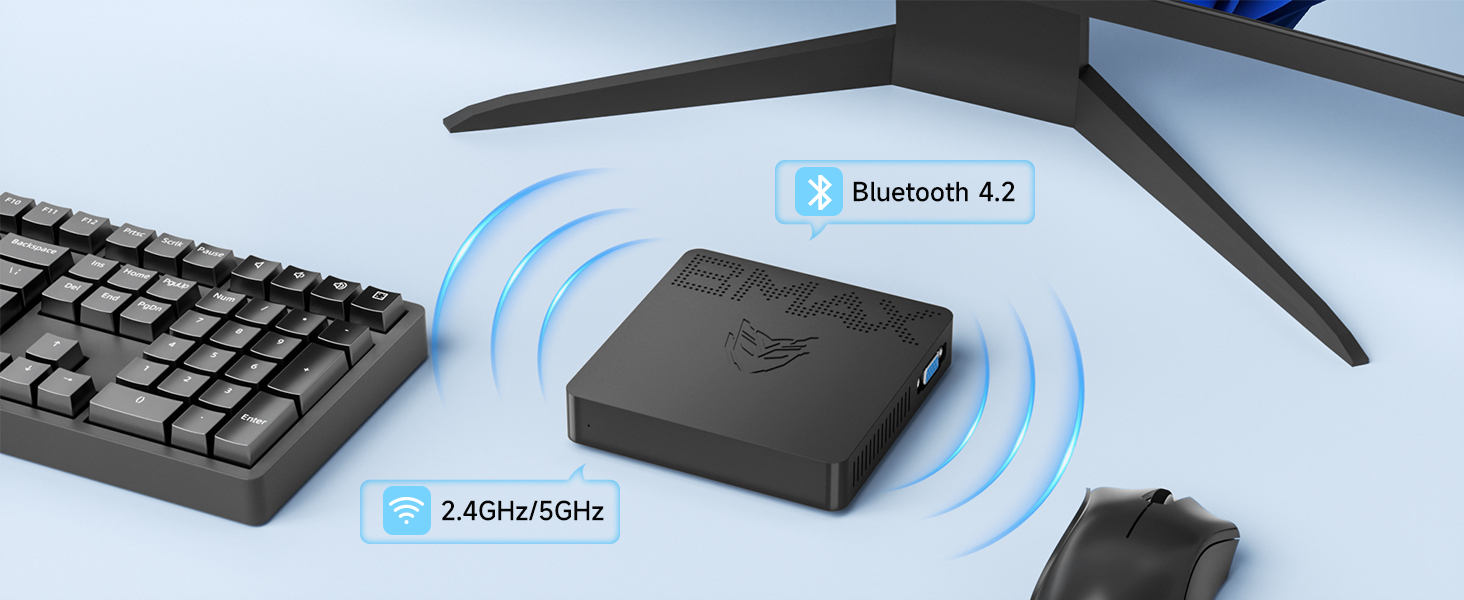
Image: Different placement options for the Bmax Mini PC B1 Pro, including VESA mounting.
คำแนะนำการใช้งาน
การทำงานพื้นฐาน
- เปิด/ปิดเครื่อง: Press the power button to turn the PC on. To turn off, use the operating system's shutdown function or press and hold the power button for a few seconds for a forced shutdown (not recommended for regular use).
- เริ่มต้นใหม่อีกครั้ง: ใช้ฟังก์ชันรีสตาร์ทของระบบปฏิบัติการ
- โหมดสลีป: The PC will enter sleep mode after a period of inactivity, or you can manually put it to sleep via the operating system. Press any key or move the mouse to wake it up.
การตั้งค่าจอแสดงผลคู่
To utilize the dual display feature, connect one monitor to the HDMI port and another to the VGA port. Once both monitors are connected and powered on, your operating system should automatically detect them. You can then configure display settings (extend, duplicate, or show only on one display) through your operating system's display settings.

Image: A dual monitor setup powered by the Bmax Mini PC.
Maintenance and Expansion
Adding an M.2 SSD
The Bmax Mini PC B1 Pro supports M.2_2280 SATA SSD expansion for additional storage. Follow these steps to install an SSD:
- หมดแรง: Ensure the Mini PC is completely powered off and disconnected from the power adapter.
- แผงการเข้าถึง: Locate the access panel on the bottom of the Mini PC. Remove the screw securing the panel and carefully open it.
- ติดตั้ง SSD: Gently insert the M.2_2280 SATA SSD into the designated slot. Secure it with the provided screw (if available, otherwise use a compatible screw).
- ปิดแผง: Replace the access panel and secure it with the screw.
- Initialize SSD: After powering on the PC, you may need to initialize and format the new SSD through Disk Management in Windows before it can be used.
Video: A step-by-step guide on how to add an M.2 SSD to the Bmax Mini PC B1 Pro.
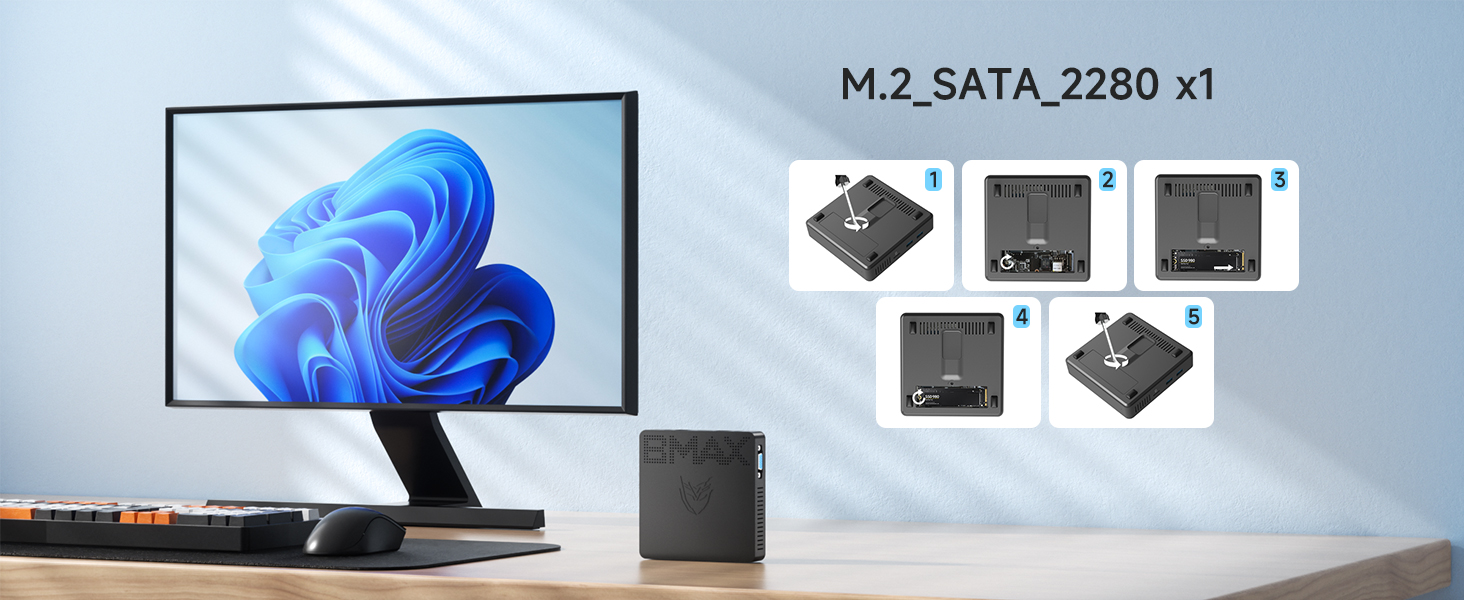
Image: Visual steps for M.2 SSD installation.
การดูแลทั่วไป
- ควรเก็บอุปกรณ์ไว้ในที่สะอาดและแห้ง หลีกเลี่ยงแสงแดดโดยตรงและอุณหภูมิที่สูงหรือต่ำเกินไป
- Avoid blocking the ventilation holes to ensure proper airflow and prevent overheating.
- ทำความสะอาดภายนอกด้วยผ้านุ่มและแห้ง ห้ามใช้น้ำยาทำความสะอาดชนิดน้ำ
การแก้ไขปัญหา
| ปัญหา | สาเหตุที่เป็นไปได้ | สารละลาย |
|---|---|---|
| ไม่มีไฟ/ไม่เปิด | อะแดปเตอร์แปลงไฟไม่ได้เชื่อมต่อหรือชำรุด; มีปัญหาที่ปลั๊กไฟ | Ensure power adapter is securely connected to both the PC and a working power outlet. Try a different outlet. |
| ไม่มีการแสดงผลบนจอภาพ | Display cable loose or incorrect port; Monitor input not selected. | Check HDMI/VGA cable connections. Ensure monitor is set to the correct input source (HDMI/VGA). Try a different cable or monitor. |
| Wi-Fi/Bluetooth ไม่ทำงาน | Drivers not installed; Wireless function disabled. | Check device manager for driver issues. Ensure Wi-Fi/Bluetooth is enabled in Windows settings. Restart the PC. |
| ประสิทธิภาพการทำงานช้า | Too many applications running; Low storage space. | Close unnecessary applications. Free up disk space. Consider adding an M.2 SSD for expansion. |
สำหรับความช่วยเหลือเพิ่มเติม โปรดดูส่วนการรับประกันและการสนับสนุน
ข้อมูลจำเพาะทางเทคนิค
| แบบอย่าง | บีทูโปร |
| โปรเซสเซอร์ | Intel Celeron N4000 (Base 1.1 GHz, up to 2.6 GHz) |
| แรม | แรม 8GB |
| พื้นที่จัดเก็บ | 128GB eMMC (Expandable via M.2_2280 SATA SSD up to 1TB) |
| กราฟฟิก | กราฟิก Intel UHD 600 |
| การแสดงผลเอาท์พุต | HDMI (4K @ 30Hz), VGA (Dual Display Support) |
| การเชื่อมต่อแบบไร้สาย | 802.11ac ดูอัลแบนด์ Wi-Fi, บลูทูธ 4.2 |
| การเชื่อมต่อแบบมีสาย | 1000Mbps LAN (Ethernet) |
| พอร์ต | 2x USB 3.0, 2x USB 2.0, 1x HDMI, 1x VGA, 1x RJ45 Ethernet, 1x 3.5mm Headset Jack, 1x Micro SD Card Slot, Power In |
| ระบบปฏิบัติการ | Pre-installed OS (e.g., Windows 11 Pro as per reviews) |
| ขนาด | 4.7 x 4.7 x 0.9 นิ้ว (12 x 12 x 2.3 ซม.) |
| น้ำหนัก | 7.8 ออนซ์ (220 กรัม) |
การรับประกันและการสนับสนุน
The Bmax Mini PC B1 Pro comes with a รับประกัน 12 เดือน from the date of purchase. Bmax also provides การสนับสนุนทางเทคนิคตลอดอายุการใช้งาน สำหรับผลิตภัณฑ์นี้
For technical assistance, troubleshooting, or warranty claims, please contact Bmax customer service via email. Refer to the contact information provided on the official Bmax webเว็บไซต์หรือเอกสารการซื้อของคุณ
The device supports features such as Wake On LAN, RTC Wake, and Auto Power On (configurable in BIOS settings).