
1. บทนำ
Welcome to the future of lawn care with the SUNSEEKER L22 Plus Robotic Lawn Mower. This manual provides essential information for setting up, operating, and maintaining your robotic mower to ensure optimal performance and a beautifully manicured lawn. Designed for efficiency and user convenience, the L22 Plus integrates intelligent navigation, app control, and advanced safety features to simplify your outdoor tasks.

Figure 1: Sunseeker L22 Plus Robotic Lawn Mower with App Control
2. คู่มือการติดตั้ง
2.1 การแกะกล่องและส่วนประกอบ
Before beginning installation, ensure all components are present. The L22 Plus package includes:
- Robotic Mower (1)
- ฐานชาร์จ (1)
- อะแดปเตอร์ไฟ (1)
- Boundary Wire Reel (820 feet)
- Wire Pegs (320)
- Base Fitting Nails (6)
- Spare Blades (6)
- Distance Guide (1)
- ขั้วต่อสายไฟ (10)

Figure 2: L22 Plus Package Contents
2.2 การติดตั้งสายกราวด์
The robotic mower operates within a defined area established by the boundary wire. Lay the wire around the perimeter of your lawn, securing it with the provided pegs. Ensure the wire is taut and free from kinks. The mower will not wander off or go into other terrains beyond this wire.

รูปที่ 3: อดีตample of Boundary Wire Layout
2.3 การวางฐานชาร์จ
Place the charging base on a flat, level surface within the boundary wire area, preferably in a shaded spot with easy access to a power outlet. Secure the base with the fitting nails. The mower will automatically return to this base for recharging when its battery level is low.

Figure 4: Automatic Recharging at the Base
3. Operating Your Mower
3.1 Intelligent Navigation and Efficiency
The L22 Plus utilizes intelligent navigation to efficiently mow your lawn, including navigating through narrow aisles. Its random mowing pattern ensures comprehensive coverage over time, leading to a healthier and greener lawn.
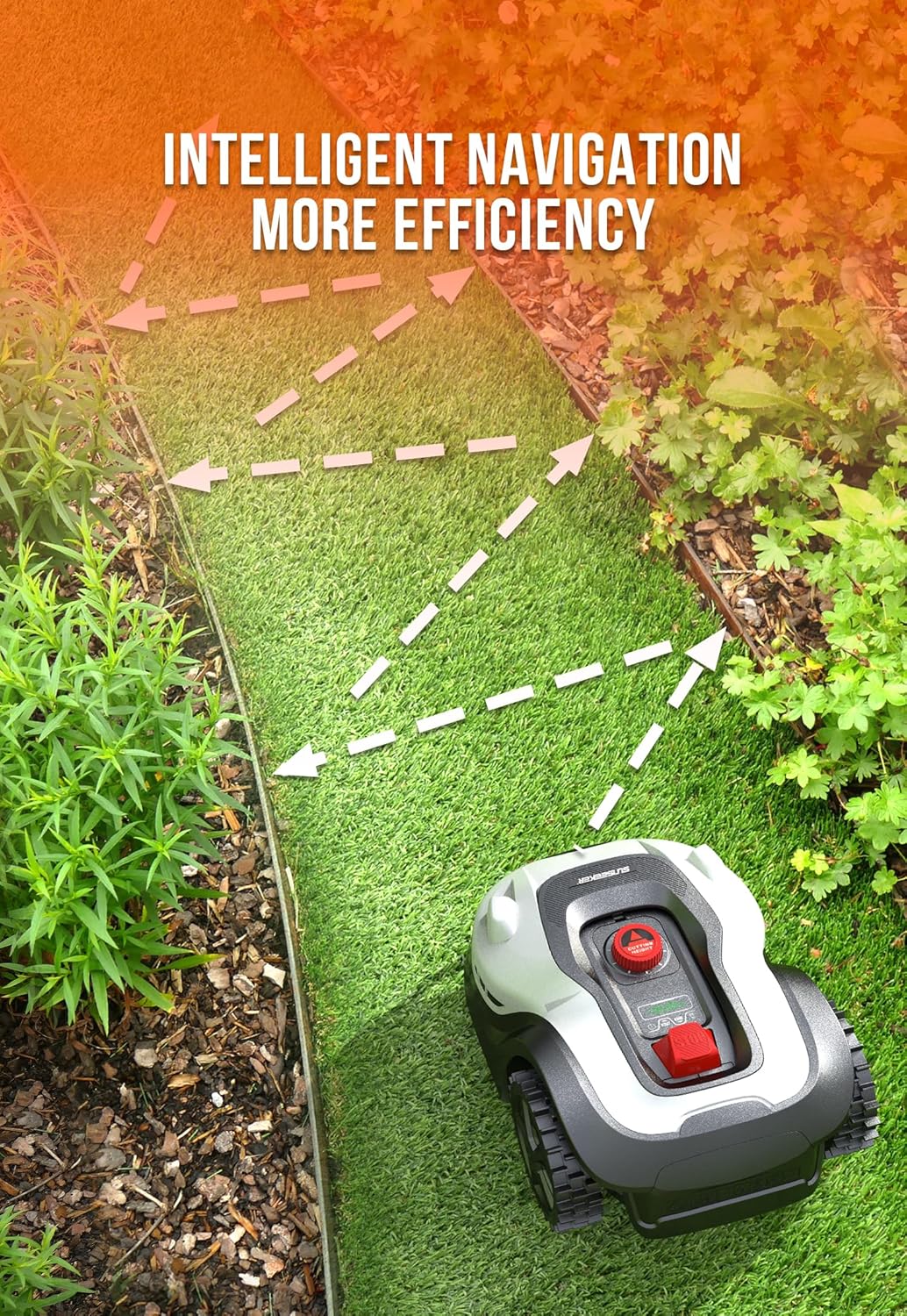
Figure 5: Intelligent Navigation Path
3.2 การทำงานที่เงียบ
Operating at only 57 dB, the L22 Plus is exceptionally quiet, allowing you to enjoy your outdoor space without disturbance while it works.
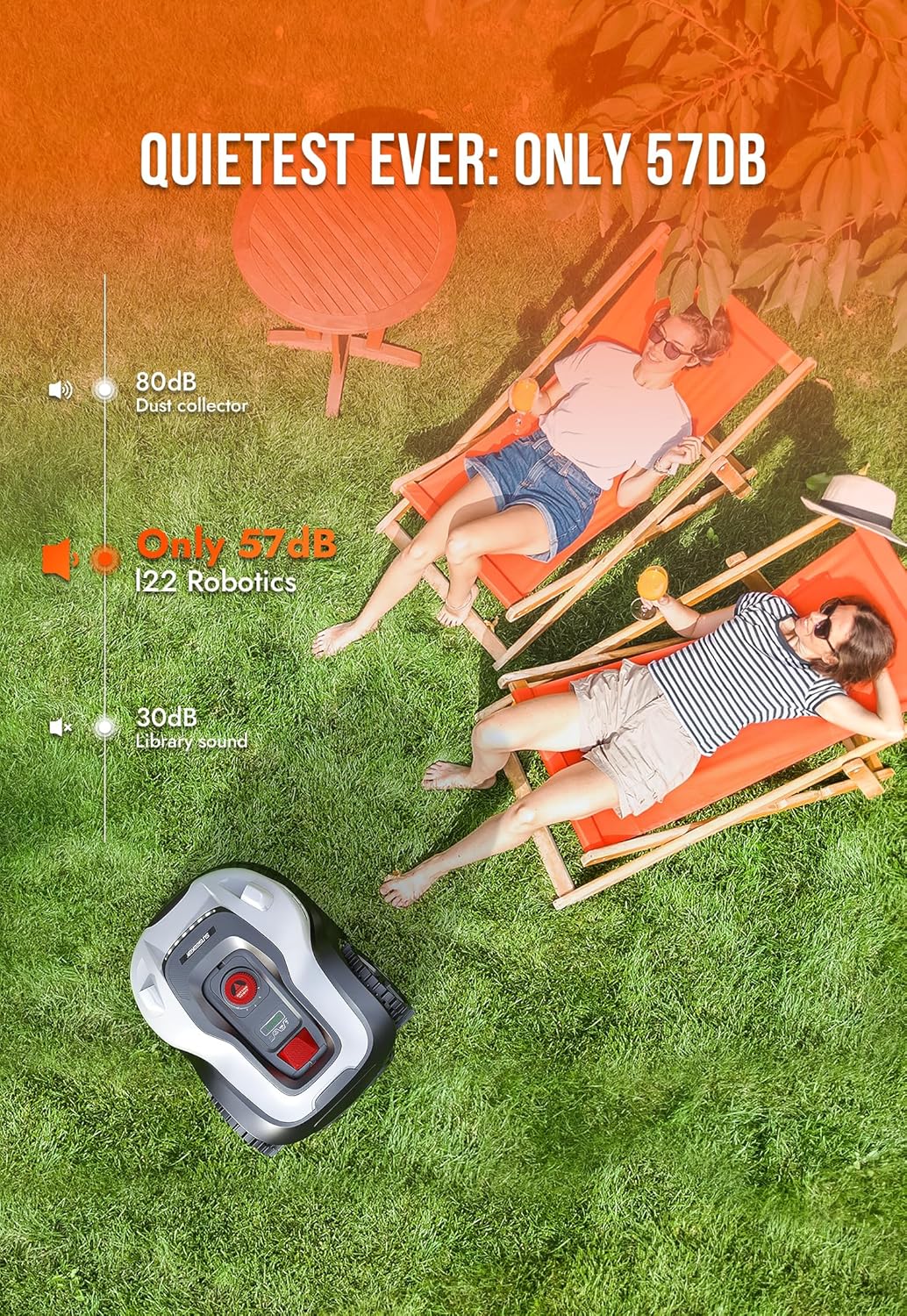
Figure 6: Quiet Operation of the Mower
3.3 Float Cutting Technology
Equipped with automatic float cutting technology, the mower's blades adjust to uneven terrain, preventing damage to your lawn and ensuring a consistent cut even over gopher mounds or other irregularities.

Figure 7: Float Cutting Technology in Action
3.4 คุณลักษณะด้านความปลอดภัย
The L22 Plus prioritizes safety with ultrasonic obstacle avoidance and lift/tilt sensors. If the mower encounters an obstacle or is lifted/tilted, the blades will automatically stop to prevent injury or damage. It also features an anti-theft pin code for security.

Figure 8: Advanced Safety Sensors
3.5 การควบคุมแอปและการทำแผนที่
Control your mower and manage its operations through the dedicated app. The app allows for intelligent mapping of your yard, customizing mowing schedules, and setting multiple starting points to ensure comprehensive coverage of different areas. You can also customize obstacle avoidance distances.
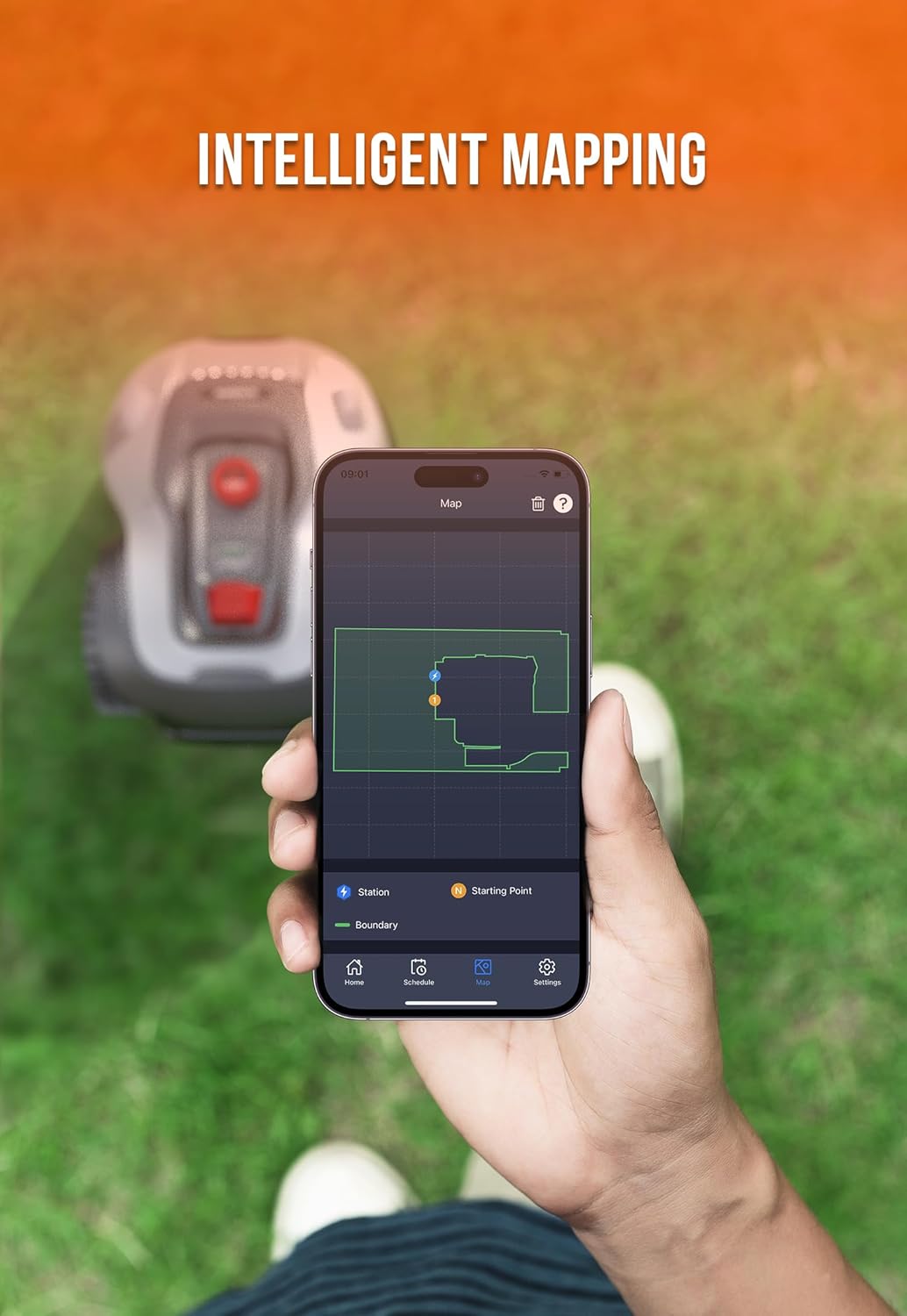
Figure 9: Intelligent Mapping via App
3.6 Adjustable Cutting Height
Adjust the cutting height of your mower between 1.6 inches and 3.2 inches using the dial on top of the unit. This allows you to tailor the grass length to your preference and lawn type.

Figure 10: Cutting Height Adjustment Dial
3.7 Mulching Function
The L22 Plus is designed to finely cut grass clippings and return them to the lawn as natural mulch. This process enriches the soil with nutrients, promoting a healthier and greener lawn over time.
3.8 ความสามารถในการรับน้ำหนักบนพื้นที่ลาดชัน
The mower's heavy-duty anti-slip wheels provide excellent climbing ability, allowing it to mow on slopes up to 35% (20 degrees) without issues.

Figure 11: Mower's Slope Capability
3.9 Rain Sensor & Rain Delay Technology
Equipped with a rain sensor, the mower will automatically stop mowing and return to its charging base when rain is detected. It will resume operation once the rain has passed, thanks to its rain delay technology.

Figure 12: Rain Sensor Functionality
3.10 Operational Modes (LED Headlights)
The LED headlights on the mower shine in different colors to signal various operational modes, providing visual cues on its current status (e.g., working, charging, inspecting, regression, mistake).

Figure 13: LED Headlight Indicators
3.11 วิดีโอผลิตภัณฑ์view
For a visual demonstration of the Sunseeker L22 Plus Robotic Lawn Mower's features and operation, please watch the official product video below.
Video 1: SUNSEEKER L22 Series Robot Mower Overview. This video demonstrates the mower's features, including its quiet operation, ability to handle uneven terrain, and safety mechanisms.
4. การบำรุงรักษา
4.1 การทำความสะอาด
The L22 Plus is IPX5 waterproof, allowing for easy cleaning. The machine can be cleaned directly with a hose to remove grass clippings and debris from the underside and exterior.

Figure 14: Easy Cleaning with a Hose
4.2 การเปลี่ยนใบมีด
The mower uses three razor-sharp blades for cutting. Regularly inspect the blades for wear and replace them as needed to maintain optimal cutting performance. Spare blades are included in the package.
5 การแก้ไขปัญหา
If you encounter issues with your Sunseeker L22 Plus, consider the following common troubleshooting steps:
- Mower not following boundary wire: Ensure the boundary wire is correctly installed, taut, and free from breaks. Check connections to the charging base.
- Mower getting stuck frequently: Clear the mowing area of any small obstacles (toys, branches) that might not be detected by sensors. Ensure the terrain is not excessively uneven or has deep ruts.
- ประสิทธิภาพการตัดที่ไม่ดี: Check the blades for sharpness and replace if dull. Adjust the cutting height setting to suit your grass type and conditions.
- ปัญหาการเชื่อมต่อแอป: Ensure your mower is within Wi-Fi range and that your home network is stable. Restart both the mower and the app if problems persist.
- Mower not charging: Verify that the charging base is powered on and that the mower is correctly docked. Clean the charging contacts on both the mower and the base.
For more detailed troubleshooting or persistent issues, please refer to the comprehensive troubleshooting section in the full user manual or contact customer support.
6. ข้อมูลจำเพาะ
| คุณสมบัติ | ข้อมูลจำเพาะ |
|---|---|
| ยี่ห้อ | ซันซีกเกอร์ |
| หมายเลขรุ่น | แอล 22 พลัส |
| แหล่งพลังงาน | ใช้พลังงานจากแบตเตอรี่ |
| วัสดุ | พลาสติก |
| สี | ขาวดำ |
| น้ำหนักสินค้า | 23.4 ปอนด์ |
| ความกว้างในการตัด | 8.7 นิ้ว |
| โหมดการทำงาน | อัตโนมัติ |
| ขนาดสินค้า | ลึก 23.6 นิ้ว x กว้าง 17.3 นิ้ว x สูง 9 นิ้ว |
| ยูพีซี | 850046351402 |
| Max Adjustable Cutting Height | 3.2 นิ้ว |
| Min Adjustable Cutting Height | 1.6 นิ้ว |
| แบตเตอรี่ | ต้องใช้แบตเตอรี่ลิเธียมไอออน 1 ก้อน (รวมอยู่ด้วย) |
| ระดับเสียง | 57 เดซิเบล |

รูปที่ 15: ขนาดผลิตภัณฑ์
7. การรับประกันและการสนับสนุน
The SUNSEEKER L22 Plus Robotic Lawn Mower comes with a รับประกัน 3 ปี. For any inquiries, technical assistance, or support, please contact SUNSEEKER customer service. They offer 7X12H professional customer service to assist you with your needs.

รูปที่ 16: ข้อมูลการรับประกันและการสนับสนุน