
การแนะนำ
Thank you for choosing CLEYVER Earbuds Pro. This user manual provides essential information for the proper setup, operation, maintenance, and troubleshooting of your new wireless headphones. Please read this manual thoroughly before using the product to ensure optimal performance and longevity.
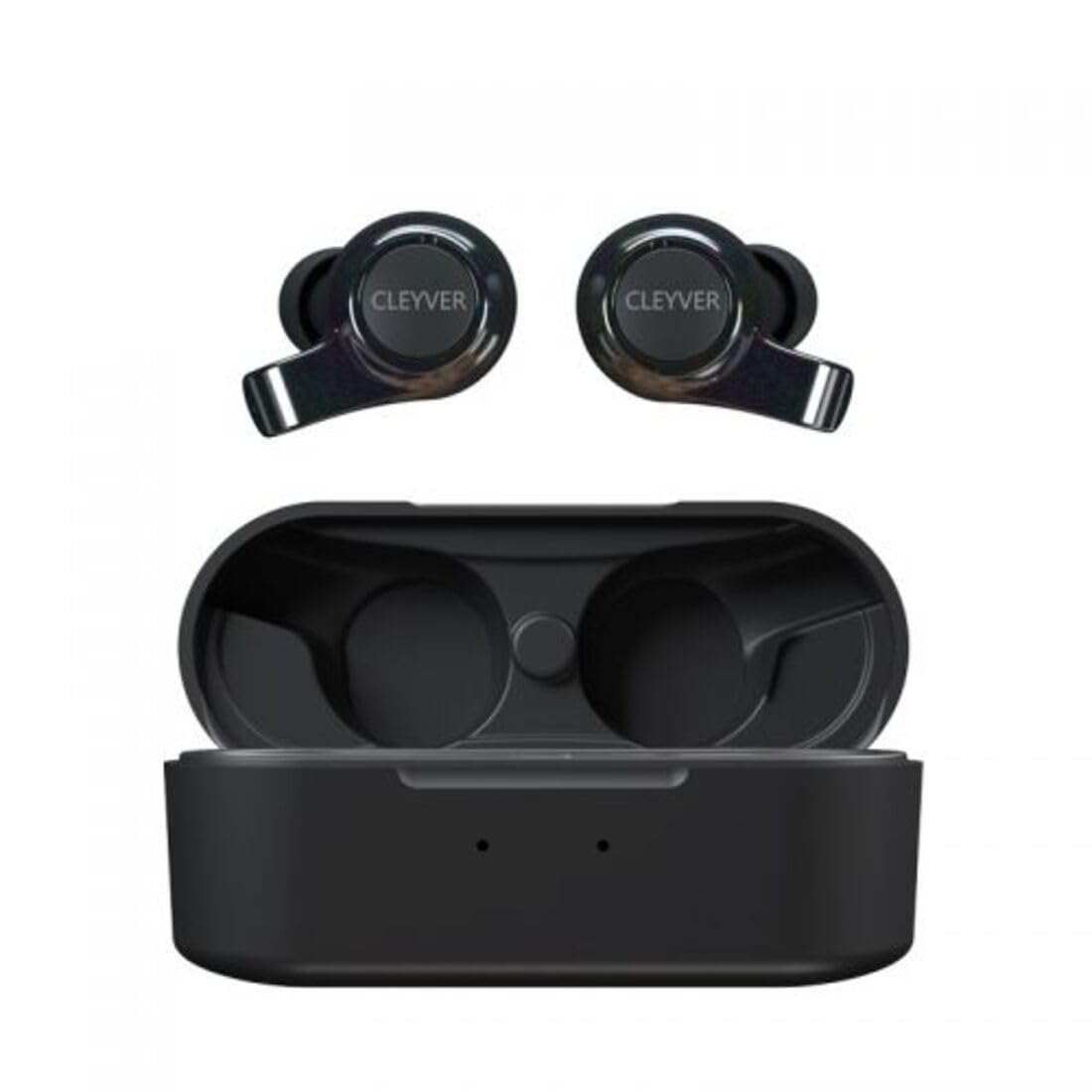
Image: The CLEYVER Earbuds Pro displayed with the CLEYVER brand logo.
เนื้อหาแพ็คเกจ
ตรวจสอบให้แน่ใจว่ามีสินค้าทั้งหมดอยู่ในแพ็คเกจของคุณ:
- CLEYVER Earbuds Pro (Left and Right)
- เคสชาร์จแบบไร้สาย
- สายชาร์จ USB-C
- Eartips (Small, Medium, Large sizes)
- คู่มือการใช้งาน (เอกสารนี้)

Image: The CLEYVER Earbuds Pro and their accompanying charging case.
สินค้าเกินview
The CLEYVER Earbuds Pro are designed for a superior audio experience with advanced features. Each earbud is equipped with a dual microphone system for clear calls and Environmental Noise Cancellation (ENC) technology. The earbuds feature a hybrid Touch & Push-button control system for easy management of calls and media playback.
The compact charging case provides extended battery life and supports both wired (USB-C) and wireless charging.

Image: The CLEYVER Earbuds Pro securely placed within their charging case.
การตั้งค่า
1. การชาร์จหูฟังและเคส
ก่อนใช้งานครั้งแรก ควรชาร์จหูฟังและเคสชาร์จให้เต็ม
- การชาร์จแบบมีสาย: เชื่อมต่อสาย USB-C ที่ให้มาเข้ากับพอร์ตชาร์จบนเคสและแหล่งจ่ายไฟ
- การชาร์จแบบไร้สาย: วางเคสชาร์จบนแท่นชาร์จไร้สายที่เข้ากันได้
The charging case has a 500 mAh battery, providing up to 40 hours of listening time or 7 hours of talk time. A quick 10-minute charge can provide up to 2 hours of autonomy.

Image: Visual representation highlighting the 40 hours of playtime for the CLEYVER Earbuds Pro.
2. การจับคู่กับอุปกรณ์ของคุณ
- เปิดฝากล่องชาร์จ หูฟังจะเข้าสู่โหมดจับคู่โดยอัตโนมัติ
- เปิดใช้งาน Bluetooth บนอุปกรณ์ของคุณ (สมาร์ทโฟน แท็บเล็ต ฯลฯ)
- ค้นหา available Bluetooth devices and select "CLEYVER Earbuds Pro" from the list.
- เมื่อเชื่อมต่อแล้ว เสียงยืนยันจะเล่น และหูฟังจะพร้อมใช้งาน
The earbuds feature instant pairing when the case lid is opened, simplifying the connection process.

Image: A smartphone screen displaying the CLEYVER Earbuds Pro as a connected Bluetooth device, illustrating the simple setup process.
3. การสวมหูฟัง
Choose the eartip size (S, M, L) that provides the most comfortable and secure fit for optimal sound quality and noise isolation. Gently insert the earbuds into your ears and twist slightly to secure them.

Image: A person demonstrating how to properly insert a CLEYVER Earbud Pro into their ear.
การใช้งานหูฟัง
Touch & Push-Button Controls
The CLEYVER Earbuds Pro feature a hybrid control system combining touch gestures with a physical push-button for precise command execution. Specific functions for playback, call management, and mode switching are detailed in the quick start guide included in the package.
โหมดเสียง
- การตัดเสียงรบกวนจากสิ่งแวดล้อม (ENC): This technology actively reduces ambient noise, providing clearer audio during calls and an immersive listening experience.
- โหมดความโปร่งใส: Allows you to hear your surroundings without removing the earbuds. You can choose between full or partial noise isolation to stay aware of your environment.

Image: A person wearing CLEYVER Earbuds Pro, with an overlay indicating 'Transparency Mode' and a phone screen showing options for different sound modes.
โหมดการเล่นเกม
Activate Gaming Mode for reduced audio latency, ensuring synchronized sound with on-screen action during gaming sessions.

Image: The CLEYVER Earbuds Pro positioned beside a smartphone screen showing a dynamic racing game, illustrating the 'Gaming Mode' feature.
ฟังก์ชั่นการโทร
Benefit from HD audio and a dual microphone system per earbud, designed to deliver crystal-clear voice quality during calls while minimizing background noise.
Mono or Stereo Use
The earbuds can be used individually (mono mode) or together (stereo mode) according to your preference and situation.
การซ่อมบำรุง
การทำความสะอาด
ควรทำความสะอาดหูฟังและเคสชาร์จเป็นประจำ เพื่อรักษาประสิทธิภาพและสุขอนามัยที่ดีที่สุด
- ใช้ผ้าแห้งนุ่มๆ ที่ไม่มีขนเช็ดทำความสะอาดหูฟังและเคส
- For eartips, remove them from the earbuds and clean with a damp ผ้าแล้วเช็ดให้แห้งสนิทก่อนติดกลับเข้าไปอีกครั้ง
- หลีกเลี่ยงการใช้สารกัดกร่อน ตัวทำละลาย หรือสารเคมีที่รุนแรง
พื้นที่จัดเก็บ
เมื่อไม่ใช้งาน ควรเก็บหูฟังไว้ในกล่องชาร์จเพื่อป้องกันฝุ่นละออง ความเสียหาย และเพื่อให้หูฟังมีประจุไฟอยู่เสมอ
ความต้านทานต่อน้ำ
The CLEYVER Earbuds Pro are IPX5 certified, meaning they are protected against low-pressure water jets from any direction. This makes them suitable for workouts and light rain, but they are not designed for submersion in water.
การแก้ไขปัญหา
If you encounter issues with your CLEYVER Earbuds Pro, refer to the following common solutions:
| ปัญหา | วิธีแก้ปัญหาที่เป็นไปได้ |
|---|---|
| หูฟังเอียร์บัดไม่จับคู่ | ตรวจสอบให้แน่ใจว่าหูฟังชาร์จแบตเตอรี่เต็มแล้ว ปิดและเปิดบลูทูธบนอุปกรณ์ของคุณ วางหูฟังกลับลงในเคส ปิด แล้วเปิดอีกครั้งเพื่อเข้าสู่โหมดจับคู่ |
| ไม่มีเสียงจากเอียร์บัดข้างเดียว | Check battery level of both earbuds. Re-pair the earbuds with your device. Ensure both earbuds are properly seated in the charging case for connection. |
| เคสชาร์จไม่ชาร์จ | Verify the USB-C cable is securely connected to both the case and power source. If using wireless charging, ensure the case is correctly positioned on the charging pad. |
| คุณภาพเสียงไม่ดี | Ensure earbuds are clean and eartips are correctly sized and sealed in your ear. Move closer to your connected device to avoid interference. |
ข้อมูลจำเพาะ
| คุณสมบัติ | รายละเอียด |
|---|---|
| ยี่ห้อ | Cleyver |
| ชื่อรุ่น | ODEWPRO |
| สี | สีดำ |
| ฟอร์มแฟกเตอร์ | อินเอียร์ |
| เทคโนโลยีการเชื่อมต่อ | ไร้สาย (บลูทูธ 5.2) |
| ช่วงบลูทูธ | สูงสุด 30 เมตร |
| ไมโครโฟน | 2 per earbud (with ENC Technology) |
| การควบคุมเสียงรบกวน | Environmental Noise Cancellation (ENC), Transparency Mode |
| ความต้านทานต่อน้ำ | IPX5 Standard (splash resistant) |
| เวลาเล่นหูฟัง | นานถึง 40 ชั่วโมง (พร้อมกล่องชาร์จ) |
| เวลาสนทนาผ่านหูฟัง | นานถึง 7 ชั่วโมง |
| เวลาสแตนด์บาย | นานถึง 200 ชั่วโมง |
| เคสชาร์จแบตเตอรี่ | 500 มิลลิแอมป์ |
| ประเภทการชาร์จ | USB-C (wired) or Wireless Charging |
| ส่วนประกอบที่รวมอยู่ | User Manual, USB-C Cable, Wireless Charging Case, Eartips |
การรับประกันและการสนับสนุน
ข้อมูลการรับประกัน
The CLEYVER Earbuds Pro come with a รับประกัน 2 ปี นับจากวันที่ซื้อ การรับประกันนี้ครอบคลุมข้อบกพร่องจากการผลิตและรับประกันว่าผลิตภัณฑ์ของคุณทำงานได้ตามวัตถุประสงค์ในการใช้งานปกติ โปรดเก็บหลักฐานการซื้อไว้เพื่อขอรับสิทธิ์การรับประกัน
การสนับสนุนลูกค้า
For further assistance, technical support, or warranty inquiries, please visit the official Cleyver website or contact their customer service through the details provided on your purchase receipt or packaging.