
LOLARAN LOLARAN GT1000
LOLARAN Professional Adult Metal Detector
คู่มือการใช้งาน
คำเตือนด้านความปลอดภัย
สำคัญ: Do not use the metal detector near individuals with pacemakers. Do not direct the metal detector towards people or animals. Always familiarize yourself with local laws and regulations regarding metal detection before use.
สินค้าเกินview
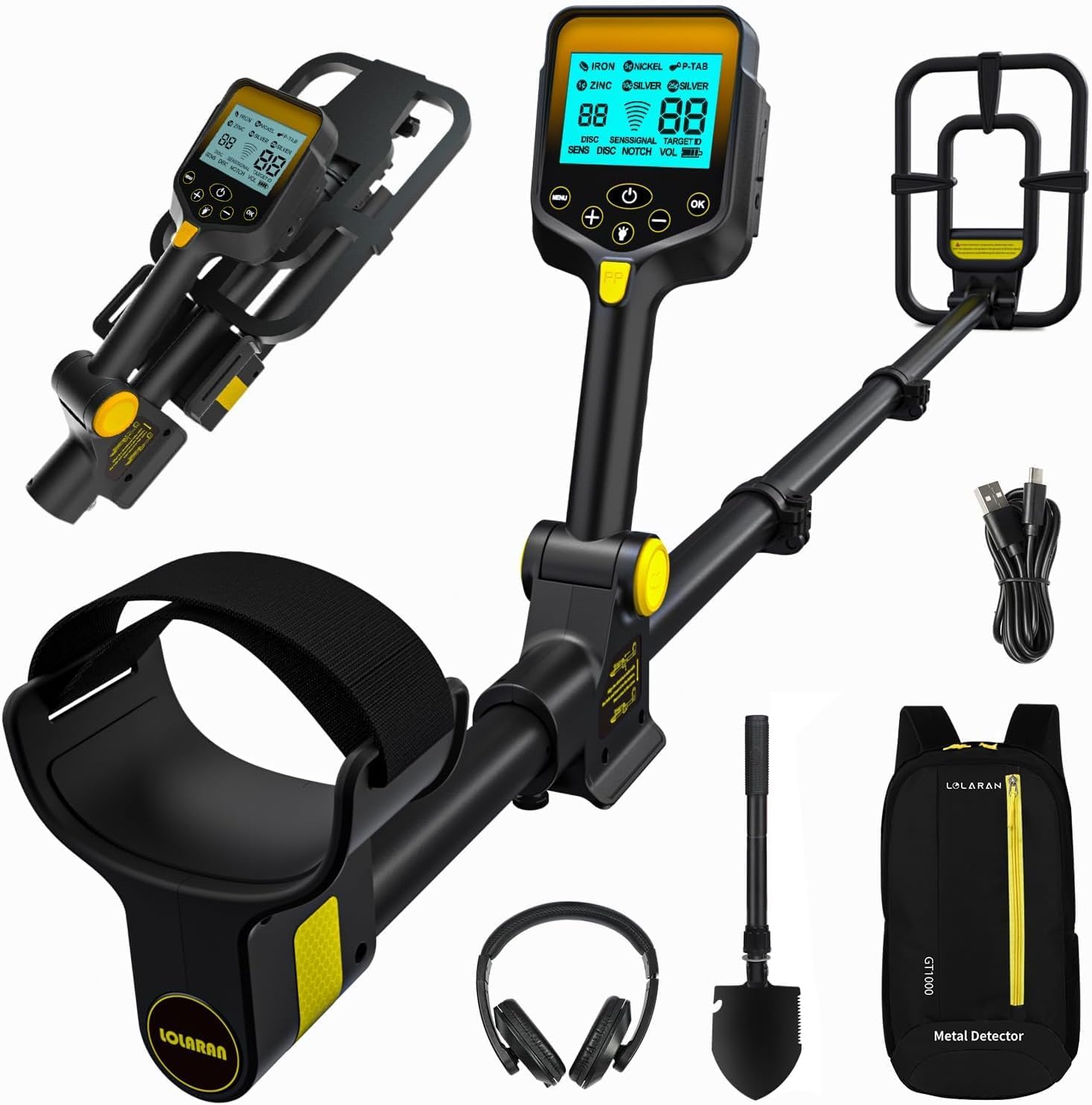
The LOLARAN Professional Adult Metal Detector comes with essential accessories including a backpack, shovel, headphones, and charging cable.
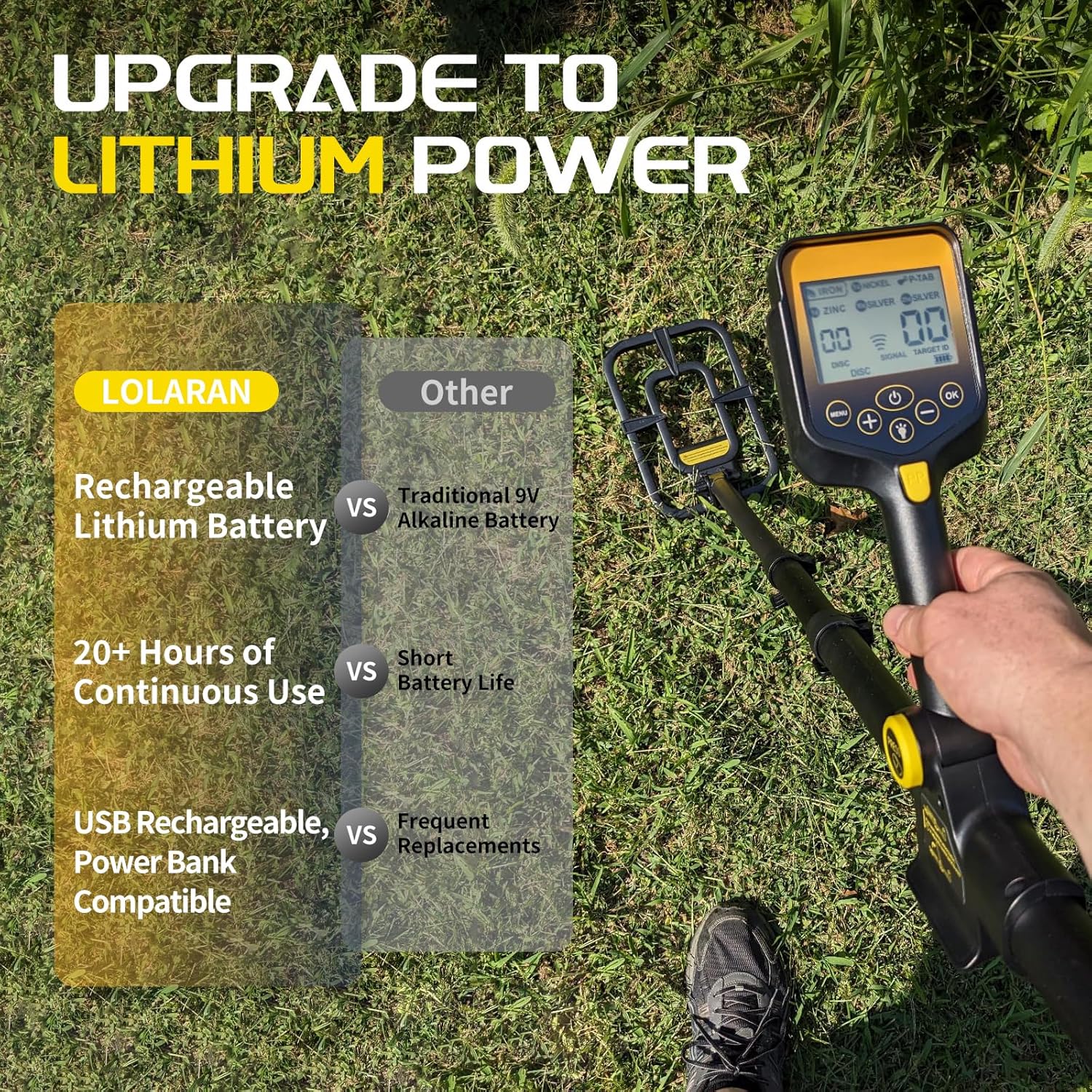
Equipped with a 2000mAh rechargeable lithium battery, offering over 20 hours of continuous use and USB Type-C charging compatibility.
The LOLARAN GT1000 Metal Detector is designed for both beginners and experienced users, featuring a lightweight, unique, portable, and retractable design. It eliminates cable entanglement and includes a backlit display for clear visibility.
Its robust construction includes a stable and strong metal structure, making it suitable for various detection environments such as beaches, outdoors, pits, grass, swamps, and rocky areas. The device is lightweight at only 1.3 kg (2.86 lbs) and features a comfortable foam-padded crankset for extended use.
การติดตั้งและการประกอบ

The unique retractable and foldable structure allows for quick and easy assembly and disassembly.

The design is intuitive, making it easy for users of all ages to set up and begin detecting.
คำแนะนำในการประกอบ:
- Unfold the Detector: Gently press to expand the main shaft.
- Extend the Shaft: Open the latch, pull out the shaft to your desired height (adjustable from 26" to 49"), and fasten the latch securely.
- Adjust Search Coil: Ensure the search coil is positioned correctly and tightened.
- เชื่อมต่อหูฟัง: Plug in the included headphones into the designated port.
การชาร์จแบตเตอรี่:
- The detector is powered by a 2000mAh lithium battery.
- Connect the provided Type-C charging cable to the detector and a compatible USB power source.
- การชาร์จเต็มจะใช้เวลาประมาณ 4 ชั่วโมง
- The battery display has 4 cells; each cell represents 25% of the power.
- The detector can operate continuously for over 20 hours on a full charge.
- It supports charging with a power bank for extended outdoor use.
การใช้งานเครื่องตรวจจับ

The large 7.6 x 5.1 cm (3 x 2 inch) blue backlit LCD screen provides clear information.

Choose from 5 powerful detection modes for various metal types and environments.
LCD Screen Operation:
The LCD screen displays crucial information for detection. Refer to the image above for numbered components:
- Target Type: Indicates the probable type of metal detected (e.g., Iron, Nickel, Zinc, Silver).
- DISC Setting Value: Shows the current discrimination level.
- Sensitivity/Signal Strength: Displays the signal strength and sensitivity level.
- Displayed Value of Target Metal: Numerical identification of the detected metal.
- Current Detection Mode: Shows the active operating mode (SENS, DISC, NOTCH, VOL).
- สถานะแบตเตอรี่: ระบุอายุการใช้งานแบตเตอรี่ที่เหลืออยู่
- ปุ่มเมนู: Accesses settings and modes.
- เปิด/ปิดเครื่อง: เปิดหรือปิดอุปกรณ์
- Confirmation (OK) Button: ยืนยันการเลือก
- แสงไฟด้านหลัง: Activates the screen backlight.
- โหมดระบุตำแหน่ง: Activates precise target location.
- "+/-" Value Button: Adjusts values for sensitivity, discrimination, etc.
โหมดการตรวจจับ:
- โหมดโลหะล้วน: Detects all types of metal. The detector will alert you to any metal found.
- โหมดดิสก์: Allows you to reject unwanted metal types. You can set specific discrimination values to ignore certain metals.
- โหมดบาก: Provides more granular control than DISC mode. You can select up to 6 types of metal to either reject or include in your search.
- โหมดระบุตำแหน่งแม่นยำ (PP): Used for precise positioning of detected metals. Once a target is found, switch to PP mode to narrow down its exact location.
- SENS (Sensitivity) Adjustment: Adjusts the signal sensitivity. Higher sensitivity can detect smaller or deeper objects but may also pick up more interference.
ปรับความสูง:
The detector's height can be freely adjusted to suit different heights of adults and children, ensuring comfortable use in various environments. Simply open the latch, extend or retract the shaft, and secure the latch. The adjustable range is from 26 inches to 49 inches.
การบำรุงรักษาและการดูแล
- การทำความสะอาด: After each use, especially in dirty or wet conditions, wipe down the detector with a damp cloth. Ensure the search coil is clean.
- คอยล์ค้นหากันน้ำ: The 10-inch search coil is IP68 waterproof, allowing for detection in shallow water. Note: The LCD control box is NOT waterproof. Do not submerge the control box.
- การดูแลแบตเตอรี่ To prolong battery life, avoid fully discharging the battery frequently. Charge the battery regularly, even if not in use for extended periods. Store the detector with a partial charge.
- พื้นที่จัดเก็บ: The detector's foldable and retractable design makes it easy to store. Fold it compactly and place it in the provided backpack for protection when not in use. Store in a cool, dry place away from direct sunlight and extreme temperatures.

The IP68 waterproof search coil allows for detection in various environments, but remember the LCD control box is not waterproof.
การแก้ไขปัญหา
| ปัญหา | สาเหตุที่เป็นไปได้ | สารละลาย |
|---|---|---|
| เครื่องตรวจจับไม่ทำงาน | แบตเตอรี่มีประจุต่ำหรือไม่มีเลย | ชาร์จแบตเตอรี่ให้เต็ม (ประมาณ 4 ชั่วโมง) |
| Erratic signals or false positives. | High sensitivity setting; electromagnetic interference; mineralized ground. | Reduce sensitivity (SENS). Move away from power lines or other electronics. Try DISC or NOTCH mode. |
| ไม่พบการตรวจจับหรือสัญญาณอ่อนมาก | Low sensitivity setting; search coil not properly connected; target too deep. | Increase sensitivity. Check search coil connection. Ensure target is within detection depth (up to 25.4 cm for coins). |
| LCD screen is dim or unreadable. | ไฟแบ็คไลท์ดับ; แบตเตอรี่เหลือน้อย | Activate backlight. Charge the battery. |
ข้อมูลจำเพาะผลิตภัณฑ์
- หมายเลขรุ่น: LOLARAN GT1000
- ยี่ห้อ: โลลารัน
- ขนาด (ยาว x กว้าง x สูง): 25 x 25 x 123 ซม. (9.8 x 9.8 x 48.4 นิ้ว)
- น้ำหนัก: 2.6 กิโลกรัม (5.73 ปอนด์)
- วัสดุ: เหล็กอัลลอยด์
- แหล่งพลังงาน: ใช้แบตเตอรี่ (รวมแบตเตอรี่ลิเธียมไอออน 1 ก้อน)
- ความจุแบตเตอรี่: 2000 มิลลิแอมป์
- อายุการใช้งานแบตเตอรี่: ใช้งานต่อเนื่องได้ประมาณ 20 ชั่วโมง
- เวลาในการชาร์จ: ประมาณ 4 ชั่วโมง
- ปรับความยาวได้: 26 - 49 นิ้ว (66 - 124 เซนติเมตร)
- ค้นหาคอยล์: 10-inch waterproof search coil (IP68 rated)
- หน้าจอ LCD: 7.6 x 5.1 cm (3 x 2 inch) blue backlit LCD
- Max Detection Depth (for coins): ประมาณ 25.4 ซม. (10 นิ้ว)
- สี: สีดำ
การรับประกันและการสนับสนุน
LOLARAN is committed to providing excellent customer service. For any inquiries or support needs, please contact our customer service team. We offer 24-hour customer service to assist you with any questions or issues you may encounter.
This product includes a user manual to guide you through its features and operation. Please refer to it for detailed instructions.
Ask a question about this manual
Ask about setup, troubleshooting, compatibility, parts, safety, or missing instructions. Manuals+ will review the question and use this page’s manual context to help answer it.