
การแนะนำ
ขอบคุณสำหรับการซื้อasing the LONPOO LP-118W Portable CD Player Boombox. This device offers versatile audio playback options including CD, Bluetooth, FM radio, USB, and AUX input, along with a microphone port for karaoke. Designed for portability and ease of use, this manual provides essential information for safe and optimal operation. Please read this manual thoroughly before using the product and retain it for future reference.
ข้อมูลด้านความปลอดภัย
- อย่าให้เครื่องโดนฝนหรือความชื้นเพื่อป้องกันไฟไหม้หรือไฟฟ้าช็อต
- อย่าเปิดcasinก. ส่งต่อการบริการทั้งหมดให้กับบุคลากรที่มีคุณสมบัติเหมาะสม
- ควรหลีกเลี่ยงการวางเครื่องไว้ใกล้แหล่งความร้อน เช่น เครื่องทำความร้อน ช่องระบายความร้อน เตา หรืออุปกรณ์อื่นๆ (รวมถึง) ampเครื่องให้ความร้อน) ที่ผลิตความร้อน
- ปกป้องสายไฟไม่ให้ถูกเหยียบหรือถูกหนีบ โดยเฉพาะที่ปลั๊ก เต้ารับไฟฟ้า และจุดที่สายไฟออกจากเครื่อง
- ใช้เฉพาะอุปกรณ์เสริม/สิ่งที่แนบตามที่ผู้ผลิตกำหนดเท่านั้น
- ถอดปลั๊กอุปกรณ์นี้ในระหว่างพายุฝนฟ้าคะนองหรือเมื่อไม่ได้ใช้งานเป็นเวลานาน
- ทิ้งแบตเตอรี่อย่างถูกวิธี อย่าให้แบตเตอรี่โดนความร้อนสูงเกินไป
เนื้อหาแพ็คเกจ
ตรวจสอบว่ารายการทั้งหมดที่ระบุไว้ด้านล่างนี้รวมอยู่ในแพ็คเกจของคุณ:
- LONPOO LP-118W Portable CD Player Boombox
- รีโมทคอนโทรล
- สายไฟ AC
- คู่มือการใช้งาน

Image: The LONPOO LP-118W boombox shown with its included remote control, AC power cable, and user manual, illustrating the complete package contents.
สินค้าเกินview
Familiarize yourself with the main components and controls of your LP-118W boombox.
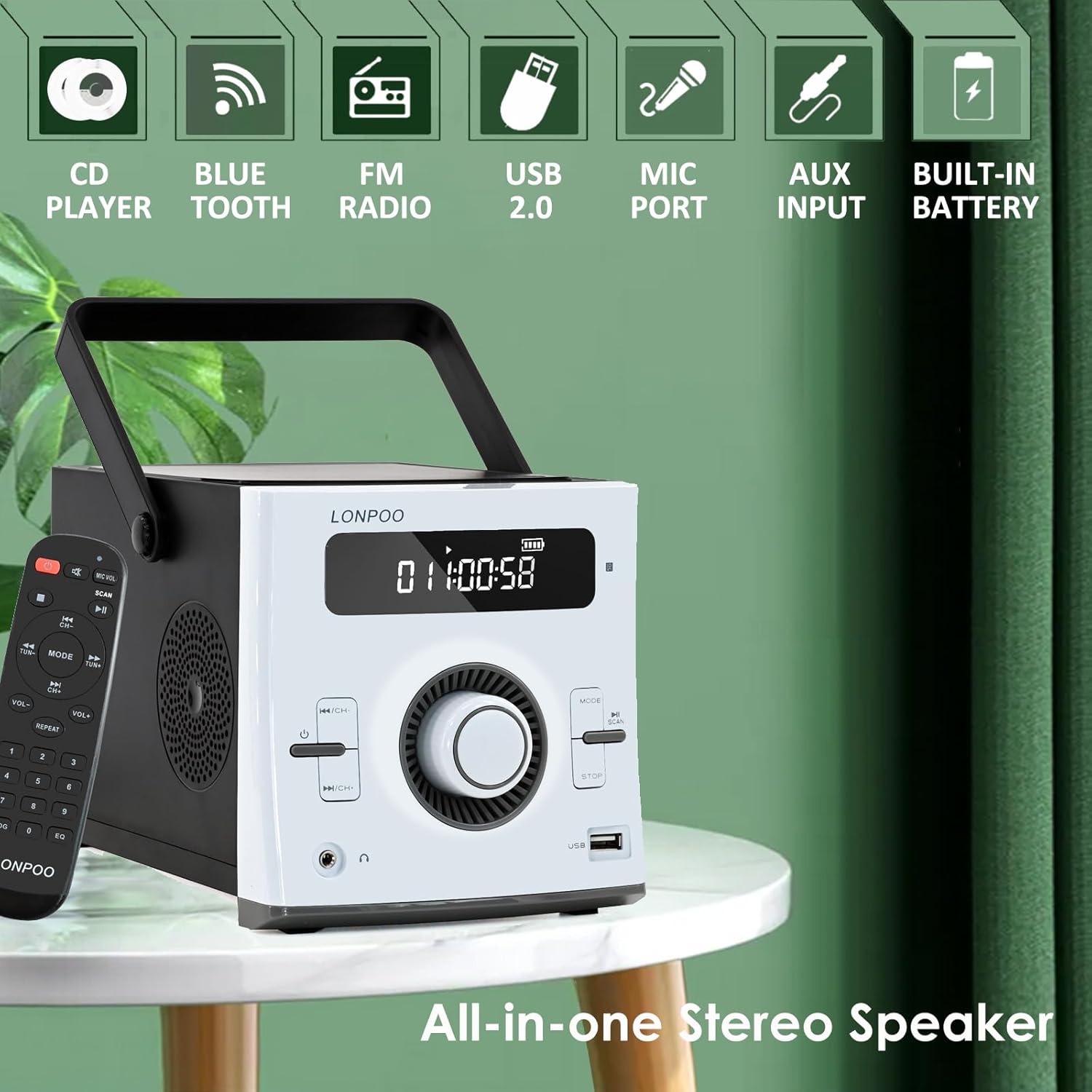
ภาพ: ด้านหน้า view of the LONPOO LP-118W boombox, highlighting its multi-functional capabilities including CD playback, Bluetooth connectivity, FM radio, USB port, microphone input, AUX input, and built-in rechargeable battery.
แผงควบคุมด้านหน้า:
- จอแสดงผล LCD: Shows track number, time, mode, volume, and battery status.
- ปุ่มเปิด/ปิด: เปิด/ปิดเครื่อง
- ปุ่มโหมด: Switches between CD, Bluetooth, FM, USB, and AUX modes.
- ปุ่มเล่น/หยุดชั่วคราว: เริ่มหรือหยุดเล่นชั่วคราว
- ปุ่มหยุด: หยุดการเล่น
- Skip/Search Buttons (Previous/Next): นำทางไปยังเส้นทางหรือสถานีวิทยุ
- ปุ่มปรับระดับเสียง: ปรับระดับเอาต์พุตเสียง
- พอร์ต USB: สำหรับการเล่นไดรฟ์ USB
- เอาท์พุตหูฟัง: แจ็ค 3.5 มม. เพื่อการฟังส่วนตัว
พอร์ตแผงด้านหลัง:
- DC IN: Power input for AC adapter.
- ช่องรับสัญญาณเสียงเข้า: อินพุต 3.5 มม. สำหรับอุปกรณ์เสียงภายนอก
- พอร์ต MIC: 6.35mm input for a microphone (microphone not included).
- เสาอากาศ FM: External wire antenna for FM reception.
การตั้งค่า
การจ่ายไฟให้กับหน่วย
The LP-118W can be powered by the included AC power cable or its internal rechargeable battery.
- ไฟฟ้ากระแสสลับ: Connect the AC power cable to the DC IN port on the rear of the unit and plug the other end into a standard wall outlet.
- พลังงานแบตเตอรี่: The unit has a built-in 2000mAh rechargeable battery. Ensure the battery is charged before portable use.
การชาร์จแบตเตอรี่เริ่มต้น
For optimal performance, fully charge the battery before first use. Connect the unit to AC power; the battery indicator on the LCD display will show charging status. A full charge provides over 5 hours of continuous playback.
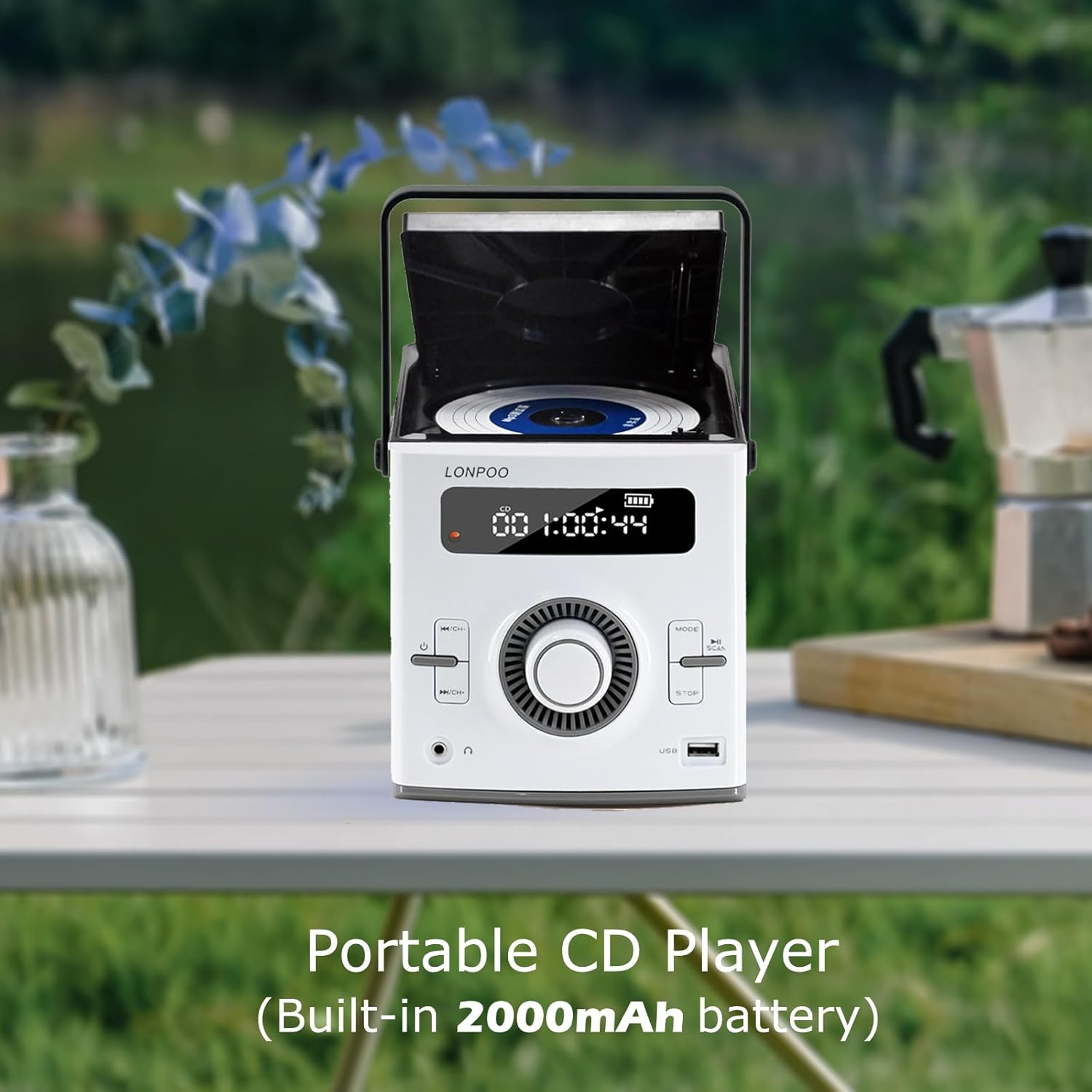
Image: The LONPOO LP-118W portable CD player with its top-loading CD compartment open, displaying the built-in 2000mAh battery capacity on the screen, indicating its portable nature.
การติดตั้งเสาอากาศ FM
For best FM radio reception, fully extend the wire antenna located at the rear of the unit. Position it for optimal signal strength.
คำแนะนำการใช้งาน
การดำเนินงานทั่วไป
- กดปุ่ม พลัง ปุ่มเพื่อเปิดเครื่อง
- หมุน ปุ่มปรับระดับเสียง เพื่อปรับระดับเสียง
- กดปุ่ม โหมด button repeatedly to cycle through available input sources: CD, Bluetooth, FM, USB, AUX.
การเล่นซีดี
- เปิดฝาช่องใส่ซีดี
- วางแผ่นซีดีโดยให้ด้านที่มีฉลากหงายขึ้น
- Close the CD compartment door securely.
- กดปุ่ม โหมด button until "CD" appears on the display.
- แผ่นซีดีจะเริ่มเล่นโดยอัตโนมัติ หากไม่เล่น ให้กดปุ่ม เล่น/หยุดชั่วคราว ปุ่ม.
- ใช้ ข้าม/ค้นหา ปุ่มสำหรับการนำทางเพลง
โหมดบลูทู ธ

Image: A person relaxing on a couch, using a smartphone to wirelessly connect to the LONPOO LP-118W boombox via Bluetooth, demonstrating its stable and fast connection for streaming music.
- กดปุ่ม โหมด button until "BT" (Bluetooth) appears on the display. The unit will enter pairing mode.
- On your Bluetooth-enabled device (e.g., smartphone, tablet), search for available devices and select "LP-118W".
- Once paired, you can play audio from your device through the boombox.
วิทยุเอฟเอ็ม
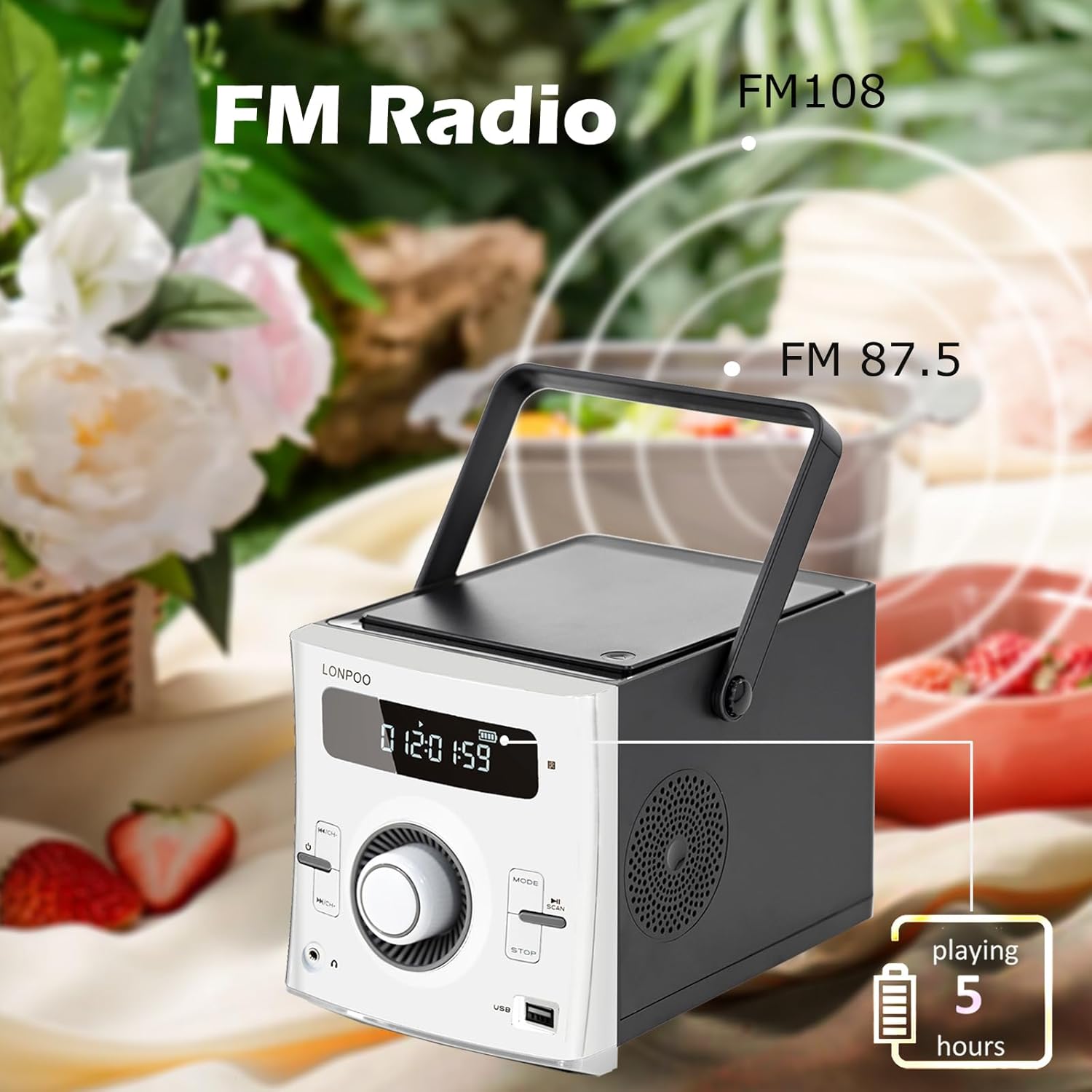
Image: The LONPOO LP-118W boombox positioned outdoors, illustrating its FM radio capability with a frequency range from FM 87.5 to FM 108, and indicating over 5 hours of playback on battery.
- กดปุ่ม โหมด กดปุ่มค้างไว้จนกระทั่งคำว่า "FM" ปรากฏบนหน้าจอ
- กดปุ่มค้างไว้ เล่น/หยุดชั่วคราว ปุ่มสำหรับสแกนหาคลื่นวิทยุ FM ที่ใช้งานได้โดยอัตโนมัติและบันทึกข้อมูล
- ใช้ ข้าม/ค้นหา ปุ่มสำหรับสลับดูสถานีที่บันทึกไว้
การเล่นผ่าน USB
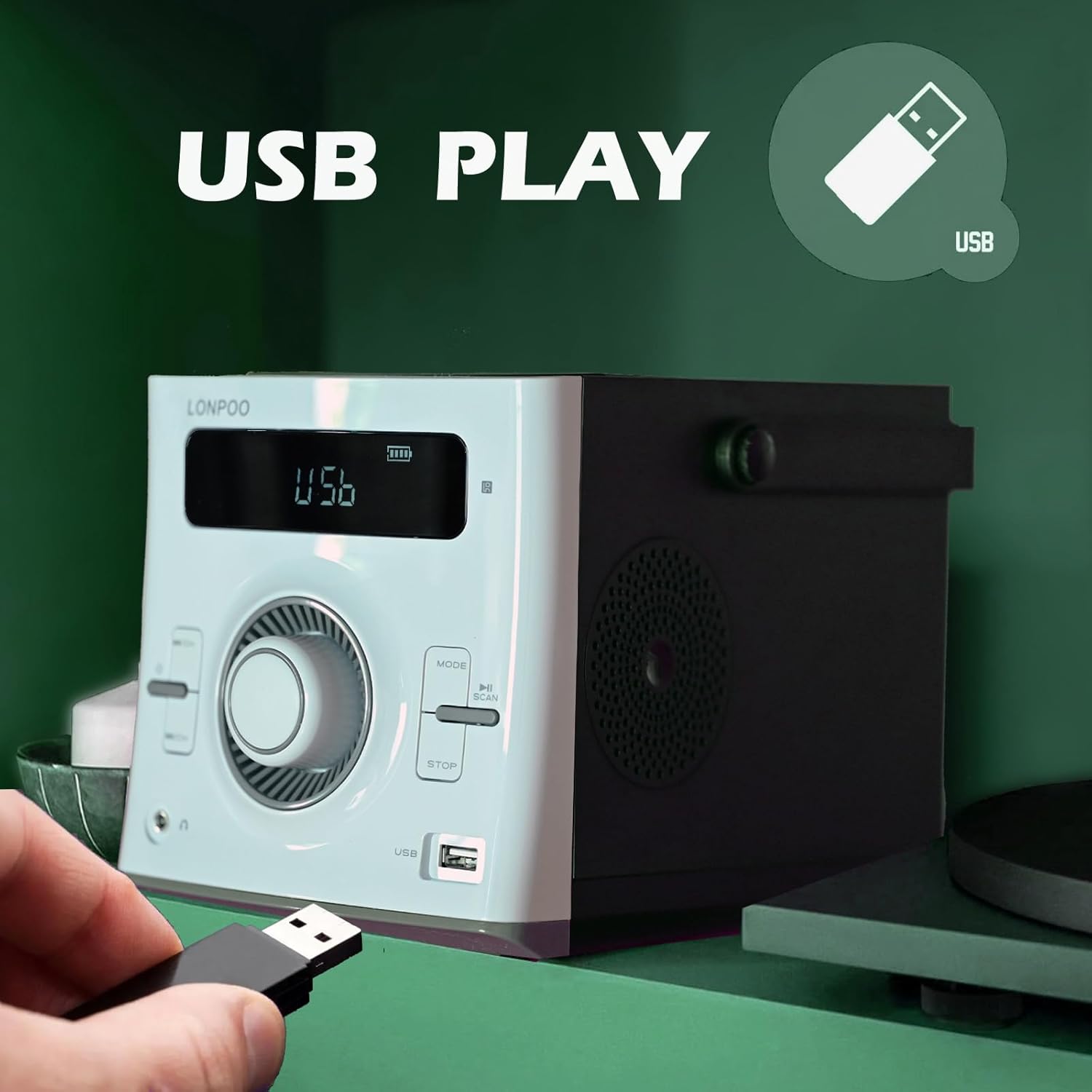
Image: A hand inserting a USB flash drive into the dedicated USB port on the front of the LONPOO LP-118W boombox, demonstrating its USB playback functionality.
- ใส่แฟลชไดรฟ์ USB ที่มีไฟล์เสียง MP3 fileลงในพอร์ต USB
- กดปุ่ม โหมด button until "USB" appears on the display.
- การเล่นจะเริ่มต้นโดยอัตโนมัติ ใช้... เล่น/หยุดชั่วคราว และ ข้าม/ค้นหา ปุ่มเพื่อควบคุมการเล่น
อินพุต AUX
- Connect an external audio device (e.g., smartphone, MP3 player) to the AUX IN port on the rear of the unit using a 3.5mm audio cable (not included).
- กดปุ่ม โหมด กดปุ่มค้างไว้จนกระทั่งคำว่า "AUX" ปรากฏบนหน้าจอ
- ควบคุมการเล่นจากอุปกรณ์เสียงภายนอกของคุณ
การใช้ไมโครโฟน
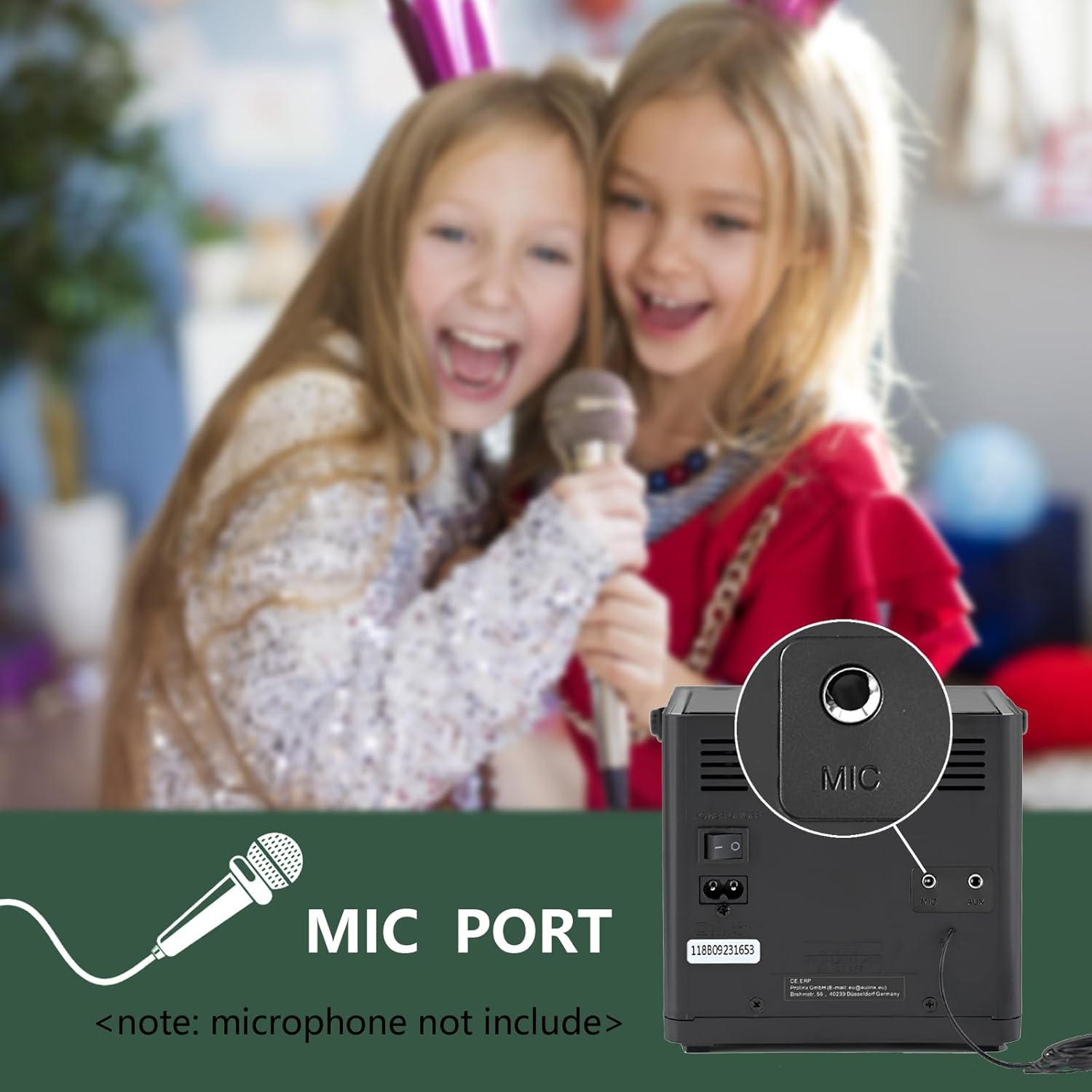
ภาพ: ภาพระยะใกล้ view of the microphone port located on the rear panel of the LONPOO LP-118W boombox, with a note indicating that the microphone is not included. Children are visible in the background, suggesting karaoke use.
- Connect a 6.35mm microphone (not included) to the MIC Port on the rear of the unit.
- Adjust the microphone volume using the dedicated control on the microphone itself, if available, or the main volume knob on the boombox.
รีโมทคอนโทรล
The included remote control allows for convenient operation from a distance. Functions include power, mode selection, volume adjustment, track navigation, play/pause, stop, and EQ settings.
การซ่อมบำรุง
- การทำความสะอาด: ใช้ผ้านุ่มและแห้งเช็ดทำความสะอาดภายนอกตัวเครื่อง ห้ามใช้น้ำยาทำความสะอาดที่มีฤทธิ์กัดกร่อนหรือตัวทำละลาย
- การดูแลเลนส์ซีดี: If CD playback issues occur, use a commercially available CD lens cleaner.
- พื้นที่จัดเก็บ: เมื่อไม่ได้ใช้งานเป็นเวลานาน ควรเก็บเครื่องไว้ในที่แห้งและเย็น หลีกเลี่ยงแสงแดดโดยตรงและอุณหภูมิที่สูงหรือต่ำเกินไป
- การดูแลแบตเตอรี่ To prolong battery life, avoid fully discharging the battery frequently. Charge the unit regularly, even if not in use.
การแก้ไขปัญหา
| ปัญหา | สาเหตุที่เป็นไปได้ | สารละลาย |
|---|---|---|
| เครื่องไม่เปิด | No power, discharged battery, faulty power cable. | Ensure AC cable is securely connected. Charge the battery. Try a different power outlet. |
| ไม่มีเสียง. | Volume too low, incorrect mode, headphone connected. | Increase volume. Select correct input mode. Disconnect headphones. |
| แผ่นซีดีเล่นสะดุดหรือไม่เล่นเลย | Dirty or scratched CD, dirty CD lens, unit moved during playback. | Clean or replace CD. Use a CD lens cleaner. Place unit on a stable surface. |
| อุปกรณ์บลูทูธไม่จับคู่ | Unit not in pairing mode, device too far, interference. | Ensure boombox is in BT mode. Move device closer. Restart both devices. |
| การรับสัญญาณ FM ไม่ดี | Antenna not extended, weak signal. | Fully extend and adjust the wire antenna. Try repositioning the unit. |
| การเล่น USB ไม่ทำงาน | ไม่ได้รับการสนับสนุน file format, corrupted USB drive, incorrect mode. | ทำให้มั่นใจ files are MP3. Try a different USB drive. Select USB mode. |
ข้อมูลจำเพาะ
Image: The LONPOO LP-118W boombox with its dimensions (5.9 inches width, 8.5 inches depth, 5.9 inches height) and weight (3.9 lbs / 1.77 kg) clearly labeled, providing a visual reference for its compact size.
| คุณสมบัติ | รายละเอียด |
|---|---|
| หมายเลขรุ่น | LP-118W |
| ยี่ห้อ | ลอนปู |
| กำลังขับ | 20 Watts (10W x 2 RMS) |
| เทคโนโลยีการเชื่อมต่อ | Bluetooth, USB, AUX (3.5mm), FM Radio |
| สื่อที่รองรับ | ซีดี, ซีดีอาร์/อาร์ดับบลิว, เอ็มพี3 (ผ่าน USB) |
| แหล่งพลังงาน | AC Power, Built-in Rechargeable Battery (2000mAh) |
| อายุการใช้งานแบตเตอรี่ | Up to 5+ hours (approx.) |
| ขนาด (กว้าง x ยาว x สูง) | 21 x 20 x 15 ซม. (8.5 x 5.9 x 5.9 นิ้ว) |
| น้ำหนักสินค้า | 1.77 กก. (3.9 ปอนด์) |
| อุปกรณ์ที่รองรับ | Laptop, Smartphone, MP3 Players |
| คุณสมบัติพิเศษ | Microphone Port, Remote Control, LCD Display, Programmable CD Memory (20 tracks) |
การรับประกันและการสนับสนุน
LONPOO products are designed for reliability and performance. This product comes with a standard manufacturer's warranty. Please refer to the warranty card included in your package for specific terms and conditions, including the warranty period and coverage details.
For technical support, troubleshooting assistance, or warranty claims, please contact LONPOO customer service through the retailer where you purchased the product or visit the official LONPOO webเว็บไซต์สำหรับข้อมูลการติดต่อ
Please have your model number (LP-118W) and proof of purchase ready when contacting support.


