
1. บทนำ
The TYLT Power Bottle 2.0 is an innovative solution combining a 24-ounce stainless steel water bottle with a removable 5700mAh magnetic portable power bank. This versatile product is designed to keep you hydrated and your devices charged, making it ideal for daily use, travel, and outdoor activities.
คุณสมบัติที่สำคัญ ได้แก่:
- ฟังก์ชั่นคู่: Hydration bottle and portable power bank.
- การก่อสร้างพรีเมี่ยม: Double-layered, vacuum-insulated stainless steel keeps liquids cold for up to 26 hours or hot for up to 17 hours.
- การชาร์จที่สะดวกสบาย: 5700mAh lithium-ion battery supports both magnetic-enabled wireless charging and wired USB-C charging.
- การออกแบบที่เป็นมิตรต่อผู้ใช้: Wide mouth for ice cubes, fits most cup holders, BPA/BPS-free, and features a durable carry lanyard.
- การบำรุงรักษาที่ง่ายดาย: Removable battery base allows for hassle-free cleaning of the bottle.
2. ส่วนประกอบผลิตภัณฑ์
The TYLT Power Bottle 2.0 consists of the following main components:
- Stainless Steel Bottle Body: The main insulated vessel for liquids.
- Screw Cap with Lanyard: The top closure for the bottle, featuring an integrated carry strap.
- Removable Power Bank Base: The bottom section containing the 5700mAh battery, wireless charging pad, and USB-A/USB-C ports.
- สายชาร์จ USB-C: For charging the power bank and wired device charging. (Stored in the base compartment).

Figure 1: The TYLT Power Bottle 2.0, showcasing its sleek black design and integrated power bank.
3. การตั้งค่าและการใช้งานเบื้องต้น
3.1 การแกะบรรจุภัณฑ์และการตรวจสอบ
Carefully remove all components from the packaging. Inspect the bottle and power bank for any signs of damage. Ensure all listed components are present.
3.2 Initial Charging of Power Bank
- Unscrew the power bank base from the bottom of the bottle by twisting counter-clockwise.
- Locate the USB-C charging cable stored within the power bank base compartment.
- Connect the USB-C end of the cable to the USB-C port on the power bank base.
- Connect the USB-A end of the cable to a compatible USB power adapter (not included) and plug it into a wall outlet.
- The LED indicator lights on the power bank base will illuminate to show charging progress. A full charge is indicated when all four lights are solid.
- Once fully charged, disconnect the cable and store it back in the power bank base compartment. Reattach the power bank base to the bottle by twisting clockwise until secure.

Figure 2: Detaching the power bank base for charging or cleaning.
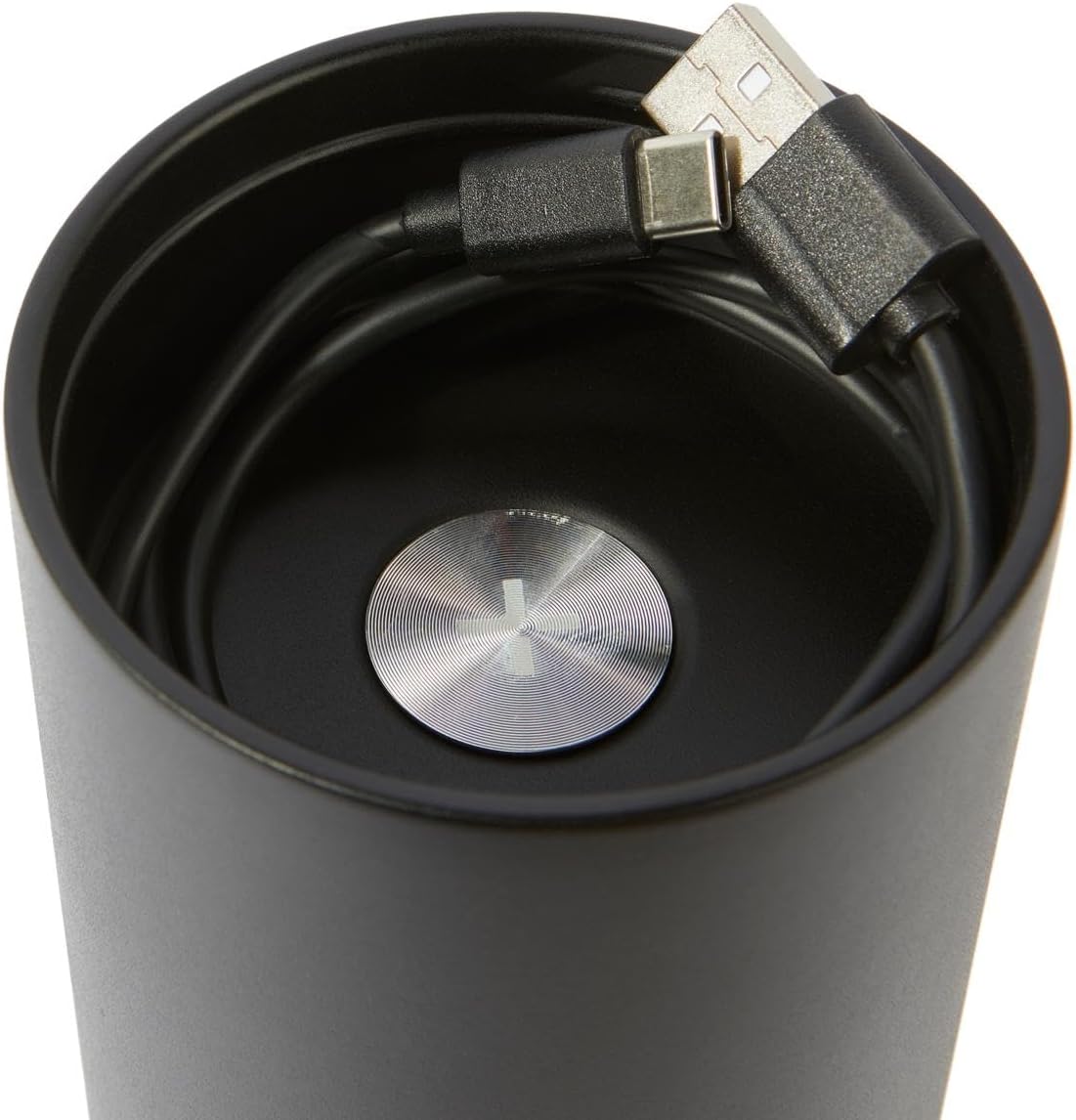
Figure 3: The convenient storage compartment for the USB-C charging cable within the power bank base.
4. คู่มือการใช้งาน
4.1 Using the Water Bottle
- Unscrew the top cap of the bottle.
- Fill the bottle with your desired beverage. The wide mouth accommodates most ice cubes.
- หมุนฝาปิดให้แน่นสนิทเพื่อป้องกันการรั่วซึม
- The double-layered, vacuum-insulated design will maintain beverage temperature (cold for up to 26 hours, hot for up to 17 hours).

Figure 4: The wide mouth opening of the bottle, designed for easy filling and cleaning.
4.2 การใช้งานพาวเวอร์แบงค์
The power bank offers two charging methods: wireless and wired.
Wireless Charging (Magnetic-enabled devices):
- Ensure the power bank base is charged (check LED indicators).
- Unscrew the power bank base from the bottle.
- Place your magnetic-enabled wireless charging device (e.g., compatible smartphone) directly onto the top surface of the power bank base. Ensure proper alignment for optimal charging.
- อุปกรณ์ควรเริ่มชาร์จโดยอัตโนมัติ
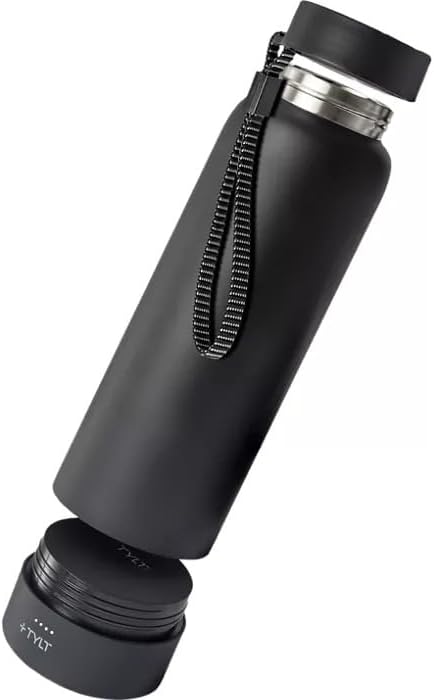
Figure 5: Wireless charging a smartphone using the detached power bank base.
Wired Charging (USB-A or USB-C):
- Ensure the power bank base is charged.
- Unscrew the power bank base from the bottle.
- Open the protective flap on the side of the power bank base to reveal the USB-A and USB-C ports.
- Connect your device's charging cable to the appropriate port (USB-A or USB-C) on the power bank base.
- เชื่อมต่อปลายสายอีกด้านเข้ากับอุปกรณ์ของคุณ
- The device should begin charging.

Figure 6: Wired charging a smartphone using the power bank base.
การตรวจสอบระดับแบตเตอรี่:
Press the power button on the power bank base to illuminate the LED indicator lights, showing the remaining charge. Four lights indicate a full charge, three lights indicate approximately 75% charge, and so on.
5. การบำรุงรักษาและการดูแล
5.1 Cleaning the Bottle
- Always unscrew and remove the power bank base before cleaning the bottle.
- The stainless steel bottle and cap are ซักมือเท่านั้นห้ามใส่ในเครื่องล้างจาน
- Wash with warm, soapy water and rinse thoroughly. Use a bottle brush for best results.
- ปล่อยให้ชิ้นส่วนทั้งหมดผึ่งลมให้แห้งสนิทก่อนประกอบกลับเข้าไปใหม่
5.2 Caring for the Power Bank
- The power bank base is waterproof, but it is recommended to wipe it clean with a damp cloth. Do not submerge it in water or place it in a dishwasher.
- Ensure the protective flap over the USB ports is closed when not in use to prevent dust and moisture ingress.
- เก็บพาวเวอร์แบงค์ไว้ในที่แห้งและเย็นเมื่อไม่ใช้งาน
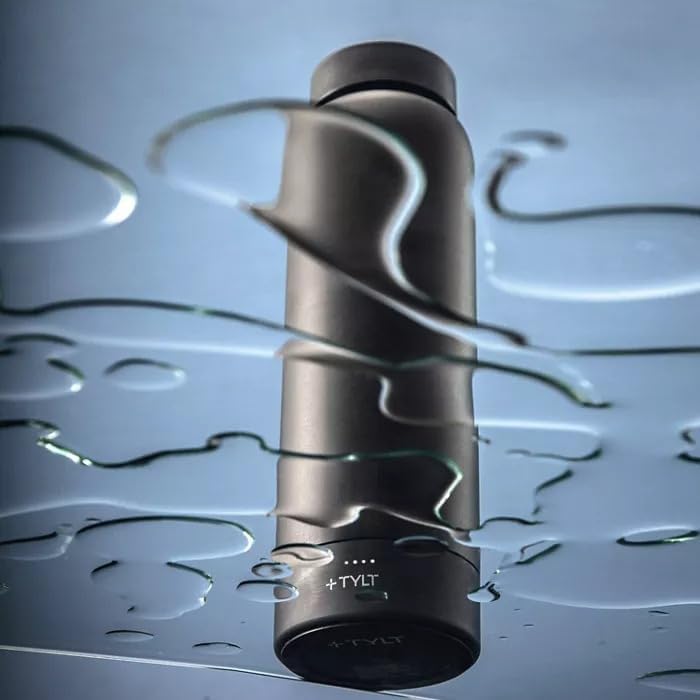
Figure 7: The power bank base is designed to be waterproof, allowing for safe use around liquids.
6 การแก้ไขปัญหา
| ปัญหา | สาเหตุที่เป็นไปได้ | สารละลาย |
|---|---|---|
| อุปกรณ์ไม่ชาร์จแบบไร้สาย | Device not aligned correctly; power bank low on charge; device not wireless charging compatible. | Ensure device is centered on the power bank. Recharge the power bank. Verify your device supports magnetic-enabled wireless charging. |
| Device not charging via wired connection. | Cable faulty; power bank low on charge; port dirty. | Try a different charging cable. Recharge the power bank. Check ports for debris and clean gently if necessary. |
| ขวดรั่ว | Cap not tightened properly; seal damaged or missing. | Ensure the cap is securely tightened. Check the silicone seal inside the cap for proper placement and any damage. Replace if necessary. |
| เครื่องดื่มไม่คงความร้อน/ความเย็นไว้ได้นาน | Cap not sealed; bottle damaged. | Ensure the cap is tightly sealed. Inspect the bottle for dents or damage that could compromise insulation. |
| Power bank not turning on/off consistently. | Incorrect button press; internal issue. | The power button is touch-sensitive and may require a double-tap to activate/deactivate. If issues persist, contact customer support. |
7. ข้อมูลจำเพาะ
- ยี่ห้อ: ไทล์ท
- แบบอย่าง: Power Bottle 2.0
- ความจุ: 24 ออนซ์ (1.5 ปอนด์)
- วัสดุ: สแตนเลส
- สี: สีดำ
- ความจุของพาวเวอร์แบงค์: 5700mAh แบตเตอรี่ลิเธียมไอออน
- วิธีการชาร์จ: Magnetic-enabled Wireless, Wired (USB-A, USB-C)
- การรักษาอุณหภูมิ: Cold up to 26 hours, Hot up to 17 hours
- ขนาด : 10 x 4 x 4 นิ้ว
- น้ำหนักสินค้า: 8 ออนซ์
- คำแนะนำในการดูแล: Hand Wash Only (Bottle & Cap), Wipe Clean (Power Bank)
- ปลอดภัยสำหรับเครื่องล้างจาน: เลขที่
- BPA/BPS-Free: ใช่
- ยูพีซี: 849944080996
- ASIN: B0CHCCRMLX
8. การรับประกันและการสนับสนุน
8.1 ข้อมูลการรับประกัน
For detailed warranty information regarding your TYLT Power Bottle 2.0, please refer to the official TYLT website or contact TYLT customer support directly. Warranty terms and conditions may vary.
8.2 การสนับสนุนลูกค้า
If you encounter any issues or have questions not covered in this manual, please contact TYLT customer support for assistance. Contact information can typically be found on the official TYLT webไซต์หรือบนบรรจุภัณฑ์ผลิตภัณฑ์
คุณสามารถเยี่ยมชม TYLT Store on Amazon for more product information and potential support links.