
1. บทนำ
This manual provides essential information for the safe and efficient use of your Haier 43-inch 4K Ultra HD Smart LED Google TV, model L43FG. Please read these instructions carefully before operating the television and retain them for future reference.

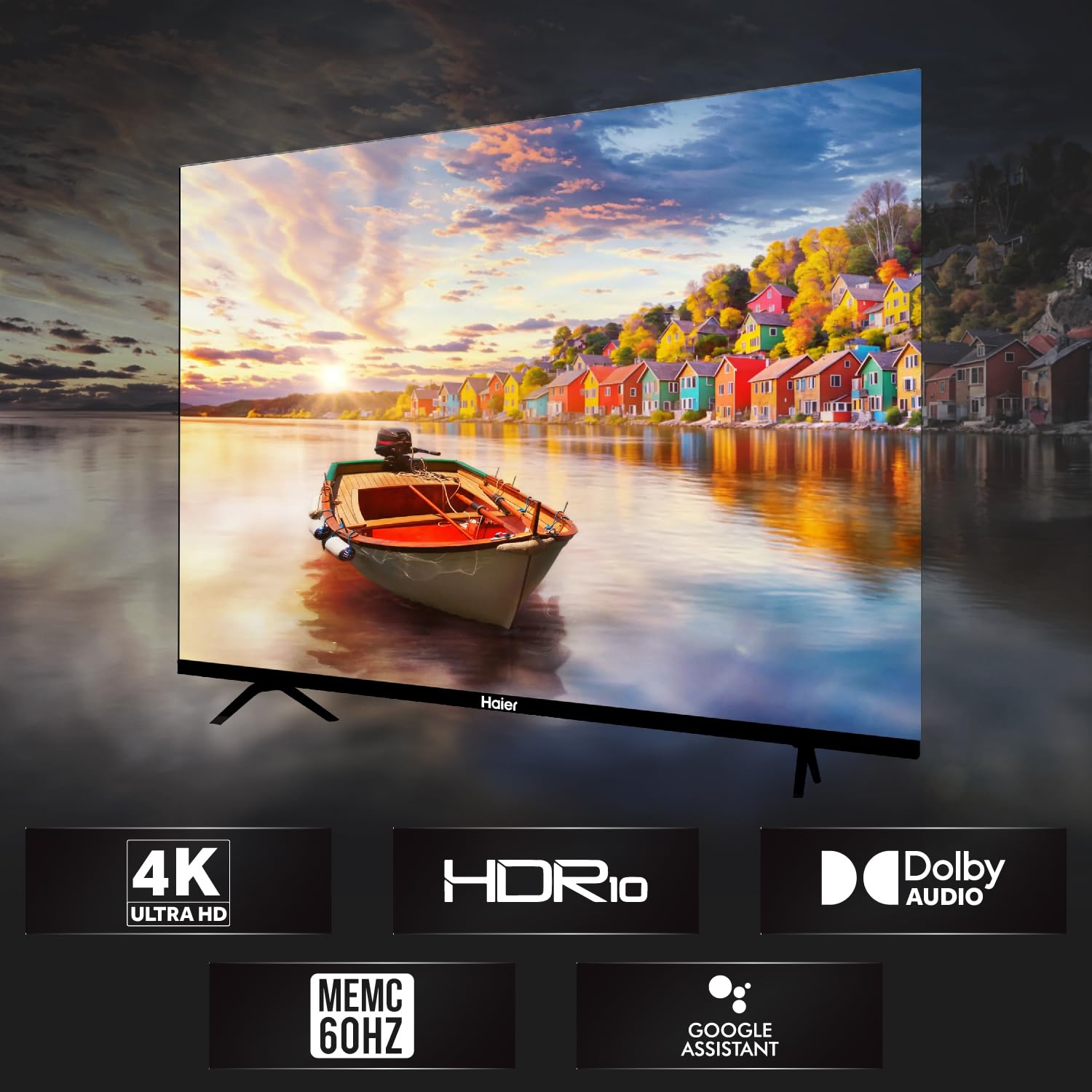
ภาพที่ 1.1: ด้านหน้า view of the Haier 43-inch 4K Ultra HD Smart LED Google TV.
วิดีโอ 1.1: ผลิตภัณฑ์จบview of the Haier 43-inch 4K Ultra HD Smart LED Google TV.
2. อะไรอยู่ในกล่อง
แกะกล่องอย่างระมัดระวังและตรวจสอบให้แน่ใจว่าสินค้าครบถ้วนและไม่เสียหาย หากมีสินค้าใดขาดหายหรือเสียหาย โปรดติดต่อผู้ค้าปลีก
- 1 x Haier 43-inch LED TV
- ฐานตั้งโต๊ะ 2 ชิ้น
- 1 x รีโมทคอนโทรล
- อะแดปเตอร์ AV IN 1 ตัว
- 1 x สายไฟ AC
- แบตเตอรี่ AAA 2 ก้อน
- 1 x คู่มือผู้ใช้ (เอกสารนี้)
- ใบรับประกัน 1 ใบ
3. คู่มือการติดตั้ง
3.1 การติดตั้งทีวี
Your television can be set up using the included table stand or mounted on a wall. Ensure the TV is placed on a stable, level surface or securely mounted to a wall according to VESA standards.
3.1.1 การติดตั้งขาตั้งโต๊ะ
- วางทีวีคว่ำหน้าลงบนพื้นผิวที่นุ่มและสะอาดอย่างระมัดระวังเพื่อป้องกันไม่ให้หน้าจอเสียหาย
- Attach the two table stand bases to the designated slots on the bottom of the TV.
- ยึดฐานให้แน่นด้วยสกรูที่ให้มา
- ค่อยๆ ยกทีวีขึ้นตั้งตรงบนพื้นผิวที่มั่นคง
3.1.2 การติดตั้งแบบติดผนัง
For wall mounting, use a VESA-compatible wall mount (200 x 200 mm) that can support the weight of the television. Follow the instructions provided with your wall mount kit. Professional installation is recommended.
ภาพที่ 3.1: ด้านหน้า view of the TV with table stand.
ภาพที่ 3.2: ด้านหลัง view ของทีวี โดยเน้นจุดยึดแบบ VESA
3.2 การเชื่อมต่ออุปกรณ์
ทีวีรุ่นนี้มีพอร์ตต่างๆ สำหรับเชื่อมต่ออุปกรณ์ภายนอก
- พอร์ต HDMI: Connect set-top boxes, Blu-ray players, gaming consoles, and other HDMI-enabled devices to the 4 HDMI ports.
- พอร์ต USB: Connect USB storage devices (hard drives, flash drives) to the 2 USB ports for media playback.
- AV ใน: ใช้ตัวแปลง AV IN ที่ให้มาเพื่อเชื่อมต่ออุปกรณ์รุ่นเก่าที่มีเอาต์พุตวิดีโอคอมโพสิตและเสียงสเตอริโอ
- อีเธอร์เน็ต: เชื่อมต่อสายเคเบิลอีเทอร์เน็ตสำหรับการเชื่อมต่ออินเทอร์เน็ตแบบใช้สาย
- ไวไฟ : Connect to your wireless network for internet access.
- บลูทูธ: เชื่อมต่ออุปกรณ์บลูทูธที่ใช้งานร่วมกันได้ เช่น หูฟังหรือลำโพงซาวด์บาร์
ภาพที่ 3.3: ด้านข้าง view of the TV, illustrating various connectivity ports.
3.3 การเชื่อมต่อสายไฟ
After connecting all necessary devices, plug the AC power cord into the TV's power inlet and then into a wall outlet. The TV will enter standby mode.
4. คู่มือการใช้งาน
4.1 การควบคุมระยะไกล
The remote control allows you to navigate the TV's features. Insert the two AAA batteries into the remote control, observing the correct polarity.
- ปุ่มเปิด/ปิด: เปิดหรือปิดทีวี (โหมดสแตนด์บาย)
- ปุ่มนำทาง: ใช้ปุ่มควบคุมทิศทางและปุ่ม OK เพื่อเลื่อนดูเมนูต่างๆ
- ปุ่มปรับระดับเสียง: ปรับระดับเสียง
- ปุ่มช่อง: เปลี่ยนช่องทีวี
- ปุ่ม Google Assistant: Activate voice commands for Google Assistant.
- ปุ่มเปิดใช้งานด่วน: Dedicated buttons for popular streaming services like Netflix and YouTube.

Image 4.1: Haier Smart TV remote control.
4.2 ฟีเจอร์สมาร์ททีวี (Google TV)
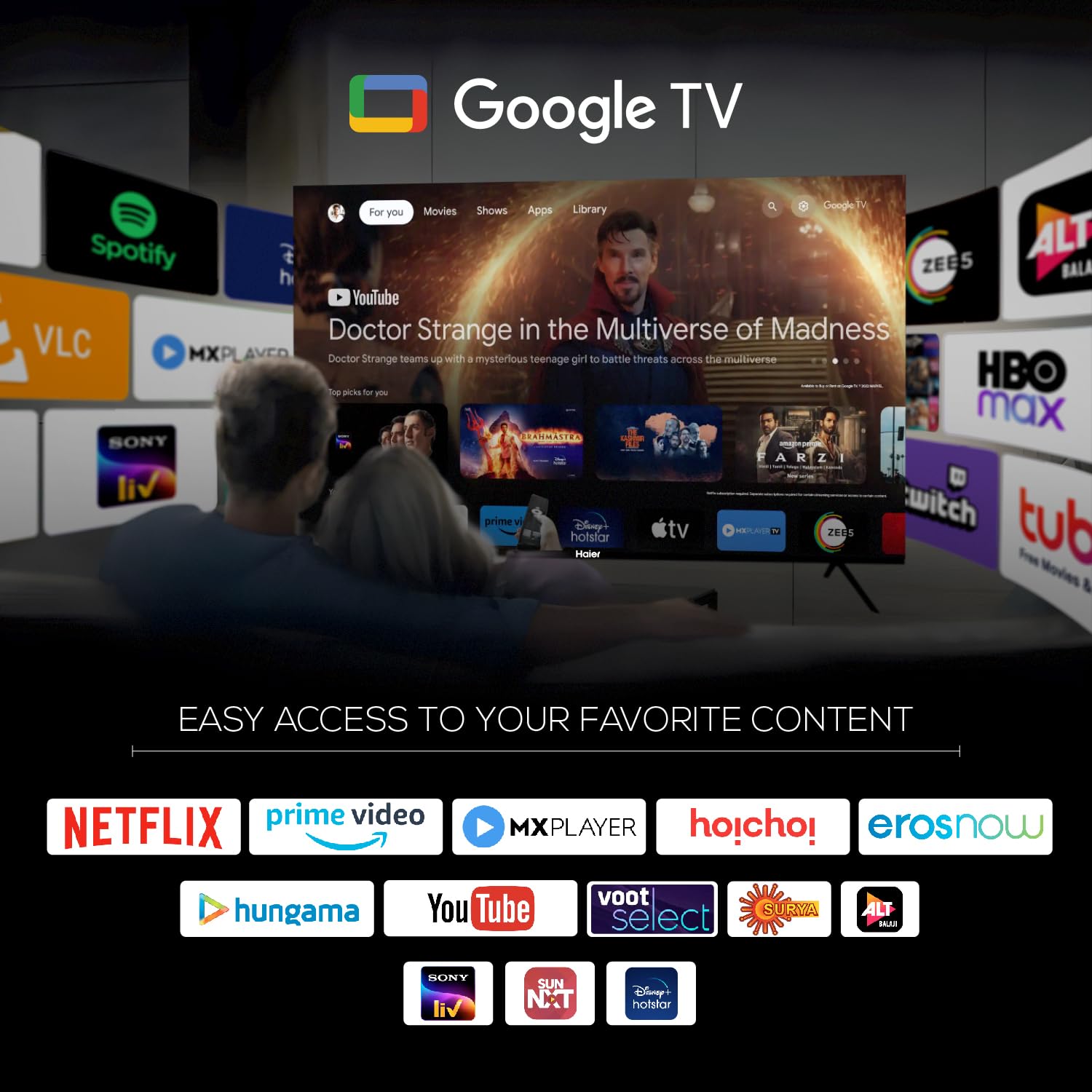
Your Haier TV runs on Google TV, providing access to a wide range of content and smart features.
- ผู้ช่วย Google: ใช้คำสั่งเสียงเพื่อค้นหาเนื้อหา ควบคุมอุปกรณ์สมาร์ทโฮม และรับข้อมูล
- Google Play: ดาวน์โหลดและติดตั้งแอปพลิเคชันเพิ่มเติมจาก Google Play Store
- Chromecast ในตัว: ส่งเนื้อหาจากอุปกรณ์มือถือหรือคอมพิวเตอร์ที่รองรับไปยังทีวีได้โดยตรง
- แอพที่ติดตั้งล่วงหน้า: Access popular streaming services such as Netflix, Amazon Prime Video, Sony Liv, Disney+Hotstar, Zee5, YouTube, Eros Now, Hungama, JioCinema, and Oxygen Play.
- รายการเฝ้าดู: Organize and track movies and shows you want to watch.

Image 4.2: Google TV interface with accessible applications.
4.3 การตั้งค่าการแสดงผล
The TV features a 4K Ultra HD display with advanced picture technologies.
- 4K Ultra HD (3840 x 2160): Provides high-resolution images with enhanced detail and clarity.
- HDR10: Supports High Dynamic Range content for a wider range of colors and deeper contrast.
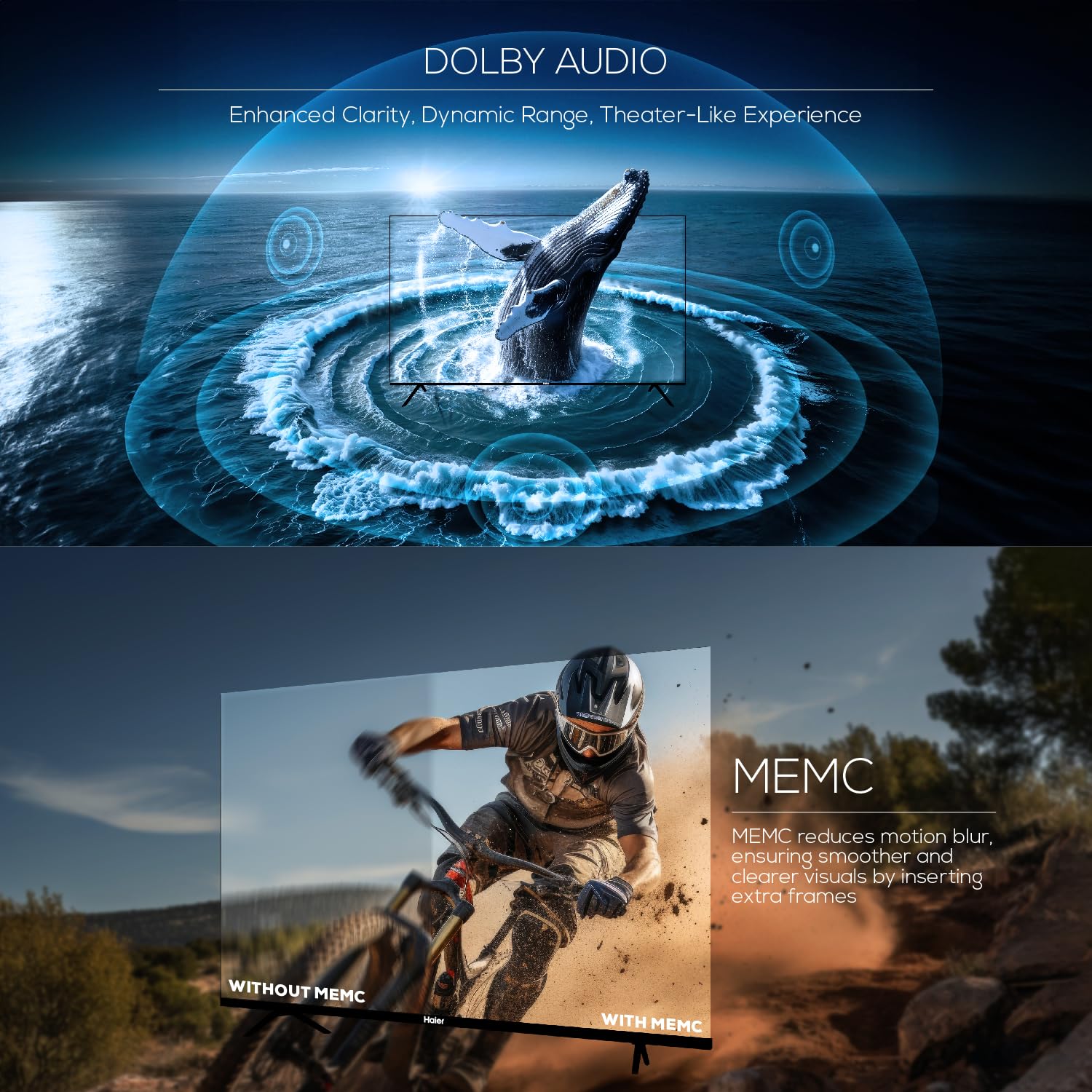
- MEMC (การประมาณการเคลื่อนไหว, การชดเชยการเคลื่อนไหว): Reduces motion blur in fast-moving scenes by inserting extra frames, resulting in smoother visuals at 60Hz.
- กว้าง 178 องศา Viewอิงมุม: Ensures consistent picture quality from various viewตำแหน่งการจัดงาน

Image 4.3: Illustration of Ultra High Definition display.

Image 4.4: Explanation of MEMC 60Hz technology.
4.4 การตั้งค่าเสียง
The TV is equipped with a powerful audio system for an immersive sound experience.
- เอาต์พุต 24 วัตต์: Provides clear and robust sound.
- ระบบเสียง Dolby: Enhances sound clarity, dynamic range, and delivers a theater-like audio experience.
- Built-in Box Speakers: Designed to produce powerful stereo sound.

Image 4.5: Illustration of Dolby Audio capabilities.
5. ข้อมูลจำเพาะ
Detailed technical specifications for the Haier 43-inch 4K Ultra HD Smart LED Google TV L43FG.
| คุณสมบัติ | ข้อมูลจำเพาะ |
|---|---|
| ขนาดหน้าจอ | 43 นิ้ว (108 ซม.) |
| เทคโนโลยีการแสดงผล | นำ |
| ปณิธาน | 4K Ultra HD (3840 x 2160) |
| อัตราการรีเฟรช | 60 เฮิรตซ์ |
| Viewอิงแองเกิล | 178 องศา |
| รองรับรูปแบบ HDR | HDR10 |
| Motion Enhancement Technology | เมมอีซี |
| เอาท์พุตเสียง | 24 วัตต์ |
| เทคโนโลยีเสียง | ระบบเสียง Dolby, Dolby Atmos |
| ระบบปฏิบัติการ | กูเกิลทีวี |
| โปรเซสเซอร์ | ARM Multicore Cortex Processor |
| หน่วยความจำ (RAM) | 2GB |
| หน่วยความจำ (ROM) | 32GB |
| พอร์ต HDMI | 4 |
| พอร์ต USB | 2 |
| การเชื่อมต่อ | ไวไฟ, บลูทูธ, อีเทอร์เน็ต |
| การมิเรอร์หน้าจอ | Google แคสต์ |
| ขนาดสินค้า (ลึก x กว้าง x สูง) | 23.3D x 95.7W x 62H Centimeters (with stand) |
| น้ำหนักสุทธิ | 7.3 กิโลกรัม |
| มาตรฐาน VESA Mount | 200 x 200 มม. |

Image 5.1: Diagram illustrating TV dimensions and weight.

Image 5.2: Information on TV's RAM and ROM.
6 การแก้ไขปัญหา
หากคุณพบปัญหาเกี่ยวกับทีวี โปรดดูปัญหาและวิธีแก้ไขที่พบบ่อยต่อไปนี้
- ไม่มีไฟฟ้า:
ตรวจสอบให้แน่ใจว่าสายไฟเชื่อมต่อกับทีวีและเต้ารับที่ผนังอย่างแน่นหนาแล้ว ลองตรวจสอบว่าเต้ารับใช้งานได้หรือไม่โดยเสียบอุปกรณ์อื่นเข้าไป - ไม่มีภาพ แต่มีเสียง:
Verify the correct input source is selected. Check all cable connections (HDMI, AV) for looseness or damage. Try connecting a different device to the same input. - No Sound, But Picture is Present:
Check the TV's volume level and ensure it is not muted. Verify audio cable connections. If using external audio devices, ensure they are powered on and correctly configured. - รีโมทคอนโทรลไม่ทำงาน:
เปลี่ยนแบตเตอรี่ในรีโมทคอนโทรล ตรวจสอบให้แน่ใจว่าไม่มีสิ่งกีดขวางระหว่างรีโมทและเซ็นเซอร์อินฟราเรดของทีวี - ปัญหาการเชื่อมต่อเครือข่าย:
For Wi-Fi, ensure your router is on and within range. For Ethernet, check the cable connection. Try restarting your router and the TV. - Picture Quality Issues (Blurry, Distorted):
Check the resolution settings of your input source. Ensure the cables are high-quality and properly connected. Adjust picture settings (brightness, contrast, sharpness) in the TV menu.
For persistent issues, contact Haier customer support.
7. การบำรุงรักษา
Proper maintenance helps prolong the life of your television.
- การทำความสะอาดหน้าจอ: Use a soft, lint-free cloth specifically designed for electronics. Do not use abrasive cleaners or solvents. Lightly dampหากจำเป็น ให้ชุบผ้าด้วยน้ำ แล้วเช็ดเบาๆ
- ทำความสะอาดตู้: เช็ดตู้ทีวีด้วยผ้าแห้งนุ่ม
- การอัปเดตซอฟต์แวร์: Periodically check for and install software updates to ensure optimal performance and access to the latest features. These can usually be found in the TV's settings menu under System or About.
- การระบายอากาศ : ตรวจสอบให้แน่ใจว่ามีการระบายอากาศรอบทีวีอย่างเพียงพอ อย่าปิดกั้นช่องระบายอากาศ
8. การรับประกันและการสนับสนุน
Your Haier 43-inch 4K Ultra HD Smart LED Google TV L43FG comes with a standard warranty.
- ระยะเวลารับประกัน: รับประกันสินค้า 1 ปีเต็ม และรับประกันแผงควบคุมเพิ่มอีก 1 ปี นับจากวันที่ซื้อ
- การเรียกร้องการรับประกัน: The brand warranty can be availed using your Amazon invoice.
- การสนับสนุนลูกค้า: For assistance, contact Haier toll-free numbers: 18001028471 or 18001020777. Please provide the product's model name (L43FG) and seller's details from your invoice. The service center will schedule a convenient service slot.
For further information regarding EMI options or replacement policies, please refer to the product detail page on the retailer's webเว็บไซต์.