
1. สินค้าหมดview
The EsaSam Android Car Stereo M400S is a 9-inch touchscreen multimedia player designed for the JAC Refine S3 2019 model. It features an Android 11/12 operating system, GPS navigation, Bluetooth 4.0, WiFi, and 4G connectivity. This unit supports various functions including Carplay, Android Auto, steering wheel control, and a reverse camera input, enhancing your driving experience with advanced infotainment capabilities.

Image: The EsaSam Android Car Stereo M400S integrated into a vehicle's dashboard, showcasing its 9-inch display and user interface.
2. เนื้อหาบรรจุภัณฑ์
ตรวจสอบว่าสินค้าทั้งหมดที่ระบุไว้ด้านล่างนี้รวมอยู่ในแพ็คเกจของคุณแล้ว หากมีสินค้าใดสูญหายหรือเสียหาย โปรดติดต่อฝ่ายสนับสนุนลูกค้า

Image: All components of the EsaSam Android Car Stereo M400S package, including the head unit and various cables.
- Main Head Unit (9-inch touchscreen display)
- Power Harness (specific for JAC Refine S3 2019)
- ไมโครโฟนภายนอก (MIC)
- สายอินพุต/เอาต์พุต RCA
- สายเคเบิล 2 x USB
- สายเคเบิลอินพุตกล้อง
- เสาอากาศ GPS
- คู่มือการใช้งาน
- 4G Antenna (for 8-core models only)
- AHD Backup Camera (gift)
3. คู่มือการติดตั้ง
This unit is specifically designed for the JAC Refine S3 2019. Professional installation is recommended. Ensure the vehicle's power is disconnected before beginning installation.
- การตระเตรียม: Carefully remove the original car radio unit from your JAC Refine S3 2019 dashboard.
- เชื่อมต่อสายไฟ: Connect the provided power harness to the car's wiring. Ensure all connections are secure.
- เชื่อมต่อเสาอากาศ:
- เชื่อมต่อเสาอากาศ GPS และวางไว้ในตำแหน่งที่ชัดเจน view ของท้องฟ้า (เช่น มุมแผงหน้าปัด)
- If your model supports 4G, connect the 4G antenna.
- เชื่อมต่อสาย USB: Route the USB cables to a convenient location, such as the glove compartment, for future use with USB devices.
- เชื่อมต่อไมโครโฟนภายนอก: Plug in the external microphone for improved call quality and voice commands.
- เชื่อมต่อสาย RCA: หากใช้ภายนอก amplifiers or other audio/video devices, connect the RCA input/output cables as needed.
- Connect Reverse Camera: Install the AHD backup camera at the rear of the vehicle and route its cable to the head unit. Connect it to the camera input cable.
- Mount the Head Unit: Securely mount the EsaSam M400S head unit into the dashboard opening.
- เปิดเครื่องครั้งแรก: Reconnect the vehicle's power. Turn on the ignition and power on the car stereo.
- การกำหนดค่าระบบ:
- รหัสผ่านโรงงาน: For initial access or specific settings, use the factory password. For M400S models, the password is 3368.
- ระบบควบคุมพวงมาลัย: To configure original steering wheel controls, navigate to the system settings and follow the on-screen instructions to learn or configure the CANBUS protocol.
4. คู่มือการใช้งาน
ระบบปฏิบัติการ Android 4.1
The unit runs on an Android 11/12 operating system, providing a familiar interface. Navigate using the 9-inch capacitive multi-touch screen. You can download, install, and manage applications from the Google Play Store.

Image: The Android operating system interface displayed on the car stereo, showing various application icons.
4.2 บลูทู ธ 4.0
Connect your mobile phone via Bluetooth 4.0 for hands-free calling and audio streaming. The system supports synchronizing your contact list for easy access.
- Pairing: Go to Bluetooth settings on the head unit and your phone to pair devices.
- Hands-free Calls: Make and receive calls directly from the car stereo.
- Music Playback: Stream audio from your phone to the car speakers.
4.3 ระบบนำทาง GPS
The built-in GPS module supports both online and offline navigation applications. Connect to WiFi to download offline maps for use without an internet connection. The dual-zone function allows you to listen to music while navigation is active.

Image: A GPS navigation map showing routes and current location on the car stereo screen.
4.4 วิทยุเอฟเอ็ม/เอเอ็ม
Access FM and AM radio stations. The system allows you to save your favorite stations for quick access.
- ความถี่เอฟเอ็ม: 87.5-108.5MHz
- AM Frequency: 520-1700 Hz
4.5 การเชื่อมโยงมิเรอร์
Support for both Android and iOS devices to mirror your phone's screen onto the car radio display. This allows you to view แสดงเนื้อหาจากโทรศัพท์ของคุณบนหน้าจอขนาดใหญ่โดยตรง
4.6 ระบบควบคุมพวงมาลัย (SWC)
The unit supports original steering wheel controls. Configure these controls in the system settings to manage audio, calls, and other functions without taking your hands off the wheel.

Image: A steering wheel with control buttons, illustrating the integration with the car stereo for convenient operation.
4.7 Reverse Camera Input
ระบบจะแสดงด้านหลังโดยอัตโนมัติ view when the vehicle is shifted into reverse. The included AHD backup camera provides a clear image for safer parking and maneuvering.
4.8 ฟังก์ชันแบ่งหน้าจอ
Utilize the split-screen feature to display two applications simultaneously, such as navigation and music playback, for enhanced multitasking.

Image: The car stereo display in split-screen mode, showing a navigation map on one side and a music player on the other.
4.9 Built-in Carplay and Android Auto
The M400S supports both wireless Carplay and Android Auto (via USB cable). Connect your smartphone to access navigation, music, messages, and other apps safely through the car's display.
โปรเซสเซอร์ DSP 4.10 ตัว
The Digital Sound Processor (DSP) allows for various sound effects and music styles (pop, rock, jazz, etc.) to be set, providing a customizable audio experience.
4.11 การเชื่อมต่อ 4G LTE
For models with 4G support, connect to the internet to stream online music, watch videos, and access web content directly from the car stereo.
4.12 5GHz WiFi Support
The unit supports 5GHz WiFi (802.11 b/g/n) for faster data transmission, wider coverage, and a more stable internet connection compared to 2.4GHz WiFi.
4.13 การรองรับ ADAS DVR
When connected to an optional ADAS DVR, the system can provide advanced driver-assistance features such as anti-collision warnings and lane departure warnings.
4.14 360 Panoramic Camera Support
The unit supports a 360-degree panoramic camera system (requires additional camera hardware and a 360 camera chip on the radio motherboard) for a comprehensive view รอบคัน
4.15 ตัวเลือกส่วนติดต่อผู้ใช้ (UI)
The system offers various user interface designs, allowing you to customize the visual appearance of your car stereo's home screen and menus.
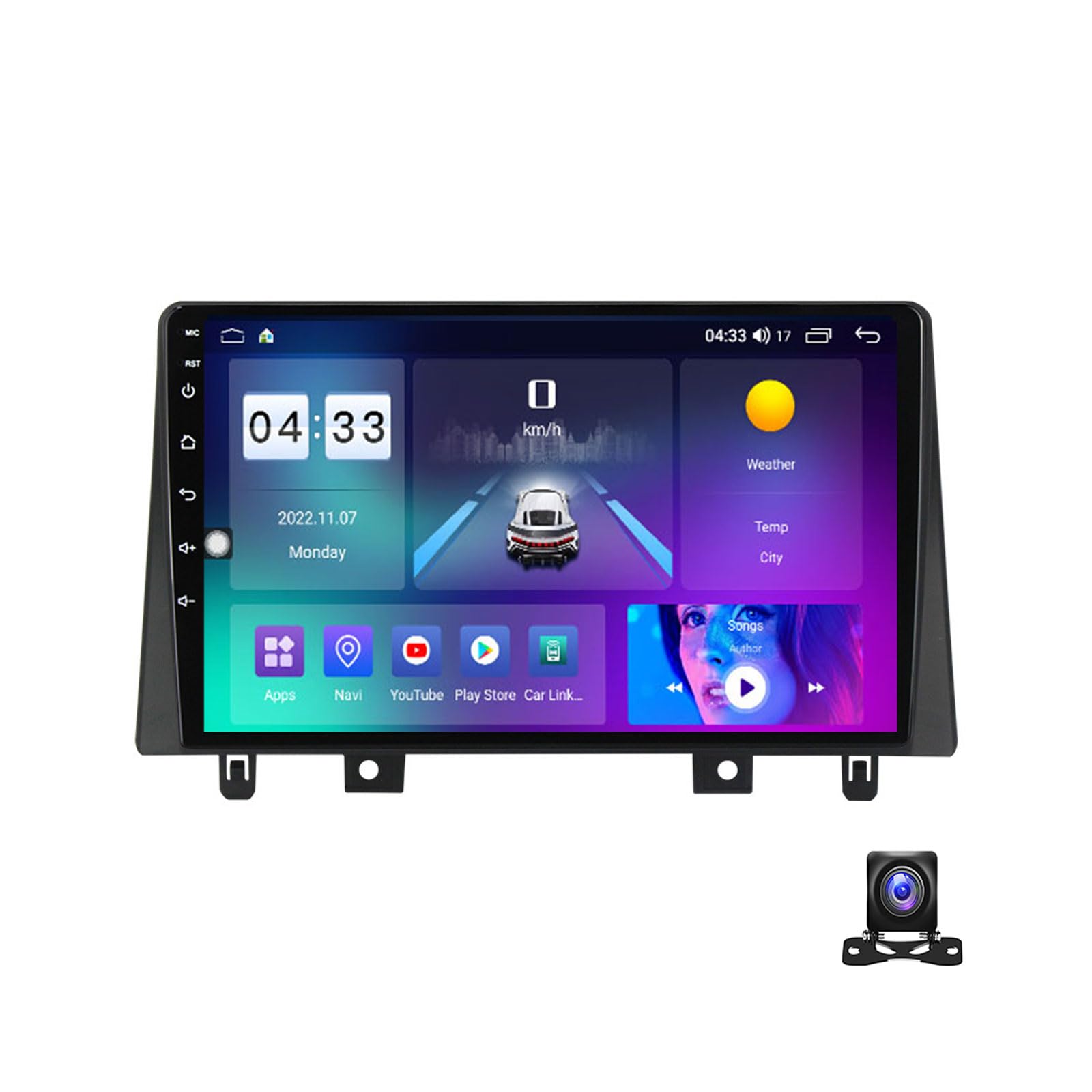
ภาพ: อดีตamples of different user interface designs available on the EsaSam car stereo.
5. ข้อมูลจำเพาะ
| ชื่อยี่ห้อ | EsaSam |
| หมายเลขรุ่น | เอ็ม400เอส |
| ระบบปฏิบัติการ | แอนดรอยด์ 11/12 |
| ขนาดหน้าจอ | 9 นิ้ว |
| ความละเอียดหน้าจอ | 1024*600 (or 1280*720 for higher models) |
| โปรเซสเซอร์ | Quad-core / Octa-core |
| ตัวเลือก RAM | 1GB / 2GB / 3GB / 4GB / 6GB / 8GB DDR3 |
| ตัวเลือก ROM | 16GB / 32GB / 64GB / 128GB |
| บลูทูธ | บลูทูธ 4.0 |
| ไวไฟ | Built-in (802.11 b/g/n), supports 5GHz |
| รองรับ 4G | Yes (with 4G antenna for 8-core models) |
| จีพีเอส | โมดูล GPS ในตัว |
| ความถี่วิทยุ | AM: 520-1700 Hz, FM: 87.5-108.5MHz |
| เอาท์พุตวิดีโอ | Full RCA Output, supports HD 1080P |
| เอาท์พุตเสียง | Subwoofer audio output, DSP support |
| การเชื่อมต่อ | USB, SD, AUX-IN |
| คุณสมบัติที่รองรับ | Carplay, Android Auto, SWC, Reverse Camera, DVR, TPMS, OBD2, DAB+ |
| ภาษา | Multi-lingual (English, Russian, French, German, Spanish, Italian, Arabic, etc.) |
6 การแก้ไขปัญหา
If you encounter issues with your EsaSam Android Car Stereo, refer to the following common solutions:
- ไม่มีไฟฟ้า: ตรวจสอบการเชื่อมต่อสายไฟและฟิวส์ทั้งหมด ตรวจสอบให้แน่ใจว่าสวิตช์กุญแจรถเปิดอยู่
- ไม่มีเสียง: Verify speaker connections. Check volume levels and audio settings. Ensure the mute function is not active.
- การสูญเสียสัญญาณ GPS: ตรวจสอบให้แน่ใจว่าเสาอากาศ GPS เชื่อมต่ออย่างถูกต้องและมีความชัดเจน view ของท้องฟ้า ลองรีสตาร์ทเครื่องดู
- ปัญหาการเชื่อมต่อบลูทูธ: ตรวจสอบให้แน่ใจว่าได้เปิดใช้งานบลูทูธทั้งบนเครื่องเล่นในรถยนต์และอุปกรณ์มือถือของคุณแล้ว ลองยกเลิกการจับคู่และจับคู่ใหม่อีกครั้ง
- หน้าจอสัมผัสไม่ตอบสนอง: รีสตาร์ทเครื่อง หากปัญหายังคงอยู่ อาจจำเป็นต้องรีเซ็ตเป็นค่าเริ่มต้นจากโรงงาน (หมายเหตุ: การทำเช่นนี้จะลบข้อมูลผู้ใช้ทั้งหมด)
- ระบบทำงานช้า/ค้าง: Close unnecessary applications. Clear cache. If persistent, consider a factory reset or system update.
- การควบคุมพวงมาลัยไม่ทำงาน: Re-enter the steering wheel control learning interface in settings and reconfigure the buttons. Check CANBUS connections if applicable.
For issues not covered here, please contact EsaSam customer support.
7. การบำรุงรักษา
การบำรุงรักษาอย่างถูกต้องจะช่วยให้เครื่องเสียงในรถยนต์ของคุณมีอายุการใช้งานยาวนานและมีประสิทธิภาพเหมาะสมที่สุด
- การทำความสะอาดหน้าจอ: ใช้ผ้านุ่มไม่เป็นขุยเช็ดเล็กน้อยampล้างออกด้วยน้ำหรือน้ำยาทำความสะอาดหน้าจอ หลีกเลี่ยงสารเคมีรุนแรงหรือวัสดุที่มีฤทธิ์กัดกร่อน
- การอัปเดตซอฟต์แวร์: Periodically check for and install system software updates to ensure optimal performance and access to new features.
- อุณหภูมิ: หลีกเลี่ยงการเปิดเผยอุปกรณ์ในอุณหภูมิที่สูงหรือต่ำเกินไปเป็นเวลานาน
- การระบายอากาศ : Ensure the unit's ventilation openings are not blocked to prevent overheating. The unit may include a cooling fan for M200S-M700S models to prevent abnormal operation due to high temperatures.
8. การรับประกันและการสนับสนุนลูกค้า
For warranty information, technical assistance, or any questions regarding your EsaSam Android Car Stereo M400S, please refer to the warranty card included in your package or contact EsaSam customer support directly through their official channels.
When contacting support, please have your model number (M400S) and purchase details ready.