
1. บทนำ
The BOTSLAB W302 Outdoor Dual-Lens Security Camera is designed to provide comprehensive surveillance for your home or business. Featuring advanced dual-lens technology, it offers a 170° super-wide viewing angle and crystal-clear 4MP resolution. This manual provides detailed instructions for setting up, operating, and maintaining your security camera to ensure optimal performance.
2. เนื้อหาบรรจุภัณฑ์
โปรดตรวจสอบว่าสินค้าทั้งหมดที่ระบุไว้ด้านล่างนี้รวมอยู่ในแพ็คเกจของคุณแล้ว หากมีสินค้าใดสูญหายหรือเสียหาย โปรดติดต่อฝ่ายสนับสนุนลูกค้า
- หน่วยกล้อง x 1
- วงเล็บ x 1
- สติกเกอร์ตำแหน่ง x 1
- สติกเกอร์คำเตือน 1 ชิ้น
- คู่มือเริ่มต้นอย่างรวดเร็ว x 1
- อะแดปเตอร์แปลงไฟ x 1
- สกรูแพ็ค x 1

Figure 2.1: All components included in the BOTSLAB W302 camera package.
3. คุณสมบัติของผลิตภัณฑ์
- Dual-Lens Vision: Captures a wide 170° super-wide viewing angle with 4MP (2MP+2MP) resolution for seamless panoramic images without blind spots.
- การมองเห็นสีกลางคืน: Provides continuous color views 24/7, even in low light, thanks to automatic light adaptation (ColorGuard) and up to 100ft night vision range.
- Smart Security & Precise Alerts: Detects people and vehicles with motion detection, sending precise alerts. Features a customizable siren and light alarm for enhanced security.
- การติดตามที่ขับเคลื่อนด้วย AI: Intelligently focuses on humans, offering close-up views and dual live views (wide panorama and close-up) simultaneously via the Botslab app.
- การเชื่อมต่อแบบไร้รอยต่อ: Supports faster and more stable dual-band Wi-Fi (2.4GHz/5GHz).
- เสียงสองทาง: Stay connected and communicate with visitors or deter intruders.
- การออกแบบที่ทนฝนและแดด: IP66 rated, ensuring reliable performance in temperatures from -20°C to 60°C.
- การรวมระบบบ้านอัจฉริยะ: ทำงานร่วมกับ Amazon Alexa และ Google Assistant ได้อย่างราบรื่นเพื่อการควบคุมด้วยเสียง

Figure 3.1: Dual-Lens Vision with 170° Super-Wide Angle.

Figure 3.2: Non-Stop Color Night Vision.

Figure 3.3: Smart Security with Person, Vehicle, and Motion Detection.
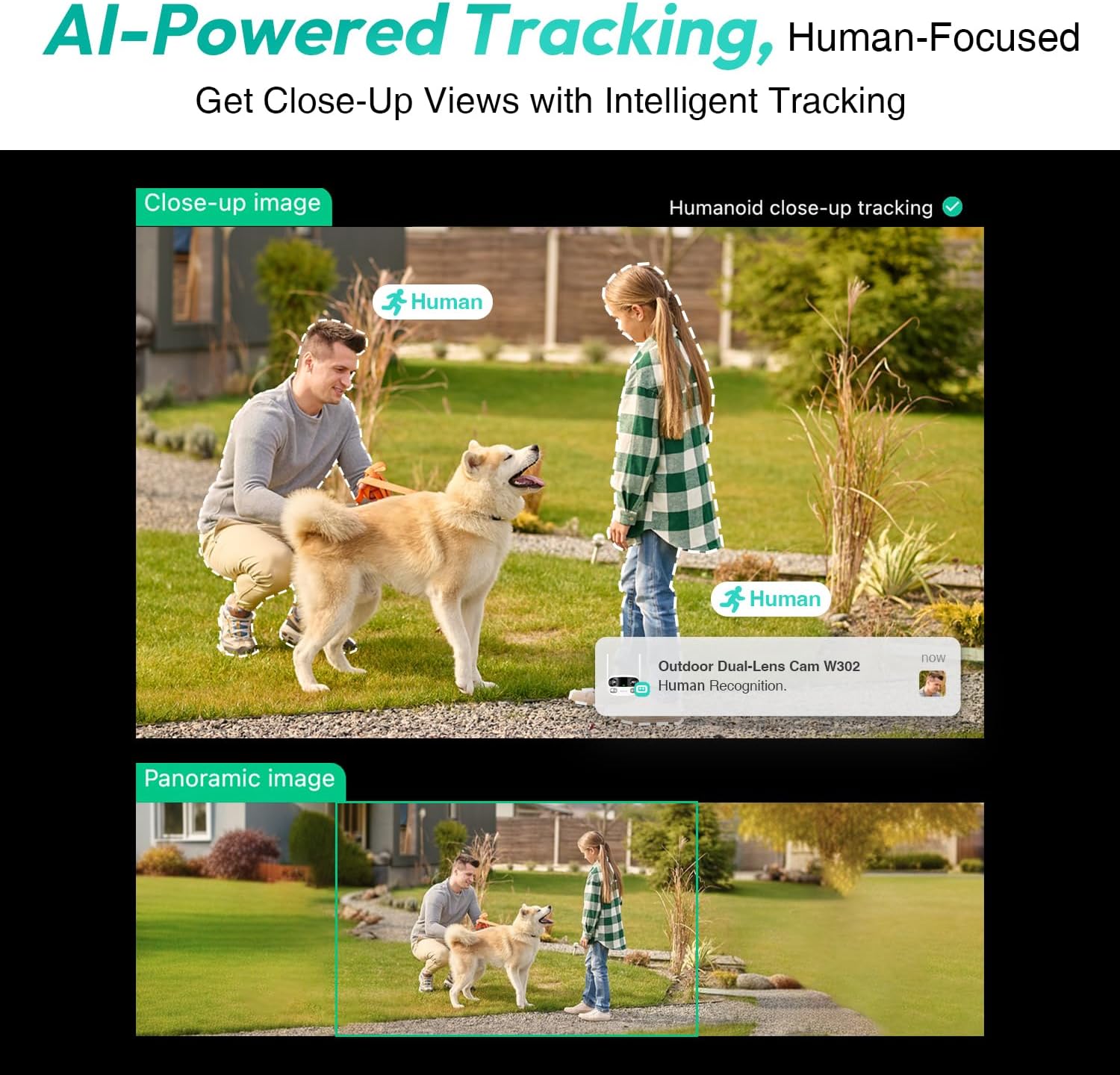
Figure 3.4: AI-Powered Human Tracking with Dual Live Views.
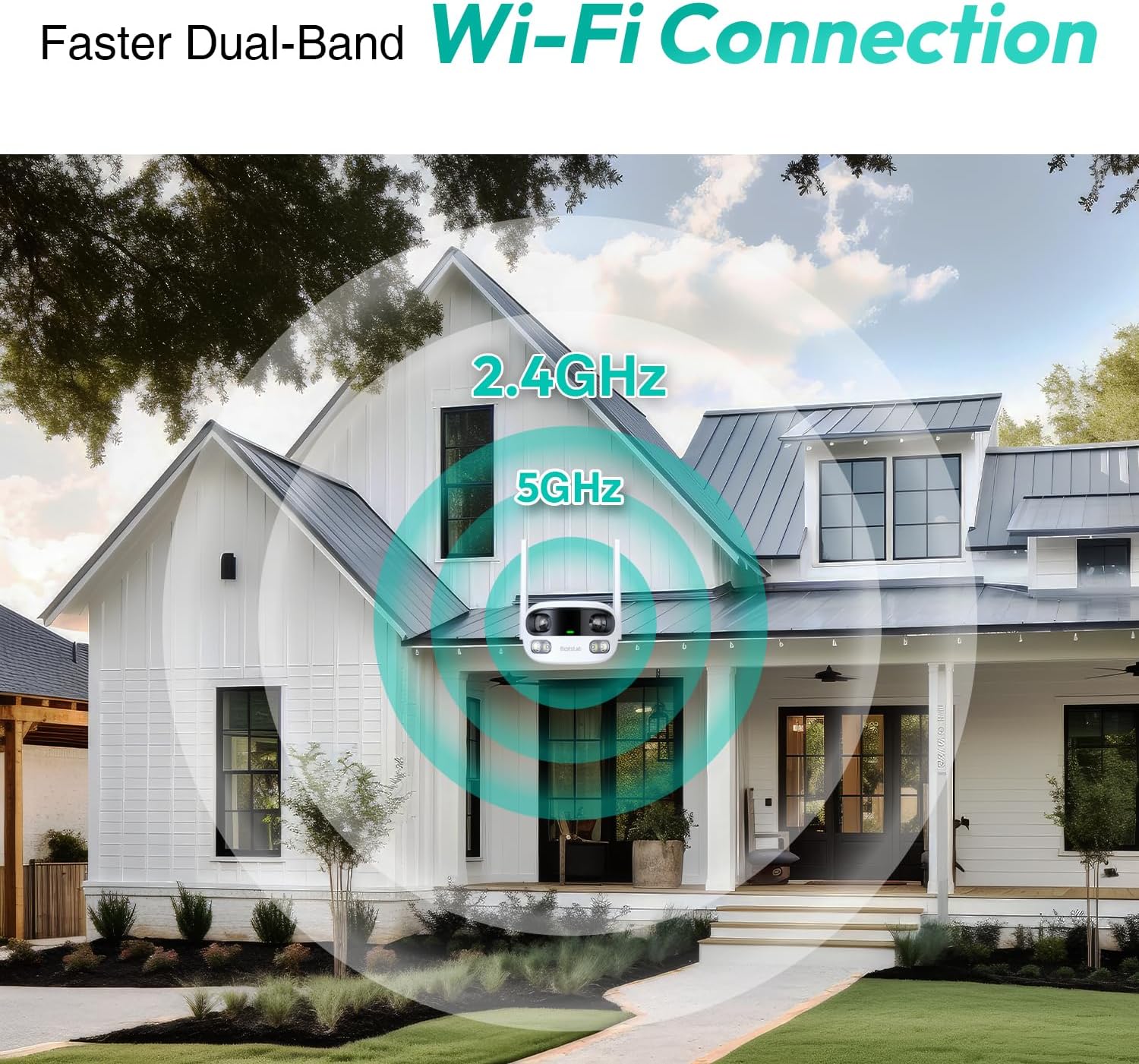
Figure 3.5: Faster Dual-Band Wi-Fi Connection.

รูปที่ 3.6: การสื่อสารด้วยเสียงสองทาง

รูปที่ 3.7: การออกแบบกันน้ำกันฝุ่นระดับ IP66

Figure 3.8: Alexa & Google Assistant Integration.
4. การตั้งค่าและการติดตั้ง
Follow these steps to properly install your BOTSLAB W302 camera.
- เลือกตำแหน่ง: เลือกสถานที่กลางแจ้งที่มีทัศนวิสัยโล่ง view of the area you wish to monitor. Ensure it's within Wi-Fi range and near a power outlet.
- ติดวงเล็บ: Use the provided positioning sticker to mark drill holes on the wall or ceiling. Drill the holes, insert expansion tubes, and securely fasten the bracket with screws.
- ติดกล้อง: Rotate the camera body and screw it onto the bracket. Adjust the camera's position and tighten the bracket.
- เชื่อมต่อพลังงาน: Plug the power adapter into the camera and then into a power outlet. The indicator light will turn green and start flashing when ready for pairing.

Figure 4.1: Versatile Installation Options (Wall and Ceiling).
วิดีโอ 4.1: จบแล้วview of the Botslab Security Camera Outdoor, including its features and installation process. This video is provided by Botslab Security.
5. การกำหนดค่าแอป
The Botslab app is essential for controlling and monitoring your camera. Download and install the app on your smartphone (available on App Store and Google Play).
- ลงทะเบียน/เข้าสู่ระบบ: Open the Botslab app and register a new account or log in with an existing one.
- เพิ่มอุปกรณ์: Tap 'Add Device' or the '+' icon in the app.
- สแกนรหัส QR: สแกนรหัส QR ที่ด้านล่างของกล้อง
- เชื่อมต่อกับ Wi-Fi: Follow the in-app instructions to connect the camera to your 2.4GHz or 5GHz Wi-Fi network. Ensure your phone is near the camera during this process.
- การผูกอุปกรณ์: The app will bind the device to your account. Once connected, the indicator light on the camera will turn solid blue.
วิดีโอ 5.1: รายละเอียดเพิ่มเติมview of the Botslab W302 Outdoor Dual Lens Security Camera, including app setup and features. This video is provided by Galaxy Tech Review.
6. คู่มือการใช้งาน
Once configured, you can access and control your camera through the Botslab app.
- สด View: Access the live feed from both lenses. You can switch between close-up and panoramic views, or use the left/right mode for individual lens feeds.
- แพน/ซูม: In panoramic mode, slide the bottom image to pan left or right. Pinch to zoom on the close-up image.
- เสียงสองทาง: Tap the phone icon to speak through the camera's speaker. Tap the mute icon to silence audio from the camera's microphone.
- Siren & Light Alarm: Activate the siren and floodlights manually from the app to deter intruders.
- Motion/Vehicle/Person Detection: Enable these features in the app settings to receive precise alerts.
- โซนความเป็นส่วนตัว: กำหนดพื้นที่เฉพาะภายในกล้อง view that will not be monitored for privacy.
- การมองเห็นตอนกลางคืน: The camera automatically adapts to low light. You can choose between full-color night vision (using floodlights) or infrared night vision.

Figure 6.1: Dual Live Views on the Botslab App.

Figure 6.2: Siren & Light Alarm for Instant Deterrence.

Figure 6.3: Configuring Privacy Zones.

Figure 6.4: Smart Security with Precise Alerts.
7. ตัวเลือกการจัดเก็บ
The BOTSLAB W302 offers flexible storage solutions for your recorded footage.
- Botslab Cloud Storage: Includes a one-year trial with 7-day storage for motion-detected clips at 5-minute intervals.
- การจัดเก็บข้อมูลภายในเครื่อง: Supports up to 256GB MicroSD cards (not included). The MicroSD card slot is located under a protective cover at the bottom of the camera.

Figure 7.1: Cloud and Local Storage Options.
8. ข้อมูลจำเพาะ
| คุณสมบัติ | ข้อมูลจำเพาะ |
|---|---|
| ความละเอียดในการจับภาพวิดีโอ | 4 MP |
| Viewอิงแองเกิล | 170 องศา |
| เทคโนโลยีการเชื่อมต่อ | ไวไฟ 2.4GHz/5GHz |
| การให้คะแนนการคุ้มครองระหว่างประเทศ | IP66 |
| อุณหภูมิในการทำงาน | -20°C ถึง 60°C |
| ความเข้ากันได้ของสมาร์ทโฮม | Amazon Alexa, Google Assistant |
| การจัดเก็บข้อมูลภายในเครื่อง | Up to 256GB MicroSD (Not Included) |
| แหล่งพลังงาน | Wired (AC power cord included) |
| สี | White Pro |
| น้ำหนักสินค้า | 1.63 ปอนด์ |
9. การบำรุงรักษา
- การทำความสะอาด: เช็ดเลนส์กล้องและตัวกล้องด้วยผ้านุ่มๆ เป็นประจำamp ใช้ผ้าเช็ดทำความสะอาดฝุ่นและสิ่งสกปรก ห้ามใช้สารเคมีรุนแรง
- อัพเดตเฟิร์มแวร์: Check the Botslab app periodically for firmware updates to ensure optimal performance and security.
- แหล่งจ่ายไฟ: Ensure the camera is connected to a stable power source. Avoid using unofficial power adapters.
- การจัดการการ์ด SD: If using local storage, regularly back up important footage and format the MicroSD card to maintain performance.
10 การแก้ไขปัญหา
- กล้องออฟไลน์: Check Wi-Fi connection and power supply. Try restarting the camera and your router.
- คุณภาพวิดีโอไม่ดี: Ensure the lens is clean. Check your Wi-Fi signal strength. Adjust camera placement if necessary.
- ปัญหาการตรวจจับการเคลื่อนไหว: Verify detection zones are correctly set in the app. Adjust sensitivity settings.
- ปัญหาเกี่ยวกับระบบเสียงสองทาง: ตรวจสอบการตั้งค่าไมโครโฟนและลำโพงในแอป ตรวจสอบให้แน่ใจว่าระดับเสียงเหมาะสม
- การ์ด SD ไม่บันทึก: Ensure the MicroSD card is inserted correctly and is not full. Format the card if issues persist.
11. การรับประกันและการสนับสนุน
BOTSLAB มุ่งมั่นที่จะส่งมอบผลิตภัณฑ์คุณภาพสูงและบริการลูกค้าที่เป็นเลิศ
- การรับประกันคุณภาพ: Enjoy a 365-day quality guarantee.
- ความช่วยเหลือด้านเทคนิค: มีบริการสนับสนุนทางเทคนิคตลอดอายุการใช้งาน
- การส่งคืน: 30-day free returns.
- Fast Support: Expect support within 48 hours.
หากต้องการความช่วยเหลือเพิ่มเติม โปรดไปที่ global.botslab.com หรือติดต่อ service@botslab.com.