
1. บทนำ
This manual provides detailed instructions for the safe and efficient operation of your DATOUBOSS 2000W 24V Pure Sine Wave Power Inverter. This device is designed to convert 24V DC battery power into 230V AC household power, suitable for a wide range of electronic devices and appliances. Please read this manual thoroughly before installation and use to ensure optimal performance and safety.

Figure 1: DATOUBOSS 2000W 24V Pure Sine Wave Power Inverter with accessories.
2. คุณสมบัติหลัก
- เอาท์พุตคลื่นไซน์บริสุทธิ์: Provides clean power, ideal for sensitive electronics, with higher motor capacity and conversion efficiency (>90%) compared to modified sine wave inverters.
- โครงสร้างแข็งแรงทนทาน: The inverter casing is made from aluminum alloy, offering excellent resistance to external impacts and pressure, ensuring enhanced durability.
- ระบบระบายความร้อนอัจฉริยะ: Features a smart fan control system that activates when the load exceeds 40% of the rated capacity, or based on internal temperature, minimizing noise during light loads.
- จอแสดงผล LCD และรีโมทคอนโทรล: An external remote control simplifies operation, while the integrated LED display provides real-time information on inverter status, ensuring easy monitoring.
- การป้องกันที่ครอบคลุม: Built-in safety mechanisms protect against low voltage, overload, short circuit, over-temperature, and reverse polarity.
- การใช้งานที่หลากหลาย: Suitable for a wide range of devices including household appliances, laptops, TVs, and ideal for use in RVs, trucks, camping, and off-grid solar power systems.
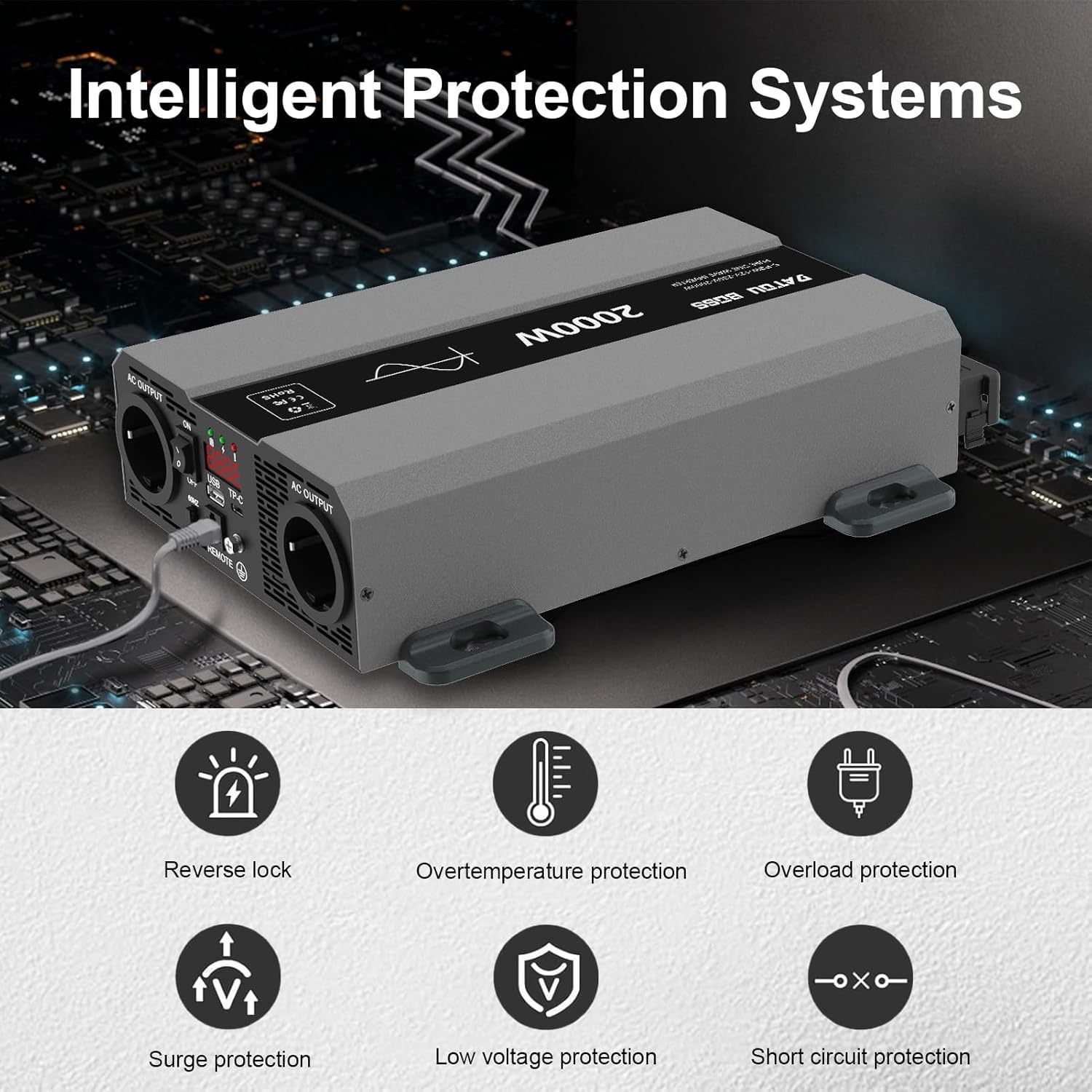
Figure 2: Intelligent Protection Systems for the inverter.
3. เนื้อหาบรรจุภัณฑ์
โปรดตรวจสอบว่าสินค้าทุกชิ้นครบถ้วนและไม่เสียหายก่อนเปิดบรรจุภัณฑ์:
- DATOUBOSS 2000W 24V Pure Sine Wave Power Inverter
- DC Input Cables (Red for Positive, Black for Negative)
- Remote Control Unit with Cable
- คู่มือผู้ใช้ (เอกสารนี้)
4. Port Introduction
Familiarize yourself with the various ports and indicators on your inverter:

Figure 3: Inverter Port Layout and Functions.
- ขั้วลบ: Connects to the negative (-) terminal of your 24V battery.
- ขั้วบวก: Connects to the positive (+) terminal of your 24V battery.
- พัดลมระบายความร้อนอัจฉริยะ: ระบบจะทำงานโดยอัตโนมัติเพื่อระบายความร้อน
- เอาท์พุต AC (x2): Standard 230V AC outlets for connecting appliances.
- พอร์ต Type-C: สำหรับชาร์จอุปกรณ์ USB-C ที่รองรับ
- ขั้วกราวด์: For proper grounding to ensure safety.
- Remote Switch Connection: Port for connecting the external remote control unit.
- อินเทอร์เฟซ USB: Standard USB-A port for charging USB devices.
- การปรับความถี่: อนุญาตให้เลือกความถี่เอาต์พุต (เช่น 50Hz/60Hz)
- สวิตช์เปิด/ปิด: สวิตซ์ไฟหลักสำหรับอินเวอร์เตอร์
- จอแสดงผล LED: แสดงข้อมูลการดำเนินงานแบบเรียลไทม์
- ไฟ LED: Indicates power status or fault conditions.
5. การตั้งค่าและการติดตั้ง
ปฏิบัติตามขั้นตอนเหล่านี้เพื่อการติดตั้งที่ปลอดภัยและถูกต้อง:
- เลือกตำแหน่ง: Select a cool, dry, and well-ventilated area for the inverter. Avoid direct sunlight, heat sources, and moisture. Ensure sufficient space around the inverter for airflow.
- การติดตั้ง: Securely mount the inverter using appropriate hardware. The inverter can be mounted horizontally or vertically.
- การต่อลงดิน: Connect the inverter's ground terminal to a reliable earth ground point using a suitable gauge wire. This is crucial for safety.
- การเชื่อมต่อแบตเตอรี่:
- ตรวจสอบให้แน่ใจว่าสวิตช์เปิดปิดของอินเวอร์เตอร์อยู่ในตำแหน่ง "ปิด"
- Connect the RED cable to the inverter's Positive (+) terminal and then to the battery's Positive (+) terminal.
- Connect the BLACK cable to the inverter's Negative (-) terminal and then to the battery's Negative (-) terminal.
- ตรวจสอบให้แน่ใจว่าการเชื่อมต่อทั้งหมดแน่นหนาและปลอดภัย เพื่อป้องกันการหลวมและการเกิดประกายไฟ
- การเชื่อมต่อการควบคุมระยะไกล: Plug the remote control cable into the designated remote switch connection port on the inverter.
- การเพิ่มพลังเริ่มต้น: After all connections are secure, switch the inverter's power switch to "ON". The LED display should illuminate, indicating the inverter is ready.

รูปที่ 4: อดีตample of connecting the inverter for solar power applications.
6. คู่มือการใช้งาน
Operating your DATOUBOSS inverter is straightforward:
- เปิดเครื่อง: Ensure the inverter is properly connected to a 24V DC power source. Press the ON/OFF switch on the inverter or the remote control to turn it on. The LED display will show the output voltage และข้อมูลอื่นๆ ที่เกี่ยวข้อง
- เชื่อมต่อเครื่องใช้ไฟฟ้า: Plug your AC appliances into the 230V AC output sockets on the inverter. Ensure the total power consumption of your appliances does not exceed the inverter's rated continuous power (2000W).
- USB/Type-C Charging: Connect your USB or Type-C compatible devices to the respective ports for charging.
- การติดตาม: Regularly check the LED display for input voltage, ปริมาณการส่งออกtage, and any error codes. The intelligent cooling fan will activate automatically when needed.
- หมดแรง: Before disconnecting any appliances or the inverter from the battery, switch the inverter OFF using the ON/OFF switch.
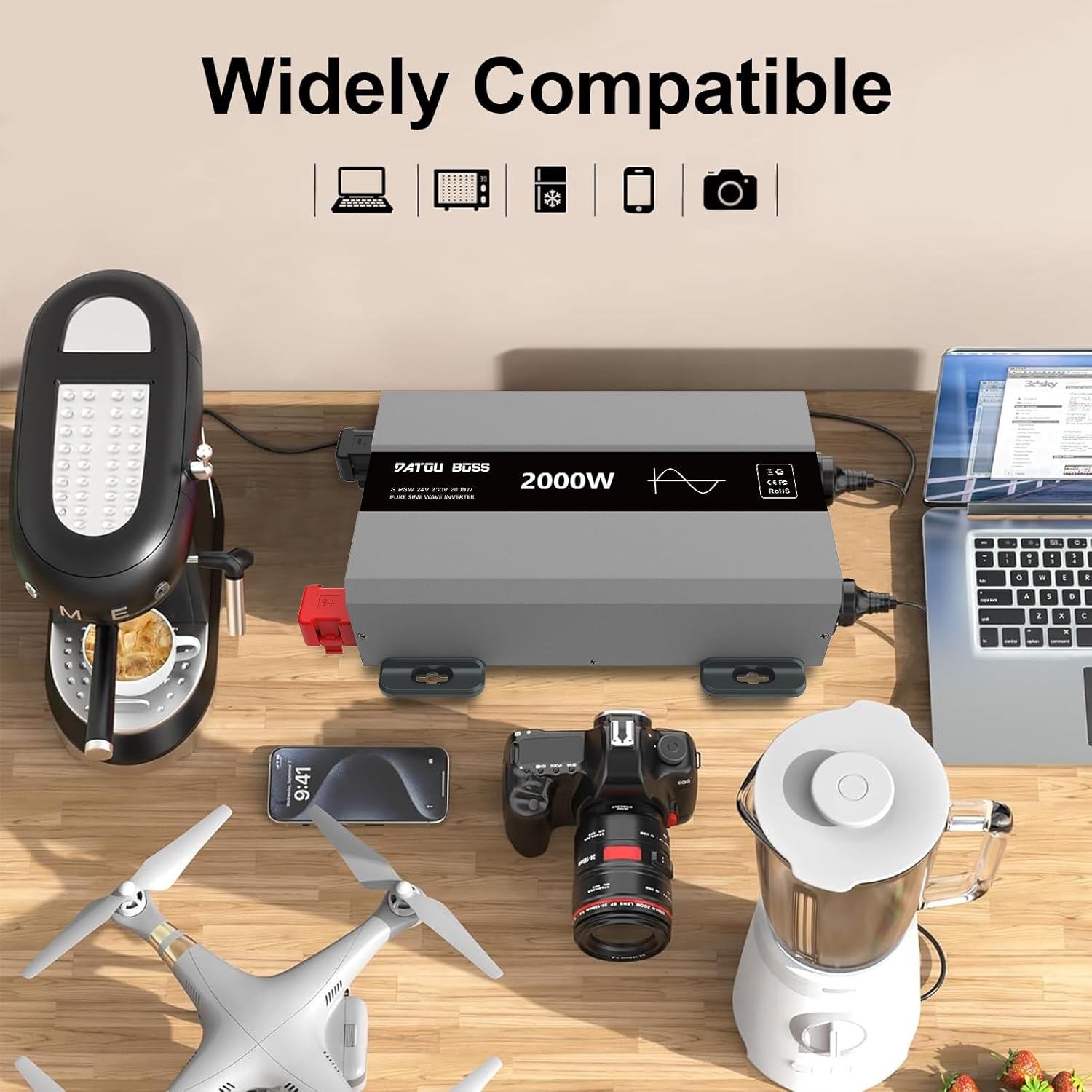
Figure 5: The inverter is widely compatible with various electronic devices.

Figure 6: Pure Sine Wave output and diverse applications of the inverter.
7. การบำรุงรักษา
การบำรุงรักษาอย่างสม่ำเสมอจะช่วยให้เครื่องแปลงกระแสไฟฟ้าของคุณมีอายุการใช้งานยาวนานและทำงานได้อย่างน่าเชื่อถือ:
- ความสะอาด : รักษาอินเวอร์เตอร์ให้สะอาด ปราศจากฝุ่นและสิ่งสกปรก ใช้ผ้าแห้งเนื้อนุ่มในการทำความสะอาด ห้ามใช้น้ำยาทำความสะอาด
- การระบายอากาศ : Ensure the cooling vents are not obstructed. Periodically check for any blockages.
- การเชื่อมต่อ: Periodically inspect all cable connections (battery and AC output) to ensure they are tight and free from corrosion.
- พื้นที่จัดเก็บ: หากต้องเก็บรักษาอินเวอร์เตอร์เป็นเวลานาน ควรตัดการเชื่อมต่อจากแบตเตอรี่และเก็บไว้ในที่แห้งและเย็น
8 การแก้ไขปัญหา
โปรดดูตารางด้านล่างเพื่อดูปัญหาทั่วไปและวิธีแก้ไข:
| ปัญหา | สาเหตุที่เป็นไปได้ | สารละลาย |
|---|---|---|
| อินเวอร์เตอร์ไม่ทำงาน | ปริมาณแบตเตอรี่ต่ำtage, loose connections, faulty fuse. | ตรวจสอบปริมาณแบตเตอรี่tage (must be >21V for 24V system). Ensure all cables are securely connected. Check and replace fuses if necessary. |
| ไม่มีเอาต์พุต AC | Overload, short circuit, over-temperature, low battery. | Reduce connected load. Check for short circuits in appliances/cables. Allow inverter to cool down. Recharge battery. |
| Audible alarm/fault indicator. | Overload, over-temperature, low/high input voltage. | Refer to the LED display for specific error codes. Address the underlying issue (e.g., reduce load, improve ventilation, check battery). |
| Fans running constantly/loudly. | อุณหภูมิภายในสูง รับน้ำหนักมาก | Ensure adequate ventilation. Reduce load if possible. This is normal behavior under heavy load or high ambient temperatures. |
หากปัญหายังคงมีอยู่หลังจากพยายามแก้ไขปัญหาเหล่านี้แล้ว โปรดติดต่อฝ่ายสนับสนุนลูกค้า
9. ข้อมูลจำเพาะ
| คุณสมบัติ | ข้อมูลจำเพาะ |
|---|---|
| ยี่ห้อ | ดาทูบอส |
| หมายเลขรุ่น | 24V 2000W |
| พลังงานไฟฟ้า | 2000 วัตต์ |
| อินพุต Voltage | กระแสตรง 24 โวลต์ |
| ปริมาณการส่งออกtage | กระแสสลับ 230 โวลต์ |
| รูปคลื่นเอาท์พุต | เพียวไซน์เวฟ |
| ประสิทธิภาพการแปลง | > 90% |
| ขนาดสินค้า | 42.5 x 28 x 17 ซม. |
| น้ำหนักสินค้า | 4.3 กิโลกรัม |
| ASIN | B0CG9KCTP9 |
10. การรับประกันและการสนับสนุน
DATOUBOSS products are manufactured to high quality standards. For warranty information and technical support, please refer to the documentation included with your purchase or contact your retailer. Keep your purchase receipt as proof of purchase for warranty claims.
For further assistance, you may visit the official DATOUBOSS webตรวจสอบรายละเอียดได้ที่เว็บไซต์หรือติดต่อฝ่ายบริการลูกค้าโดยตรง โดยปกติรายละเอียดจะระบุไว้บนบรรจุภัณฑ์ของผลิตภัณฑ์หรือในบัตรรับประกันแยกต่างหาก