
1. บทนำ
This manual provides essential instructions for the safe and effective operation of your Losfom WD9 2K Body Mounted Camera. Please read this manual thoroughly before using the device to ensure proper functionality and to prevent damage. The WD9 camera is designed for reliable video and audio recording in various environments, featuring 2K/1440P resolution, GPS tracking, remote control capabilities, and a durable waterproof design.
2. เนื้อหาบรรจุภัณฑ์
ตรวจสอบว่ารายการทั้งหมดที่ระบุไว้ด้านล่างนี้รวมอยู่ในแพ็คเกจของคุณ:
- 1x WD9 Body Camera
- 1x รีโมทคอนโทรล
- สาย USB 1x
- คลิปหนีบสั้น 1 ชิ้น
- 1x Long Clip
- แท่นชาร์จ 1x
- 1x คู่มือผู้ใช้
3. คุณสมบัติของผลิตภัณฑ์
- 2K/1440P Ultra HD Recording: Captures video at 1440P resolution and photos at 48M, providing clear and wide footage for evidence and memory.
- ฟังก์ชั่นการควบคุมระยะไกล: Allows remote operation of video/photo recording from a distance of several meters in open areas, enhancing convenience.
- เปิดใช้งาน GPS: Records video with location data, enabling route playback on seller-provided GPS Player software to trace video file origins.
- 12 Hours Rechargeable Large Battery: Equipped with a 3500mAh battery capacity and charging dock, providing 11-12 hours of continuous recording, suitable for multiple shifts.
- Waterproof Rate & 256GB Memory Card: Features a durable ABS shell with IP66 waterproof rating, capable of withstanding heavy rains. Includes a built-in 256GB memory card for extensive footagที่เก็บข้อมูลอิเล็กทรอนิกส์
- 2-inch Colorful Display: Integrated display for real-time viewการบันทึกและการเล่นซ้ำไฟล์เสียง
- ซูเปอร์ไนท์วิชั่น: Detects up to 10 feet with 140° wide angle and 6PCS infrared lights for clear recording in low-light conditions.
- ตัวเลือกการติดตั้งที่หลากหลาย: Includes short and long clips for various body attachments (e.g., shoulder, pocket) and can be adapted for dash camera use (car suction cup not included).
4. การตั้งค่า
4.1 การชาร์จกล้อง
Before first use, fully charge the camera. Place the camera into the charging dock and connect the USB cable to a power source. The charging indicator will show progress. A full charge typically takes approximately 4 hours.
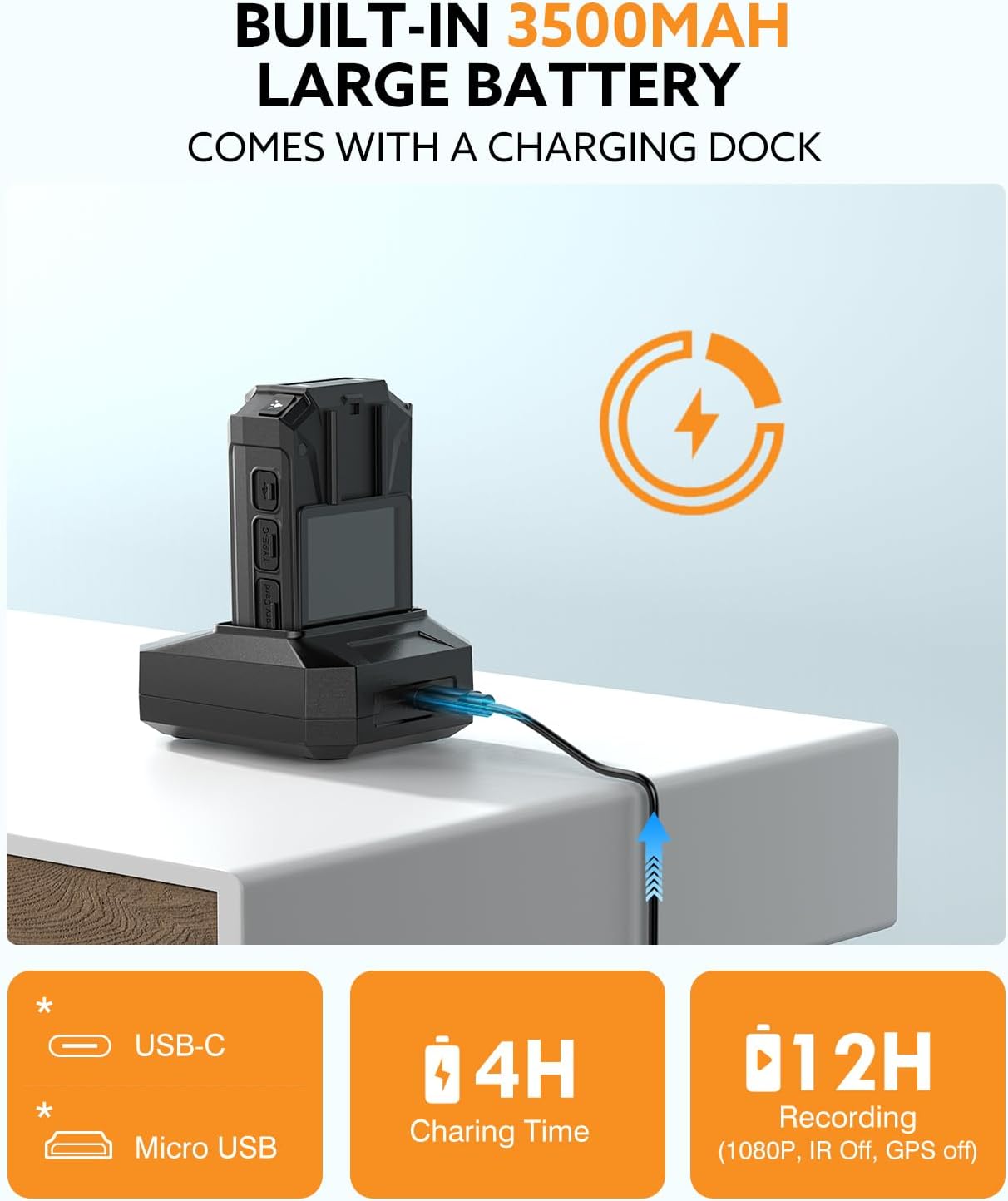
Image: Losfom WD9 Body Camera in its dedicated charging dock, connected via USB cable, indicating the charging process.
4.2 Attaching Mounting Clips
The camera comes with a short clip and a long clip for various attachment needs. To attach a clip, align it with the slot on the back of the camera and slide it until it clicks securely into place. The clips are rotatable for optimal positioning.
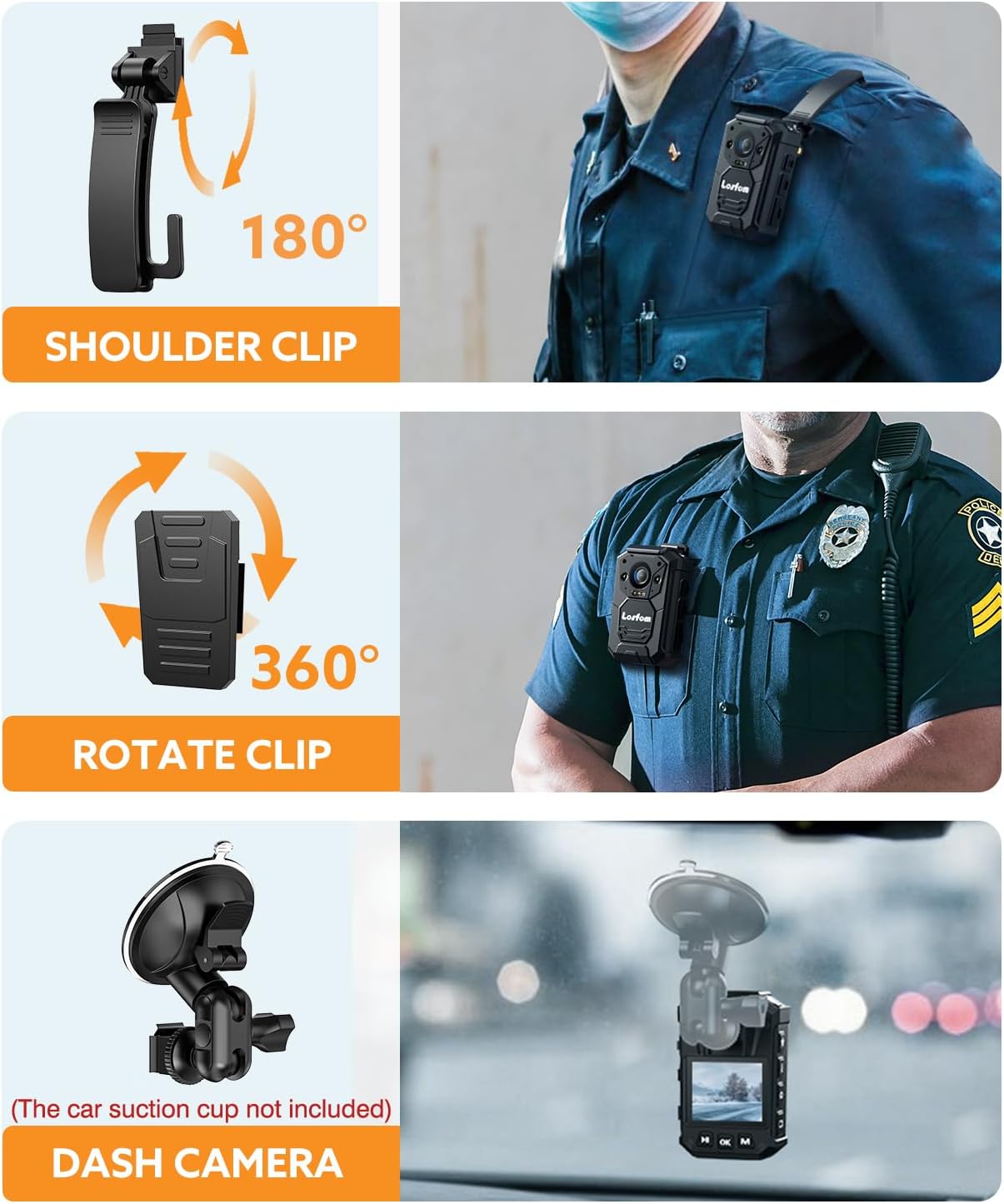
Image: Losfom WD9 Body Camera shown with different clips attached, demonstrating its versatility for shoulder, pocket, or dash mounting.
5. คู่มือการใช้งาน
5.1 เปิด/ปิดเครื่อง
- To power on, long-press the Power button until the screen illuminates.
- To power off, long-press the Power button until the screen shuts down.
5.2 Recording Video and Audio
- To start video recording, press the Video button. The screen will display recording indicators.
- To stop video recording, press the Video button again.
- To record audio only, press the Audio button. Press again to stop.
5.3 การถ่ายภาพ
- To take a photo, press the Photo button.
5.4 การมองเห็นตอนกลางคืน
The camera automatically activates night vision in low-light conditions. You can also manually toggle night vision on/off via the menu settings.

Image: Losfom WD9 Body Camera displaying a scene captured using its night vision capabilities, showing clear details in a dark environment.
5.5 การใช้รีโมทคอนโทรล
The included remote control allows for convenient activation of video and photo recording from a distance. Ensure the remote is within range and pointed towards the camera for optimal performance.

Image: A hand holding the remote control, pointing towards the Losfom WD9 Body Camera, demonstrating its remote operation feature.
5.6 รีviewกำลังทำ Fileบนอุปกรณ์
Use the navigation buttons below the screen to browse through recorded videos and photos. Press the OK button to play videos or view ภาพถ่าย.

Image: The 2-inch colorful display of the Losfom WD9 Body Camera showing a captured image, indicating file review ฟังก์ชันการทำงาน
5.7 การโอนย้าย Fileไปที่คอมพิวเตอร์
Connect the camera to your computer using the provided USB cable. The camera will appear as a removable disk. You can then copy recorded files to your computer. For GPS route playback, use the seller-provided GPS Player software.

Image: Losfom WD9 Body Camera connected to a computer monitor, which displays a video playback alongside a GPS map, illustrating the GPS tracking feature.
6. การบำรุงรักษา
6.1 การกันซึม
The WD9 camera has an IP66 waterproof rating, making it resistant to heavy rains. However, it is crucial to protect the charging port and other open interfaces from water exposure to prevent damage.

Image: Losfom WD9 Body Camera shown outdoors in the rain, emphasizing its IP66 waterproof capability.
6.2 การดูแลแบตเตอรี่
To prolong battery life, avoid fully discharging the battery frequently. Charge the camera using only the provided charging dock and USB cable. Store the camera in a cool, dry place when not in use for extended periods.
7 การแก้ไขปัญหา
- กล้องไม่เปิด: Ensure the battery is charged. Connect to the charging dock and check if the indicator light appears.
- ปัญหาการบันทึก: Check if the memory is full. Ensure the camera is not in a low-power state.
- Files ไม่โอนย้าย: ตรวจสอบให้แน่ใจว่าสาย USB เชื่อมต่อกับกล้องและคอมพิวเตอร์อย่างแน่นหนาแล้ว ลองใช้พอร์ต USB หรือสายอื่นดู
- GPS ไม่ติดตาม: ตรวจสอบให้แน่ใจว่ากล้องมีความชัดเจน view of the sky for satellite reception. Verify the GPS function is enabled in the settings.
8. ข้อมูลจำเพาะ
| ยี่ห้อ | ลอฟฟอม |
| หมายเลขรุ่น | WD9 |
| น้ำหนักสินค้า | 1.08 ปอนด์ |
| ขนาดแพ็คเกจ | 5.55 x 4.06 x 3.66 นิ้ว |
| แบตเตอรี่ | ต้องใช้แบตเตอรี่ลิเธียมโพลิเมอร์ 1 ก้อน |
| คุณสมบัติพิเศษ | กันน้ำ |
| เทคโนโลยีโฟโต้เซนเซอร์ | ซีมอส |
| ความละเอียดในการจับภาพวิดีโอ | 1440p |
| ความยาวโฟกัสสูงสุด | 25 มิลลิเมตร |
| รูรับแสงสูงสุด | 2 ฟ. |
| ประเภทหน่วยความจำแฟลช | ไมโคร SD |
| รูปแบบการจับภาพวิดีโอ | เอ็มพี 4 |
| รูปแบบเสียงที่รองรับ | เอเอซี |
| ขนาดหน้าจอ | 2 นิ้ว |
| เทคโนโลยีการเชื่อมต่อ | ยูเอสบี |
9. การรับประกันและการสนับสนุน
The Losfom WD9 Body Mounted Camera typically comes with a 1-year manufacturer's warranty. For warranty claims, technical support, or further assistance, please refer to the contact information provided in your product packaging or visit the official Losfom webเว็บไซต์.