
1. บทนำ
This manual provides detailed instructions for the safe and efficient use of your MZ M13VP Portable Bluetooth Speaker. Please read this manual thoroughly before operating the device and retain it for future reference.
2. สินค้าหมดview
The MZ M13VP is a compact and portable Bluetooth speaker designed for on-the-go music enjoyment. It features dynamic thunder sound, a built-in disco light, and multiple connectivity options.
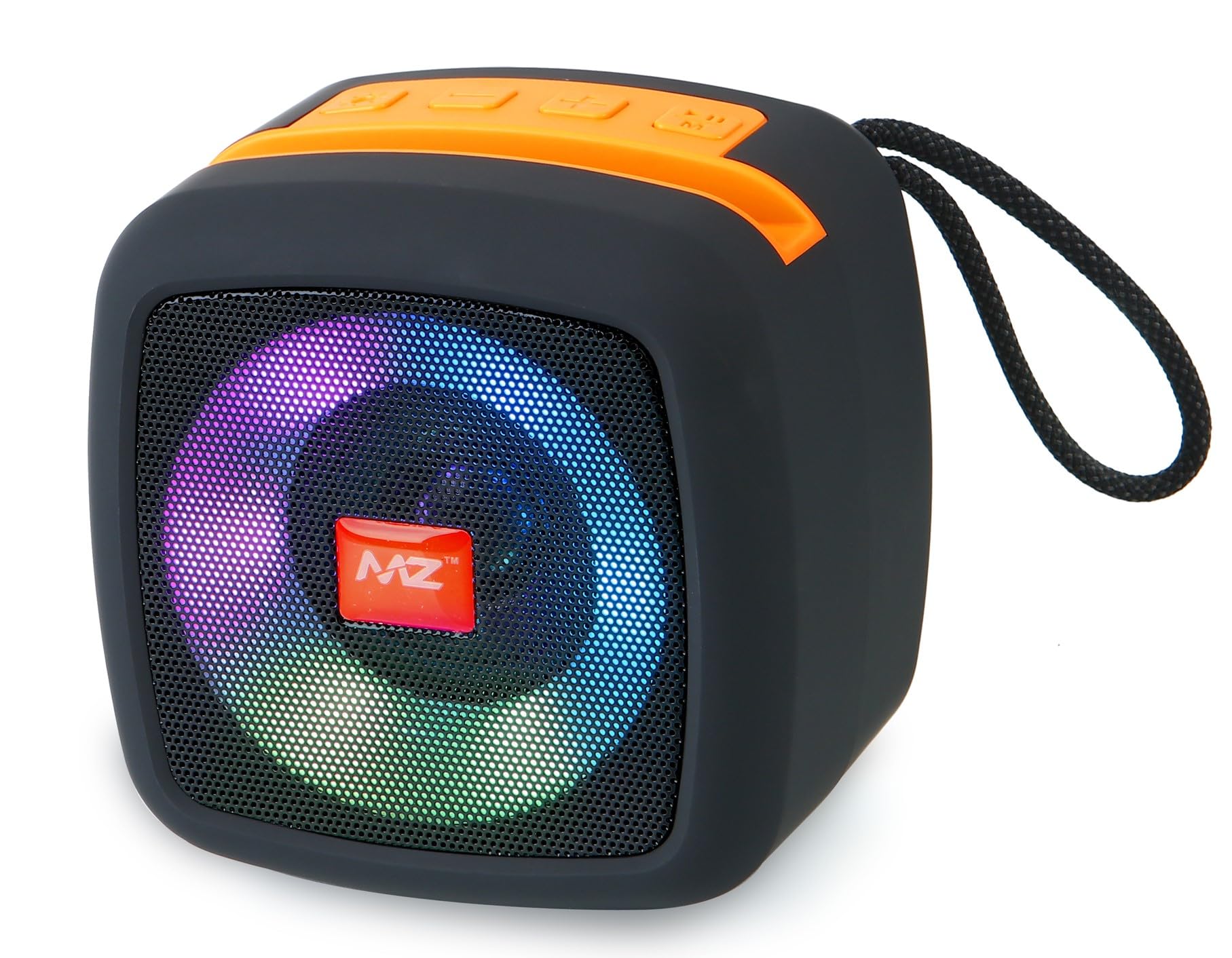
Image: MZ M13VP Portable Bluetooth Speaker with colorful disco light. This image shows the front view of the speaker with its illuminated grille.
3. คุณสมบัติหลัก
- Dynamic Thunder Sound: Experience clear and dynamic audio with high bass.
- กำลังขับ 5W: Delivers powerful sound for its compact size.
- Built-in Disco Light: Enhances your listening experience with integrated lighting effects.
- Echo and Noise Cancelling: Improves call clarity during hands-free communication.
- การออกแบบไร้สายแบบพกพา: พกพาสะดวกและใช้งานได้ทุกที่
- Advanced Wireless Audio Decoder Chip: Ensures high-quality wireless audio.
- FM Radio Support: Tune into your favorite radio stations directly.
- TF Card Music Player: Play MP3/WMA format music directly from a TF card.
- การสตรีมบลูทูธไร้สาย: เชื่อมต่อกับอุปกรณ์ของคุณได้อย่างราบรื่น
- ไมโครโฟนในตัว: เพื่อความสะดวกสบายในการโทรแบบแฮนด์ฟรี
- วิธีการควบคุมแบบสัมผัส: แผงควบคุมที่ใช้งานง่าย ช่วยให้ควบคุมได้สะดวก
4. อะไรอยู่ในกล่อง
เมื่อเปิดบรรจุภัณฑ์ ให้แน่ใจว่ามีสิ่งของทั้งหมดต่อไปนี้อยู่:
- 1 N MZ M13VP Portable Bluetooth Speaker
- สายชาร์จ 1N
5. การตั้งค่า
5.1 การชาร์จลำโพง
Before first use, fully charge the speaker. Connect the provided charging cable to the speaker's DC5V port and the other end to a USB power adapter (not included) or a computer's USB port.

ภาพ: ด้านข้าง view of the MZ M13VP speaker. This image highlights the various ports including the DC5V charging port, USB port, and TF card slot.
5.2 การเปิด/ปิดเครื่อง
ในการเปิดลำโพง ให้กดปุ่มเปิด/ปิดที่อยู่บนแผงควบคุมค้างไว้ ทำซ้ำขั้นตอนเดียวกันเพื่อปิดลำโพง
6. คู่มือการใช้งาน
6.1 การจับคู่บลูทูธ
- ตรวจสอบให้แน่ใจว่าลำโพงเปิดอยู่และอยู่ในโหมดจับคู่บลูทูธ (โดยไฟ LED จะกะพริบ)
- บนสมาร์ทโฟน แท็บเล็ต หรือแล็ปท็อปของคุณ ให้เปิดใช้งานบลูทูธ แล้วค้นหาอุปกรณ์ที่ใช้งานได้
- Select "MZ M13VP" from the list of devices.
- Once paired, the speaker will indicate a successful connection, and the LED light will stop flashing.
6.2 การเล่นเพลง
- เล่น/หยุดชั่วคราว: Press the Play/Pause button on the control panel to start or pause music.
- การควบคุมระดับเสียง: Use the volume buttons on the control panel to adjust the sound level.
- เพลงถัดไป / ก่อนหน้า: Use the track navigation buttons on the control panel to skip tracks.
6.3 การเล่นไฟล์จากการ์ด TF
Insert a TF (MicroSD) card with MP3/WMA audio files into the designated TF card slot. The speaker will automatically switch to TF card mode and begin playing music.
6.4 วิทยุ FM
To use the FM radio function, switch the speaker to FM mode. The speaker will automatically scan and save available radio stations. Use the track navigation buttons to switch between stations.
6.5 การโทรแบบแฮนด์ฟรี
When connected via Bluetooth to a smartphone, you can answer incoming calls directly through the speaker. Press the Play/Pause button to answer or end a call. The built-in microphone allows for clear communication.
7. การควบคุม
The MZ M13VP speaker features an intuitive orange control panel with touch-sensitive buttons for various functions.
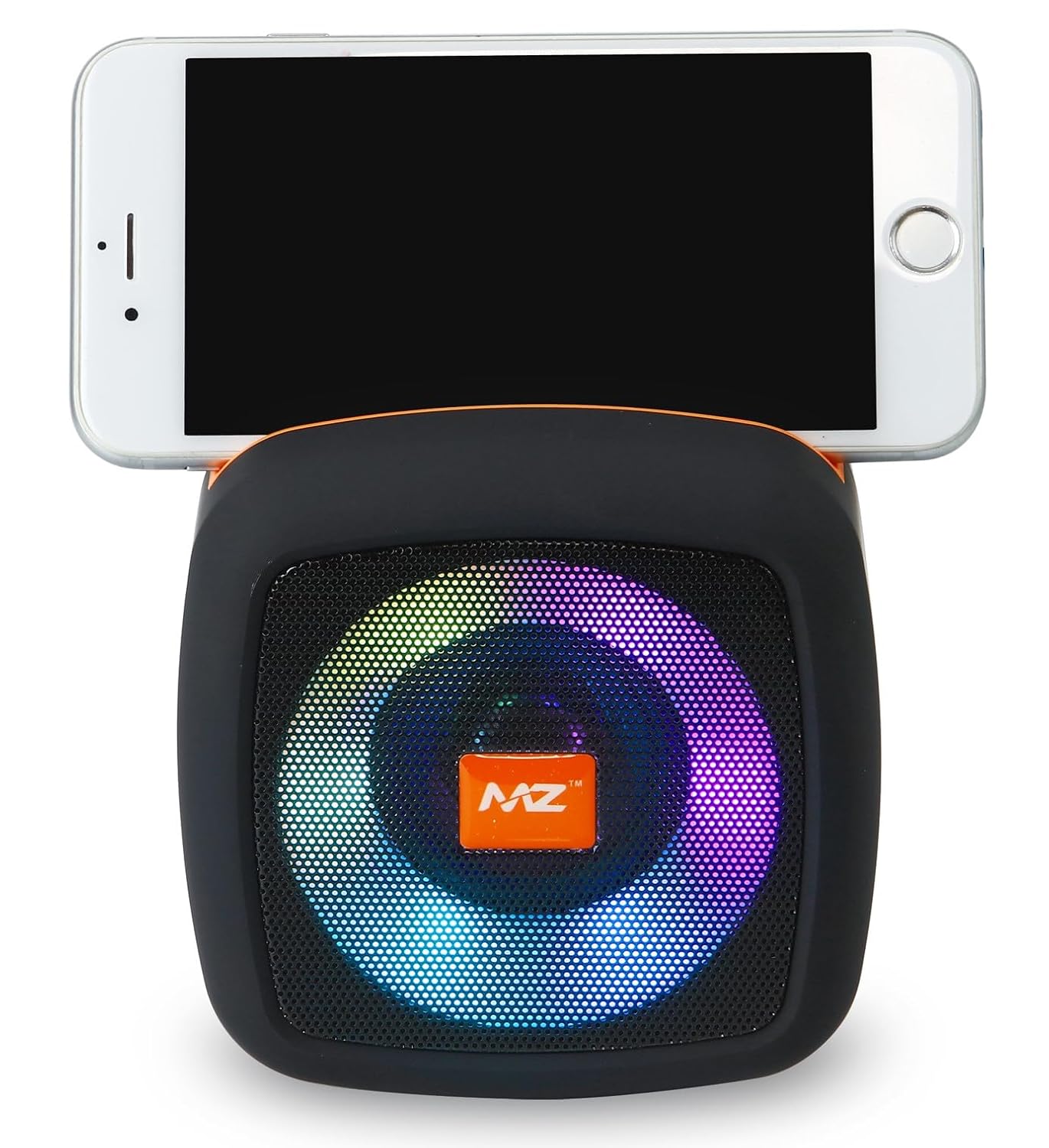
Image: MZ M13VP speaker with a smartphone resting on top. This image illustrates the speaker's compact design and how a phone can be placed on it, with the control panel visible.
- ปุ่มเปิด/ปิด: กดค้างเพื่อเปิด/ปิด
- ปุ่มเล่น/หยุดชั่วคราว: เล่น/หยุดเพลง, รับ/วางสาย
- เพิ่มระดับเสียง/เพลงถัดไป: กดสั้นเพื่อเพิ่มระดับเสียง กดยาวเพื่อเล่นเพลงถัดไป
- ลดระดับเสียง/เพลงก่อนหน้า: กดสั้นเพื่อลดระดับเสียง กดยาวเพื่อเล่นเพลงก่อนหน้า
- ปุ่มโหมด: Switch between Bluetooth, FM Radio, and TF Card modes.
8. การบำรุงรักษา
- ทำความสะอาดลำโพงด้วยผ้านุ่มและแห้ง ห้ามใช้น้ำยาทำความสะอาดหรือสารละลายที่มีฤทธิ์กัดกร่อน
- Keep the speaker away from water, moisture, and extreme temperatures. This product is not waterproof.
- ควรหลีกเลี่ยงการทำลำโพงตกหรือการกระแทกอย่างแรง
- เก็บลำโพงไว้ในที่แห้งและเย็นเมื่อไม่ได้ใช้งานเป็นเวลานาน
9 การแก้ไขปัญหา
9.1 ไม่มีไฟฟ้า
- ตรวจสอบให้แน่ใจว่าลำโพงชาร์จเต็มแล้ว
- ตรวจสอบให้แน่ใจว่าสายชาร์จเชื่อมต่อกับลำโพงและแหล่งจ่ายไฟอย่างแน่นหนาแล้ว
9.2 ไม่สามารถจับคู่ผ่านบลูทูธได้
- ตรวจสอบให้แน่ใจว่าลำโพงอยู่ในโหมดจับคู่บลูทูธ
- Ensure your device's Bluetooth is enabled and within range (typically 10 meters).
- ลองยกเลิกการจับคู่และจับคู่ลำโพงอีกครั้งจากเมนูการตั้งค่าบลูทูธของอุปกรณ์ของคุณ
- รีสตาร์ททั้งลำโพงและอุปกรณ์บลูทูธของคุณ
9.3 คุณภาพเสียงไม่ดี
- ตรวจสอบระดับเสียงทั้งบนลำโพงและอุปกรณ์ที่เชื่อมต่อของคุณ
- Ensure there are no obstructions between the speaker and your Bluetooth device.
- ย้ายออกห่างจากอุปกรณ์ไร้สายอื่นๆ ที่อาจก่อให้เกิดการรบกวน
10. ข้อมูลจำเพาะ
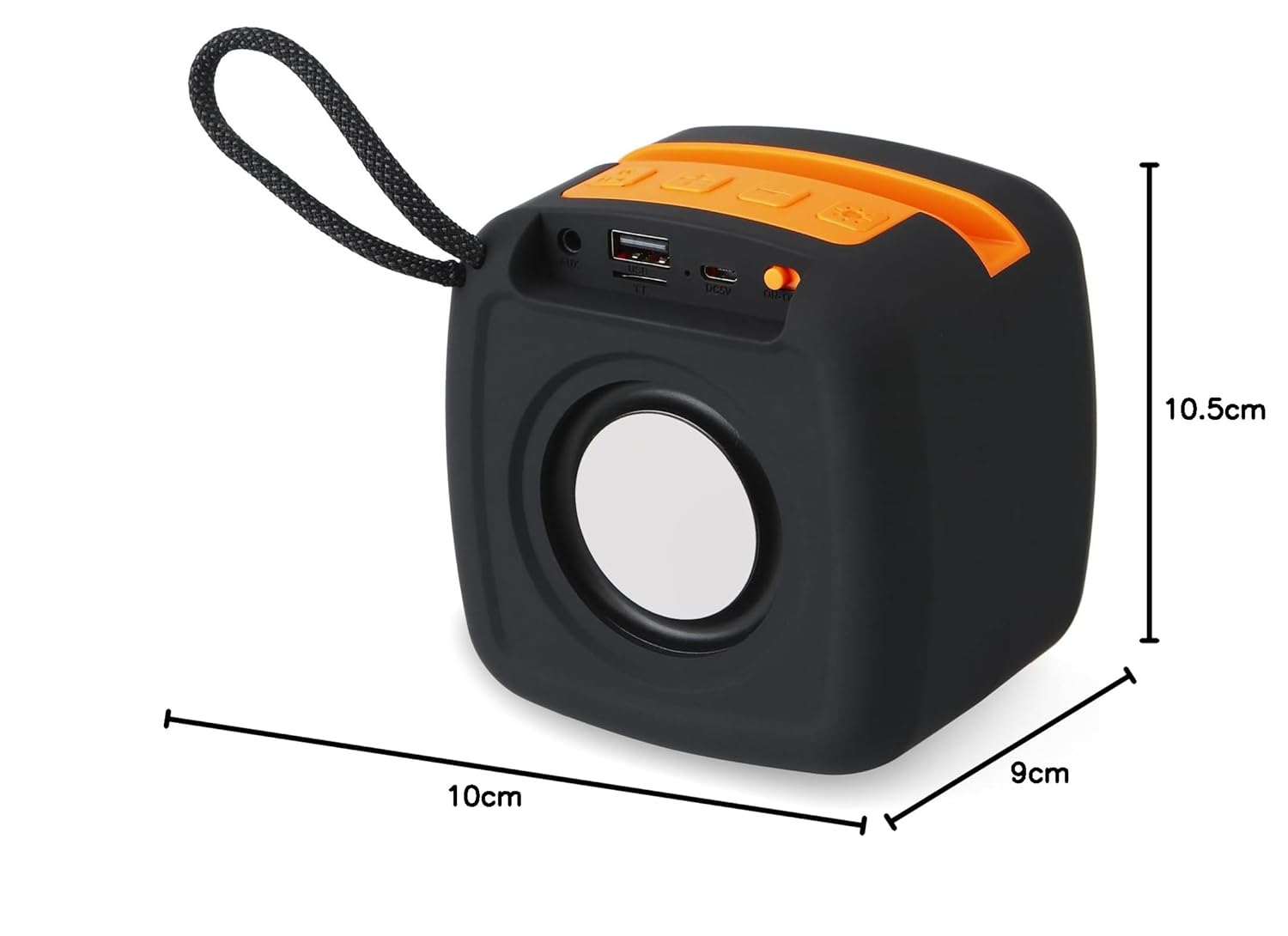
Image: MZ M13VP speaker with dimensions. This image shows the speaker with its height (10.5cm), width (10cm), and depth (9cm) clearly marked.
| คุณสมบัติ | รายละเอียด |
|---|---|
| ยี่ห้อ | MZ |
| หมายเลขรุ่น | MZ M13VP |
| กำลังขับสูงสุดของลำโพง | 5 วัตต์ |
| การตอบสนองความถี่ | 150 เฮิรตซ์ |
| เทคโนโลยีการเชื่อมต่อ | บลูทูธ |
| โหมดเอาต์พุตเสียง | สเตอริโอ |
| ประเภทการติดตั้ง | ที่วางบนโต๊ะ |
| วัสดุของตู้หุ้ม | พลาสติก ABS |
| ประเภทลำโพง | โคแอกเซียล |
| สี | สีดำ |
| กันน้ำได้ | เลขที่ |
| วิธีการควบคุม | สัมผัส |
| ขนาดสินค้า (ลึก x กว้าง x สูง) | 9D x 10W x 10.5H เซนติเมตร |
| อุปกรณ์ที่รองรับ | แล็ปท็อป, สมาร์ทโฟน, แท็บเล็ต |
| แหล่งพลังงาน | ใช้พลังงานจากแบตเตอรี่ |
| จำนวนแบตเตอรี่ | ลิเธียมไอออน 1 อัน (รวมอยู่ด้วย) |
| จำนวนช่องสัญญาณเสียง | 2.0 |
| ประเภทไดร์เวอร์เสียง | ไดร์เวอร์แบบไดนามิก |
11. การรับประกันและการสนับสนุน
Your MZ M13VP Portable Bluetooth Speaker comes with a standard manufacturer's warranty. Please refer to the product packaging or the retailer's webเว็บไซต์สำหรับข้อกำหนดและเงื่อนไขการรับประกันโดยเฉพาะ
For technical support, troubleshooting assistance, or any product-related inquiries, please contact the manufacturer's customer service or your point of purchase. Keep your purchase receipt as proof of purchase for warranty claims.