
การแนะนำ
This manual provides detailed instructions for the setup, operation, maintenance, and troubleshooting of your PTHTECHUS Smart Watch for Kids. Please read this manual thoroughly before using the device to ensure proper functionality and a safe user experience.
เนื้อหาแพ็คเกจ
โปรดตรวจสอบว่าสินค้าทั้งหมดที่ระบุไว้ด้านล่างนี้มีอยู่ในแพ็คเกจของคุณ:
- 1 x PTHTECHUS Smart Watch
- 1 x สายชาร์จ
- 1 x คู่มือผู้ใช้ (เอกสารฉบับนี้)
การเริ่มต้น
การชาร์จนาฬิกา
Before first use, fully charge the smart watch. Connect the provided charging cable to the watch's charging port and plug the other end into a standard USB power adapter (not included) or a computer's USB port. The watch typically requires approximately 3 hours for a full charge.
การเปิด/ปิดเครื่อง
- การเปิดเครื่อง: กดปุ่มเปิด/ปิดที่อยู่ด้านข้างของนาฬิกาค้างไว้จนกว่าหน้าจอจะสว่างขึ้น
- วิธีปิดเครื่อง: Press and hold the power button until a power-off option appears on the screen, then confirm to shut down.
การนำทางพื้นฐาน
The PTHTECHUS Smart Watch features a 1.54-inch full-color LCD touchscreen for intuitive interaction. Swipe left or right to navigate between different applications and functions. Tap on an icon to open an application. Swipe down from the top to access quick settings or notifications.

Image: The PTHTECHUS Smart Watch, showcasing its design and touchscreen interface.
คุณสมบัติและฟังก์ชั่นหลัก
กล้องถ่ายรูปและการบันทึกวิดีโอ
The watch is equipped with an HD camera for capturing photos and videos. Access the camera application from the main menu. You can apply 10 fun effect magic stickers to your photos. Captured media can be viewed directly on the watch.

Image: Children interacting with the smart watch's camera feature, capturing moments and applying fun stickers.
เครื่องเล่นเพลง
The built-in music player allows for audio playback. Connect the watch to a computer via USB to transfer MP3 music files or audio stories to the watch's internal storage (500 MB capacity). The watch supports standard audio formats.
เครื่องนับก้าว
A motion sensor tracks daily steps and estimates calories burned. This feature encourages physical activity and can be viewed in the Pedometer application.
คุณสมบัติการศึกษา
The watch includes learning flashcards and 8 audio books. Flashcards cover vocabulary for animals, colors, vegetables, and fruits. Audio books provide stories with pictures and sounds, suitable for bedtime or quiet time.

Image: The smart watch's educational features, including audio books and learning cards for vocabulary development.
Games and Parental Controls
The watch features 22 pre-installed puzzle games designed to stimulate imagination. A parental control function allows parents to set time limits for game play, helping to manage screen time.

Image: The smart watch displaying its game selection and parental control feature.
การติดตามนิสัย
A habit tracker feature helps children cultivate good daily routines. Users can set and monitor habits such as waking up, brushing teeth, eating meals, doing homework, and going to bed.

Image: The habit tracking interface on the smart watch, showing various daily activities.
Time Management Tools
- นาฬิกาปลุก: Set multiple alarms for reminders throughout the day.
- ตัวจับเวลา: ใช้ตัวจับเวลาถอยหลังสำหรับกิจกรรมต่างๆ
- ปฏิทิน: View the current date and plan activities.

Image: Icons representing the timer, alarm clock, calculator, and pedometer functions.
ยูทิลิตี้เพิ่มเติม
The watch includes a flashlight, calculator, voice recorder, and customizable wallpapers to enhance usability and personalization.
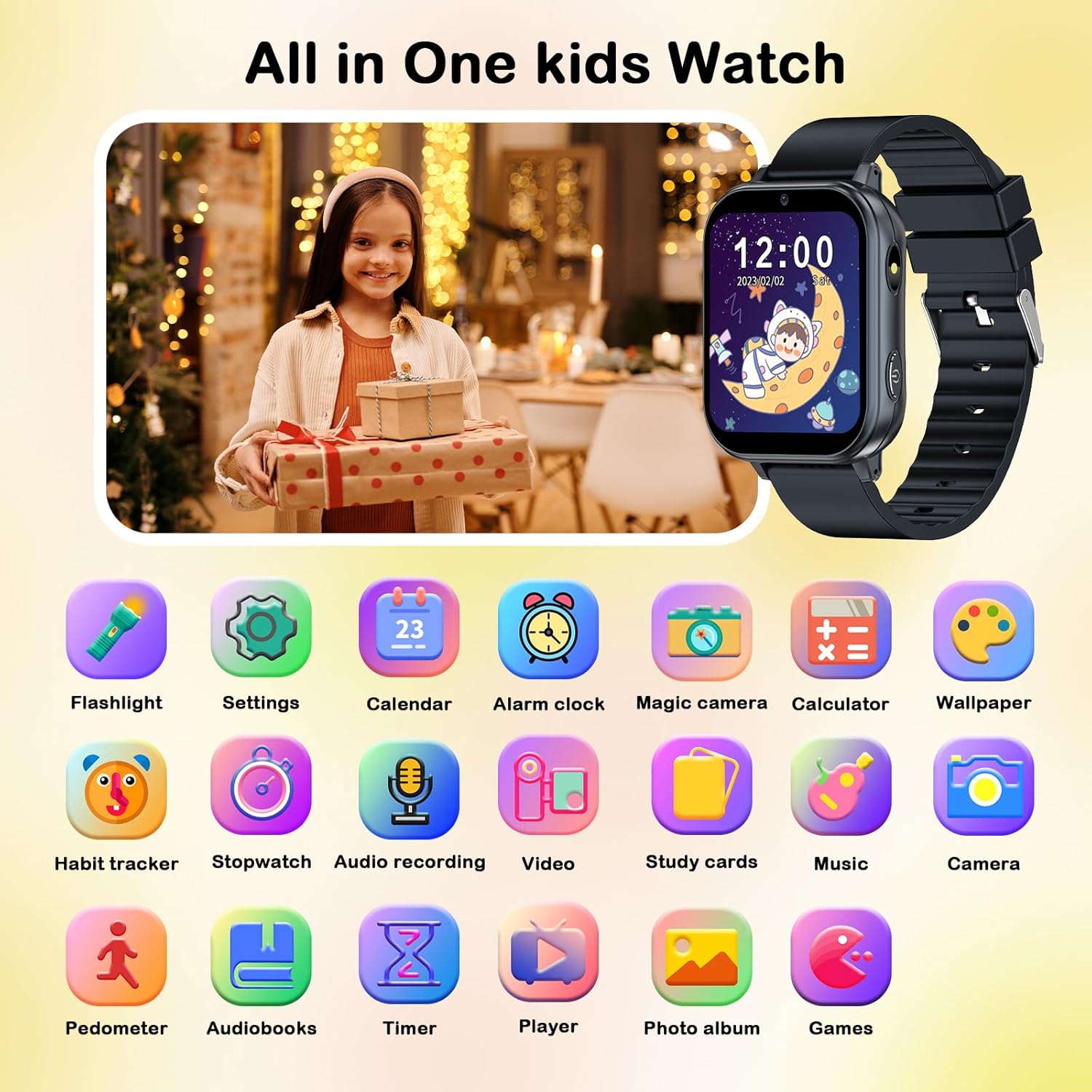
Image: A comprehensive display of all available applications and features on the smart watch.
การบำรุงรักษาและการดูแล
การทำความสะอาด
To clean the watch, gently wipe the screen and strap with a soft, dry, lint-free cloth. Avoid using abrasive cleaners, solvents, or aerosol sprays, as these can damage the watch's surface and internal components. The watch is not waterproof; avoid submerging it in water or exposing it to excessive moisture.
ข้อมูลแบตเตอรี่
The watch uses a Lithium Polymer battery. To prolong battery life, avoid extreme temperatures and store the watch in a cool, dry place when not in use. Do not attempt to replace the battery yourself; contact customer support if battery issues arise.
การแก้ไขปัญหา
| ปัญหา | สาเหตุที่เป็นไปได้ | สารละลาย |
|---|---|---|
| นาฬิกาไม่เปิดใช้งาน | แบตเตอรี่อ่อน อุปกรณ์ค้าง | Charge the watch for at least 30 minutes. If still unresponsive, perform a hard reset by holding the power button for 10-15 seconds. |
| หน้าจอไม่ตอบสนอง | ความผิดพลาดของซอฟต์แวร์; หน้าจอเสียหาย | รีสตาร์ทนาฬิกา ตรวจสอบให้แน่ใจว่าหน้าจอสะอาดและแห้ง หากปัญหายังคงอยู่ โปรดติดต่อฝ่ายบริการลูกค้า |
| ไม่สามารถโอนได้ files to watch. | Incorrect USB connection; driver issue. | Ensure the USB cable is securely connected to both the watch and the computer. Try a different USB port or cable. Check if the watch is recognized as a storage device on your computer. |
| แบตเตอรี่หมดเร็วมาก | Frequent use of power-intensive features; background apps. | Reduce screen brightness. Close unused applications. Limit continuous video recording or game play. Ensure the watch is fully charged before use. |
ข้อมูลจำเพาะผลิตภัณฑ์
- แบบอย่าง: 4GS05 (A22-Black)
- แสดง: 1.54 Inches LCD, 240 x 240 resolution, Color Screen
- ความจุหน่วยความจำ: 500MB
- ระบบปฏิบัติการ: ระบบปฏิบัติการสมาร์ทวอทช์
- ประเภทแบตเตอรี่: ลิเธียมโพลิเมอร์ (รวมอยู่ด้วย)
- ความจุแบตเตอรี่: 500 มิลลิวินาทีamp ชั่วโมง
- เวลาในการชาร์จ: ประมาณ 3 ชั่วโมง
- อายุการใช้งานแบตเตอรี่โดยเฉลี่ย: ใช้งานได้นานสูงสุด 3 วัน (ขึ้นอยู่กับการใช้งาน)
- การเชื่อมต่อ: ยูเอสบี
- อินเทอร์เฟซมนุษย์อินพุต: หน้าจอสัมผัส
- ขนาดสินค้า : 22 x 2 x 1 ซม.; 55 กรัม
- คุณสมบัติพิเศษ: Alarm Clock, Calendaring, Camera, Music Player, Touchscreen, Pedometer, Games, Audio Books, Study Cards, Habit Tracker, Flashlight, Calculator, Voice Recorder
การรับประกันและการสนับสนุน
PTHTECHUS is committed to providing high-quality products and service. For any questions, technical support, or warranty inquiries, please refer to the contact information provided with your purchase or visit the official PTHTECHUS webไซต์ โปรดเก็บหลักฐานการซื้อไว้เพื่อใช้ในการเรียกร้องการรับประกัน