
Air Choice WTF-40
Air Choice WTF-40 Evaporative Cooler & Tower Fan User Manual
Model: WTF-40
คำแนะนำด้านความปลอดภัยที่สำคัญ
โปรดอ่านคำแนะนำทั้งหมดอย่างละเอียดก่อนใช้งานเครื่องใช้ไฟฟ้านี้ การไม่ปฏิบัติตามคำแนะนำเหล่านี้อาจส่งผลให้เกิดไฟฟ้าช็อต ไฟไหม้ หรือบาดเจ็บสาหัสได้
- ตรวจสอบให้แน่ใจเสมอว่าแหล่งจ่ายไฟตรงกับระดับเสียงtage ระบุไว้บนฉลากการจัดอันดับ
- ห้ามจุ่มอุปกรณ์ ปลั๊ก หรือสายไฟลงในน้ำหรือของเหลวอื่นๆ
- ถอดปลั๊กออกจากเต้าเสียบเมื่อไม่ใช้งาน ก่อนทำความสะอาด หรือก่อนเคลื่อนย้ายเครื่องใช้ไฟฟ้า
- เก็บอุปกรณ์ให้พ้นจากมือเด็กและสัตว์เลี้ยง
- ห้ามใช้งานเครื่องใช้ไฟฟ้าที่มีสายไฟหรือปลั๊กชำรุด หรือหลังจากที่เครื่องใช้ไฟฟ้าทำงานผิดปกติหรือได้รับความเสียหายในลักษณะใดๆ
- Do not block air openings or operate on soft surfaces where openings may be blocked.
- ใช้เฉพาะบนพื้นผิวที่เรียบและมั่นคงเพื่อป้องกันการพลิกคว่ำ
- ห้ามใช้กลางแจ้ง
- ห้ามใช้ใกล้กับวัสดุไวไฟหรือเปลวไฟ
- Always ensure the water tank is securely in place before operation.
สินค้าเกินview
The Air Choice WTF-40 is a versatile 3-in-1 device functioning as an evaporative cooler, tower fan, and humidifier. It features a 40-inch tall design with 70° oscillation, multiple speed and mode settings, an 8-hour timer, and comes with two ice packs for enhanced cooling.
คุณสมบัติหลัก:
- 40-Inch Height & 70° Oscillation: Provides wide-area cooling up to 120 sq. ft.
- ฟังก์ชั่น 3-in-1: Operates as an air cooler, tower fan, and humidifier.
- Energy Saving & Ultra Quiet: Designed for efficient operation with minimal noise, featuring an 8-hour timer and a screen that turns off after 10 minutes of inactivity.
- โหมดและความเร็วหลากหลาย: Offers Normal, Natural, and Sleep modes with 3 wind speed settings.
- Portable & Safe Design: Lightweight (9.40 lbs) with a convenient carry handle, anti-toppling base, and a tiny fence to prevent accidental insertion.
- ถังเก็บน้ำแบบถอดได้: เติมง่าย ทำความสะอาดและบำรุงรักษาง่าย
- LCD Panel & Remote Control: Intuitive controls for convenient operation.
- Includes 2 Ice Packs: For enhanced cooling performance.
ส่วนประกอบ:
Familiarize yourself with the main components of your Air Choice Evaporative Cooler.

รูปที่ 1: เกินview of the Air Choice Evaporative Cooler's functions including fan, humidifier, ice boxes, and 70° oscillation.

Figure 2: Close-up of the LED control panel and included remote control for the Air Choice Evaporative Cooler.

Figure 3: The anti-toppling base design of the Air Choice Evaporative Cooler, demonstrating stability.
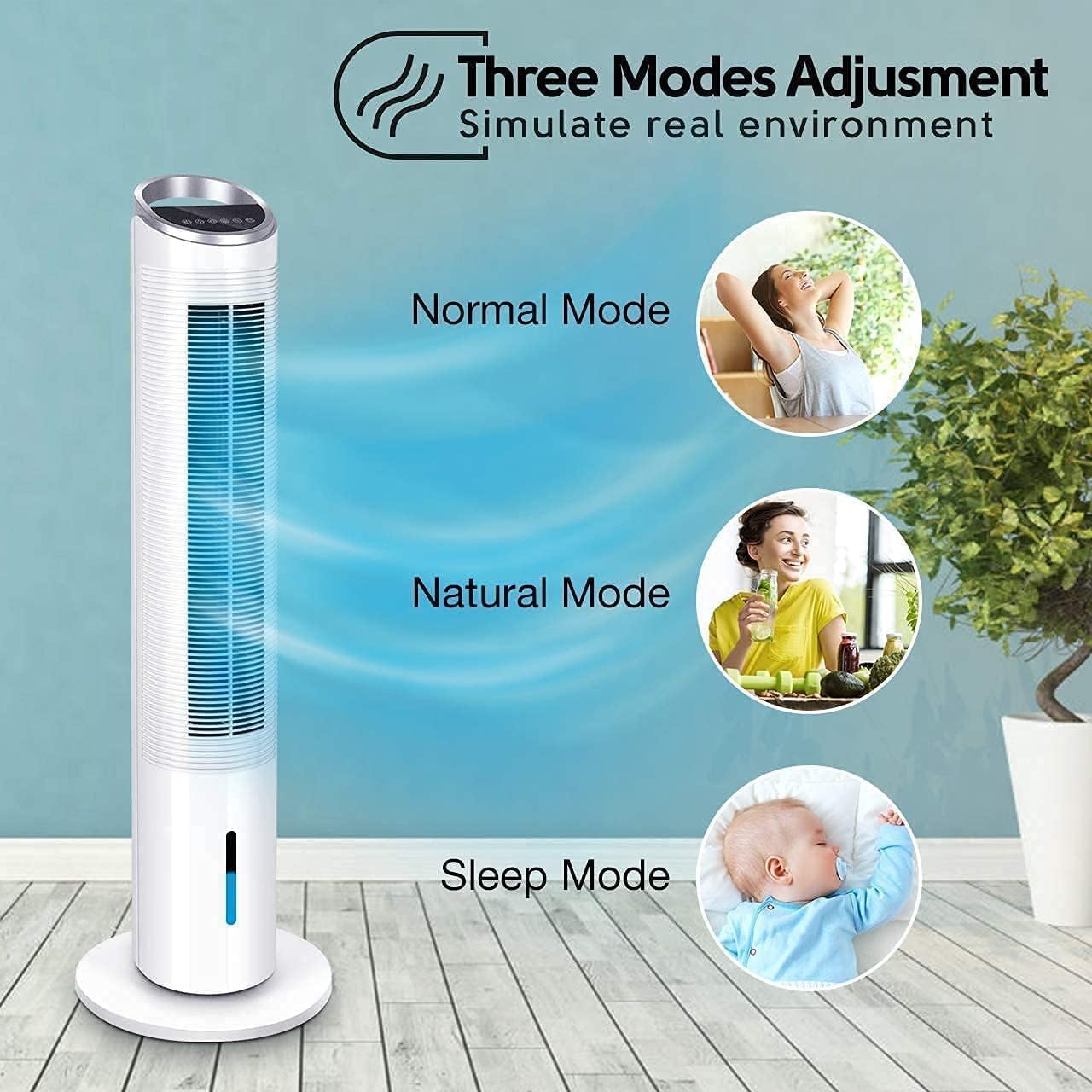
Figure 4: Illustration of the three adjustable modes: Normal, Natural, and Sleep, available on the Air Choice Evaporative Cooler.
คำแนะนำการตั้งค่า
Follow these steps to set up your Air Choice Evaporative Cooler for first-time use.
1. การประกอบฐาน:
- Carefully remove the main unit and base components from the packaging.
- Align the two halves of the circular base and secure them together.
- Place the main unit onto the assembled base, ensuring the screw holes align.
- Use the provided screws to firmly attach the main unit to the base.
- Route the power cord through the designated channel in the base for stability.
Video 1: Demonstrates the assembly of the base and initial setup of the Air Choice Evaporative Cooler.
2. Water Tank and Ice Pack Preparation:
- หาตำแหน่งถังเก็บน้ำที่ด้านล่างด้านหลังของตัวเครื่อง
- Unlatch the clips and carefully pull out the water tank.
- Fill the provided ice packs with water (if not pre-filled) and place them in a freezer until completely frozen.
- Once frozen, place the ice packs into the empty water tank.
- Fill the water tank with clean, cool water up to the "MAX" line indicated on the tank. Do not overfill.
- Carefully slide the water tank back into the unit and secure the clips. Ensure the pump mechanism is properly seated.

Figure 5: Illustrates the strong cooling effect achieved by placing ice boxes into the water tank.
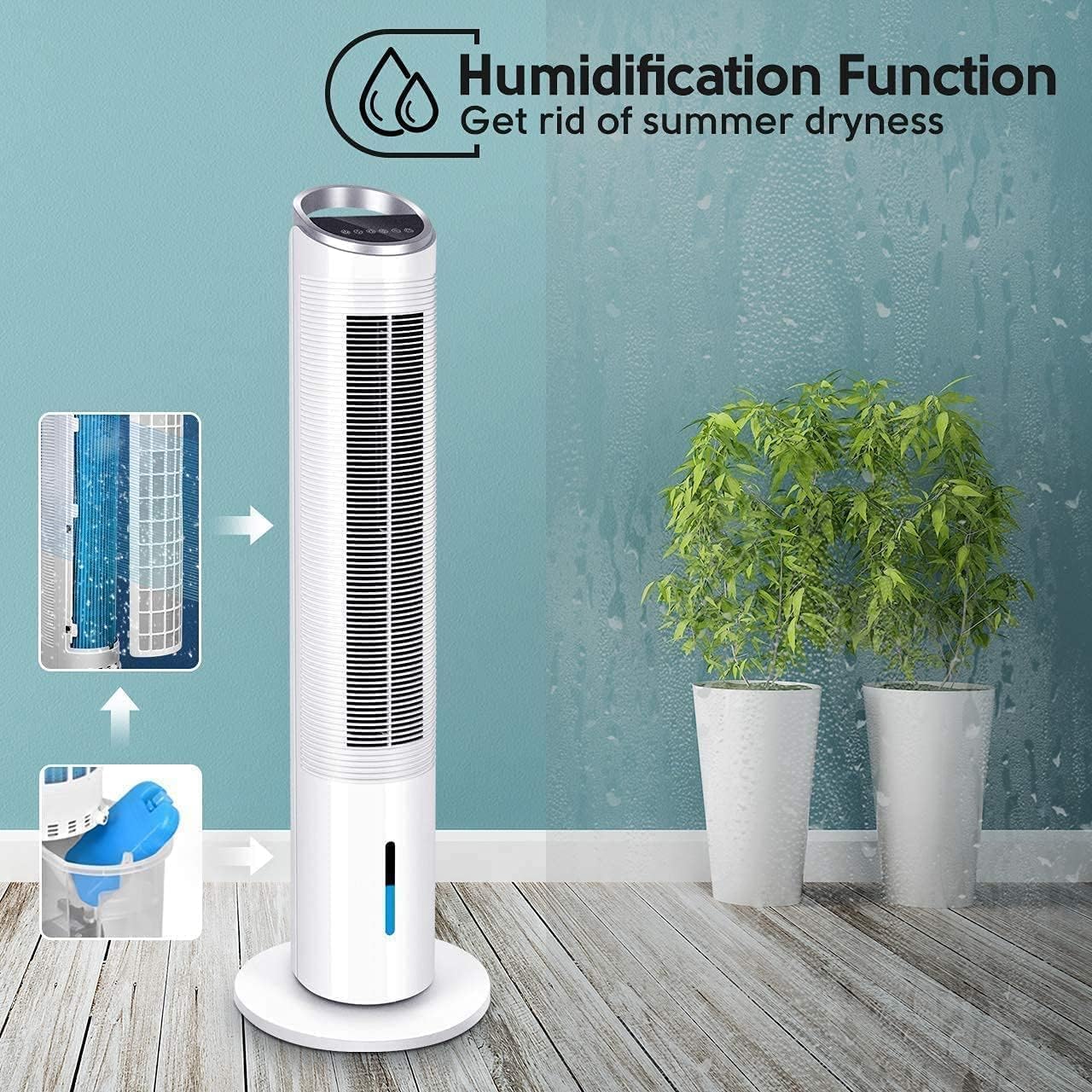
Figure 6: Depicts the humidification function, helping to alleviate summer dryness.
คำแนะนำการใช้งาน
Your Air Choice Evaporative Cooler can be operated using the touch control panel on the top of the unit or the included remote control.
แผงควบคุม / ฟังก์ชั่นรีโมท:
- ปุ่มเพาเวอร์ (
 ): เปิดหรือปิดเครื่อง
 - ปุ่มความเร็ว (
 ): ปรับระดับความเร็วลมได้ 3 ระดับ: ต่ำ ปานกลาง สูง
 - ปุ่มโหมด (
 ): Selects between Normal, Natural, and Sleep modes.
- โหมดปกติ: การไหลเวียนของอากาศคงที่ที่ความเร็วที่เลือก
- โหมดธรรมชาติ: จำลองลมธรรมชาติด้วยความเร็วลมที่แตกต่างกัน
- โหมดสลีป: ค่อยๆ ลดความเร็วพัดลมลงเพื่อการทำงานที่เงียบในระหว่างการนอนหลับ
- ปุ่มสั่น (
 ): เปิดใช้งานหรือปิดใช้งานคุณสมบัติการแกว่ง 70°
 - ปุ่มทำความเย็น/เพิ่มความชื้น (
 ): เปิดใช้งานฟังก์ชันการทำความเย็นแบบระเหยและการเพิ่มความชื้น ตรวจสอบให้แน่ใจว่าถังเก็บน้ำมีน้ำเต็ม
 - ปุ่มตั้งเวลา (
 ): Sets the auto-off timer for up to 8 hours.
Video 2: Demonstrates various operating modes and functions of the Air Choice Evaporative Cooler's control panel.
การซ่อมบำรุง
การบำรุงรักษาตามปกติจะช่วยให้เครื่องทำความเย็นระเหยของคุณมีประสิทธิภาพสูงสุดและมีอายุการใช้งานยาวนาน
1. Cleaning the Water Tank:
- ถอดปลั๊กเครื่องออกจากเต้ารับไฟฟ้า
- ถอดถังน้ำออกตามที่อธิบายไว้ในส่วนการตั้งค่า
- เทน้ำที่เหลือออกให้หมด
- ทำความสะอาดถังด้วยผ้านุ่มและน้ำยาทำความสะอาดอ่อนๆ ล้างออกให้สะอาดด้วยน้ำสะอาด
- Ensure the water pump and associated tubing are free from debris.
- ติดตั้งถังน้ำสะอาดอีกครั้ง
2. การทำความสะอาดตัวกรอง:
- ถอดปลั๊กเครื่อง
- The filter is located behind the rear grille. Carefully remove the grille and then the filter.
- ล้างตัวกรองใต้น้ำไหลเพื่อกำจัดฝุ่นและสิ่งสกปรก หากมีคราบสกปรกฝังแน่น ให้ใช้แปรงขนนุ่มขัด
- ปล่อยให้ตัวกรองแห้งสนิทก่อนใส่กลับเข้าไป
- ใส่ตะแกรงกลับเข้าไปใหม่
3. การจัดเก็บ:
- Before storing, ensure the water tank is empty and clean, and the filter is dry.
- เก็บอุปกรณ์ไว้ในที่แห้งและเย็น หลีกเลี่ยงแสงแดดโดยตรงและอุณหภูมิที่สูงหรือต่ำเกินไป
- แนะนำให้เก็บรักษาเครื่องไว้ในบรรจุภัณฑ์เดิมเพื่อป้องกันฝุ่นละอองและความเสียหาย
การแก้ไขปัญหา
โปรดดูหัวข้อนี้เพื่อดูปัญหาทั่วไปและวิธีแก้ไข
| ปัญหา | สาเหตุที่เป็นไปได้ | สารละลาย |
|---|---|---|
| เครื่องไม่เปิด | ไม่มีแหล่งจ่ายไฟ สายไฟไม่ได้เชื่อมต่ออย่างถูกต้อง | ตรวจสอบว่าเสียบปลั๊กเครื่องเข้ากับเต้ารับที่ใช้งานได้หรือไม่ และตรวจสอบให้แน่ใจว่าสายไฟเชื่อมต่อแน่นสนิทดีแล้ว |
| ไม่มีระบบทำความเย็น/เพิ่มความชื้น | Water tank is empty; Cooling/Humidification function not activated; Water pump issue. | Fill the water tank. Press the Cooling/Humidification button. Check if the water pump is properly installed and functioning. |
| การไหลเวียนของอากาศอ่อน | Air filter is dirty; Fan speed is too low. | Clean the air filter. Increase the fan speed setting. |
| หน่วยมีเสียงดัง | เครื่องไม่วางอยู่บนพื้นผิวเรียบ มีสิ่งกีดขวางในพัดลม | Place the unit on a stable, flat surface. Check for any foreign objects obstructing the fan. |
| รีโมทคอนโทรลไม่ทำงาน | Batteries are dead; Obstruction between remote and unit. | Replace the batteries in the remote control. Ensure there is a clear line of sight between the remote and the unit. |
ข้อมูลจำเพาะ
| คุณสมบัติ | รายละเอียด |
|---|---|
| ยี่ห้อ | แอร์ชอยส์ |
| ชื่อรุ่น | WTF-40 |
| ประเภทการติดตั้ง | อิสระ |
| คุณสมบัติพิเศษ | 70° Oscillating, 3-in-1 Device, 8-Hour Timer, Ultra-Quiet Operation |
| สี | สีขาว |
| ประเภทการควบคุม | ระยะไกล |
| น้ำหนักสินค้า | 9.4 ปอนด์ |
| ขนาดสินค้า | ลึก 11.81 นิ้ว x กว้าง 11.81 นิ้ว x สูง 39.69 นิ้ว |
| การใช้ที่แนะนำ | Residential, Indoor Use |
| ส่วนประกอบที่รวมอยู่ | รีโมทคอนโทรล |
| วัสดุ | PC |
| ผู้ผลิต | NINGBO KONWIN ELECTRICAL APPLIANCE CO., LTD. |
การรับประกันและการสนับสนุน
For any questions, concerns, or support needs regarding your Air Choice Evaporative Cooler, please contact our customer service team.
อีเมล: airchoice@afterservice.vip
โปรดดูเอกสารประกอบการซื้อสำหรับรายละเอียดการรับประกันเฉพาะเจาะจง
Ask a question about this manual
Ask about setup, troubleshooting, compatibility, parts, safety, or missing instructions. Manuals+ will review the question and use this page’s manual context to help answer it.