
1. บทนำ
ขอบคุณสำหรับการซื้อasing the EAZYRC 1/18 Chevrolet Colorado 4X4 Brushless RC Truck. This Ready-to-Run (RTR) model is designed for hobby enthusiasts, offering high-speed performance and robust off-road capabilities. This manual provides essential information for the safe operation, maintenance, and optimal performance of your RC truck. Please read it thoroughly before use.
2. ข้อมูลด้านความปลอดภัย
- ควรใช้งานรถบังคับวิทยุในพื้นที่โล่งเสมอ ห่างจากผู้คน สัตว์เลี้ยง และสิ่งกีดขวาง
- ควรระมัดระวังอย่าให้มือ ใบหน้า และเสื้อผ้าที่หลวมอยู่ใกล้ชิ้นส่วนที่กำลังเคลื่อนไหว
- ห้ามขับขี่บนถนนสาธารณะหรือใกล้กับบริเวณที่มีการจราจร
- Ensure the battery is fully charged before each use and disconnect it when not in use.
- Avoid operating in extreme weather conditions or prolonged exposure to direct sunlight.
- The truck has an IPX5 waterproof rating, protecting against splashes and light rain. It is ไม่ designed for complete submersion in water.
- แนะนำให้ผู้เข้ารับการผ่าตัดมีอายุ 16 ปีขึ้นไป
3. เนื้อหาบรรจุภัณฑ์
ตรวจสอบว่ารายการทั้งหมดที่ระบุไว้ด้านล่างนี้รวมอยู่ในแพ็คเกจของคุณ:
- EAZYRC 1/18 Chevrolet Colorado RC Truck
- รีโมทคอนโทรล 2.4GHz
- 7.4V 1050mAh แบตเตอรี่ Li-ion
- เครื่องชาร์จ USB
- ไขควง
- Hex ประแจ
- คลิปยึดตัวถังสำรอง
- ประแจขันล้อ
- คู่มือการใช้งาน

4. คุณสมบัติของผลิตภัณฑ์
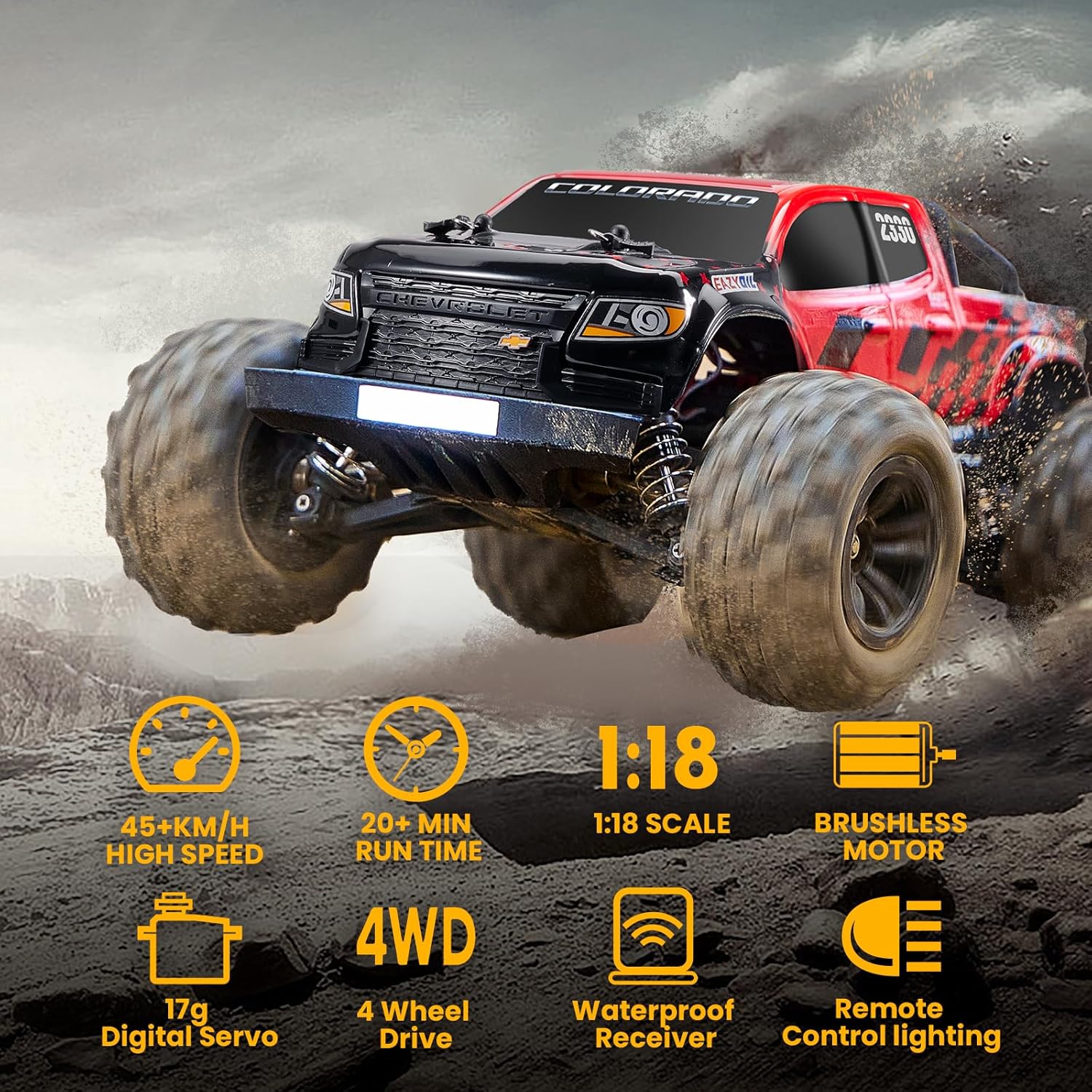
- Chevrolet Licensed Design: Authentic 1/18 scale replica of the Chevrolet Colorado.
- Brushless Motor System: Equipped with a powerful brushless motor for speeds exceeding 45km/h (27+ mph), with potential for 64-65km/h with a 3S battery upgrade.
- แชสซีที่ทนทาน: Honeycomb structure chassis reinforced with zinc metal plates for enhanced strength and endurance.
- Robust Drivetrain: All-metal differentials, gearbox internals, and sturdy steel driveshaft ensure reliable heavy-duty transmission.
- Advanced Electronics: Features a 45A Electronic Speed Controller (ESC) and a 17-gram digital steering servo.
- ความต้านทานน้ำ: IPX5 waterproof rating protects the separate receiver and ESC from splashes.
- เวลาเล่นที่ขยาย: The 1050mAh battery provides approximately 30 minutes of run time on a single charge.
- การควบคุมแบบตอบสนอง: 4CH 2.4GHz digital control system for precise short-distance sprinting, jumping, and other stunts.

5. การตั้งค่า
5.1 การชาร์จแบตเตอรี่
- Connect the included USB charger to a compatible USB power source (e.g., computer USB port, USB wall adapter).
- Connect the 7.4V 1050mAh Li-ion battery to the USB charger.
- ไฟแสดงสถานะบนเครื่องชาร์จจะแสดงสถานะการชาร์จ (เช่น สีแดงคือกำลังชาร์จ สีเขียวคือชาร์จเต็ม)
- Charging typically takes approximately 1-2 hours. Do not overcharge the battery.
5.2 Installing the RC Truck Battery
- Remove the body clips and lift the truck body to access the battery compartment.
- Place the charged 7.4V 1050mAh Li-ion battery into the battery tray.
- Connect the battery connector to the ESC connector. Ensure correct polarity.
- Secure the battery in place using the battery strap or latch.
- ประกอบตัวถังรถบรรทุกกลับเข้าที่และยึดให้แน่นด้วยคลิปยึดตัวถัง
5.3 การติดตั้งแบตเตอรี่รีโมทคอนโทรล
- Open the battery compartment cover on the underside of the remote controller.
- ใส่แบตเตอรี่ AA 4 ก้อน (ไม่ได้รวมอยู่ในชุด) ลงในช่องใส่แบตเตอรี่ โดยสังเกตขั้วให้ถูกต้อง (+/-)
- ปิดฝาช่องใส่แบตเตอรี่ให้แน่น
5.4 การเชื่อมต่อรีโมทคอนโทรล
The remote controller and truck are typically pre-bound from the factory. If re-binding is necessary:
- Ensure the truck battery is connected and the truck's power switch is OFF.
- เปิดรีโมทคอนโทรล
- Turn ON the truck's power switch. The LED on the truck's receiver should blink, then become solid, indicating a successful bind.
- If the LED continues to blink, repeat the steps.
6. คู่มือการใช้งาน
6.1 รีโมทคอนโทรลโอเวอร์view

- Steering Wheel (CH1): Turn left or right to control the truck's direction.
- Throttle Trigger (CH2): ดึงเพื่อเร่งความเร็วไปข้างหน้า ดันเพื่อเบรกหรือถอยหลัง
- การปรับแต่งการตกแต่ง: Use the trim dials to fine-tune steering and throttle if the truck pulls to one side or moves slightly when the trigger is neutral.
6.2 เคล็ดลับการขับขี่
- เริ่มด้วยความเร็วต่ำก่อนเพื่อทำความคุ้นเคยกับการควบคุม
- Gradually increase speed as you gain confidence.
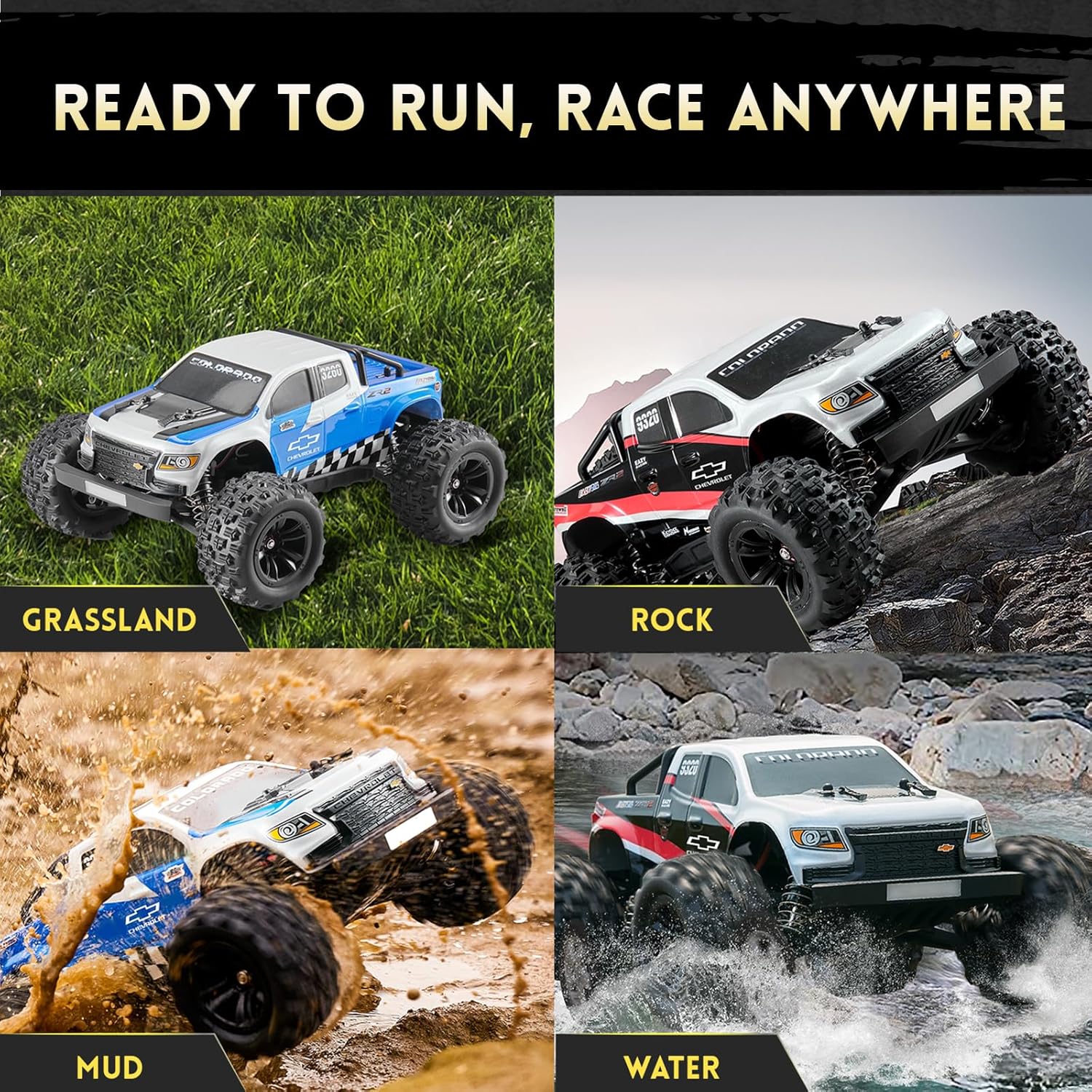
- The 4X4 drivetrain and robust suspension allow for excellent performance on various terrains, including grass, rocks, and mud.
- Avoid sharp turns at high speeds to prevent rollovers.
6.3 วิดีโอผลิตภัณฑ์อย่างเป็นทางการ
Watch these official videos for visual guidance on setup and operation:
7. การบำรุงรักษา
- การทำความสะอาด: After each use, especially in dirty or wet conditions, clean the truck with a soft brush or cloth. Remove any debris from the chassis, wheels, and suspension components.
- การหล่อลื่น: Periodically check and lubricate moving parts such as gears and bearings to ensure smooth operation and extend their lifespan.
- การดูแลแบตเตอรี่ Store batteries in a cool, dry place. Do not store fully charged or completely depleted batteries for extended periods. Follow all battery safety guidelines.
- การตรวจสอบ: Regularly inspect the truck for any loose screws, damaged parts, or worn tires. Replace damaged components promptly using genuine EAZYRC parts.


8 การแก้ไขปัญหา
- Truck not responding: Check battery levels in both the truck and remote. Ensure both are powered on and correctly bound.
- ประสิทธิภาพลดลง: Battery may be low. Recharge the truck battery. Inspect for debris in moving parts or damaged components.
- ปัญหาเกี่ยวกับการบังคับเลี้ยว: Adjust the steering trim on the remote controller. Check for any obstructions in the steering mechanism or damage to the servo.
- ความร้อนสูงเกินไป: Allow the truck to cool down if the motor or ESC feels excessively hot. Ensure the cooling fan (if present) is functioning correctly and not obstructed.
9. ข้อมูลจำเพาะ
| คุณสมบัติ | รายละเอียด |
|---|---|
| หมายเลขรุ่น | EZ11841 |
| มาตราส่วน | 1/18 |
| ระบบขับเคลื่อน | 4X4 (Four-Wheel Drive) |
| ประเภทมอเตอร์ | ไร้แปรงถ่าน |
| ความเร็วสูงสุด | 45+ km/h (27+ mph) |
| แบตเตอรี่ | 7.4V 1050mAh Li-ion (included) |
| เอสซีเอส | 45เอ |
| เซอร์โวพวงมาลัย | 17g Digital |
| ระดับการกันน้ำ | IPX5 (กันน้ำกระเซ็น) |
| รีโมทคอนโทรล | 2.4GHz 4-Channel |
| น้ำหนักสินค้า | 4.74 ปอนด์ |
| ขนาดแพ็คเกจ | 12.87 x 10.16 x 9.29 นิ้ว |
| อายุที่แนะนำ | 16 ปีขึ้นไป |

10. การรับประกันและการสนับสนุน
For warranty information, technical support, or replacement parts, please contact FAIR RC customer service through your retailer or the official FAIR RC webไซต์ โปรดเก็บใบเสร็จรับเงินไว้เป็นหลักฐานการซื้อ