
การแนะนำ
Thank you for choosing the Strex Universal AA/AAA Rechargeable Battery Charger. This device is designed to efficiently and safely charge your rechargeable batteries, ensuring they are always ready for use. This manual provides essential information for the proper setup, operation, and maintenance of your charger.
ข้อมูลด้านความปลอดภัย
เพื่อให้การใช้งานปลอดภัยและยืดอายุการใช้งานของเครื่องชาร์จและแบตเตอรี่ โปรดปฏิบัติตามคำแนะนำด้านความปลอดภัยต่อไปนี้:
- Do not attempt to charge non-rechargeable batteries. This can lead to leakage, rupture, or explosion.
- Use only compatible battery types: NiMH, NiCD, and Lithium-Ion.
- Avoid exposing the charger to water or excessive humidity.
- ห้ามถอดประกอบหรือดัดแปลงเครื่องชาร์จ
- Keep the charger away from direct sunlight and high temperatures.
- ตรวจสอบให้แน่ใจว่ามีการระบายอากาศที่เหมาะสมในระหว่างการชาร์จ
- The charger features a smart chip that prevents overheating, overcharging, short circuits, and overvoltage. However, always monitor the charging process.

Image: The Strex charger highlights its comprehensive safety features, including protection against overcharging, overcurrent, flame, voltage fluctuations, and short circuits.
คุณสมบัติผลิตภัณฑ์
The Strex SP282 charger offers a range of features designed for convenience and safety:
- เข้ากันได้สากล: Charges AA and AAA size rechargeable batteries.
- การชาร์จแบตเตอรี่หลายก้อน: Capable of charging up to four batteries simultaneously.
- จอแสดงผล LCD: A practical LCD screen provides real-time charging status for each battery, indicating 'CHG' for charging and an error symbol if charging is not possible.
- พอร์ตอินพุตหลายพอร์ต: Connects via Micro USB or USB Type-C (cable included).
- กระบวนการชาร์จอัจฉริยะ: Automatically detects battery type and optimizes charging for speed and safety, including trickle charging once full.
- การป้องกันความปลอดภัยขั้นสูง: Built-in smart chip prevents overheating, overcharging, overcurrent, short circuits, and overvoltage.
- ประเภทแบตเตอรี่ที่รองรับ: Compatible with NiMH, NiCD, and Lithium-Ion rechargeable batteries.

ภาพ: โอเวอร์view of the Strex charger, highlighting its key features such as the LCD display, multiple charging slots, and dual USB input options.
การตั้งค่า
Follow these steps to set up your Strex battery charger:
- เชื่อมต่อพลังงาน: Use the provided USB Type-C cable or a Micro USB cable to connect the charger to a 5V-2A USB power adapter (not included) or a compatible USB port.
- ใส่แบตเตอรี่: Open the battery slots and insert up to four AA or AAA rechargeable batteries. Ensure the positive (+) and negative (-) terminals of the batteries match the markings inside the charger slots. You can mix AA and AAA batteries.
- ตรวจสอบการเชื่อมต่อ: Once batteries are inserted and power is connected, the LCD screen will activate.
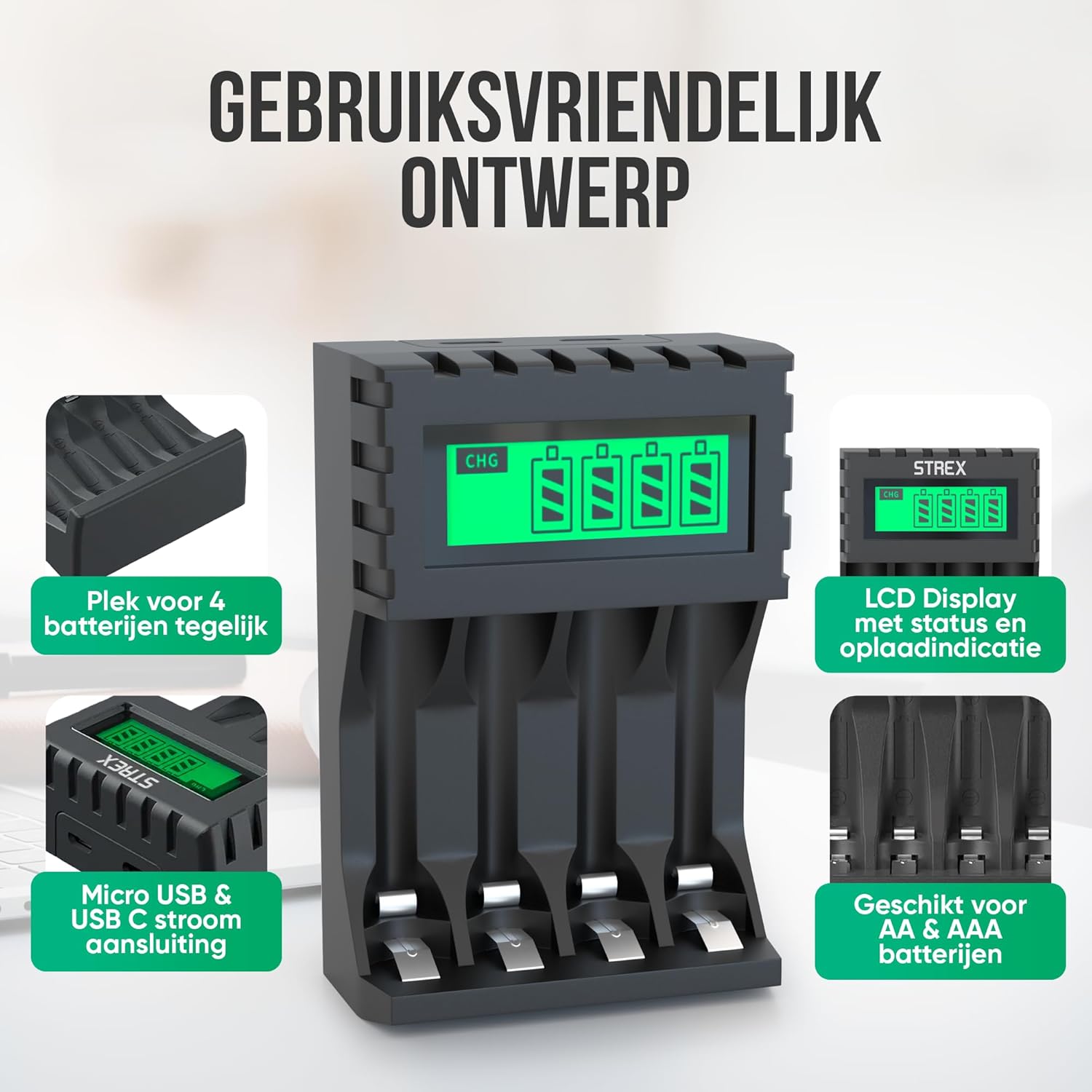
Image: The charger's user-friendly design, illustrating the four battery slots and the Micro USB and USB-C input ports for power connection.
คำแนะนำการใช้งาน
The Strex battery charger is designed for simple and efficient operation:
- การตรวจจับอัตโนมัติ: Upon inserting batteries and connecting power, the charger automatically detects the battery type and begins the charging process.
- การตรวจสอบสถานะการชาร์จ: The LCD screen will display the charging status for each individual battery. A flashing 'CHG' symbol indicates that charging is in progress. The screen also shows the approximate charge level (e.g., 30%, 60%, 100%).
- การเสร็จสิ้นการชาร์จ: When a battery is fully charged, the 'CHG' symbol will stop flashing or indicate 100%. The charger will then switch to a trickle charging mode to maintain optimal battery health.
- เวลาในการชาร์จ:
- Approximately 4 hours for four AA batteries.
- Approximately 3 hours for four AAA batteries.
- การถอดแบตเตอรี่: Once charging is complete, disconnect the power and remove the batteries from the charger.

Image: The LCD display of the Strex charger, illustrating how it shows charging status ('CHG' flashing) and error indications (error symbol) for each battery.

Image: The smart charging process, showing how each charging port is independently managed and charged, with both Micro USB and USB-C input options visible.
การซ่อมบำรุง
การบำรุงรักษาอย่างถูกต้องจะช่วยให้เครื่องชาร์จของคุณมีอายุการใช้งานยาวนานและมีประสิทธิภาพเหมาะสมที่สุด:
- การทำความสะอาด: Disconnect the charger from power before cleaning. Use a soft, dry cloth to wipe the exterior. Do not use liquid cleaners or solvents.
- พื้นที่จัดเก็บ: เก็บเครื่องชาร์จไว้ในที่แห้งและเย็น หลีกเลี่ยงแสงแดดโดยตรงและอุณหภูมิที่สูงหรือต่ำมากเมื่อไม่ได้ใช้งาน
- การดูแลแบตเตอรี่ Always use high-quality rechargeable batteries. Avoid mixing old and new batteries or different types of batteries in the same charging cycle if possible, although the charger supports mixed types.
การแก้ไขปัญหา
หากคุณพบปัญหาเกี่ยวกับเครื่องชาร์จ โปรดดูปัญหาทั่วไปและวิธีแก้ไขต่อไปนี้:
- เครื่องชาร์จไม่เปิด: Ensure the USB cable is securely connected to both the charger and a working power source. Verify the power source is active (e.g., wall adapter is plugged in).
- Batteries not charging / Error symbol on LCD:
- ตรวจสอบว่าใส่แบตเตอรี่ถูกต้องตามขั้ว (+/-)
- Ensure the batteries are rechargeable (NiMH, NiCD, or Li-ion). Non-rechargeable batteries will cause an error.
- The battery might be faulty or severely discharged. Try a different battery.
- Clean the battery contacts and charger terminals with a dry cloth.
- การชาร์จช้า: Ensure your USB power adapter provides sufficient output (recommended 5V-2A). Lower current adapters may result in slower charging.
ข้อมูลจำเพาะ
| ยี่ห้อ | สเตรกซ์ |
| หมายเลขรุ่น | SP282 |
| ขนาดสินค้า | 15.1 x 6.8 x 3 ซม. |
| น้ำหนักสินค้า | 85 กรัม |
| สี | สีดำ |
| อินพุต Voltage | 5V |
| กระแสไฟเข้า | 2A |
| ปริมาณการส่งออกtage | กระแสตรง 1.2 โวลต์ |
| แม็กซ์กระแสไฟขาออก | 1800mAh |
| ขนาดแบตเตอรี่ที่รองรับ | เอเอ เอเอ |
| ประเภทแบตเตอรี่ที่รองรับ | NiMH, NiCD, Lithium-Ion |
| พอร์ตชาร์จ | สล็อตอิสระ 4 ช่อง |
| อินเตอร์เฟซการป้อนข้อมูล | ไมโครยูเอสบี, ยูเอสบี ไทป์ซี |
| วัสดุ | Heat-resistant ABS, Stainless Steel |
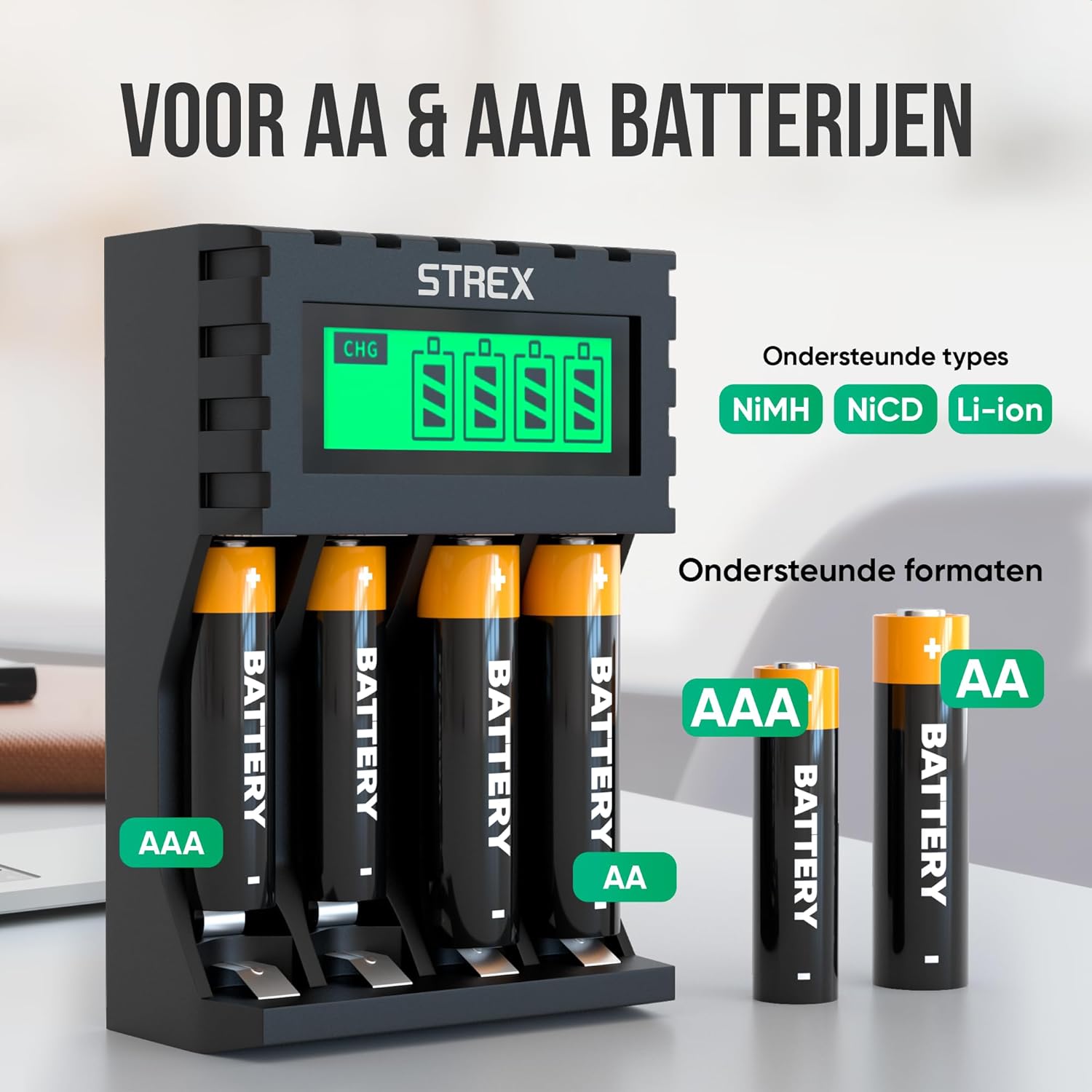
Image: The charger's compatibility with both AA and AAA battery sizes, and a list of supported battery types (NiMH, NiCD, Li-ion).
การรับประกันและการสนับสนุน
For warranty information or technical support, please refer to the contact details provided with your purchase or visit the official Strex webไซต์ เก็บหลักฐานการซื้อของคุณไว้เพื่อใช้ในกรณีเรียกร้องการรับประกัน
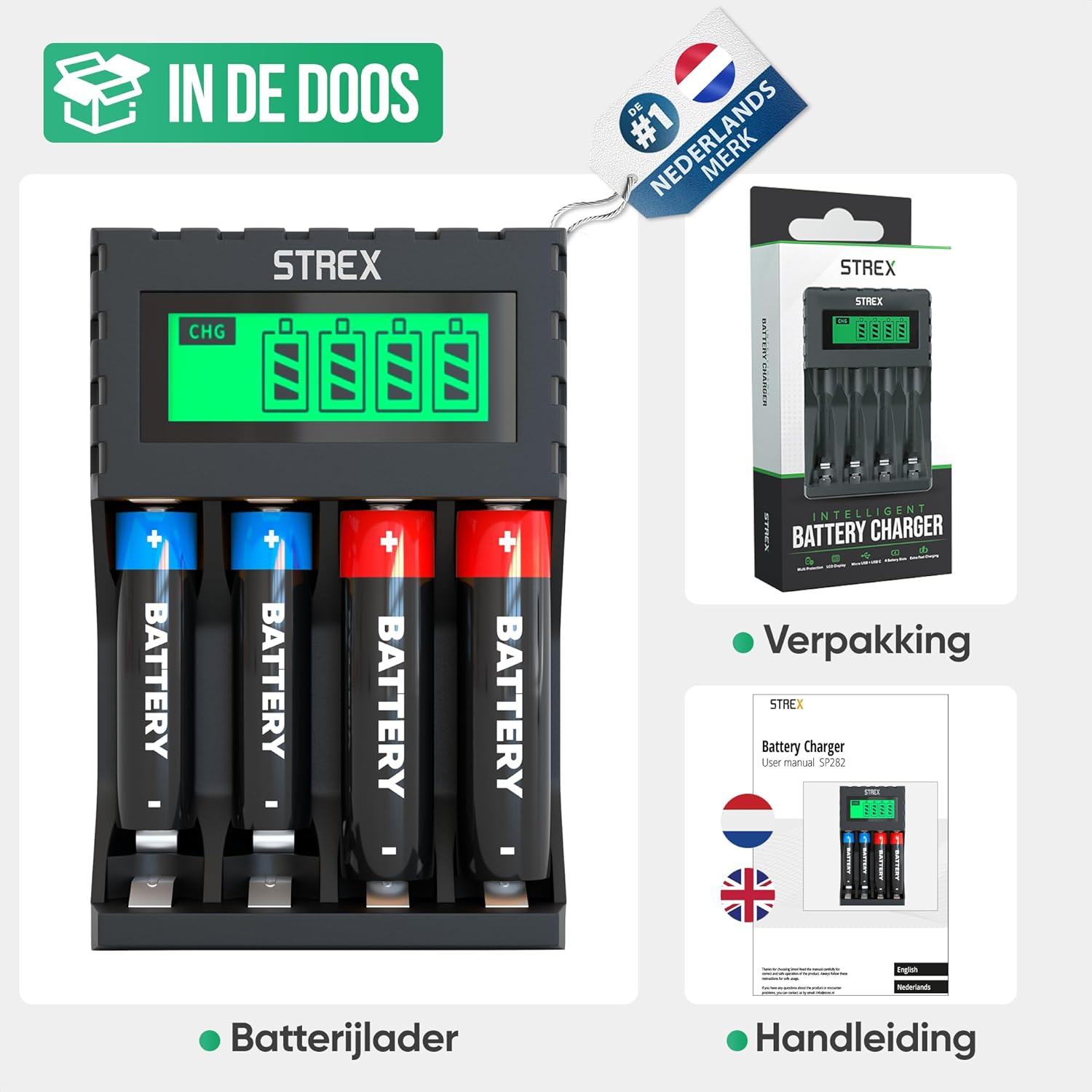
Image: What's included in the box: the battery charger, a user manual, and the product packaging.