
การแนะนำ
This manual provides comprehensive instructions for the setup, operation, and maintenance of your Taylor Digital Body Composition Bathroom Scale, Model 5306614. This scale is designed to measure body weight, and estimate body fat, body water, and muscle mass percentages. It includes features for up to 6 user recognition and offers both normal and athlete modes.
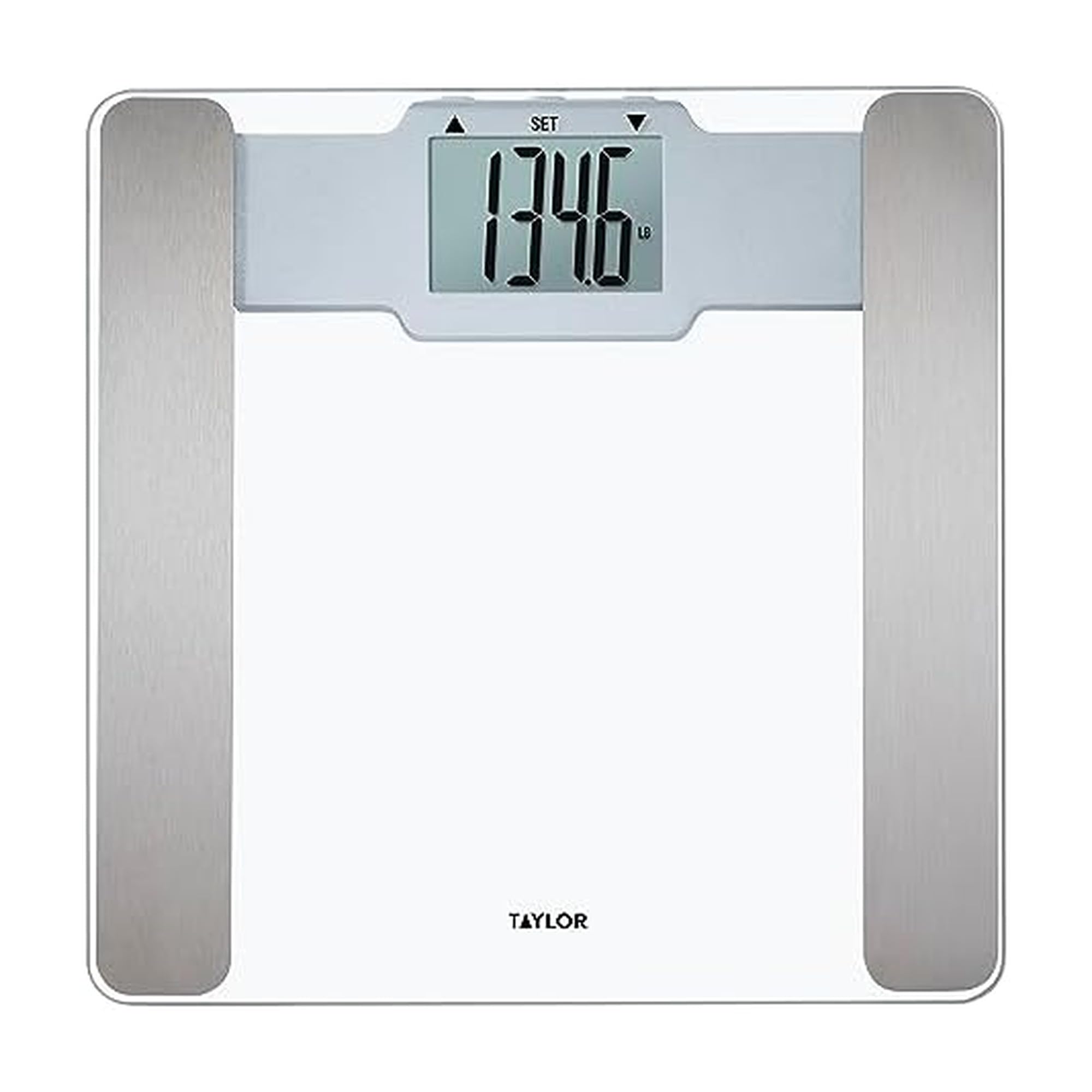
Image: The Taylor Digital Body Composition Bathroom Scale, featuring a clear tempered glass platform and a digital readout.
มีอะไรอยู่ในกล่อง
- Taylor Digital Body Composition Bathroom Scale
- ถ่าน AAA 2 ก้อน
การตั้งค่า
1. การติดตั้งแบตเตอรี่
Locate the battery compartment on the underside of the scale. Insert the two AAA batteries, ensuring correct polarity (+/-). Close the battery compartment securely.
2. การจัดวางมาตราส่วน
Place the scale on a hard, flat surface. Uneven or soft surfaces, such as carpet, can affect accuracy. Ensure the scale is stable before use.
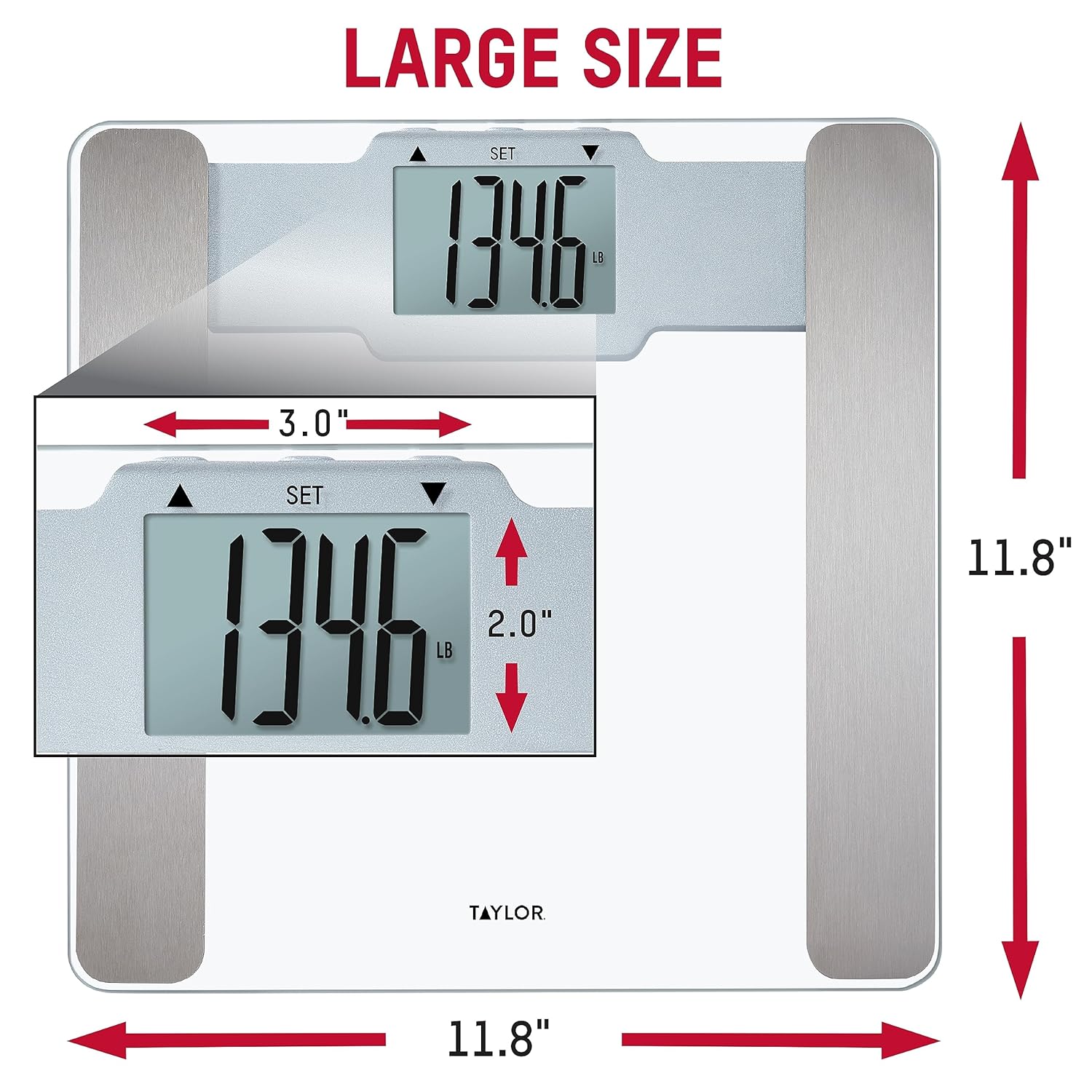
Image: The scale positioned on a hard floor, demonstrating proper placement for accurate readings.
3. การสอบเทียบเบื้องต้น
To calibrate the scale for first use or after moving it, gently step on the scale until numbers appear on the display, then step off. The display will show "0.0" or similar, indicating it is ready for use.
คำแนะนำการใช้งาน
Basic Weight Measurement
- ตรวจสอบให้แน่ใจว่าเครื่องชั่งอยู่บนพื้นผิวที่แข็งและเรียบ
- ค่อยๆ ก้าวขึ้นไปบนตาชั่งด้วยเท้าเปล่า ยืนนิ่งๆ และให้อยู่ตรงกลางแท่นชั่ง
- The display will show your weight. The scale features "Step-On Technology" for instant readings.
- เครื่องชั่งจะปิดเองโดยอัตโนมัติหลังจากไม่มีการใช้งานเพียงไม่กี่วินาที

Image: Demonstration of stepping onto the scale for an instant weight reading.
การแปลงหน่วย
If available, a switch on the underside of the scale allows you to toggle between pounds (lb) and kilograms (kg).
ความสามารถในการอ่านแสดงผล
The scale features a large, clear LCD display for easy reading from various angles.

Image: The bright LCD display of the scale, showing a clear weight measurement.
User Recognition & Athlete Mode
This scale can store profiles for up to 6 users and offers both normal and athlete modes for body composition analysis.

ภาพ: เหนือview of the scale's features, including body composition metrics and user recognition.
การตั้งค่า User Profiles
- Refer to the specific instructions in your scale's included manual for detailed steps on setting up individual user profiles. This typically involves entering age, height, and selecting an activity level.
- The scale will recognize the user based on their weight and stored profile ข้อมูล.
โหมดนักกีฬา
Athlete mode is designed for individuals who engage in intense physical activity regularly. This mode adjusts the body composition calculation algorithm to provide more accurate results for athletes. Consult your scale's specific instructions for how to activate and use athlete mode within your user profile.
การวัดองค์ประกอบร่างกาย
The scale uses Bioelectrical Impedance Analysis (BIA) technology to estimate body fat, body water, and muscle mass percentages. For accurate readings:
- Step onto the scale with bare feet, ensuring your feet make contact with the metal sensors on the platform.
- Stand still until the measurements are displayed.
- Readings may vary based on hydration levels, recent activity, and time of day. For consistent tracking, measure at the same time each day under similar conditions.

Image: Explanation of BIA technology for body composition measurement.
การซ่อมบำรุง
การทำความสะอาด
ทำความสะอาดตะกรันด้วยโฆษณาamp cloth and mild detergent. Do not use abrasive cleaners or immerse the scale in water. The tempered glass platform is durable and easy to clean.
การเปลี่ยนแบตเตอรี่
If the display becomes dim or shows a low battery indicator, replace the AAA batteries. Ensure the scale is off before replacing batteries.
การแก้ไขปัญหา
| ปัญหา | สารละลาย |
|---|---|
| การอ่านน้ำหนักที่ไม่แม่นยำ | Ensure the scale is on a hard, flat, and level surface. Avoid carpets or uneven flooring. Recalibrate by stepping on and off the scale. |
| "Err 1" or Error Message | This error often indicates an overload or an unstable reading. Step off the scale, wait a few seconds, and try again. If the issue persists, replace the batteries. |
| No Body Composition Readings | Ensure you are standing with bare feet on the metal sensors. Verify that your user profile is correctly set up with age, height, and mode (normal/athlete). Dry or calloused feet may affect sensor contact. |
| หน้าจอแสดงผลมืดหรือว่างเปล่า | Replace the batteries. Check battery polarity. |
ข้อมูลจำเพาะ
- ยี่ห้อ: เทย์เลอร์
- แบบอย่าง: 5306614
- สี: กระจก
- เนื้อหาแพลตฟอร์ม: กระจกนิรภัย
- ความจุน้ำหนัก: 400 ปอนด์ (180 กก.)
- ความแม่นยำในการอ่านข้อมูล: 0.2 ปอนด์ (0.1 กก.)
- ประเภทจอภาพ: จอแอลซีดี
- คุณสมบัติพิเศษ: Body Fat, Body Water, Muscle Mass, 6 User Recognition, Athlete Mode, Step-On Technology
- แหล่งพลังงาน: แบตเตอรี่ AAA 2 ก้อน (รวมอยู่ด้วย)
- ขนาด : ยาว 11.8 นิ้ว x กว้าง 11.8 นิ้ว x สูง 0.92 นิ้ว
- ยูพีซี: 077784044643

Image: Dimensions of the scale, indicating its 11.8" x 11.8" platform size.
การรับประกันและการสนับสนุน
This Taylor Digital Body Composition Bathroom Scale comes with a 5-year limited warranty. For warranty information or technical support, please contact the manufacturer directly. You may also find additional support resources on the manufacturer's official webเว็บไซต์.