
1. สินค้าหมดview
The Wokyo Portable Mini Projector (Model CA164965161) is a compact and lightweight device designed for displaying media from various sources. Its small form factor allows for easy portability, making it suitable for home cinema, outdoor viewing, or business presentations.
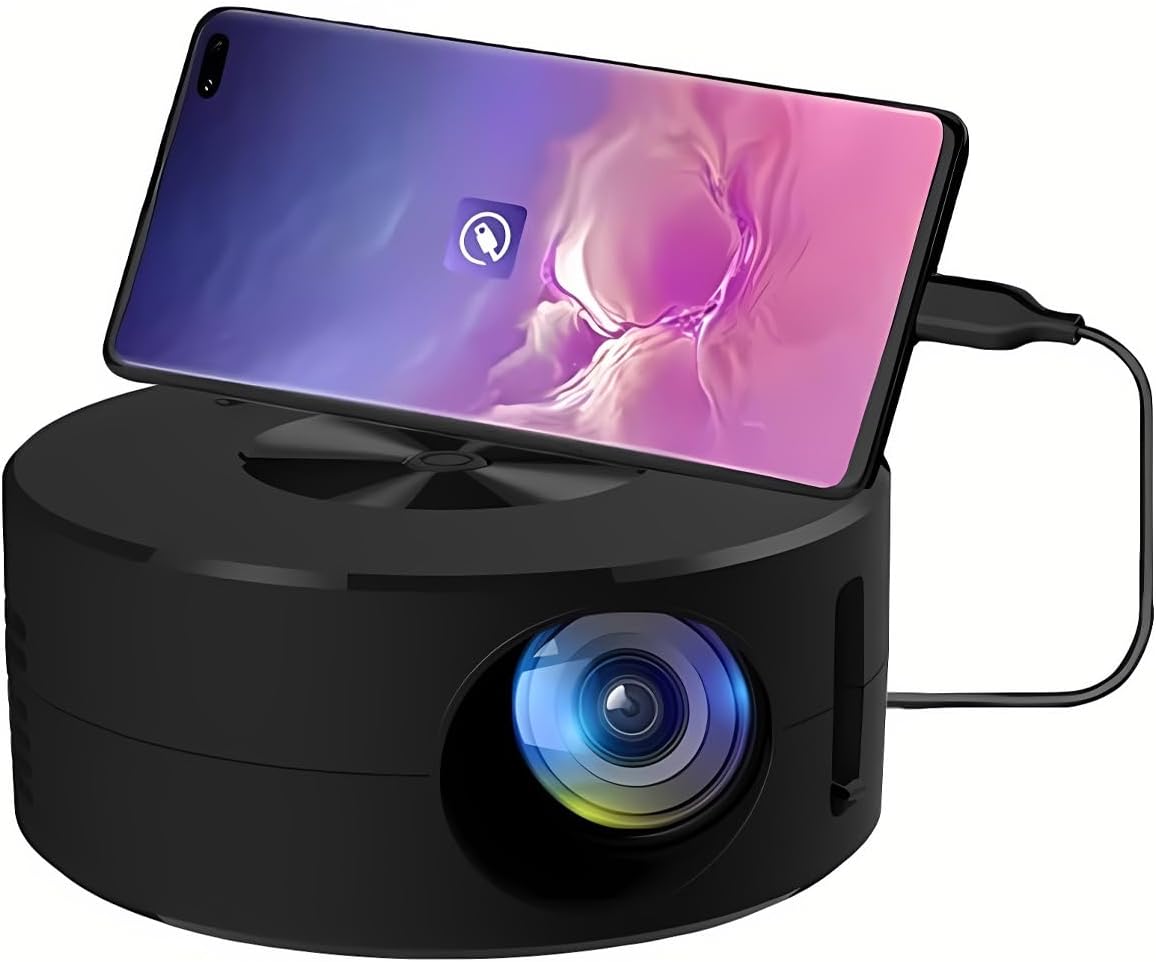
ภาพที่ 1.1: ด้านหน้า view of the Wokyo Portable Mini Projector.
Key features of this projector include:
- การออกแบบที่กะทัดรัด: Smaller than a typical smartphone, facilitating easy transport.
- การสะท้อนหน้าจอแบบมีสาย: Supports direct connection to mobile phones and tablets using their charging cables for screen display, eliminating the need for additional adapters.
- High Clarity Support: Capable of supporting resolutions up to 1920x1080p, providing clear image quality.
- โครงสร้างทนทาน: Manufactured from environmentally friendly ABS material.
- Efficient Light Source: Utilizes an LCD light source for lower energy consumption and extended lifespan.
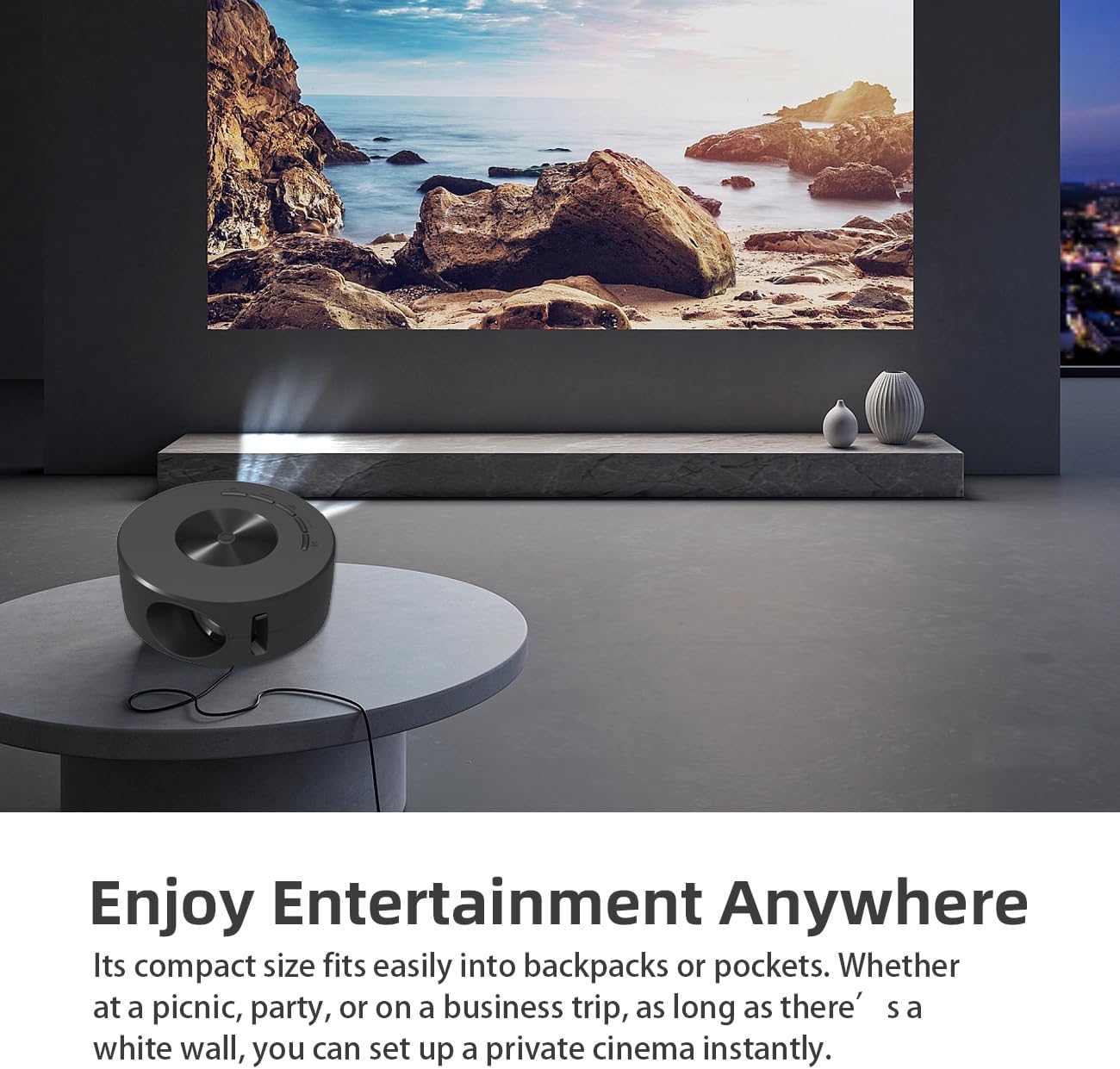
Image 1.2: Projector in use, demonstrating its compact size and projection capability.
2. เนื้อหาบรรจุภัณฑ์
ตรวจสอบว่ารายการทั้งหมดที่ระบุไว้ด้านล่างมีอยู่ในแพ็คเกจผลิตภัณฑ์ของคุณ:

Image 2.1: All items included in the Wokyo Portable Mini Projector package.
- Wokyo Portable Mini Projector
- รีโมทคอนโทรล
- สาย USB
- คู่มือการใช้งาน
- กล่องสี
- กล่องโฟม
- Parcel Bag
3. ขนาดสินค้า
The projector features a compact design for portability.

Image 3.1: Product dimensions of the Wokyo Portable Mini Projector.
- เส้นผ่านศูนย์กลาง : ประมาณ 4.33 นิ้ว (110 มม.)
- ความสูง: ประมาณ 1.85 นิ้ว (47 มม.)
- น้ำหนัก: ประมาณ 10.6 ออนซ์
4. การตั้งค่าเริ่มต้น
4.1 การเชื่อมต่อสายไฟ
To power the projector, connect it to a suitable power source. The projector requires a 5V 2A power input.

Image 4.1: Power connection options for the projector.
- Ensure your power source (e.g., phone charger, power bank) provides at least 5V 2A output.
- Connect the provided USB cable to the projector's power input port.
- Connect the other end of the USB cable to your chosen power source.
- The projector will power on automatically or can be turned on using the power button.
4.2 Device Connection (Wired Screen Mirroring)
The projector supports wired screen mirroring from mobile phones and tablets using their standard charging cables.
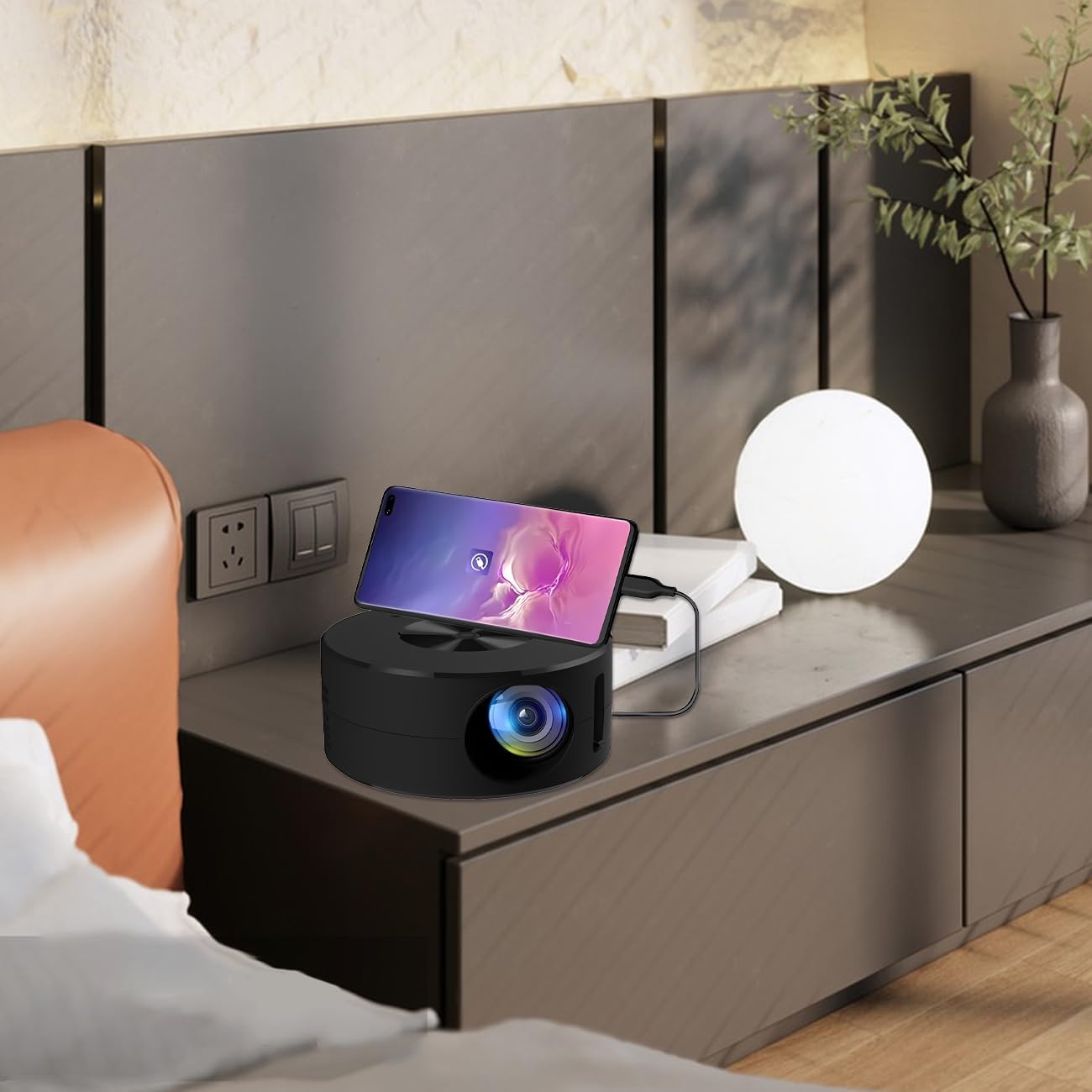
Image 4.2: Smartphone connected to the projector for wired screen mirroring.
- Connect your mobile phone or tablet to the projector using its original charging cable.
- The projector should automatically detect the connection and initiate screen mirroring.
- Follow any on-screen prompts on your device or the projector to confirm the connection.
5. คู่มือการใช้งาน
5.1 Basic Controls and Ports
Familiarize yourself with the projector's control buttons and input/output ports.

ภาพที่ 5.1: จบแล้วview of projector ports and controls.
- ปุ่มเปิด/ปิด: เปิด/ปิดโปรเจ็กเตอร์
- ปุ่มนำทาง (ขึ้น/ลง/ซ้าย/ขวา/ตกลง): ใช้สำหรับนำทางเมนูและยืนยันการเลือก
- พอร์ต USB: สำหรับเชื่อมต่ออุปกรณ์จัดเก็บข้อมูล USB
- พอร์ตหูฟัง: สำหรับเชื่อมต่ออุปกรณ์เสียงภายนอก
- อินพุตอินฟราเรด: สำหรับรับสัญญาณจากรีโมทคอนโทรล
- 5V 2A Power Input: สำหรับเชื่อมต่อแหล่งจ่ายไฟ
- ลำโพงสเตอริโอในตัว: ให้เอาต์พุตเสียง
5.2 การปรับโฟกัส
To achieve a clear image, adjust the focus ring located around the projector lens. Rotate the ring until the projected image appears sharp.
5.3 การใช้รีโมทคอนโทรล
The included remote control allows for convenient operation of the projector from a distance. Ensure the remote has batteries installed and is pointed towards the projector's IR sensor.
6. การบำรุงรักษา
การบำรุงรักษาอย่างถูกต้องจะช่วยให้โปรเจ็กเตอร์ของคุณมีอายุการใช้งานยาวนานและมีประสิทธิภาพเหมาะสมที่สุด
- การทำความสะอาดเลนส์: ใช้ผ้าเนื้อนุ่ม ปราศจากขน ที่ออกแบบมาสำหรับเลนส์แว่นตาโดยเฉพาะ หลีกเลี่ยงวัสดุที่มีฤทธิ์กัดกร่อนหรือสารเคมีรุนแรง เช็ดเลนส์เบาๆ เพื่อขจัดฝุ่นหรือคราบสกปรก
- การทำความสะอาดภายนอก: เช็ดทำความสะอาดภายนอกของโปรเจคเตอร์ด้วยผ้าแห้งเนื้อนุ่ม ห้ามใช้น้ำยาทำความสะอาดโดยตรงกับตัวเครื่อง
- การระบายอากาศ : ตรวจสอบให้แน่ใจว่าช่องระบายอากาศของโปรเจ็กเตอร์ไม่ถูกปิดกั้นขณะใช้งาน เพื่อป้องกันความร้อนสูงเกินไป
- พื้นที่จัดเก็บ: เมื่อไม่ใช้งาน ควรเก็บโปรเจคเตอร์ไว้ในที่แห้งและเย็น หลีกเลี่ยงแสงแดดโดยตรงและฝุ่นละอองมากเกินไป
7 การแก้ไขปัญหา
โปรดดูตารางต่อไปนี้สำหรับปัญหาที่พบบ่อยและวิธีแก้ไข
| ปัญหา | สาเหตุที่เป็นไปได้ | สารละลาย |
|---|---|---|
| ไม่มีภาพที่ฉาย | Power not connected; Input source not selected; Device not connected properly. | Ensure power is connected (5V 2A). Check device connection. Verify screen mirroring is active on your device. |
| ภาพเบลอ | ไม่ได้ปรับโฟกัส | Rotate the focus ring around the lens until the image is clear. |
| ไม่มีเสียง | Volume too low; External audio device connected; Device audio output settings. | Increase projector volume. Disconnect external audio devices if using internal speaker. Check audio settings on the connected source device. |
| รีโมตคอนโทรลไม่ทำงาน | Batteries low/dead; Obstruction between remote and projector; Remote not pointed at IR sensor. | Replace remote batteries. Ensure clear line of sight to the projector's IR sensor. |
8. ข้อมูลจำเพาะทางเทคนิค
Detailed specifications for the Wokyo Portable Mini Projector.
| คุณสมบัติ | ข้อมูลจำเพาะ |
|---|---|
| ยี่ห้อ | โวเคียว |
| หมายเลขรุ่น | CA164965161 |
| น้ำหนักสินค้า | 10.6 ออนซ์ |
| ขนาดสินค้า | 4.33 x 4.33 x 1.97 นิ้ว |
| สี | สีดำ |
| คุณสมบัติพิเศษ | ความสามารถในการพกพา |
| เทคโนโลยีการเชื่อมต่อ | บลูทูธ |
| ความละเอียดหน้าจอ (ความละเอียดดั้งเดิม) | 320 x 180 |
| Display Resolution (Maximum Supported) | 1920 x 1080 |
9. การรับประกันและการสนับสนุน
For warranty information or technical support, please refer to the contact details provided with your purchase documentation or visit the official Wokyo webไซต์ โปรดเก็บใบเสร็จรับเงินไว้เป็นหลักฐานการซื้อสำหรับการเรียกร้องการรับประกัน