
การแนะนำ
This manual provides detailed instructions for the operation and maintenance of your Cuifati Portable Cassette Player with Auto Reverse. Please read this manual thoroughly before using the device to ensure proper functionality and to maximize your listening experience.
เนื้อหาแพ็คเกจ
ตรวจสอบว่ารายการทั้งหมดที่ระบุไว้ด้านล่างนี้รวมอยู่ในแพ็คเกจของคุณ:
- 1 x Cuifati Portable Cassette Player
- 1 x หูฟัง
- สายไฟ USB 1 เส้น
- 1 x คู่มือผู้ใช้
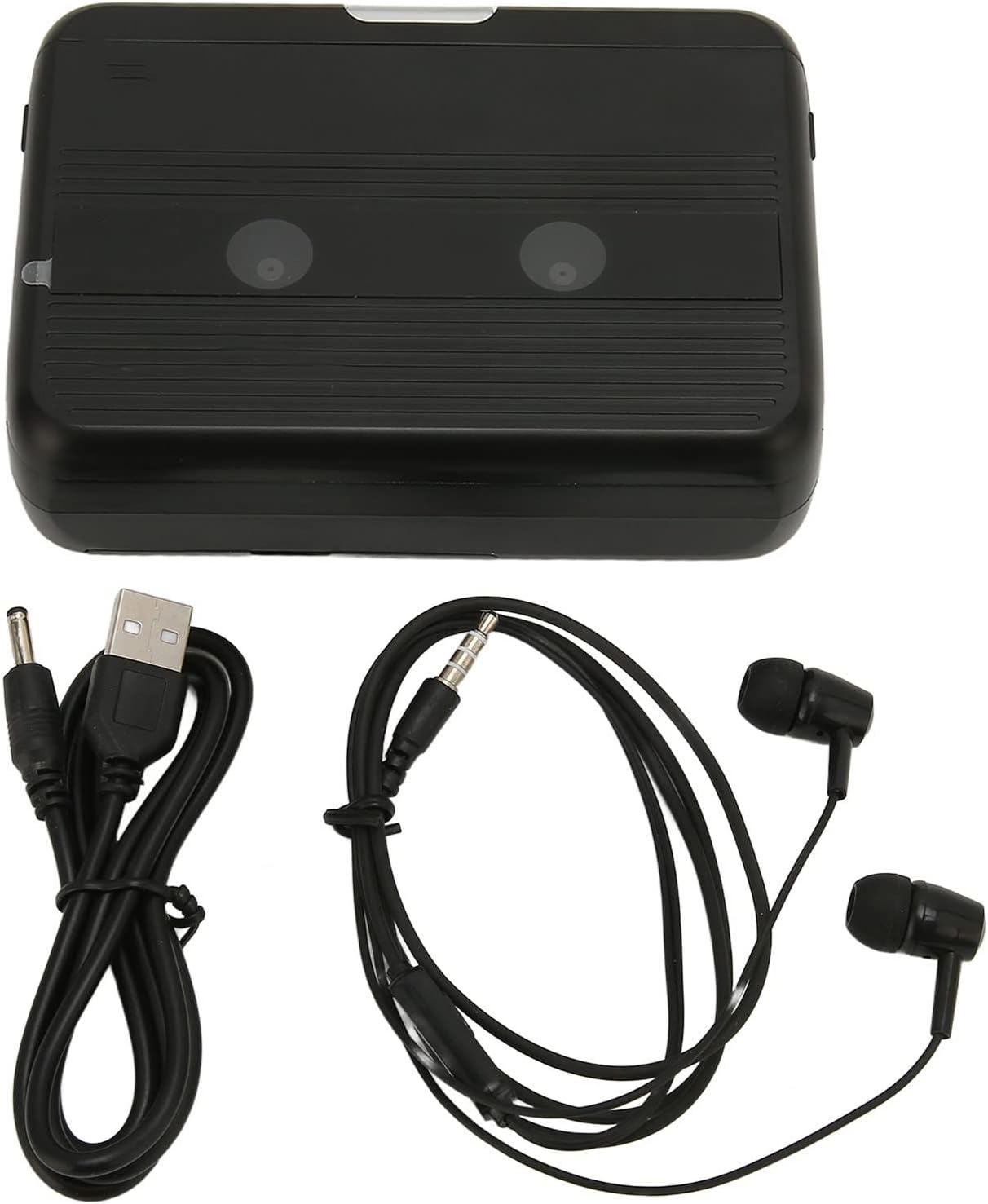
The Cuifati Portable Cassette Player shown alongside its included USB power cord and wired headphones.
สินค้าเกินview
ทำความคุ้นเคยกับส่วนประกอบและการควบคุมต่างๆ ของเครื่องเล่นเทปของคุณ
ด้านหน้า View (เปิด)
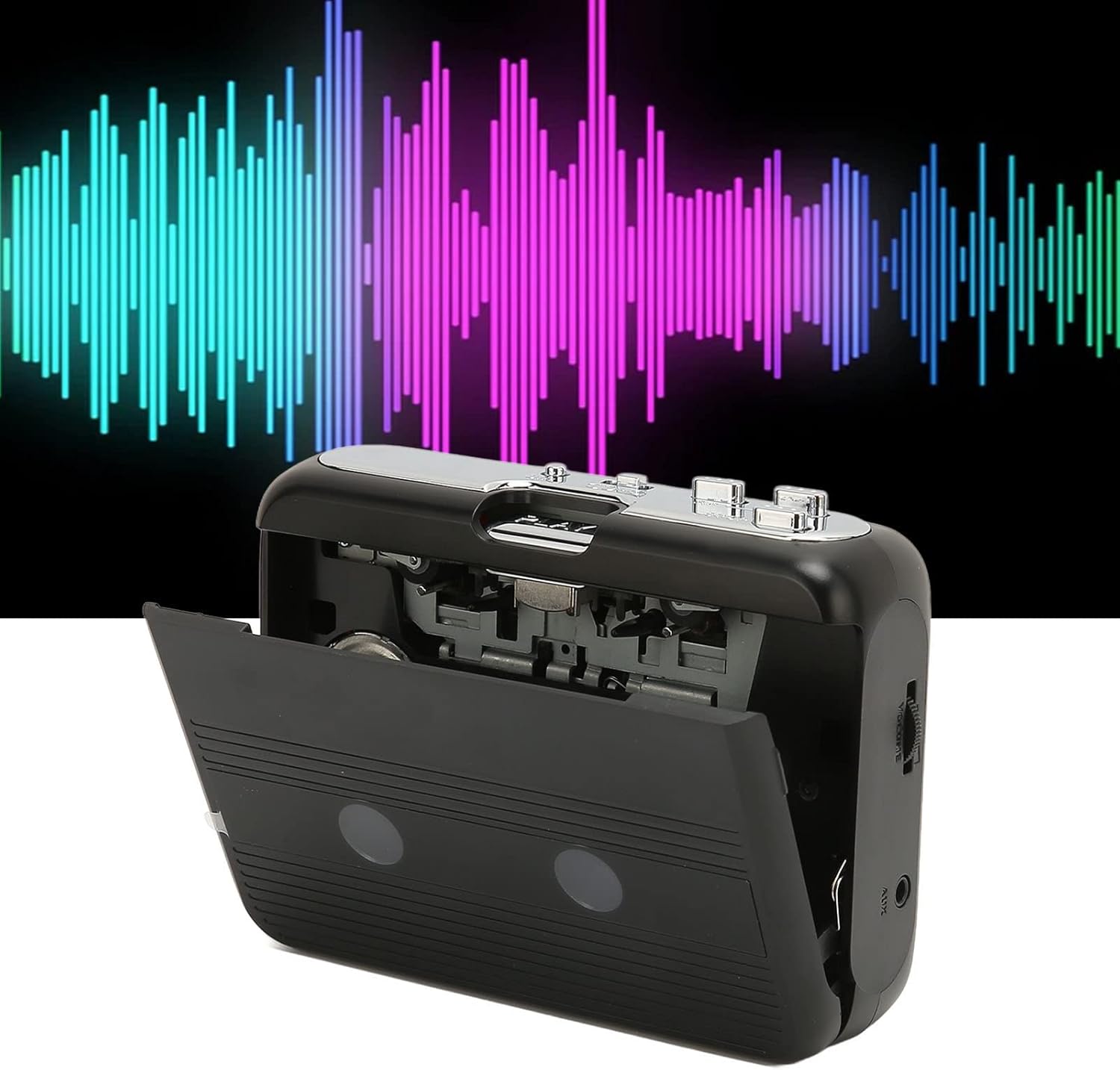
ด้านหน้า view of the Cuifati Portable Cassette Player with the cassette compartment door open, revealing the tape mechanism.
ด้านหน้า View (ปิด)
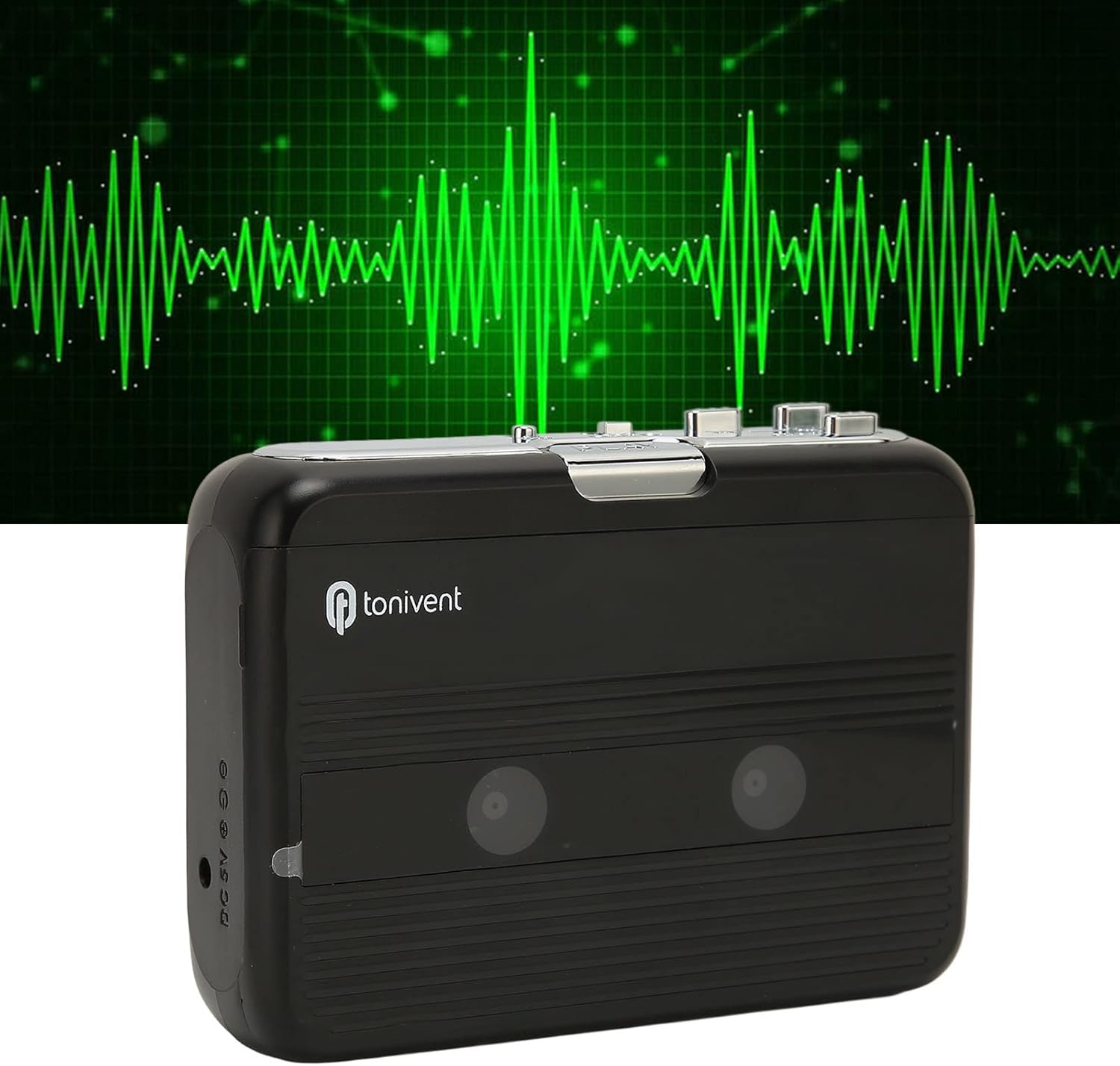
ด้านหน้า view of the Cuifati Portable Cassette Player with the cassette compartment door closed.
Cassette Mechanism

ภาพระยะใกล้ view of the cassette player's internal mechanism, showing the tape heads and rollers.
ด้านข้าง View (ปุ่มควบคุมและพอร์ต)

ด้านข้าง view of the cassette player, highlighting the volume control wheel and the AUX output port.
การควบคุมที่สำคัญ:
- ปุ่มเล่น: เริ่มการเล่นเทปคาสเซ็ต
- ปุ่มหยุด: Halts playback.
- Fast Forward (FF) Button: เลื่อนเทปไปข้างหน้าอย่างรวดเร็ว
- Rewind (REW) Button: กรอกลับเทปอย่างรวดเร็ว
- Auto Reverse Button: Changes tape direction during playback.
- วงล้อควบคุมระดับเสียง: ปรับระดับเอาท์พุตเสียง
- FM/Tape Switch: Selects between FM radio and cassette playback mode.
- Headphone/AUX Output Jack: Connects headphones or external audio devices.
- อินพุต DC 5V: สำหรับแหล่งจ่ายไฟ USB
การตั้งค่า
แหล่งจ่ายไฟ
The cassette player can be powered by two (2) AA batteries or via a USB power supply.
- การติดตั้งแบตเตอรี่:
- เปิดฝาช่องใส่แบตเตอรี่ที่อยู่ด้านหลังของอุปกรณ์
- ใส่แบตเตอรี่ AA สองก้อน โดยตรวจสอบให้แน่ใจว่าขั้ว (+/-) ถูกต้องตามที่ระบุภายในช่อง
- ปิดฝาช่องใส่แบตเตอรี่ให้แน่น
- การเชื่อมต่อไฟผ่าน USB:
- Connect the small end of the included USB power cord to the DC 5V input port on the cassette player.
- Connect the standard USB end to a USB power adapter (not included) or a computer's USB port.
การใส่เทปคาสเซ็ต
- Gently open the cassette compartment door.
- Insert a cassette tape with the exposed tape facing upwards and the side you wish to play facing the front.
- ปิดฝาช่องใส่เทปจนกว่าจะได้ยินเสียงคลิกสนิท
คำแนะนำการใช้งาน
การเล่นเทป
- ตรวจสอบให้แน่ใจว่าใส่เทปคาสเซ็ตอย่างถูกต้อง
- Set the FM/Tape switch to the "Tape" position.
- กดปุ่ม เล่น ปุ่มเพื่อเริ่มเล่น
- ปรับแต่ง วงล้อควบคุมระดับเสียง ตามระดับการฟังที่คุณต้องการ
- หากต้องการหยุดเล่นให้กดปุ่ม หยุด ปุ่ม.
- หากต้องการกรอไปข้างหน้า ให้กด FF ปุ่ม หากต้องการย้อนกลับ ให้กดปุ่ม รว. ปุ่ม. กด หยุด การถอนตัว
Auto Reverse Function
The player features an auto-reverse function, allowing the tape to play in both directions without needing to manually flip the cassette.
- ระหว่างการเล่นให้กดปุ่ม ออโต้รีเวิร์ส button to switch the tape direction. The player will automatically reverse and continue playing the other side of the tape.
การใช้วิทยุ FM
- Set the FM/Tape switch to the "FM" position.
- Use the tuning dial (if present, otherwise the FF/REW buttons might serve as tuning) to scan for FM radio stations.
- ปรับแต่ง วงล้อควบคุมระดับเสียง ตามระดับการฟังที่คุณต้องการ
Using the Built-in Speaker
The device includes a built-in speaker for direct audio output. No special action is required; audio will play through the speaker unless headphones are connected.
Connecting Headphones or External Audio Devices
For private listening or connecting to external speakers, use the 3.5mm headphone/AUX output jack.
- Plug the included headphones or your own 3.5mm audio cable into the Headphone/AUX Output Jack.
- When headphones are connected, audio will automatically switch from the built-in speaker to the headphones.

A person listening to music with headphones, illustrating the headphone usage.
การซ่อมบำรุง
Proper care ensures the longevity and optimal performance of your cassette player.
- การทำความสะอาด: ใช้ผ้านุ่มและแห้งเช็ดทำความสะอาดภายนอกอุปกรณ์ ห้ามใช้น้ำยาทำความสะอาดหรือวัสดุขัดถู
- หัวเทป: Periodically clean the tape heads with a specialized cassette head cleaner to maintain sound quality.
- พื้นที่จัดเก็บ: เมื่อไม่ได้ใช้งานเป็นเวลานาน ควรถอดแบตเตอรี่ออกเพื่อป้องกันการรั่วไหล เก็บอุปกรณ์ไว้ในที่แห้งและเย็น หลีกเลี่ยงแสงแดดโดยตรงและอุณหภูมิที่สูงหรือต่ำเกินไป
- หลีกเลี่ยงฝุ่น: Keep the cassette compartment closed when not in use to prevent dust accumulation.
การแก้ไขปัญหา
If you encounter issues with your cassette player, refer to the following common problems and solutions:
| ปัญหา | สาเหตุที่เป็นไปได้ | สารละลาย |
|---|---|---|
| ไม่มีไฟฟ้า | Dead batteries; USB cable not connected; faulty power source. | Replace batteries; ensure USB cable is securely connected to a working power source. |
| ไม่มีเสียงออกจากลำโพง/หูฟัง | Volume too low; headphones not fully plugged in; FM/Tape switch in wrong position; dirty tape heads. | Increase volume; ensure headphones are fully inserted; set switch to correct mode (Tape/FM); clean tape heads. |
| Poor sound quality (cassette) | Dirty tape heads; worn-out tape; incorrect tape insertion. | Clean tape heads; try a different tape; re-insert tape correctly. |
| FM radio static/poor reception | สัญญาณอ่อน; มีสัญญาณรบกวน | Relocate the player to an area with better reception; try adjusting the player's orientation. |
| เทปไม่เล่น/ไม่ขยับ | Tape jammed; mechanism issue; tape not inserted correctly. | Check for tape jams; ensure tape is inserted correctly; if issue persists, contact support. |
ข้อมูลจำเพาะ
| คุณสมบัติ | รายละเอียด |
|---|---|
| ยี่ห้อ | กุยฟาติ |
| หมายเลขรุ่น | Cuifatibi73wk0z4p |
| ASIN | B0CDD42V9J |
| แหล่งจ่ายไฟ | 2 x AA Batteries or USB DC 5V |
| ฟังก์ชั่น | Cassette Playback, Auto Reverse, FM Radio, Built-in Speaker, Headphone Output |
| เอาท์พุตเสียง | 3.5mm Headphone/AUX Jack |
| น้ำหนักสินค้า | 10.3 ออนซ์ |
ข้อมูลด้านความปลอดภัยที่สำคัญ
- อย่าให้เครื่องสัมผัสกับน้ำ ความชื้น หรืออุณหภูมิที่สูงหรือต่ำเกินไป
- หลีกเลี่ยงการทำอุปกรณ์หล่นหรือกระแทกอย่างรุนแรง
- อย่าพยายามถอดประกอบหรือซ่อมแซมอุปกรณ์ด้วยตนเอง แนะนำให้ส่งช่างผู้ชำนาญการไปรับบริการทั้งหมด
- กำจัดแบตเตอรี่อย่างมีความรับผิดชอบตามกฎระเบียบท้องถิ่น
- การฟังเสียงดังเป็นเวลานานอาจทำให้เกิดความเสียหายต่อการได้ยิน โปรดปรับระดับเสียงให้อยู่ในระดับที่ปลอดภัย
การรับประกันและการสนับสนุน
สำหรับข้อมูลการรับประกันหรือการสนับสนุนทางเทคนิค โปรดดูเอกสารที่ให้ไว้ตอนซื้อสินค้าหรือติดต่อผู้ค้าปลีกของคุณ เก็บใบเสร็จรับเงินไว้เป็นหลักฐานการซื้อ