
การแนะนำ
This manual provides comprehensive instructions for the ACASIS 2.5" External Hard Drive Enclosure. This device allows you to easily connect a 2.5-inch SATA I/II/III HDD or SSD to your computer, gaming console, or other compatible devices via USB 3.0. It supports data transfer speeds up to 5Gbps and features UASP protocol for enhanced performance. The enclosure is designed for tool-free installation and offers robust protection for your drive.
เนื้อหาแพ็คเกจ
โปรดตรวจสอบว่ารายการทั้งหมดที่ระบุไว้ด้านล่างมีอยู่ในแพ็คเกจของคุณหรือไม่:
- 1x ACASIS 2.5" SATA Enclosure
- 1x 19-inch USB 3.0 to Micro-B Data Cable
- 1x คู่มือผู้ใช้

Image: Contents of the ACASIS 2.5" Hard Drive Enclosure package, showing the enclosure, data cable, and user manual.
คู่มือการติดตั้ง
Follow these steps to install your 2.5-inch HDD or SSD into the enclosure:
- เปิดสิ่งที่แนบมา: Gently slide open the enclosure cover. The design allows for easy, tool-free access.
- ใส่ไดรฟ์: Align your 2.5-inch SATA HDD or SSD (7mm or 9.5mm thickness) with the SATA connector inside the enclosure. Push the drive firmly but gently until it is securely seated. The enclosure features a finger buckle design for easy insertion and removal.
- ปิดสิ่งที่แนบมา: Slide the cover back into place until it clicks, ensuring the drive is fully enclosed and protected.
- เชื่อมต่อกับอุปกรณ์: Use the provided USB 3.0 to Micro-B cable to connect the enclosure to a USB port on your computer, laptop, gaming console (PS4, PS5, Xbox), or smart TV.

ภาพ: ระเบิด view demonstrating the simple, tool-free installation of a 2.5-inch SSD or HDD into the ACASIS enclosure.

Image: A comparison illustrating the ACASIS enclosure's finger buckle design, which facilitates easy removal of the hard drive, unlike other enclosures.
คำแนะนำการใช้งาน
Once connected, the enclosure is plug-and-play, requiring no additional drivers for most operating systems. Your device should recognize the connected drive automatically.
- การถ่ายโอนข้อมูล: The enclosure supports USB 3.0 for high-speed data transfer up to 5Gbps. With UASP (USB Attached SCSI Protocol) support, speeds can reach up to 6Gbps, significantly reducing transfer times for large files. It is backward compatible with USB 2.0 and 1.1 ports.
- แถบไฟ RGB: The integrated RGB light strip indicates the working status of the hard drive. It displays different colorful lights during operation, providing visual feedback.
- เข้ากันได้สากล: The enclosure is compatible with Windows, LINUX, and MacOS 8.0 and above. It can be used with personal computers, laptops, gaming consoles (PS4, PS5, Xbox), and other devices that support external storage.

Image: The ACASIS enclosure connected to a laptop, highlighting its USB 3.0 and UASP capabilities for significantly faster data transfer speeds compared to USB 2.0.

Image: A visual representation of the enclosure's broad compatibility with devices like PCs, TVs, and PS5, and operating systems including Windows, Linux, and MacOS, supporting both SSD and HDD.
การซ่อมบำรุง
To ensure the longevity and optimal performance of your ACASIS Hard Drive Enclosure, please follow these maintenance guidelines:
- การทำความสะอาด: Use a soft, dry cloth to wipe the exterior of the enclosure. Avoid using liquid cleaners or abrasive materials, as they may damage the surface.
- การป้องกัน: The enclosure is built with high-quality ABS plastic and includes a built-in EVA foam pad to protect the drive from shocks and vibrations. However, avoid dropping the enclosure or subjecting it to excessive force.
- พื้นที่จัดเก็บ: เมื่อไม่ได้ใช้งาน ให้เก็บกล่องไว้ในที่แห้งและเย็น หลีกเลี่ยงแสงแดดโดยตรงและอุณหภูมิที่สูงหรือต่ำเกินไป

ภาพ: รายละเอียด view of the enclosure's internal chip, emphasizing its built-in protections against over-voltage, over-current, and overheating to ensure stable and safe operation.
การแก้ไขปัญหา
If you encounter issues with your ACASIS Hard Drive Enclosure, please refer to the following common problems and solutions:
- ไม่พบไดรฟ์:
- Ensure the hard drive is correctly seated within the enclosure.
- ลองเสียบเคสเข้ากับพอร์ต USB อื่นบนอุปกรณ์ของคุณดู
- ทดสอบด้วยสาย USB อื่นหากมี
- Verify the hard drive itself is functional by testing it in another enclosure or directly connecting it to a system if possible.
- สำหรับไดรฟ์ใหม่ โปรดตรวจสอบให้แน่ใจว่าไดรฟ์ได้รับการเริ่มต้นระบบและฟอร์แมตในระบบจัดการดิสก์ (Windows) หรือยูทิลิตี้ดิสก์ (macOS) ของระบบปฏิบัติการของคุณแล้ว
- ความเร็วในการถ่ายโอนข้อมูลช้า:
- โปรดตรวจสอบให้แน่ใจว่าคุณได้เชื่อมต่อคอมพิวเตอร์เข้ากับพอร์ต USB 3.0 แล้ว พอร์ต USB 2.0 จะทำให้ความเร็วในการรับส่งข้อมูลลดลงอย่างมาก
- ตรวจสอบว่าระบบปฏิบัติการและไดรเวอร์ของคุณรองรับ UASP หรือไม่
- Check the health of your hard drive; a failing drive can cause slow performance.
- การตัดการเชื่อมต่อบ่อยครั้ง:
- ตรวจสอบให้แน่ใจว่าสาย USB เชื่อมต่ออย่างแน่นหนาทั้งสองด้าน
- ลองใช้พอร์ต USB อื่น หรือสาย USB เส้นอื่นดู
- Avoid placing the enclosure near strong electromagnetic interference.
ข้อมูลจำเพาะ
| คุณสมบัติ | รายละเอียด |
|---|---|
| หมายเลขรุ่น | 2.5'' Hard Drive Eclosure |
| ประเภทไดรฟ์ที่เข้ากันได้ | 2.5-inch SATA I/II/III HDD & SSD (7mm/9.5mm) |
| ความจุในการจัดเก็บสูงสุด | สูงสุด 6TB |
| ฮาร์ดแวร์อินเตอร์เฟซ | USB 3.0 (ไมโคร-B) |
| อัตราการถ่ายโอนข้อมูล | 5 Gbps (USB 3.0), up to 6 Gbps (UASP) |
| อุปกรณ์ที่รองรับ | Personal Computer, Laptop, Gaming Console (PS4, PS5, Xbox), Smart TV |
| ระบบที่เข้ากันได้ | Windows, LINUX, MacOS 8.0 and above |
| วัสดุ | อะคริโลไนไตรล์ บิวทาไดอีน สไตรีน (ABS) |
| ขนาด | 4.9 x 0.5 x 0.3 นิ้ว |
| น้ำหนักสินค้า | 3.52 ออนซ์ (0.1 กิโลกรัม) |
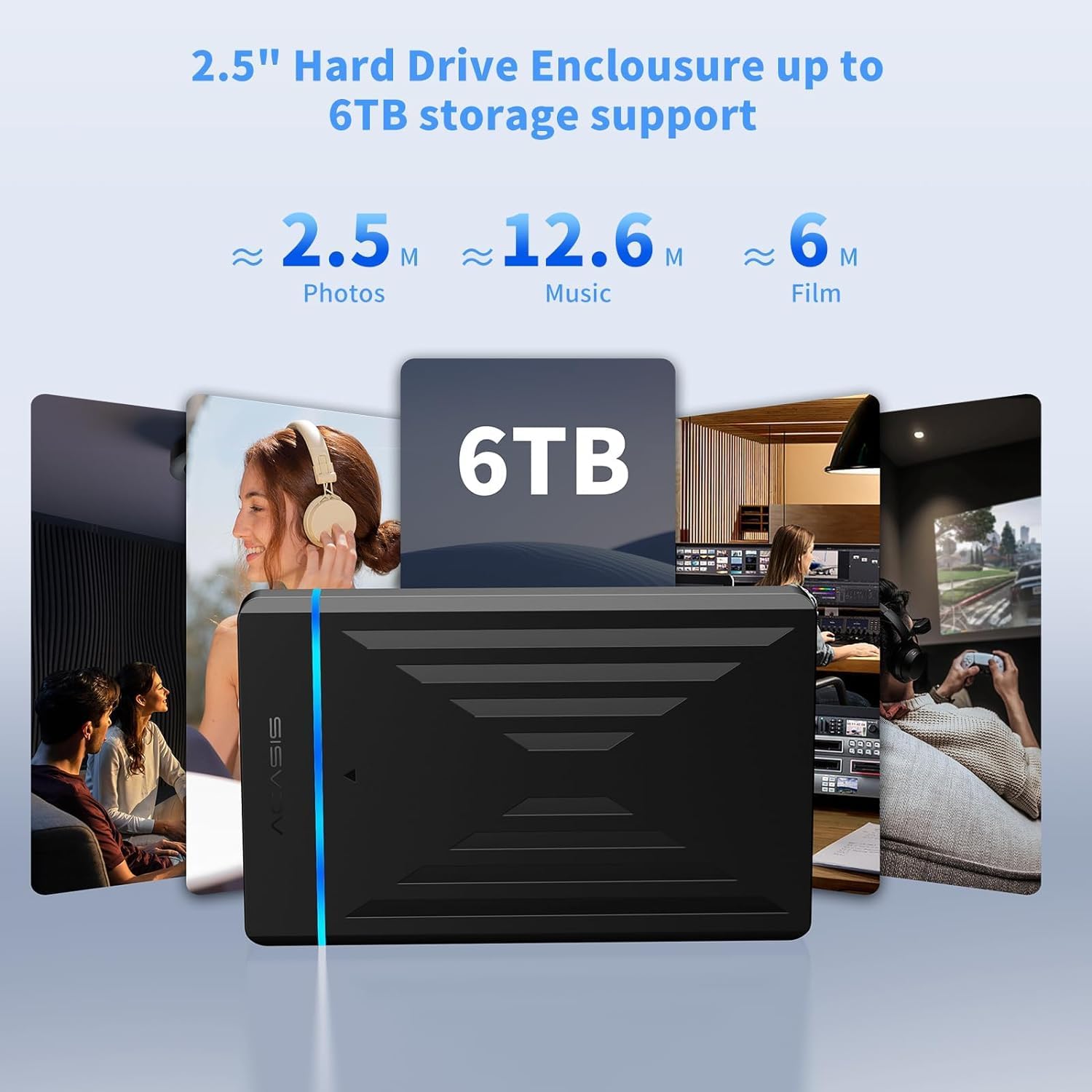
Image: The enclosure's capability to support up to 6TB of storage, illustrating the vast amount of photos, music, and films that can be stored.
การรับประกันและการสนับสนุน
ACASIS provides an รับประกัน 18 เดือน for this product, ensuring peace of mind regarding its quality and performance.
For technical assistance, customer service, or warranty claims, please contact ACASIS support:
- อีเมล: support@acasis.com
- เวลาให้บริการ : ตลอด 24 ชั่วโมง 7 วันต่อสัปดาห์
ACASIS is committed to 100% customer satisfaction and offers dedicated technical support to address any concerns you may have.