
1. บทนำ
This manual provides essential instructions for the safe operation and maintenance of your Cuifati S99 4K Camera Drone. Please read this manual thoroughly before operating the drone to ensure proper usage and to prevent damage or injury. Keep this manual for future reference.
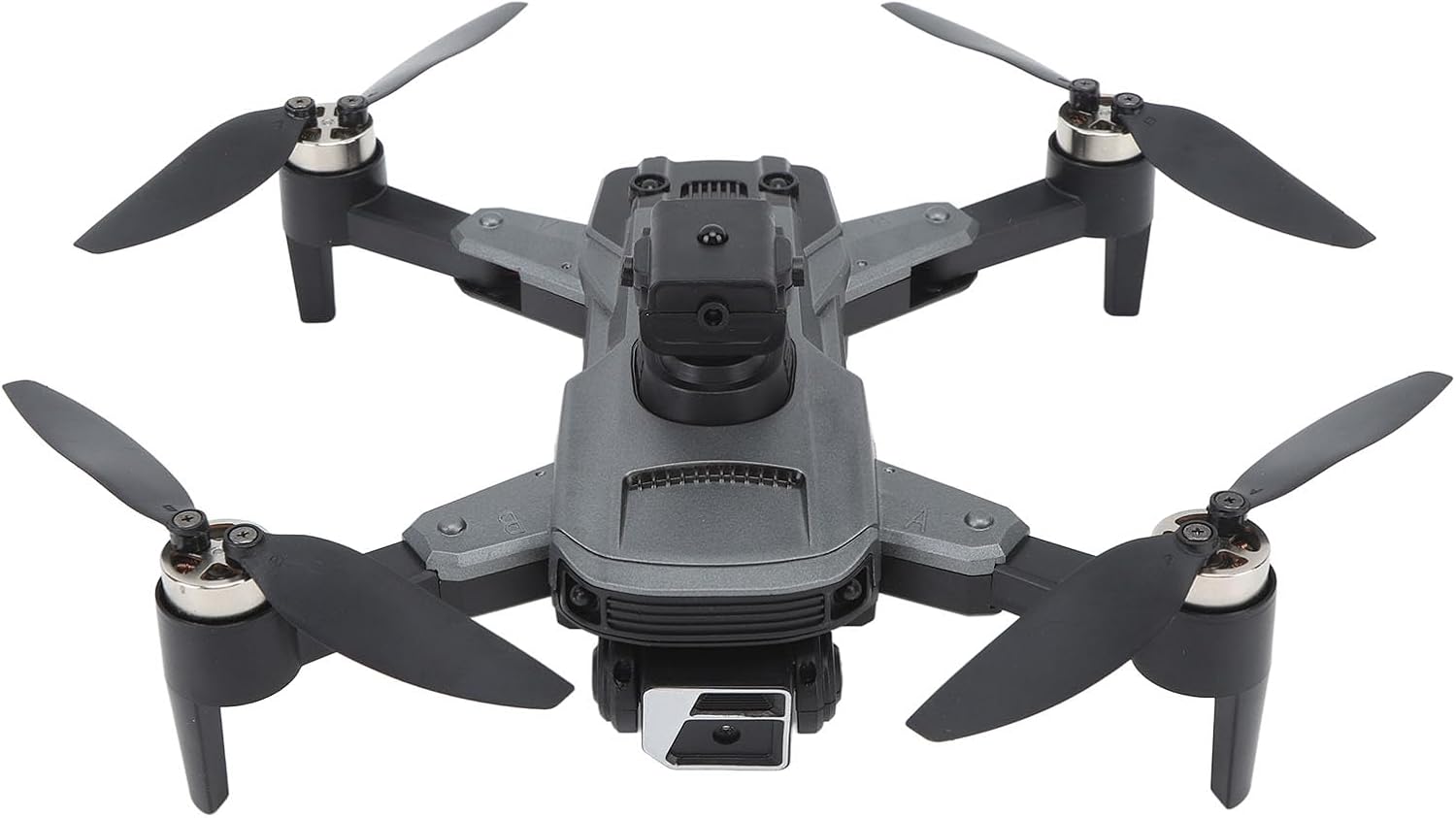
Image 1.1: The Cuifati S99 4K Camera Drone, showcasing its four propellers and central body with camera.
2. ข้อมูลด้านความปลอดภัย
Operating a drone requires attention to safety. Adhere to the following guidelines:
- การตรวจสอบก่อนบิน: Always inspect the drone, propellers, and battery before each flight.
- สภาพแวดล้อม : Avoid flying in strong winds, rain, or snow. Maintain clear line of sight.
- ความปลอดภัยของแบตเตอรี่: Use only approved batteries and chargers. Do not overcharge or puncture batteries.
- การหลีกเลี่ยงอุปสรรค: Utilize the drone's obstacle avoidance features, but always remain vigilant of surroundings.
- คำแนะนำด้านอายุ: ผลิตภัณฑ์นี้เหมาะสำหรับผู้ใช้ที่มีอายุ 14 ปีขึ้นไป
- เคารพความเป็นส่วนตัว: โปรดคำนึงถึงกฎหมายคุ้มครองความเป็นส่วนตัวเมื่อใช้ฟีเจอร์กล้องถ่ายรูป
3. เนื้อหาบรรจุภัณฑ์
ตรวจสอบว่ามีรายการทั้งหมดอยู่ในแพ็คเกจ:
- Cuifati S99 Drone
- รีโมทคอนโทรล
- แบตเตอรี่แบบชาร์จไฟได้
- สายชาร์จ USB
- ใบพัดสำรอง
- ไขควง
- คู่มือการใช้งาน

Image 3.1: Visual representation of the drone, remote control, battery, and accessories included in the package.
4. การตั้งค่า
4.1. การติดตั้งและการชาร์จแบตเตอรี่
- ตรวจสอบให้แน่ใจว่าโดรนปิดอยู่
- ค้นหาช่องใส่แบตเตอรี่บนโดรน
- Insert the modular battery firmly until it clicks into place.
- To charge, remove the battery and connect it to the USB charging cable. Connect the cable to a suitable USB power source. The charging indicator will show the charging status.

Image 4.1: Illustration of the modular battery being inserted into the drone, highlighting its easy installation and removal.
4.2. การติดตั้งใบพัด
If propellers are not pre-installed or need replacement, attach them according to the markings (A and B) on the propellers and motor arms. Use the provided screwdriver to secure them.
4.3. การตั้งค่าการควบคุมระยะไกล
- Install required batteries (not specified in product data, assume standard AA/AAA) into the remote control.
- Extend the phone holder on the remote control to mount your smartphone.
4.4. การติดตั้งแอพ
Download the official Cuifati drone application from your smartphone's app store (iOS or Android). This app is essential for accessing advanced features and real-time viewการไอเอ็นจี
5. คู่มือการใช้งาน
5.1. เปิดเครื่องและจับคู่
- วางโดรนไว้บนพื้นผิวเรียบ
- เปิดโดรน จากนั้นเปิดรีโมทคอนโทรล
- The drone and remote control will automatically pair. Refer to the remote control's indicator lights for pairing status.
- Open the drone app on your smartphone and connect to the drone's Wi-Fi network for real-time viewing and advanced controls.
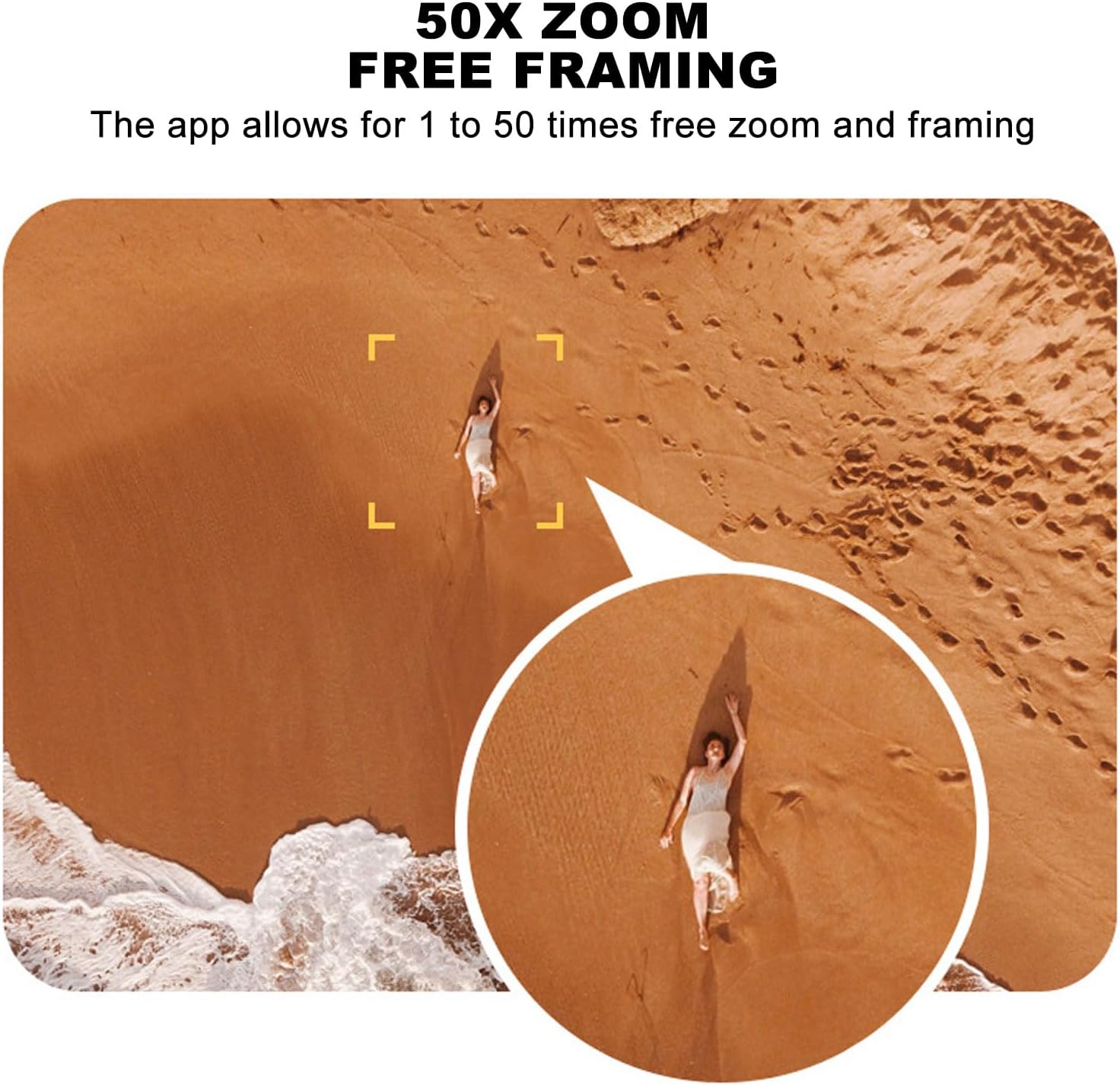
Image 5.1: A smartphone mounted on the remote control displaying real-time video feed from the drone's camera.
5.2. การขึ้นและลงจอด
- ขึ้นบินด้วยปุ่มเดียว: Press the designated one-key takeoff button on the remote control or in the app. The drone will automatically ascend to a safe hovering altitude.
- การลงจอดด้วยปุ่มเดียว: Press the designated one-key landing button. The drone will automatically descend and land.
5.3. การควบคุมการบิน
- รีโมทคอนโทรล: Use the joysticks on the remote control for directional flight (forward, backward, left, right, ascend, descend, rotate).
- การเหนี่ยวนำด้วยแรงโน้มถ่วง: In the app, activate gravity induction mode to control flight by tilting your smartphone.
- Optical Visual Hovering: The S99 drone features optical visual hovering, allowing it to maintain a stable position without constant throttle input.
- การหมุน 360 องศา: Execute aerial stunts with a single button press for a 360-degree roll.
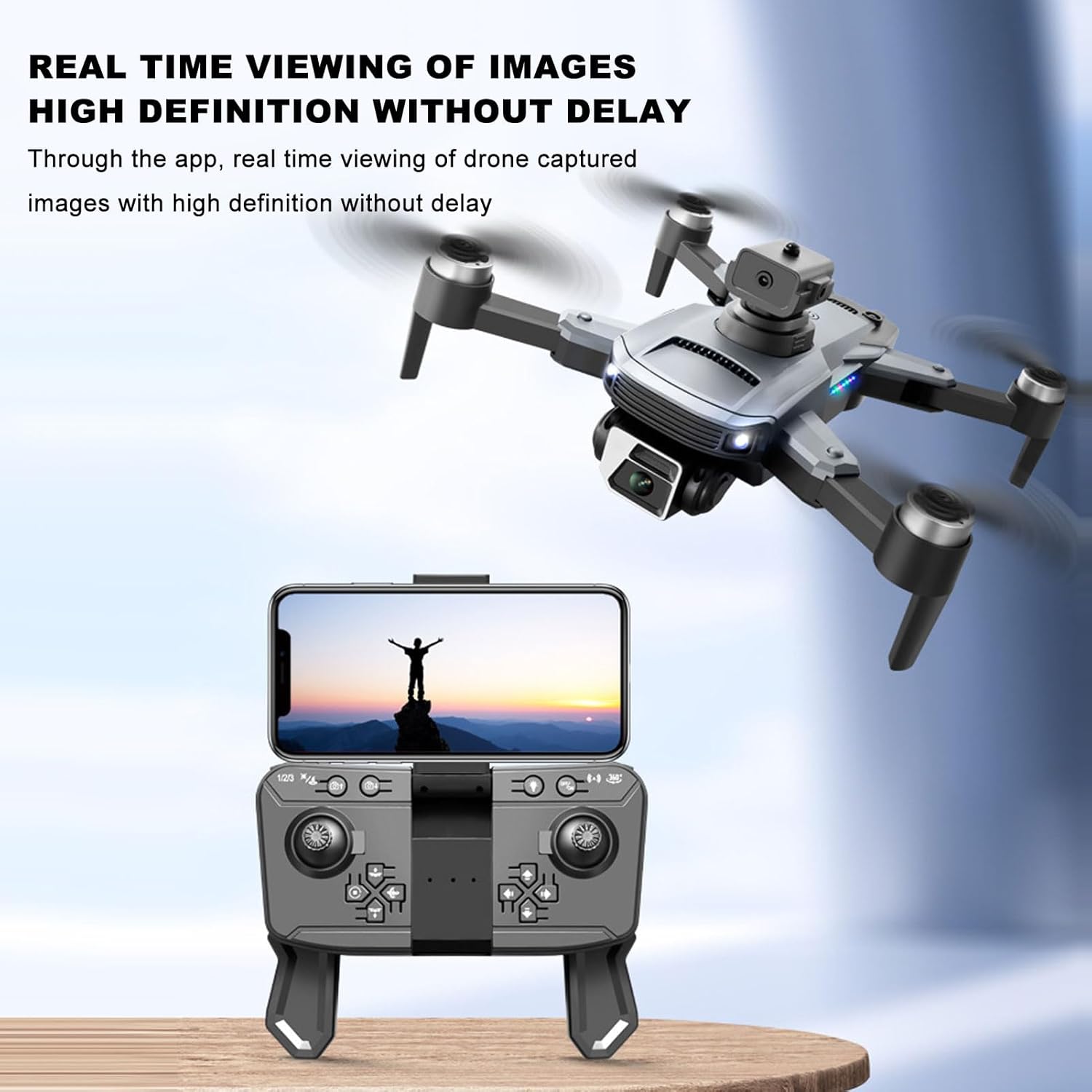
Image 5.2: A user demonstrating gravity induction control by tilting a smartphone to maneuver the drone.
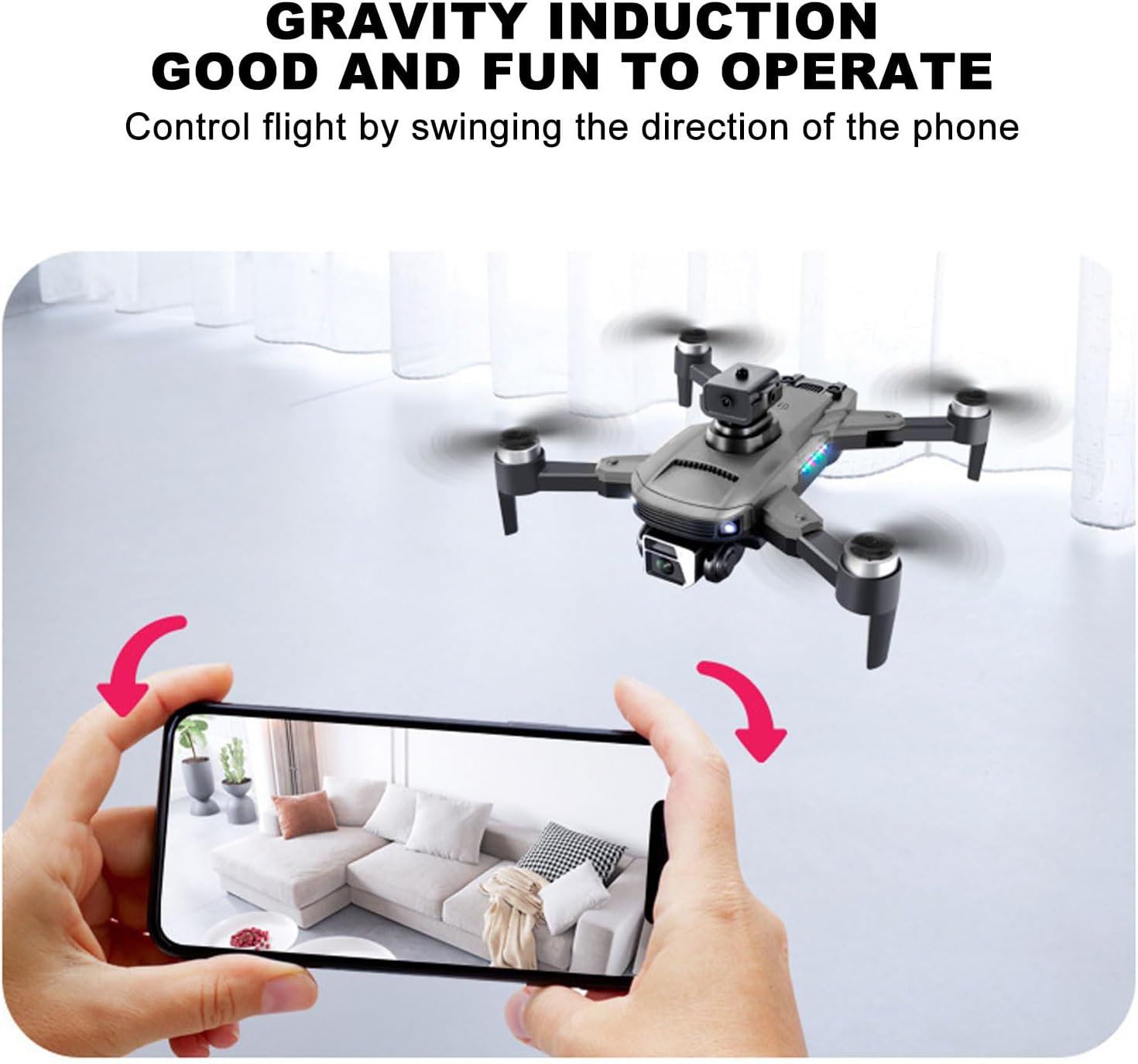
Image 5.3: Multiple drones performing a synchronized 360-degree roll, illustrating the stunt capability.
5.4. การทำงานของกล้อง
- 4K Dual Camera: The drone is equipped with a high-definition 4K camera.
- 90-Degree Electric Angle Adjustment: Adjust the camera angle remotely via the app or remote control.
- ซูมดิจิตอล 50 เท่า: Utilize the app to zoom up to 50 times for detailed shots.
- การถ่ายภาพด้วยท่าทาง: ใช้ท่าทางมือเฉพาะเพื่อเริ่มการถ่ายภาพหรือวิดีโอ
- Real-Time FPV: View อยู่ footagส่งภาพจากกล้องโดรนไปยังสมาร์ทโฟนของคุณโดยตรงผ่านแอปพลิเคชัน
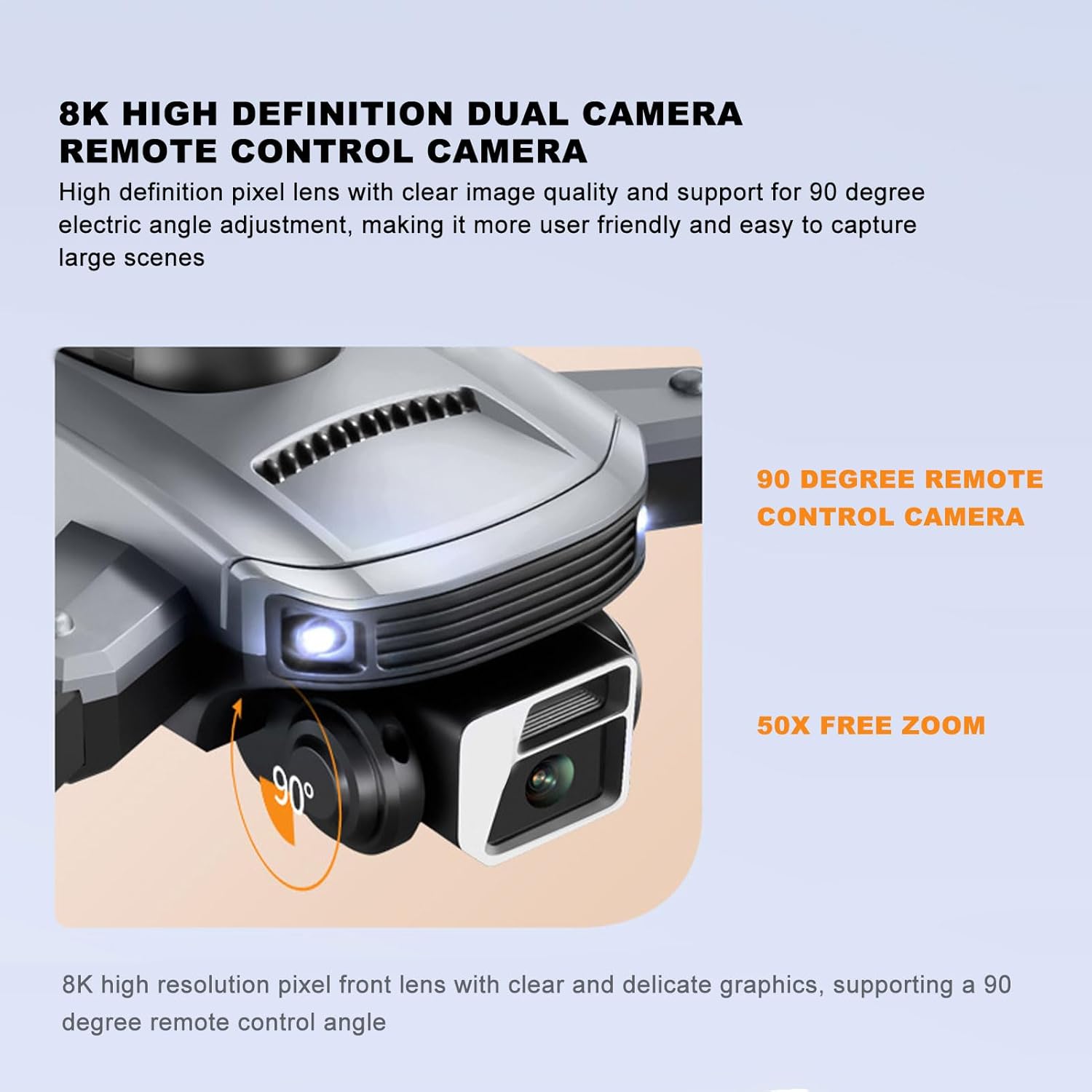
Image 5.4: Close-up of the drone's 4K camera, indicating its 90-degree remote control adjustment capability.
ภาพที่ 5.5: ภาพถ่ายทางอากาศ view demonstrating the 50x zoom feature, focusing on a person on a beach.
5.5. การหลีกเลี่ยงสิ่งกีดขวาง
The S99 drone is equipped with four-way obstacle avoidance sensors (front, rear, left, right) that automatically detect and intelligently avoid obstacles, enhancing flight safety.
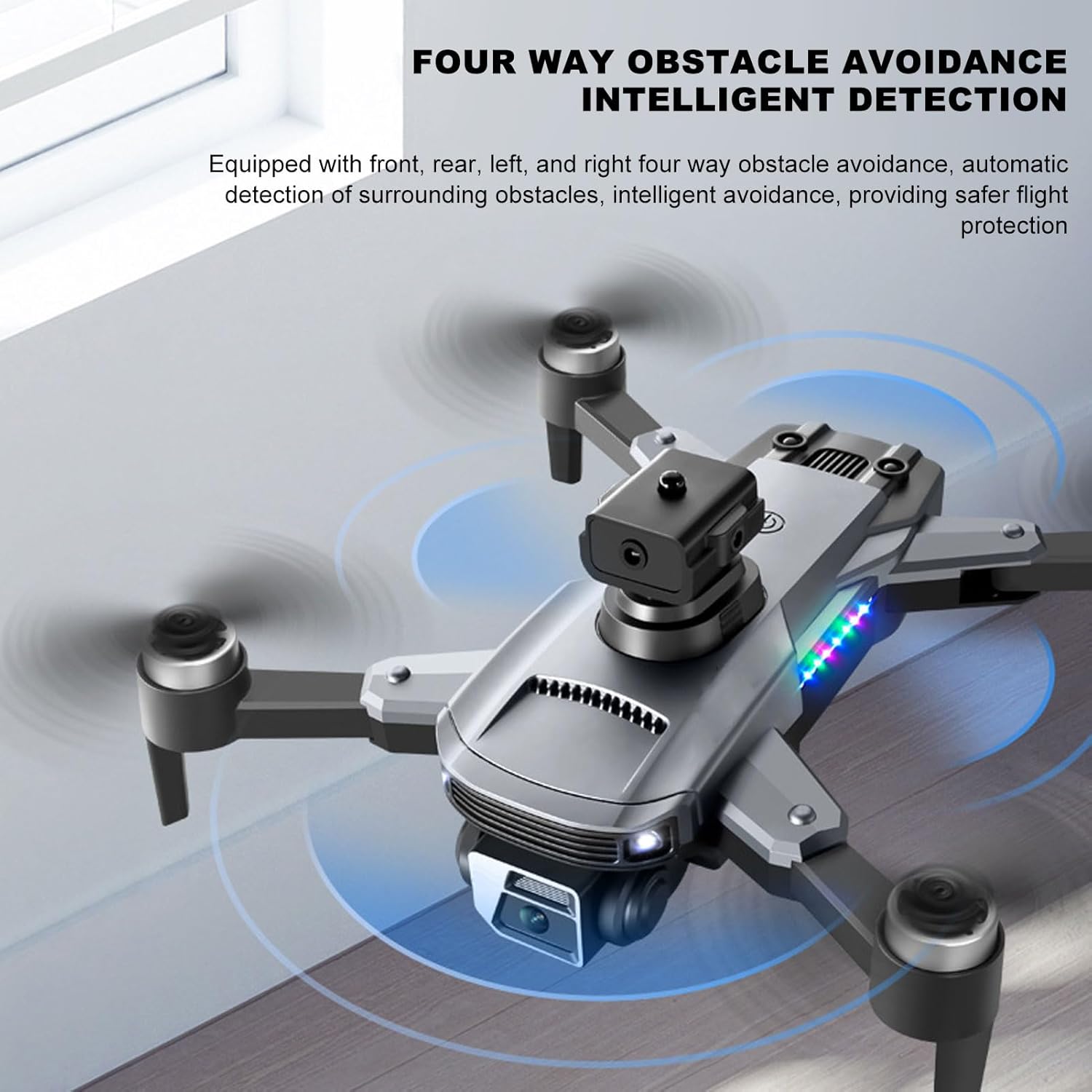
Image 5.6: The drone in flight with visual indicators of its four-way obstacle avoidance system detecting surrounding objects.
6. การบำรุงรักษา
- การทำความสะอาด: Gently wipe the drone body and camera lens with a soft, dry cloth. Avoid using liquids.
- การตรวจสอบใบพัด: Regularly check propellers for damage (cracks, bends). Replace damaged propellers immediately.
- การดูแลแบตเตอรี่ เก็บแบตเตอรี่ไว้ในที่แห้งและเย็น อย่าปล่อยให้แบตเตอรี่หมดเกลี้ยงเป็นเวลานาน
- พื้นที่จัดเก็บ: When not in use, store the drone and remote control in a protective case to prevent dust and physical damage.
7 การแก้ไขปัญหา
| ปัญหา | สาเหตุที่เป็นไปได้ | สารละลาย |
|---|---|---|
| โดรนไม่เปิดเครื่อง | Battery not installed correctly or discharged | ตรวจสอบให้แน่ใจว่าแบตเตอรี่ชาร์จเต็มและใส่เข้าไปอย่างถูกต้อง |
| Drone fails to pair with remote | Remote control or drone not powered on, or too far apart | Ensure both devices are on and within close proximity. Restart both if necessary. |
| Unstable flight or drifting | Propellers damaged, drone not calibrated, or strong wind | Check propellers for damage and replace if needed. Perform drone calibration as per app instructions. Avoid flying in windy conditions. |
| No real-time video feed | Smartphone not connected to drone's Wi-Fi, or app issue | Verify Wi-Fi connection. Restart the app and drone. |
| อายุการใช้งานแบตเตอรี่สั้น | แบตเตอรี่เสื่อมสภาพหรือชาร์จไม่ถูกต้อง | Ensure proper charging cycles. Consider replacing the battery if performance significantly degrades over time. |
8. ข้อมูลจำเพาะ
| คุณสมบัติ | รายละเอียด |
|---|---|
| ยี่ห้อ | กุยฟาติ |
| ชื่อรุ่น | CUIFATImu9824bk0w |
| ความละเอียดในการจับภาพวิดีโอ | 4K |
| เทคโนโลยีการเชื่อมต่อ | ยูเอสบี, ไวไฟ |
| ความจุของแบตเตอรี่ | 2000 มิลลิวินาทีamp ชั่วโมง |
| ส่วนประกอบของเซลล์แบตเตอรี่ | ลิเธียม |
| เทคโนโลยีการควบคุมระยะไกล | ความถี่วิทยุ 2.4 GHz |
| ระยะสูงสุด | 100 เมตร |
| น้ำหนักสินค้า | 1.14 ปอนด์ |
| ขนาดแพ็คเกจ | 10.12 x 7.05 x 3.7 นิ้ว |
| ระดับทักษะ | ระดับกลาง |
| รูปแบบภาพที่รองรับ | เจพีเจ |
| รูปแบบการจับภาพวิดีโอ | เอ็มพี 4 |
| เทคโนโลยีเซ็นเซอร์ออปติคัล | ซีมอส |
9. การรับประกันและการสนับสนุน
The Cuifati S99 4K Camera Drone comes with a 90-day warranty. For technical support, warranty claims, or further assistance, please contact Cuifati customer service or visit the official Cuifati store online.
Official Cuifati Store: Visit Cuifati Store

Image 9.1: The Cuifati brand logo, representing the manufacturer.