
สินค้าเกินview
The Raddy SP4 4W Portable Solar Panel is designed to provide efficient and reliable power for your devices in outdoor and emergency situations. Its compact, foldable design makes it highly portable, ensuring you have access to solar energy whenever needed.
- พลังงานแสงอาทิตย์ที่มีประสิทธิภาพ: Harness 4W of green energy with the SP4 portable solar panel, delivering a maximum output of 5V 0.8A for reliable charging.
- กะทัดรัดและพับได้: The versatile solar panel easily folds and is lightweight, making it a breeze to take along. When folded, it is a compact 3.9''x6.7''x0.7'', at just 4.2oz. It also has four holes for hanging on your bag, ensuring easy solar power access.
- ความเข้ากันได้ที่หลากหลาย: This emergency kit includes a 3-in-1 charging cable (micro USB, type-c, and lightning connectors), allowing you to charge a variety of devices such as mobile phones, emergency radios (e.g., SW10 SH-905 SW5 SL10), two-way radios, and portable shortwave radios. SP4 is an ideal expansion for your charging requirements.
- Essential Overlanding Companion: The SP4 is an ideal addition to your overlanding kit, ensuring a continuous power supply during outdoor adventures. Whether camping or facing unforeseen emergencies, the SP4 is a reliable companion to keep devices powered.
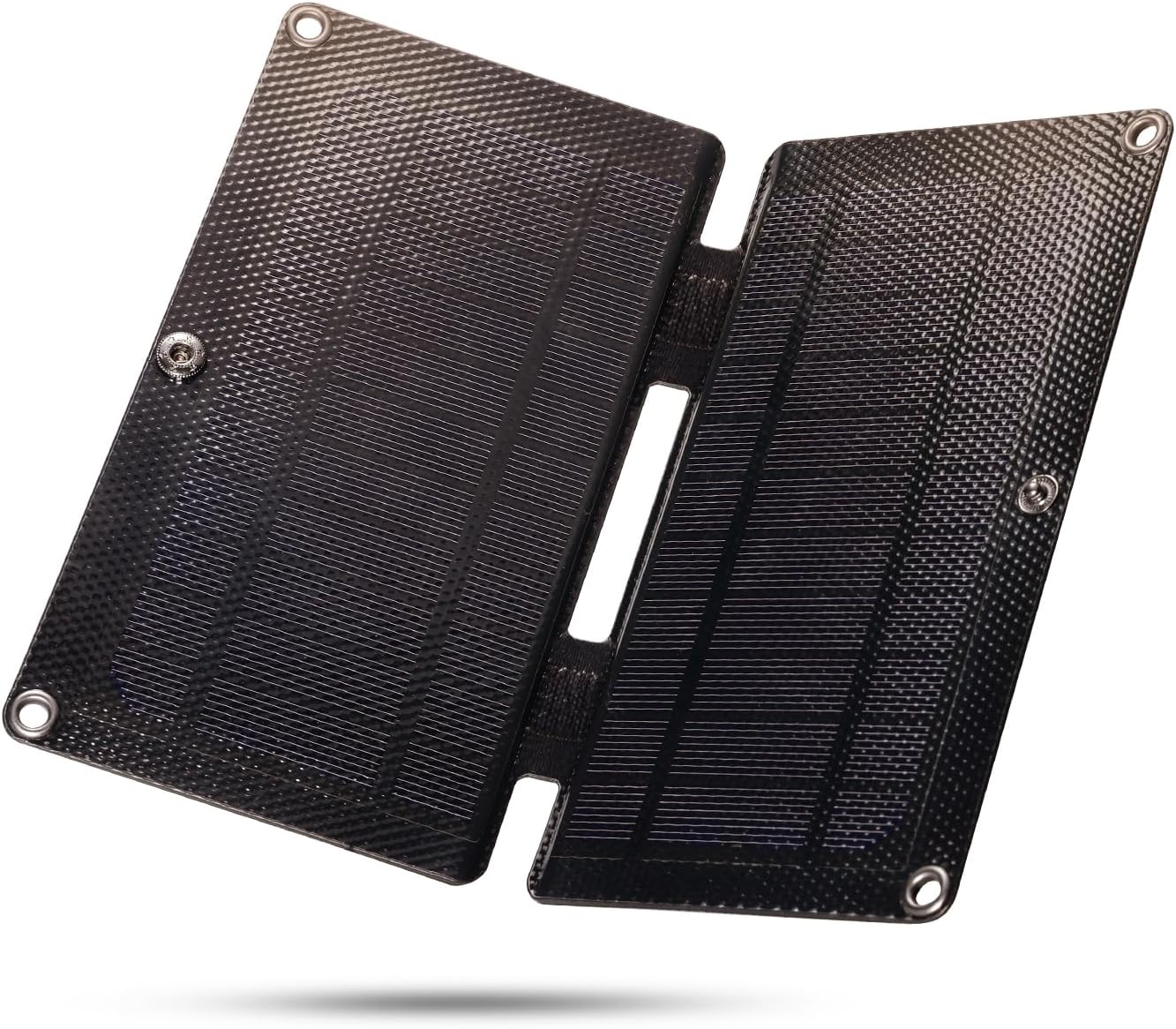
The Raddy SP4 portable solar panel in its compact, folded state, highlighting its small size and portability.
เนื้อหาแพ็คเกจ
- 1 x SP4 Solar Panel
- สายชาร์จ USB 3-in-1 จำนวน 1 เส้น
การตั้งค่า
การตั้งค่าเริ่มต้น
- Unfold the Raddy SP4 solar panel to expose the solar cells.
- Connect the integrated USB charging cable to the USB port on the solar panel.
- Position the solar panel in direct sunlight for optimal charging performance.
- Connect your device (e.g., mobile phone, emergency radio) to the appropriate connector on the 3-in-1 USB charging cable.

ภาพระยะใกล้ view of the Raddy SP4 solar panel's USB port with the 3-in-1 charging cable connected, showing the micro USB, Type-C, and Lightning connectors.
คำแนะนำการใช้งาน
Optimal Sunlight Exposure
For maximum charging efficiency, ensure the Raddy SP4 solar panel is positioned directly facing the sun. The panel converts sunlight into electrical energy, and direct exposure maximizes power output.
อุปกรณ์ชาร์จไฟ
Once connected and exposed to sunlight, the solar panel will begin charging your device. A small indicator light on the panel's USB output may illuminate to confirm power generation.
อัตราการชาร์จ
The Raddy SP4 delivers a maximum output of 5V 0.8A (4W). Charging times will vary depending on sunlight intensity, device battery capacity, and the device's current power consumption. This panel is designed for trickle charging and maintaining power, rather than rapid charging.

The Raddy SP4 solar panel shown connected to and charging various compatible devices, including a mobile phone, power bank, emergency radio, and shortwave radio.

A person hiking with the Raddy SP4 solar panel attached to their backpack, demonstrating its portability and ability to charge on the go.
A video demonstrating the charging capability of a 5V 6W solar panel, showing it connected to a smartphone and indicating charging status.
A short video clip demonstrating the ease of use of a solar panel by simply placing it in direct sunlight to initiate charging.
การซ่อมบำรุง
การดูแลรักษาและการเก็บรักษา
- การทำความสะอาด: ควรเช็ดทำความสะอาดพื้นผิวแผงโซลาร์เซลล์เป็นประจำด้วยผ้าเนื้อนุ่มและแห้งamp cloth to remove dust and debris, ensuring optimal sunlight absorption. Avoid abrasive cleaners.
- พื้นที่จัดเก็บ: เมื่อไม่ได้ใช้งาน ให้พับแผงโซลาร์เซลล์และเก็บไว้ในที่แห้งและเย็น หลีกเลี่ยงแสงแดดโดยตรงและอุณหภูมิที่สูงหรือต่ำเกินไป
- การจัดการ: While durable, avoid dropping the panel or subjecting it to excessive force to prevent damage to the solar cells.
การแก้ไขปัญหา
อุปกรณ์ไม่ชาร์จ
- แสงแดดโดยตรง: Ensure the solar panel is in direct, unobstructed sunlight. Shading, even partial, can significantly reduce efficiency.
- การเชื่อมต่อสายเคเบิล: Verify that the USB cable is securely connected to both the solar panel and your device.
- ความเข้ากันได้ของอุปกรณ์: Confirm your device is compatible with 5V 0.8A (4W) charging.
- ไม่มีแบตเตอรี่ภายใน: The Raddy SP4 does not have an internal battery to store power. It generates power only when exposed to sunlight. Charging will cease when sunlight is removed.
Low Charging Rate
- ความเข้มของแสงแดด: Charging efficiency is directly related to sunlight intensity. Overcast conditions or indirect light will result in slower charging.
- มุมแผง: Adjust the angle of the panel to be perpendicular to the sun's rays for maximum output.
- Device Power Requirements: Some devices require higher power input than the SP4 can provide for fast charging. The SP4 is best suited for maintaining charge or slow charging.
An instructional video explaining how solar cells generate power and the importance of a battery for storing energy, demonstrating the difference between direct solar power and battery-stored solar power for running a motor.
A video demonstrating a home project involving powering a motor with a solar cell, illustrating how solar panels convert light into electrical energy.
ข้อมูลจำเพาะ
| ยี่ห้อ | แรดดี้ |
| แบบอย่าง | SP4 |
| พลังสูงสุด | 4 วัตต์ |
| ปริมาณสูงสุดtage | 5 โวลต์ |
| กระแสไฟของอะแดปเตอร์ AC | 0.8 Amps |
| ขนาดสินค้า (พับ) | 3.9''L x 6.7''W x 0.7''H (100x170x17mm) |
| ขนาดสินค้า (กางออก) | 7.9''L x 6.7''W x 0.4''H (200x170x10mm) |
| น้ำหนักสินค้า | 4.2 ออนซ์ (120ก.) |
| วัสดุ | Aluminum, Polycrystalline Silicon, Tempered Glass |
| คุณสมบัติพิเศษ | พกพาได้ |
| คะแนนอุณหภูมิบน | 55 องศาเซลเซียส |
| ส่วนประกอบที่รวมอยู่ | SP4 Solar Panel, 3-in-1 USB Charging Cable |
การรับประกันและการสนับสนุน
For warranty details and customer support, please refer to the official Raddy webหรือติดต่อผู้ค้าปลีกของคุณ โปรดเก็บหลักฐานการซื้อไว้เพื่อใช้ในกรณีที่ต้องการเคลมประกัน