
การแนะนำ
This manual provides detailed instructions for the UGREEN HDMI Switch 5 in 1 Out, Model CM568. This device allows you to connect up to five HDMI source devices to a single HDMI display, offering seamless switching between inputs. It supports high-resolution video up to 4K@60Hz, including 3D, CEC, HDR, and HDCP2.2, ensuring a high-quality visual and audio experience.
เนื้อหาแพ็คเกจ
- 1 x UGREEN HDMI Switch (Model CM568)
- 1 x รีโมทคอนโทรล
- สายไฟ 1 x USB
- 1 x คู่มือผู้ใช้
สินค้าเกินview

Product Features in Action
วิดีโอนี้มีเนื้อหาเกี่ยวกับview of the UGREEN HDMI Switch 5 in 1 Out 4K@60Hz, demonstrating its design and functionality.
คุณสมบัติผลิตภัณฑ์
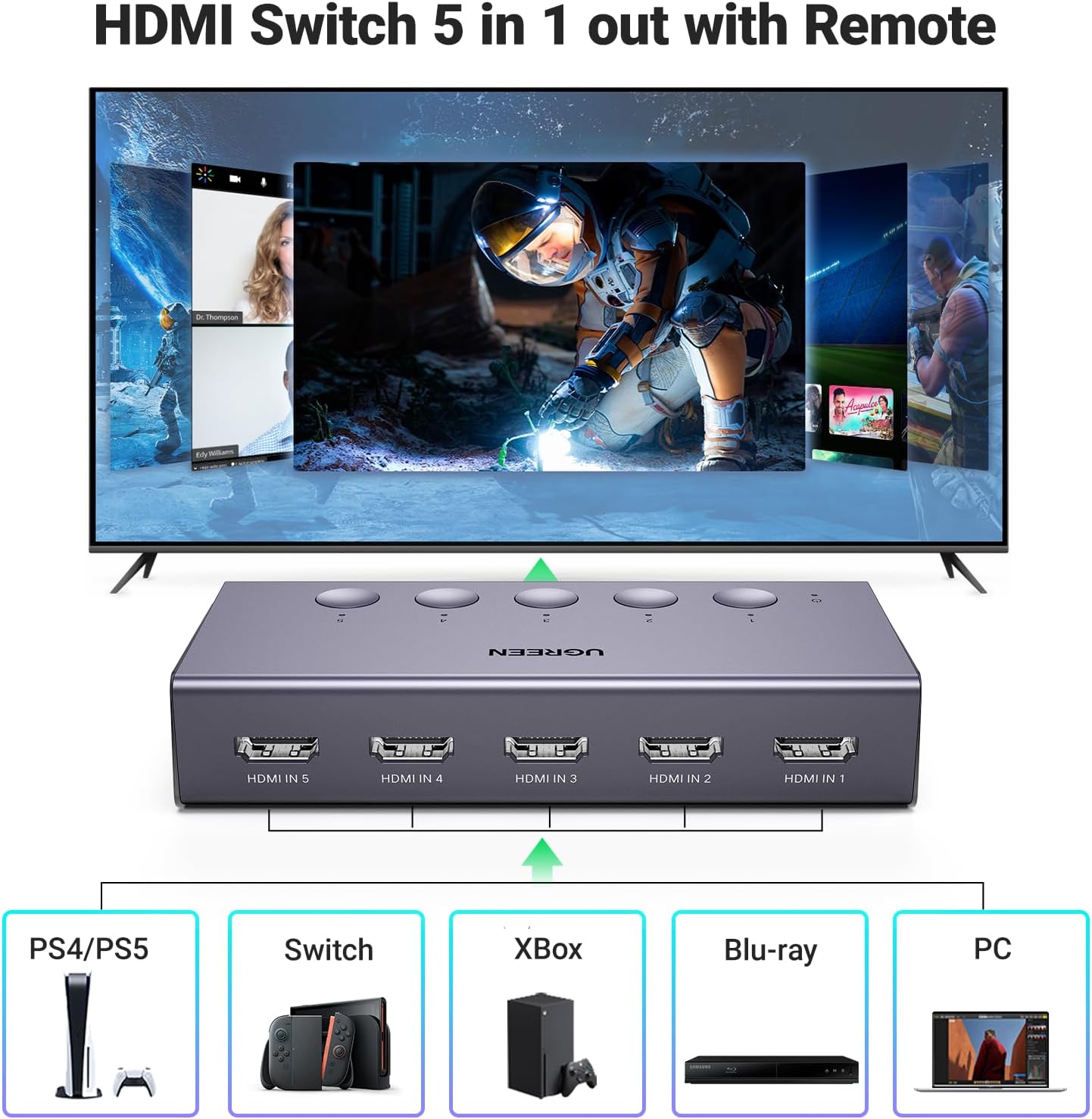
- 5-in-1 HDMI Switching: Connect up to five HDMI source devices (e.g., PS5, Xbox, Nintendo Switch, Blu-ray players, Fire TV stick, PC, laptop) to a single HDMI display.
- ความละเอียด 4K@60Hz: Supports resolutions up to 4K@60Hz, with backward compatibility for 4K@30Hz, 2560*1440@120Hz, and 1920*1080@240Hz.
- เทคโนโลยีวิดีโอขั้นสูง: Compatible with HDMI 2.0/1.4, HDCP2.2/1.4, VRR, Dynamic HDR, 3D, and CEC.
- แบนด์วิดธ์สูง: Supports 18Gbps data transmission for fast and stable video.
- ใช้พลังงานจาก USB: Ensures stable video transmission and better performance. A USB power cable is included (power adapter not included).
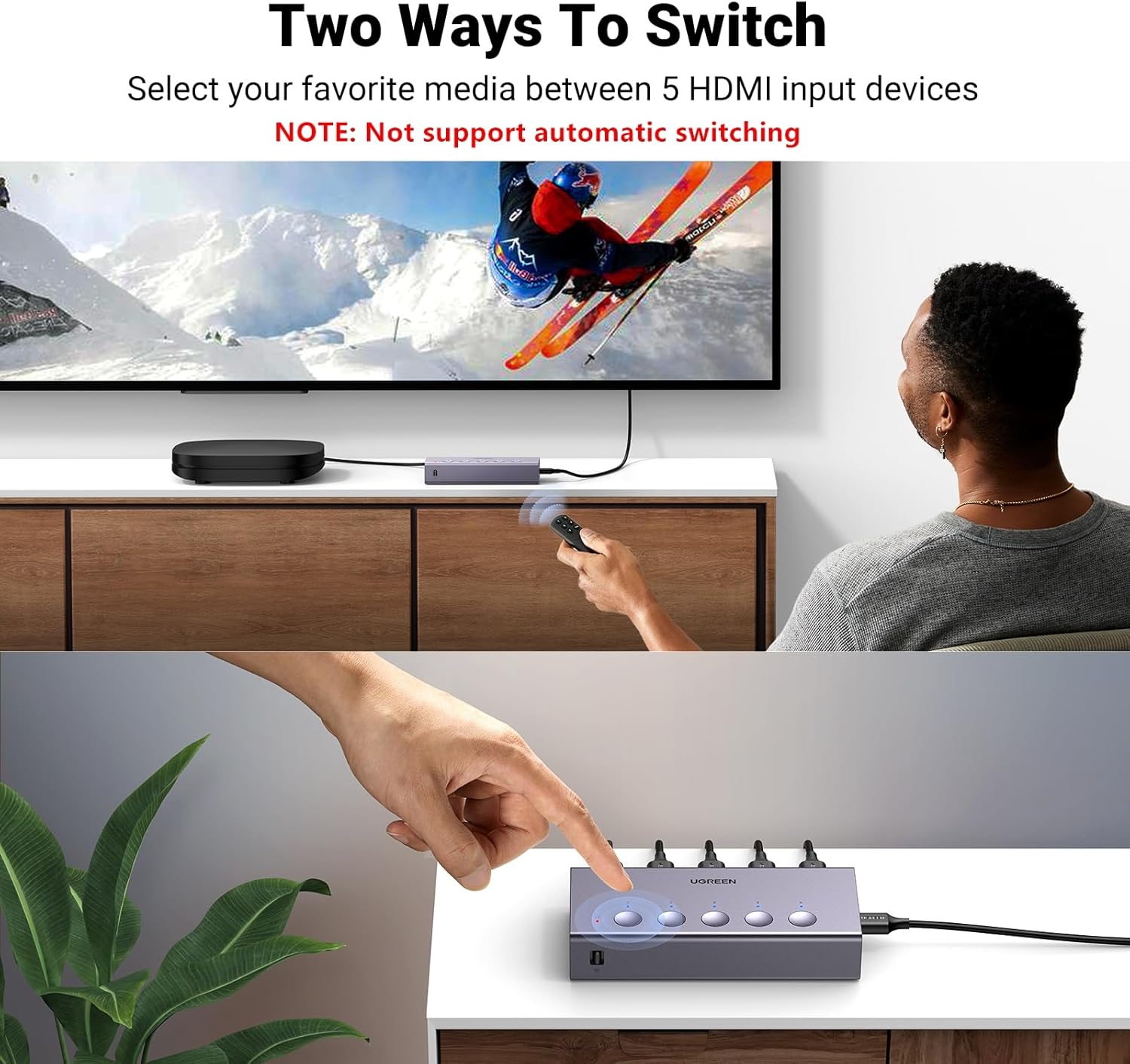
- วิธีการสลับการทำงานแบบคู่: Switch inputs using either the manual buttons on the device or the included remote control.
- ไฟ LED แสดงสถานะ: Five LED indicators clearly show which input port is currently active.


คำแนะนำการตั้งค่า
- เชื่อมต่ออุปกรณ์แหล่งสัญญาณ HDMI: Plug your HDMI source devices (e.g., gaming consoles, Blu-ray players, streaming sticks) into the HDMI IN 1-5 ports on the UGREEN HDMI Switch.
- เชื่อมต่อกับจอแสดงผล: Connect one end of an HDMI cable to the HDMI OUT port on the switch and the other end to an HDMI input port on your TV or monitor.
- ให้พลัง: Connect the included USB power cable to the USB-C Power Port on the switch and plug the other end into a USB power source (e.g., a USB wall adapter, TV USB port). Ensure the switch is connected to a power source for proper operation.

วิดีโอสาธิตการติดตั้ง
This video demonstrates the physical setup and connection process for the UGREEN HDMI Switch 5 in 1 Out.
คำแนะนำการใช้งาน
การสลับอินพุต
The UGREEN HDMI Switch offers two convenient methods for switching between your connected HDMI devices:
- Manual Button Switch: Press the corresponding numbered button (1-5) on the top of the switch to select your desired input. The LED indicator above the button will light up to show the active input.
- รีโมทคอนโทรล: Use the included remote control to switch inputs from a distance. Press the numbered buttons (1-5) to directly select an input, or use the 'Next' button to cycle through the inputs sequentially.
การใช้งานรีโมทคอนโทรล
For optimal performance, ensure the remote control is used within a 55-degree angle of the switch's IR receiver. The effective control range is within 33 feet (10 meters).

Operating the Switch with Remote
This video demonstrates how to operate the UGREEN HDMI Switch using the remote control to switch between connected devices.
ข้อมูลจำเพาะ
| คุณสมบัติ | คำอธิบาย |
|---|---|
| หมายเลขรุ่น | CM568 |
| สี | สีเทา |
| ประเภทขั้วต่อ | HDMI เข้ากับ HDMI |
| จำนวนพอร์ต | 5 อินพุต, 1 เอาท์พุต |
| ความละเอียดสูงสุด | 4K@60Hz |
| ความเข้ากันได้แบบย้อนกลับ | 4K@30Hz, 2560*1440@120Hz, 1920*1080@240Hz |
| มาตรฐาน HDMI | HDMI 2.0/1.4, HDCP2.2/1.4 |
| เทคโนโลยีที่รองรับ | VRR, Dynamic HDR, 3D, CEC |
| แบนด์วิดท์การส่งข้อมูล | 18Gbps |
| แหล่งพลังงาน | USB Powered (USB power cable included, adapter not included) |
| ขนาดสินค้า (ลึก x กว้าง x สูง) | ลึก 4.98 นิ้ว x กว้าง 2.31 นิ้ว x สูง 0.96 นิ้ว |
Recommended HDMI Cable Specifications

การแก้ไขปัญหา
- ไม่มีเอาต์พุต 4K@60Hz: Ensure that both the input and output HDMI cables are within 3 meters (9 feet) and are AWG30 standard. Longer or lower-quality cables may not support 4K@60Hz.
- ไม่มีสัญญาณ/สัญญาณขาดๆ หายๆ: Verify that the HDMI switch is properly connected to a power source using the provided USB power cable. A stable power supply is crucial for optimal performance.
- No Audio Return Channel (ARC/eARC) Support: This HDMI switch does not support ARC or eARC functionalities. If you require ARC/eARC, please ensure your setup bypasses the switch for these features.
- No Automatic Switching: The UGREEN HDMI Switch does not support automatic input switching. Inputs must be selected manually using either the physical buttons on the device or the remote control.
การรับประกันและการสนับสนุน
The UGREEN HDMI Switch (Model CM568) comes with a รับประกัน 24 เดือน. For any technical support or warranty claims, please contact UGREEN customer service through their official channels or the retailer where the product was purchased.