
1. บทนำ
Thank you for choosing the Starfavor SP-15SW 88-Key Digital Piano Keyboard. This instrument is designed to provide an authentic piano playing experience with modern digital features. It is suitable for beginners and experienced musicians alike, offering a rich sound palette and versatile connectivity options.
คุณสมบัติที่สำคัญ ได้แก่:
- 88 full-size, velocity-sensitive, semi-weighted keys for a traditional grand piano feel.
- Powered by DREAM source with dual built-in 25W speakers for immersive sound.
- 128 polyphony, 128 timbres, 83 rhythms, and 47 demonstration songs.
- Functions such as Chord, Metronome, Transpose, Effect control, Dynamics response, and Tempo adjustment.
- Multiple connectivity options: USB MIDI, 6.35mm headphone jack, 5-pin jack, and Aux ports.
- Classic upright piano design with a stylish wood grain pattern and furniture stand.
2. ข้อมูลด้านความปลอดภัย
Please read and understand all safety instructions before using the instrument to prevent injury to yourself or others and damage to the instrument or other property.
- แหล่งจ่ายไฟ: ใช้เฉพาะอะแดปเตอร์ไฟฟ้าที่ระบุเท่านั้น ตรวจสอบให้แน่ใจว่าระดับเสียงtage ตรงกับข้อกำหนดของภูมิภาคของคุณ
- น้ำและความชื้น: Do not expose the instrument to water or moisture. Avoid placing liquids on or near the piano.
- การระบายอากาศ : ตรวจสอบให้แน่ใจว่ามีการระบายอากาศที่เพียงพอรอบๆ เครื่องมือ อย่าปิดกั้นช่องระบายอากาศ
- แหล่งความร้อน: Keep the instrument away from heat sources such as radiators, heat registers, stoves, or other heat-producing appliances.
- การทำความสะอาด: ทำความสะอาดด้วยผ้าแห้งเท่านั้น ห้ามใช้น้ำยาทำความสะอาดหรือสเปรย์
- เด็ก: Supervise children when they are using the instrument. Small parts may pose a choking hazard.
- การบริการ: อย่าพยายามซ่อมแซมเครื่องมือด้วยตนเอง โปรดส่งต่อเครื่องมือให้กับช่างผู้ชำนาญการเท่านั้น
3. เนื้อหาบรรจุภัณฑ์
Before assembly and operation, please verify that all items listed below are present in your package:
- Starfavor SP-15SW 88-Key Digital Piano Keyboard
- ขาตั้งเฟอร์นิเจอร์
- 3-Pedal Unit (Sustain, Sostenuto, Soft)
- ผู้ถือเพลง
- อะแดปเตอร์แปลงไฟ
- คู่มือการใช้งาน (เอกสารนี้)
4. การตั้งค่า
Follow these steps to set up your Starfavor SP-15SW digital piano:
4.1. Assembling the Furniture Stand
Carefully unpack all components. Assemble the furniture stand according to the included diagram, ensuring all screws are securely tightened. Place the digital piano keyboard onto the assembled stand, aligning it properly and securing it if necessary with any provided fasteners.

Figure 4.1: Starfavor SP-15SW digital piano with furniture stand, illustrating its dimensions and wood grain finish.
4.2. การเชื่อมต่อพลังงาน
Connect the DC power cord to the 'DC IN' port on the rear of the piano. Plug the other end into a suitable power outlet. The power indicator light will illuminate when the piano is receiving power.
4.3. Connecting the 3-Pedal Unit
Locate the 'PEDAL' port on the rear panel of the piano. Connect the cable from the 3-pedal unit to this port. Ensure the connection is firm.
4.4. การเชื่อมต่อเสียง
- หูฟัง: For private practice, connect 6.35mm headphones to the 'HEADPHONE' jack.
- ลำโพงภายนอก/Ampเครื่องฟอก: Use the 'OUT' ports (L/MONO, R) to connect to external amplification systems or speakers.
4.5. การเชื่อมต่อ MIDI และ USB
The SP-15SW offers versatile connectivity for music production and learning:
- ยูเอสบี MIDI: Connect the piano to a computer or smart device using a USB cable for MIDI data transmission. This allows for use with various music software, DAWs, and interactive learning applications.
- 5-pin MIDI: The 5-pin MIDI IN/OUT ports allow connection to traditional MIDI devices.

Figure 4.2: Rear panel connections of the Starfavor SP-15SW digital piano.
5. คู่มือการใช้งาน
This section details the basic operation and advanced features of your digital piano.
5.1. เปิด/ปิดเครื่องและปรับระดับเสียง
- พลัง: Press the 'POWER' button to turn the instrument on or off.
- ปริมาณ: Use the 'MASTER VOLUME' knob to adjust the overall sound output level.
5.2. การเลือกเสียง
The SP-15SW offers 128 different timbres (voices). Use the dedicated 'VOICE SELECT' buttons or the function button combined with specific keys to choose from various instrument sounds, including:
- เปียโน
- เปียโนไฟฟ้า
- ออร์แกน
- ซินธ์
- เบส
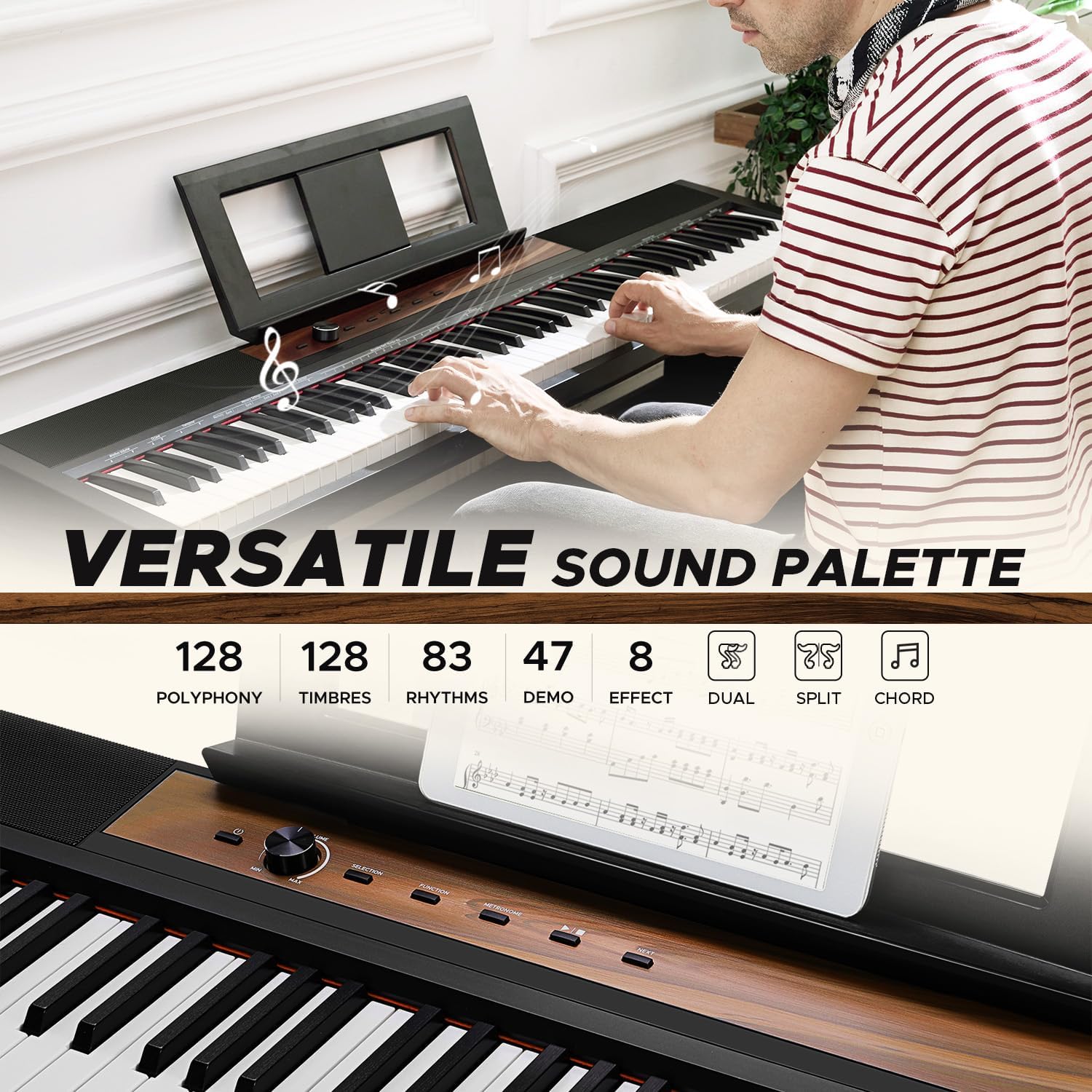
Figure 5.1: Control panel with voice selection and feature buttons.
5.3. Rhythms and Demonstration Songs
- จังหวะ: Select from 83 built-in rhythms to accompany your playing. Adjust the tempo using the 'TEMPO' function.
- เพลงสาธิต: Explore 47 pre-recorded demonstration songs by pressing the 'DEMO' button.
5.4. Effects and Functions
Enhance your sound with various effects and functions:
- เสียงสะท้อน/ประสานเสียง: Apply reverb and chorus effects to add depth and richness to your sound.
- เครื่องเมตรอนอม: Use the built-in metronome for timing practice. Adjust the tempo and beat.
- การเปลี่ยนตำแหน่ง: Change the key of the entire keyboard without altering your finger positions.
- Dynamics Response: Adjust the touch sensitivity of the keys to match your playing style.
- บันทึก: Record your performances directly on the piano.
- คอร์ด: Utilize chord functions for automatic accompaniment.
5.5. Lesson Mode
The 'LESSON' mode divides the keyboard into two areas with the same pitch and voice, allowing a student and teacher to play simultaneously in the same octave range. This feature is ideal for interactive learning.
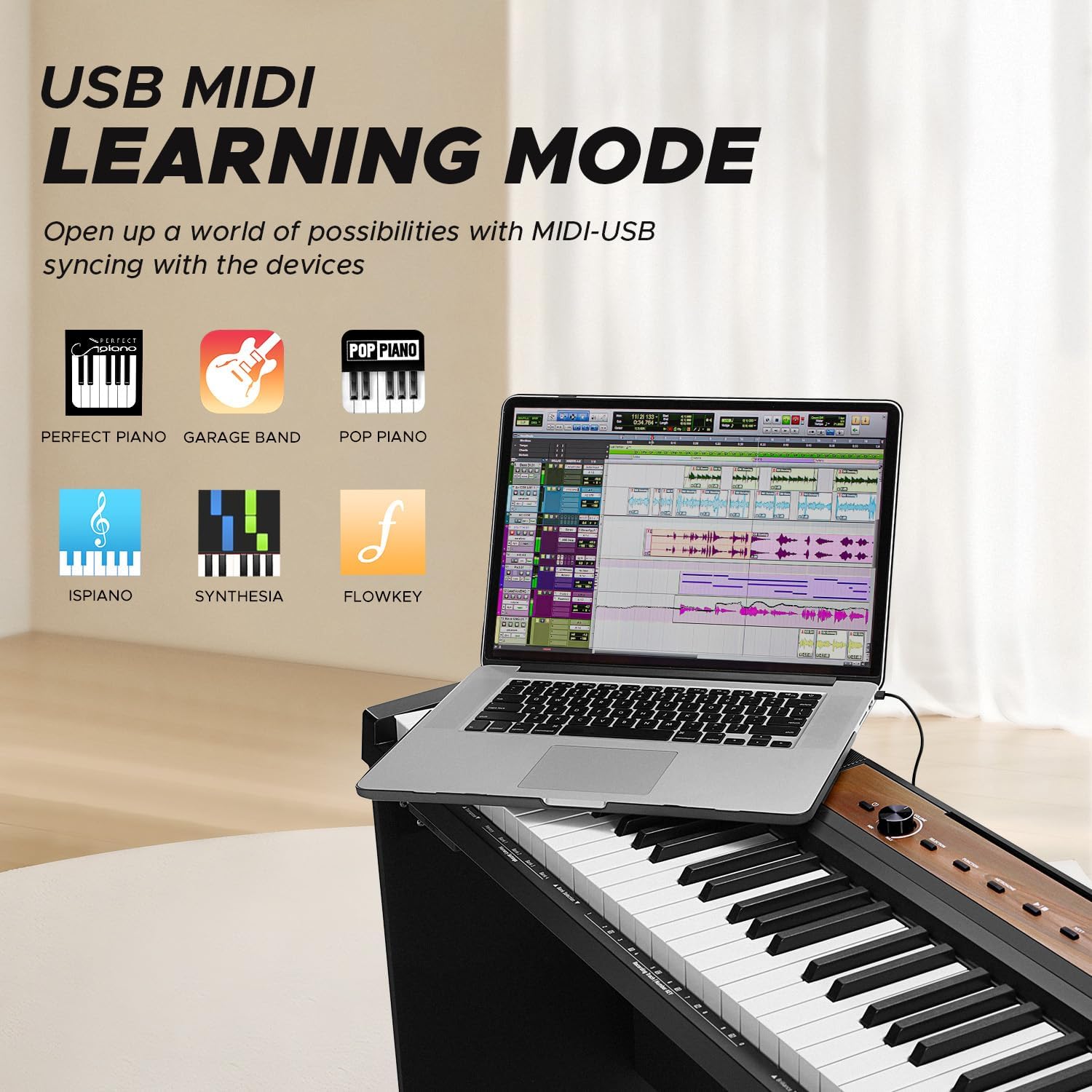
Figure 5.2: The SP-15SW supports learning modes and MIDI connectivity for educational software.
6. การบำรุงรักษา
Proper care and maintenance will ensure the longevity and optimal performance of your digital piano.
6.1. การทำความสะอาด
- ใช้ผ้าแห้งนุ่มเช็ดทำความสะอาดพื้นผิวเปียโน
- สำหรับสิ่งสกปรกฝังแน่น ให้เช็ดออกเล็กน้อยampชุบผ้าด้วยน้ำและน้ำยาทำความสะอาดอ่อนๆ ที่ไม่ทำให้เกิดรอยขีดข่วน แล้วเช็ดให้แห้งทันที
- ควรหลีกเลี่ยงการใช้น้ำยาทำความสะอาดเคมี แว็กซ์ หรือตัวทำละลาย เนื่องจากอาจทำให้พื้นผิวเสียหายได้
- Do not allow dust or debris to accumulate between the keys. Use a soft brush or compressed air if necessary.
6.2. การจัดเก็บและการจัดการ
- เก็บเปียโนไว้ในที่แห้งและเย็น หลีกเลี่ยงแสงแดดโดยตรง อุณหภูมิที่สูงหรือต่ำเกินไป และความชื้นสูง
- ควรหลีกเลี่ยงการวางสิ่งของหนักๆ บนแป้นพิมพ์
- When moving the piano, ensure it is properly supported to prevent damage to the keys or internal components.
7 การแก้ไขปัญหา
If you encounter any issues with your Starfavor SP-15SW, please refer to the following common problems and solutions before contacting support.
| ปัญหา | สาเหตุที่เป็นไปได้ | สารละลาย |
|---|---|---|
| ไม่มีเสียง | Power not connected, volume too low, headphones connected, external speakers off. | Check power connection, increase master volume, disconnect headphones, ensure external speakers are on and connected correctly. |
| กุญแจไม่ตอบสนอง | Instrument not powered on, specific voice selected has no sound, MIDI connection issue. | Ensure piano is on, select a different voice (e.g., 'Piano'), check MIDI connections if using external software. |
| เสียงมีการบิดเบือน | Volume too high, faulty cable, external speaker issue. | Reduce master volume, try a different audio cable, test with different speakers or headphones. |
| แป้นเหยียบใช้งานไม่ได้ | ชุดแป้นเหยียบไม่ได้เชื่อมต่ออย่างถูกต้อง | Ensure the 3-pedal unit is securely connected to the 'PEDAL' port. |
| MIDI connection issues | สายเคเบิลไม่ถูกต้อง ปัญหาไดรเวอร์ การตั้งค่าซอฟต์แวร์ | Use a proper USB MIDI cable, install necessary drivers for your computer, check MIDI input/output settings in your software. |
8. ข้อมูลจำเพาะ
| คุณสมบัติ | รายละเอียด |
|---|---|
| ชื่อรุ่น | SP-15SW |
| จำนวนคีย์ | 88 |
| ประเภทกุญแจ | Semi-Weighted, Velocity-Sensitive, Full-Size |
| โพลีโฟนี | 128 หมายเหตุ |
| ลำโพง | ลำโพงคู่ขนาด 25 วัตต์ในตัว |
| Timbres (Voices) | 128 |
| จังหวะ | 83 |
| เพลงสาธิต | 47 |
| การเชื่อมต่อ | USB MIDI, 6.35mm Headphone Jack, 5-pin Jack, Aux Ports |
| แหล่งพลังงาน | สายไฟ DC |
| คุณสมบัติพิเศษ | Built-In Speaker, Digital Effects, Headphone Jack, Recording, Split Mode, Lesson Mode |
| Dimensions (Piano only) | ขนาดโดยประมาณ 142.24 x 39.37 x 21.59 ซม. (56 x 15.5 x 8.5 นิ้ว) |
| น้ำหนักสินค้า | ประมาณ 18.5 กก. (40.8 ปอนด์) |
| ซอฟต์แวร์ที่รองรับ | Generic MIDI-compatible software, DAWs, and music editing applications |
9. ข้อมูลการรับประกัน
Starfavor products are manufactured to high-quality standards and are backed by a limited warranty. Please refer to the warranty card included with your product for specific terms, conditions, and registration details. Keep your proof of purchase for warranty claims.
10. การสนับสนุนลูกค้า
For technical assistance, troubleshooting beyond this manual, or warranty inquiries, please contact Starfavor customer support. Contact information can typically be found on the official Starfavor webไซต์หรือบนบรรจุภัณฑ์ผลิตภัณฑ์