
1. สินค้าหมดview
The Senzooe ADF4351 is a versatile Phase-Locked Loop (PLL) signal source module designed for generating a wide range of radio frequency (RF) signals. Utilizing the Analog Devices ADF4351 integrated circuit, this module provides stable and precise frequency synthesis, making it suitable for various applications in communications, test and measurement, and educational projects. It features a compact design with standard connectors for easy integration and operation.
Key features include a broad frequency output range, low phase noise, and programmable control, allowing users to configure output frequency and power settings. The module typically includes a USB interface for control and power, along with SMA connectors for RF input/output.
2. ส่วนประกอบและขนาดของผลิตภัณฑ์
The ADF4351 module is housed in a robust metal enclosure, protecting the internal circuitry and providing shielding. It features several external interfaces for power, control, and RF signal transmission.
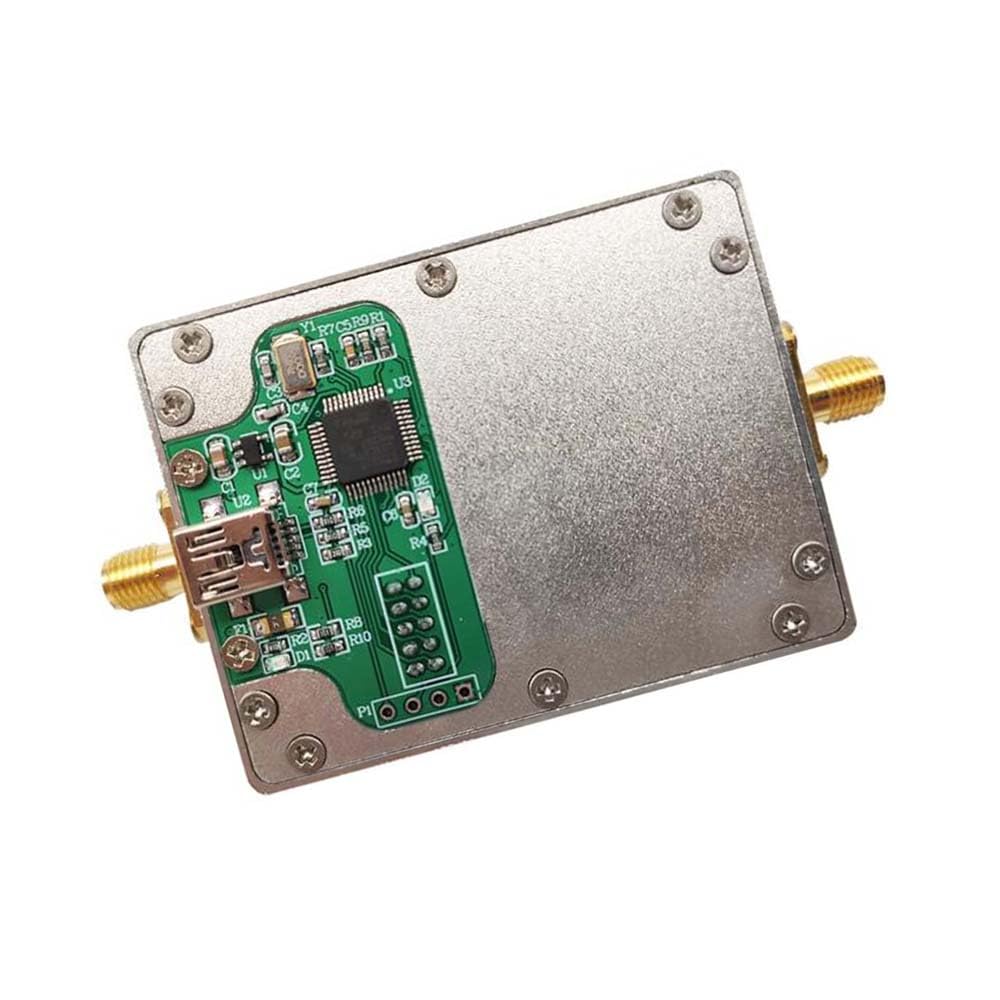
รูปที่ 2.1: สูงสุด view of the ADF4351 module with dimensions. The module measures approximately 61mm in length and 47mm in width. Visible components include a USB-B port, two SMA connectors, and a green PCB with the main ADF4351 IC and supporting components.
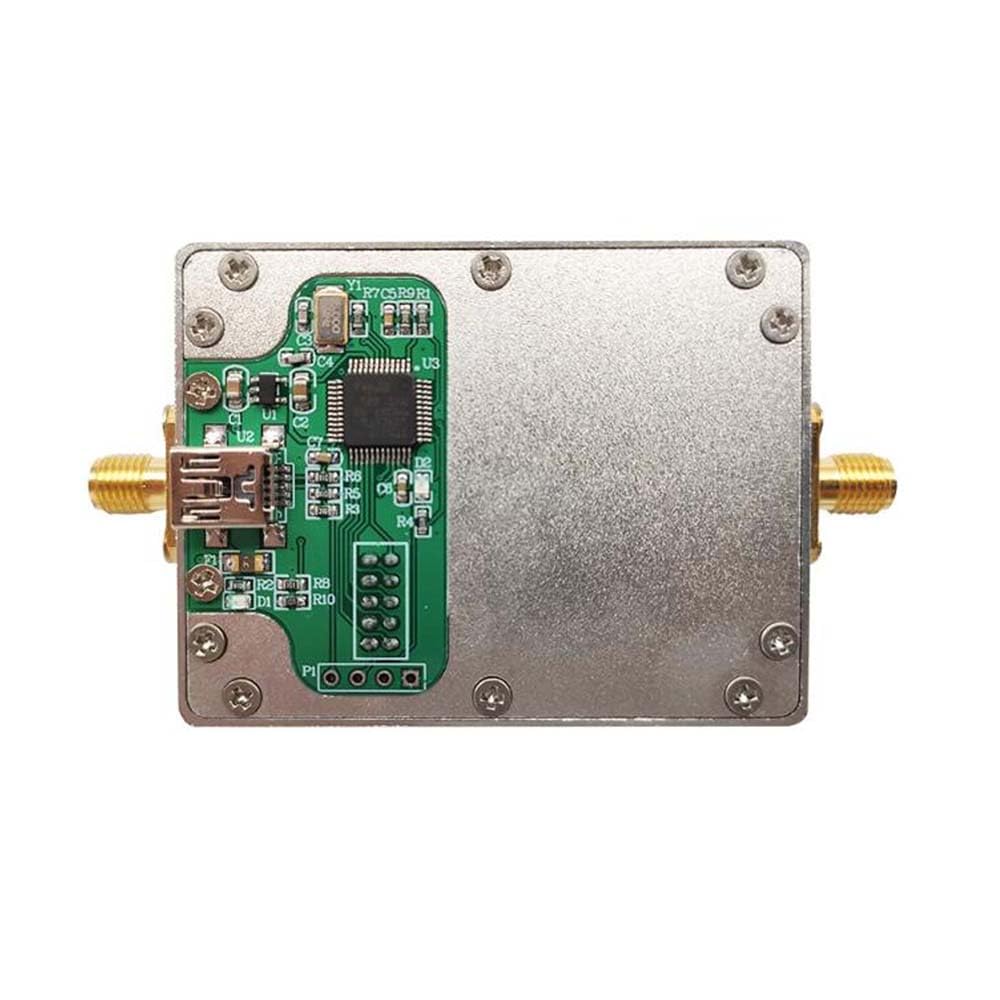
รูปที่ 2.2: รายละเอียดด้านบน view of the ADF4351 module. This image highlights the layout of the printed circuit board (PCB) within the metal enclosure, showing the main ADF4351 chip, various passive components, and the USB interface chip. Two SMA connectors are visible on the sides for RF input/output.
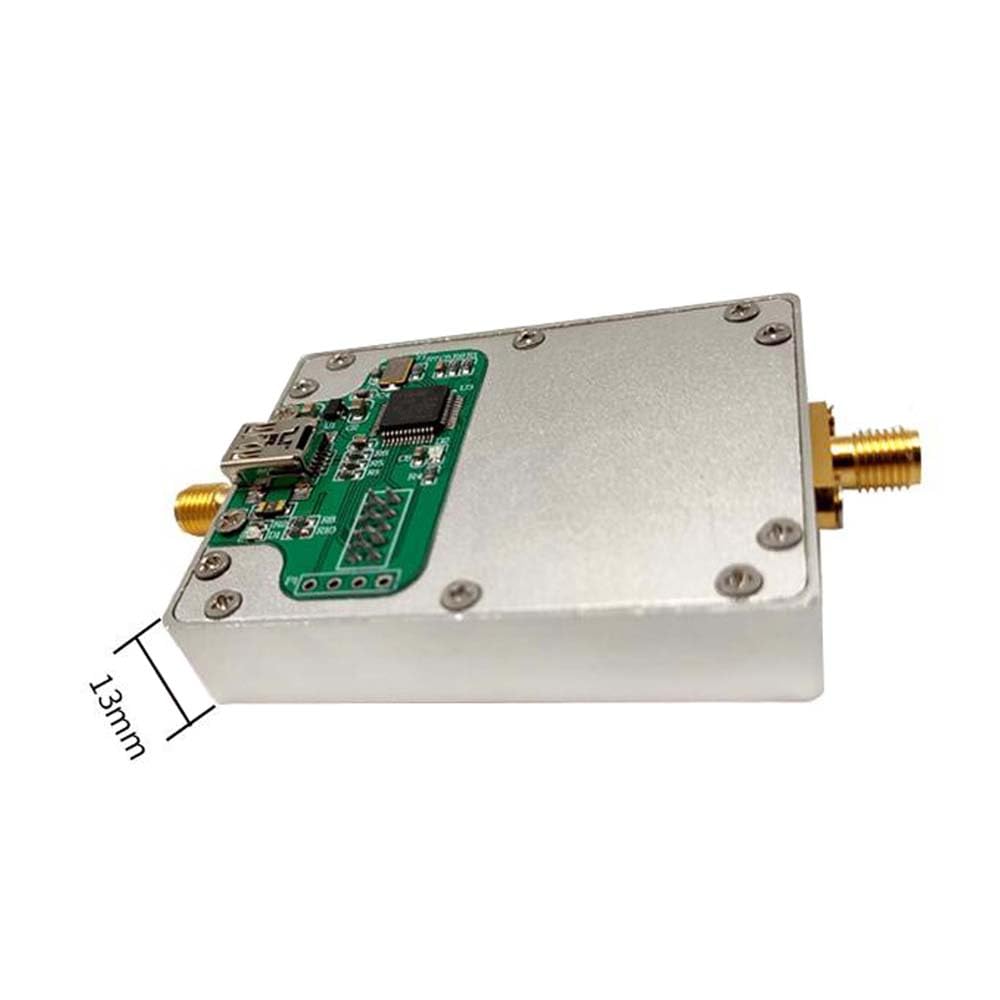
รูปที่ 2.3: ด้านข้าง view of the ADF4351 module. This perspective illustrates the module's height, which is approximately 13mm. An SMA connector is visible on the right side, and the USB-B port is partially visible on the left.
อินเทอร์เฟซหลัก:
- พอร์ต USB-B: Used for power supply (typically 5V DC) and serial communication for controlling the module.
- ขั้วต่อ SMA: Two standard SMA connectors for RF signal output and potentially an external reference clock input.
- Pin Headers: Additional pin headers may be present for direct power input or control signals, depending on the specific module variant.
3. คำแนะนำในการตั้งค่า
Follow these steps to set up your ADF4351 signal source module:
- การเชื่อมต่อไฟฟ้า: Connect a standard USB-B cable to the module's USB port. Connect the other end of the USB cable to a 5V DC power source (e.g., a computer USB port, a USB wall adapter, or a power bank). Ensure the power source can provide sufficient current (typically 100-200mA).
- RF Output Connection: Connect an SMA cable from one of the module's SMA connectors to your desired load, such as an antenna, spectrum analyzer, or other RF equipment. Ensure connections are secure.
- Control Interface (Optional): If you intend to control the module via a computer, connect the USB-B cable to your computer. You may need to install specific drivers or control software provided by the manufacturer or available online for the ADF4351 chip. Refer to the software documentation for installation and usage.
- การเพิ่มพลังเริ่มต้น: Once all connections are made, apply power. The module may have an indicator LED to show power status.
บันทึก: Always ensure proper grounding and use appropriate RF cabling to prevent signal loss or interference.
4. คู่มือการใช้งาน
Operating the ADF4351 module primarily involves configuring its frequency and output settings through a control interface.
4.1. เปิด/ปิดเครื่อง
- เปิดเครื่อง: Connect the USB power source. The module will power on automatically.
- หมดแรง: Disconnect the USB power source.
4.2. การตั้งค่าความถี่
The output frequency of the ADF4351 is programmed digitally. This typically requires a software application running on a computer connected via USB or a microcontroller sending serial commands.
- การควบคุมซอฟต์แวร์: If using a dedicated control software, launch the application. Select the appropriate COM port for the module (if applicable) and configure the desired output frequency within the software interface. The software will then send the necessary commands to the ADF4351 chip.
- คำสั่งอนุกรม: For advanced users or embedded applications, the ADF4351 can be controlled by sending specific register configuration commands via a serial interface (e.g., SPI). Refer to the Analog Devices ADF4351 datasheet for detailed register maps and programming sequences.
4.3. การปรับกำลังไฟขาออก
The ADF4351 chip allows for some adjustment of the output power level. This is typically controlled through the same software or serial interface used for frequency setting. Consult the control software or the ADF4351 datasheet for specific instructions on adjusting output power.
5. การบำรุงรักษา
Proper maintenance ensures the longevity and reliable operation of your ADF4351 module.
- การทำความสะอาด: Keep the module clean and free from dust. Use a soft, dry cloth to wipe the exterior. Avoid using liquid cleaners, solvents, or abrasive materials, as these can damage the enclosure or internal components.
- พื้นที่จัดเก็บ: When not in use, store the module in a cool, dry place, away from direct sunlight, extreme temperatures, and high humidity. It is recommended to store it in its original packaging or an anti-static bag.
- สภาพแวดล้อม : Operate the module within its specified environmental limits (e.g., temperature, humidity). Avoid exposing it to strong electromagnetic fields or excessive vibrations.
- การดูแลตัวเชื่อมต่อ: Handle SMA and USB connectors carefully. Avoid overtightening SMA connectors. Keep connector ports free of debris.
6 การแก้ไขปัญหา
If you encounter issues with your ADF4351 module, refer to the following troubleshooting steps:
- No Power Indicator / Module Not Responding:
- Check the USB cable connection to both the module and the power source.
- Ensure the USB power source is functional and providing 5V DC. Try a different USB port or power adapter.
- Verify that the power source can supply adequate current.
- No RF Output Signal:
- Confirm that the module is powered on.
- Check all SMA cable connections to ensure they are secure and not damaged.
- Verify that the frequency has been correctly programmed via the control software or serial commands.
- Ensure the output enable function (if available and controlled) is active.
- Test with a known good RF load or measurement device.
- Incorrect or Unstable Output Frequency:
- Double-check the frequency settings in your control software or serial commands.
- Ensure the reference clock (internal or external) is stable and within specifications.
- Verify that the control software or firmware is up to date.
- Communication Issues (USB/Serial):
- ตรวจสอบให้แน่ใจว่าได้ติดตั้งไดรเวอร์ที่ถูกต้องบนคอมพิวเตอร์ของคุณแล้ว
- Verify the correct COM port is selected in your control software.
- ลองใช้สาย USB หรือพอร์ต USB อื่นบนคอมพิวเตอร์ของคุณ
7. ข้อมูลจำเพาะ
| แบบอย่าง | ADF4351 |
| ยี่ห้อ | Senzooe |
| ASIN | B0CBYZMMWH |
| การอ้างอิงผู้ผลิต | 707638055647 |
| ประเทศต้นกำเนิด | จีน |
| อินพุต Voltage | 5V DC (via USB-B port) |
| ช่วงความถี่ | Typically 35 MHz to 4.4 GHz (programmable) |
| กำลังขับ | Programmable, typically 0 to +5 dBm |
| อินเทอร์เฟซการควบคุม | USB (for power and serial communication) |
| ตัวเชื่อมต่อ | USB-B, SMA (RF Output/Reference Input) |
| ขนาด (กว้าง x ยาว x สูง) | ประมาณ 61mm x 47mm x 13mm |
8. การรับประกันและการสนับสนุน
Specific warranty terms and conditions for the Senzooe ADF4351 Phase-Locked Loop Signal Source are not provided in the available product information. For detailed warranty information or technical support, please contact the seller or manufacturer directly through the platform where the product was purchased.
โปรดเก็บหลักฐานการซื้อไว้เสมอเพื่อใช้ในการเรียกร้องการรับประกัน