
STAPLES ST290-CCVS
คู่มือผู้ใช้เครื่องคิดเลขพื้นฐานพลังงานแสงอาทิตย์และแบตเตอรี่ 12 หลัก Staples
Model: ST290-CCVS | Brand: STAPLES
การแนะนำ
This manual provides comprehensive instructions for the Staples 12-Digit Solar and Battery Basic Calculator (Model ST290-CCVS). Designed for everyday calculations, this calculator features a 12-digit display, dual power source (solar and battery), and essential functions for financial and tax calculations. Please read this manual thoroughly to ensure proper use and maintenance of your device.
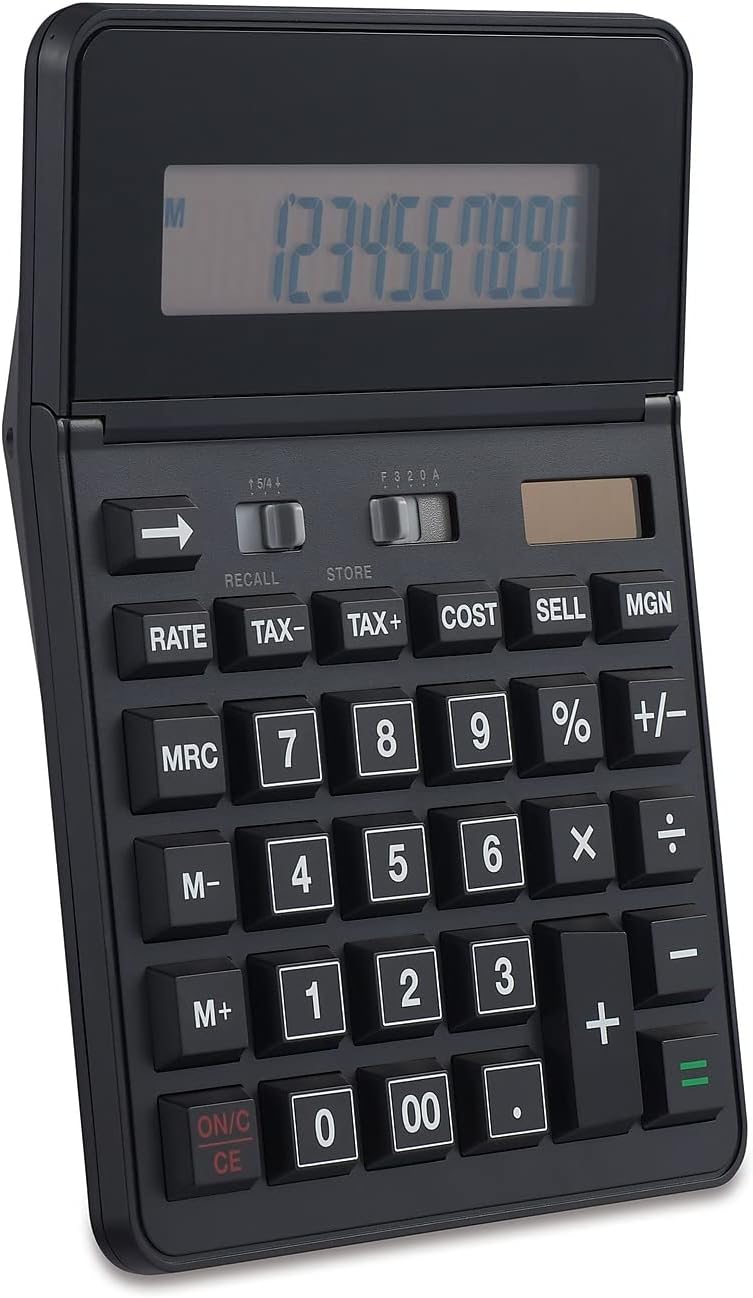
รูปที่ 1 : ด้านหน้า view of the Staples 12-Digit Solar and Battery Basic Calculator, showing the display and keypad.
การตั้งค่า
แหล่งพลังงาน
The Staples ST290-CCVS calculator operates on a dual power system: solar and battery. This ensures reliable operation in various lighting conditions.
- พลังงานแสงอาทิตย์: The calculator is equipped with a solar panel located above the display. For optimal performance, ensure the solar panel is exposed to sufficient light. This is the primary power source in well-lit environments.
- พลังงานแบตเตอรี่: An internal battery provides power when light is insufficient or absent. The calculator automatically switches to battery power as needed. No user intervention is required for power source selection.
การใช้งานเบื้องต้น
Upon first use, or after prolonged storage, simply expose the calculator to light or press the ON/C CE button to activate the display. The calculator is ready for immediate use.

Figure 2: The calculator's 12-digit display, designed for clear readability of large numbers.
คำแนะนำการใช้งาน
This section details the functions and operations of your Staples calculator.
การปฏิบัติการพื้นฐาน
- ON/C CE: Press to turn the calculator on or to clear the current entry (CE) or all entries (C) if pressed twice.
- Number Keys (0-9, 00, .): ใช้สำหรับป้อนค่าตัวเลข
- ตัวดำเนินการทางคณิตศาสตร์ (+, -, ×, ÷): การบวก การลบ การคูณ และการหาร เป็นทักษะพื้นฐาน
- = (เท่ากับ): ทำการคำนวณและแสดงผลลัพธ์
- +/- (เปลี่ยนเครื่องหมาย): เปลี่ยนเครื่องหมายของตัวเลขที่แสดงจากบวกเป็นลบหรือในทางกลับกัน
- ← (ลบ): ลบตัวเลขหลักสุดท้ายที่ป้อนเข้าไป
ฟังก์ชั่นขั้นสูง
- % (เปอร์เซ็นต์): ใช้สำหรับเปอร์เซ็นต์tagการคำนวณอี สำหรับเช่นample, to calculate 10% of 200, enter 200 × 10 %.
- TAX+, TAX-: Used for adding or subtracting tax. The tax rate must be set beforehand (refer to specific tax rate setting instructions, if available on the device, otherwise assume a default or pre-set rate).
- COST, SELL, MGN (Margin): These keys are designed for business calculations.
- ค่าใช้จ่าย: Enter the cost of an item.
- ขาย: Enter the selling price of an item.
- MGN: Calculates the profit margin based on cost and sell price, or determines one value if the other two are known.
- M+, M-, MRC (ฟังก์ชันความจำ):
- เอ็ม+: เพิ่มค่าที่แสดงลงในหน่วยความจำ
- ม-: ลบค่าที่แสดงออกจากหน่วยความจำ
- เอ็มอาร์ซี: กดหนึ่งครั้งเพื่อเรียกค่าที่บันทึกไว้ กดสองครั้งเพื่อล้างค่าในหน่วยความจำ
- ประเมิน: This button is typically used in conjunction with tax or currency conversion functions. Consult the calculator's specific markings for its exact application.
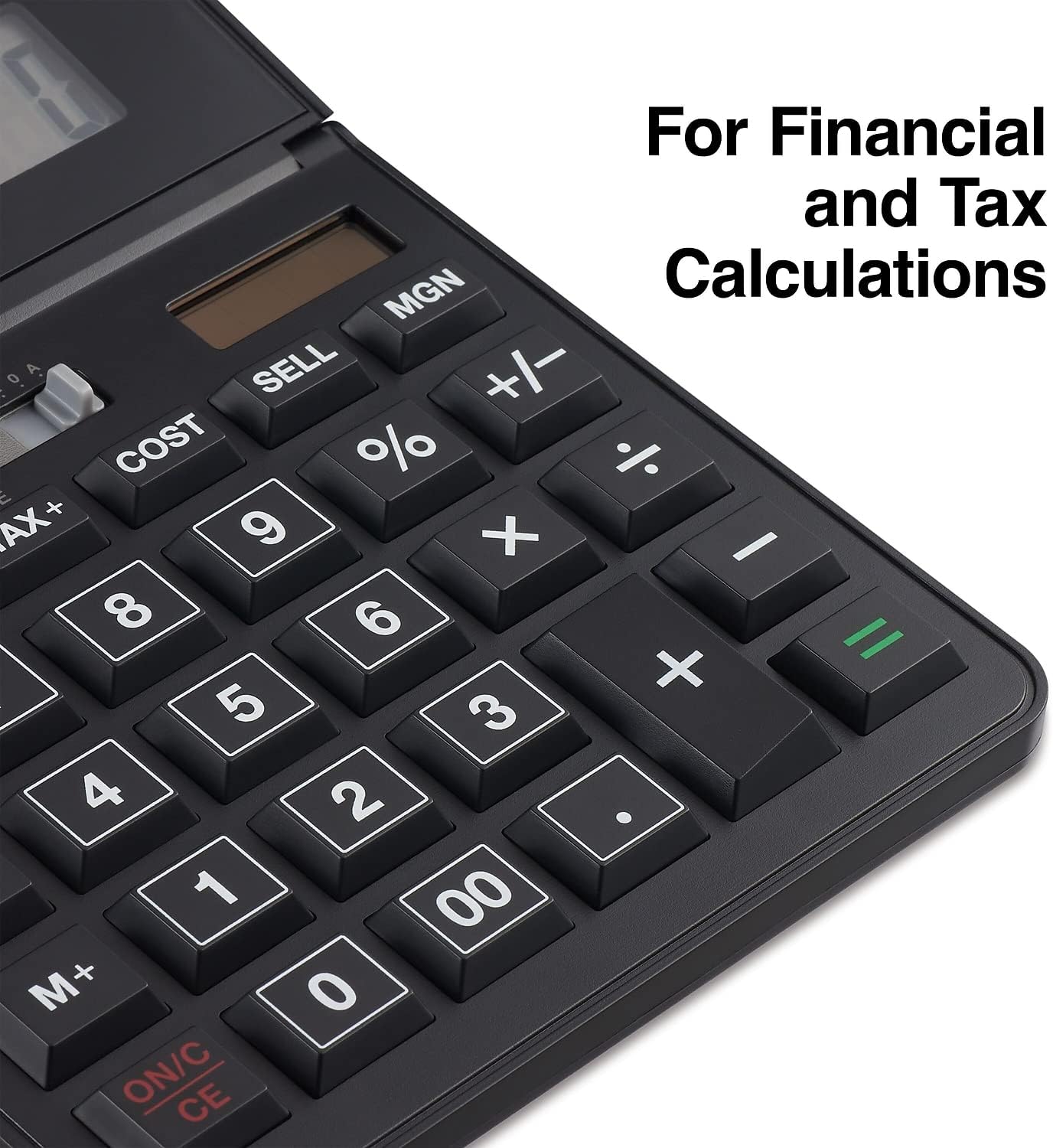
รูปที่ 3: รายละเอียด view of the calculator's function keys, including TAX, COST, SELL, and MGN for financial and tax calculations.
การซ่อมบำรุง
Proper care and maintenance will extend the life of your calculator.
- การทำความสะอาด: Use a soft, dry cloth to clean the calculator's surface. For stubborn dirt, slightly dampen the cloth with water or a mild, non-abrasive cleaner. Avoid using harsh chemicals, solvents, or abrasive materials, as these can damage the display or casing.
- พื้นที่จัดเก็บ: เก็บเครื่องคิดเลขไว้ในที่แห้งและเย็น หลีกเลี่ยงแสงแดดโดยตรงและอุณหภูมิที่สูงหรือต่ำเกินไป และอย่าวางของหนักทับเครื่องคิดเลข
- แบตเตอรี่: The calculator uses an internal battery that is designed for long-term use. If the display becomes dim or unresponsive in low light conditions, ensure the solar panel is exposed to bright light. If issues persist, the battery may need professional replacement, though this is rare for solar-assisted models.
การแก้ไขปัญหา
หากคุณพบปัญหาเกี่ยวกับเครื่องคิดเลข โปรดดูปัญหาและวิธีแก้ไขที่พบบ่อยต่อไปนี้:
| ปัญหา | สาเหตุที่เป็นไปได้ | สารละลาย |
|---|---|---|
| จอแสดงผลว่างเปล่าหรือมืดลง | แสงสว่างไม่เพียงพอสำหรับการใช้พลังงานแสงอาทิตย์; แบตเตอรี่เหลือน้อย | ย้ายเครื่องคิดเลขไปวางในที่ที่มีแสงสว่างกว่า หากปัญหายังคงอยู่ แบตเตอรี่ภายในอาจหมด |
| ผลการคำนวณไม่ถูกต้อง | Incorrect entry; memory function active; previous calculation not cleared. | กด ON/C CE twice to clear all entries and memory. Re-enter the calculation carefully. Ensure no memory indicator (M) is displayed unless intended. |
| ปุ่มต่างๆ ไม่ตอบสนอง | Calculator is off; temporary malfunction. | กด ON/C CE. If still unresponsive, try exposing it to bright light for a few minutes. |
หากปัญหายังคงมีอยู่หลังจากพยายามแก้ไขปัญหาเหล่านี้แล้ว โปรดติดต่อฝ่ายสนับสนุนลูกค้า
ข้อมูลจำเพาะ
| คุณสมบัติ | รายละเอียด |
|---|---|
| หมายเลขรุ่น | ST290-CCVS |
| แสดง | 12-Digit LCD, Angled |
| แหล่งพลังงาน | Solar and Battery (Two-way power) |
| ขนาด (กว้าง x ลึก x สูง) | 5.55" x 7.48" x 1.65" |
| น้ำหนัก | 15.4 ออนซ์ |
| สี | สีดำ |
| ฟังก์ชั่น | Basic arithmetic, Percent, Backspace, Tax+, Tax-, Cost, Sell, Margin, Memory (M+, M-, MRC) |

Figure 4: Product dimensions of the Staples 12-Digit Solar and Battery Basic Calculator.
การรับประกันและการสนับสนุน
การรับประกันแบบจำกัด
This Staples 12-Digit Solar and Battery Basic Calculator (Model ST290-CCVS) comes with a รับประกันจำกัด 1 ปี นับจากวันที่ซื้อ การรับประกันนี้ครอบคลุมถึงความบกพร่องของวัสดุและฝีมือการผลิตภายใต้การใช้งานปกติ แต่ไม่ครอบคลุมความเสียหายที่เกิดจากการใช้งานผิดวิธี อุบัติเหตุ การดัดแปลงโดยไม่ได้รับอนุญาต หรือสาเหตุภายนอก
โปรดเก็บหลักฐานการซื้อของคุณไว้เพื่อเรียกร้องการรับประกัน

Figure 5: Product packaging indicating the 1-Year Limited Warranty.
การสนับสนุนลูกค้า
For technical assistance, warranty service, or general inquiries, please contact Staples customer support. Refer to the official Staples webเว็บไซต์หรือเอกสารการซื้อของคุณเพื่อรับข้อมูลติดต่อล่าสุด
การสนับสนุนทางออนไลน์: Visit the official Staples webไซต์สำหรับคำถามที่พบบ่อย การลงทะเบียนผลิตภัณฑ์ และทรัพยากรสนับสนุน
การสนับสนุนทางโทรศัพท์: Contact the customer service number provided on your product packaging or the Staples webเว็บไซต์.