
1. บทนำ
This user manual provides essential information for the safe and effective use of your INSE N5 cordless vacuum cleaner accessories. Please read this manual thoroughly before installation, operation, or maintenance to ensure proper function and longevity of the product. Keep this manual for future reference.
2. คำแนะนำด้านความปลอดภัยที่สำคัญ
- Always ensure the vacuum cleaner is turned off and unplugged (if applicable) before installing or removing any accessories.
- Do not attempt to modify or repair the accessories yourself. Contact qualified service personnel for assistance.
- Keep accessories away from water or other liquids to prevent electric shock or damage.
- Store accessories in a dry, safe place when not in use.
- Dispose of batteries according to local regulations. Do not incinerate or expose batteries to high temperatures.
3. ส่วนประกอบผลิตภัณฑ์
The INSE N5 cordless vacuum cleaner accessories include the following items:

Figure 3.1: INSE N5 Battery Pack
This is the rechargeable battery pack for the INSE N5 cordless vacuum cleaner, providing power for operation.

Figure 3.2: INSE N5 Metal Filters
Two replacement metal filters designed to capture dust and debris, ensuring efficient vacuum performance.
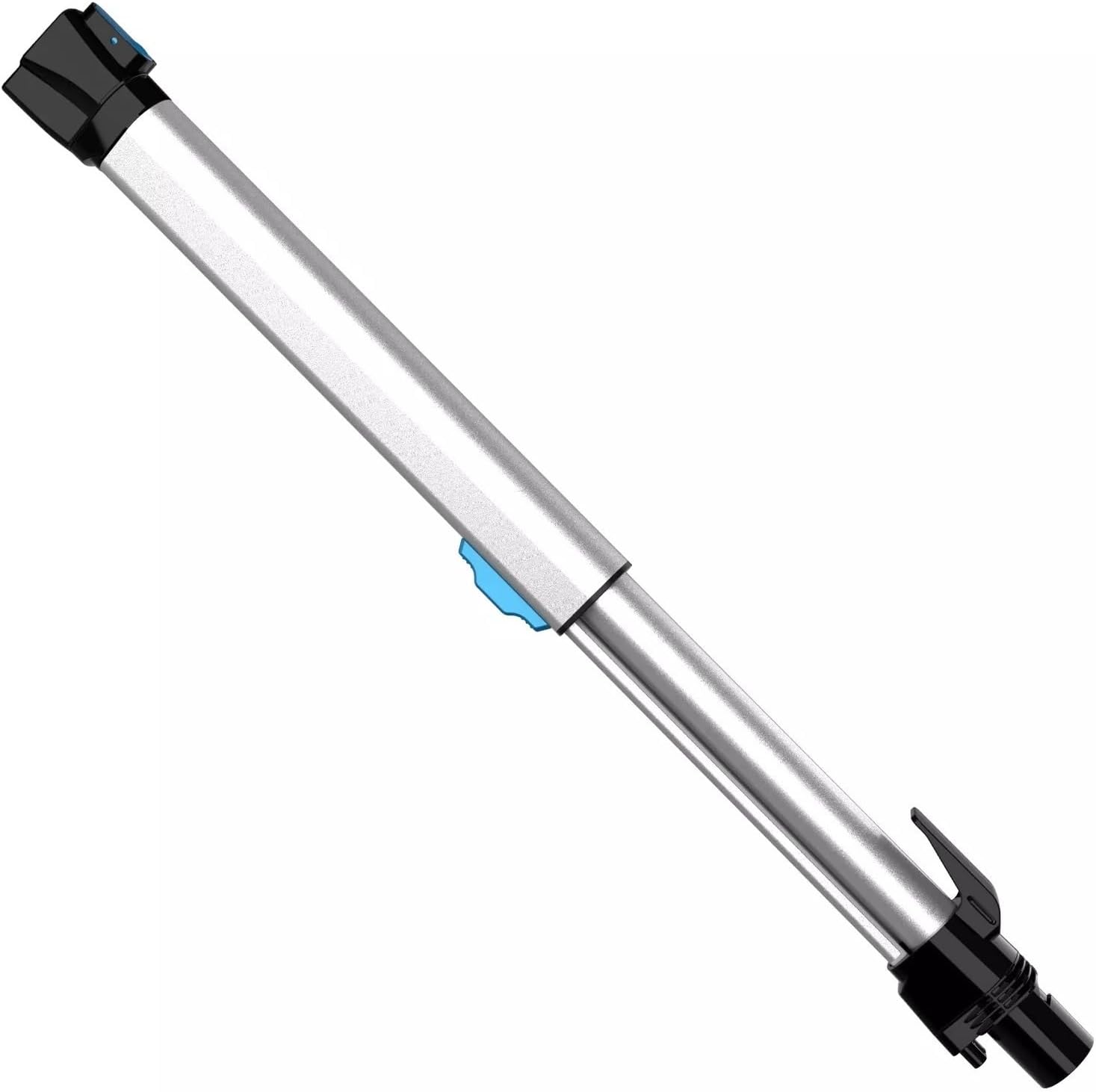
Figure 3.3: INSE N5 Extension Wand
An adjustable extension wand for reaching high or low areas, connecting the main unit to the brush head.

Figure 3.4: INSE N5 Multi-functional Composite Brush Head
The main cleaning attachment, featuring a rotating brush for effective dirt and dust collection on various surfaces.

Figure 3.5: INSE N5 Main Vacuum Unit
The core unit of the vacuum cleaner, housing the motor and dustbin. Accessories attach to this unit.

Figure 3.6: INSE N5 Wall Mount
A wall-mounted hook for convenient storage of the vacuum cleaner.
4. การตั้งค่าและการติดตั้ง
4.1 การติดตั้งแบตเตอรี่
- Ensure the main vacuum unit is powered off.
- Align the N5 battery pack with the battery slot on the main vacuum unit (refer to Figure 3.1 and 3.5).
- Gently push the battery pack into the slot until it clicks securely into place.
- ชาร์จแบตเตอรี่ให้เต็มก่อนใช้งานครั้งแรก
4.2 Filter Installation/Replacement
- Ensure the main vacuum unit is powered off and the dustbin is empty.
- Locate the filter compartment, typically inside or near the dustbin (refer to Figure 3.2).
- Remove the old filter by twisting or pulling it out.
- Insert the new metal filter, ensuring it is seated correctly and forms a tight seal.
- Close the filter compartment or reattach the dustbin.
4.3 Attaching Accessories (Wand and Brush Head)
- To attach the extension wand (Figure 3.3) to the main vacuum unit (Figure 3.5), align the connectors and push until it clicks.
- To attach the multi-functional composite brush head (Figure 3.4) to the extension wand, align the connectors and push until it clicks.
- Ensure all connections are secure before operating the vacuum cleaner.
5. คู่มือการใช้งาน
- Ensure the battery is fully charged and all accessories are correctly installed.
- Press the power button on the main vacuum unit to turn on the device.
- Select the desired power mode (if available) for your cleaning task.
- Guide the brush head over the surface to be cleaned.
- หลังจากทำความสะอาดเสร็จแล้ว ให้กดปุ่มเปิด/ปิดอีกครั้งเพื่อปิดเครื่องดูดฝุ่น
- Empty the dustbin after each use or when it reaches its maximum capacity.
6. การบำรุงรักษา
6.1 การทำความสะอาดตัวกรอง
- Regularly check and clean the metal filter (Figure 3.2) to maintain suction power.
- ถอดตัวกรองออกจากเครื่องดูดฝุ่น
- Tap the filter gently to dislodge dust. For thorough cleaning, rinse the filter under running water.
- ควรปล่อยให้แผ่นกรองแห้งสนิทอย่างน้อย 24 ชั่วโมงก่อนนำกลับไปใส่ในเครื่องดูดฝุ่น ห้ามใช้เครื่องเป่าลมหรือความร้อนโดยตรง
6.2 การทำความสะอาดหัวแปรง
- Periodically inspect the multi-functional composite brush head (Figure 3.4) for tangled hair or debris.
- ปิดเครื่องดูดฝุ่นและถอดหัวแปรงออก
- Use scissors or a cleaning tool to carefully cut and remove any tangled hair or fibers from the brush roll.
- Wipe the brush head housing with a damp cloth if necessary. Ensure it is dry before reattaching.
6.3 การดูแลแบตเตอรี่
- เพื่อยืดอายุการใช้งานแบตเตอรี่ ควรหลีกเลี่ยงการปล่อยแบตเตอรี่จนหมดบ่อยครั้ง
- เก็บแบตเตอรี่ไว้ในที่แห้งและเย็นเมื่อไม่ได้ใช้งานเป็นเวลานาน
- If the vacuum will not be used for a long time, charge the battery to about 50% before storage.
7 การแก้ไขปัญหา
| ปัญหา | สาเหตุที่เป็นไปได้ | สารละลาย |
|---|---|---|
| เครื่องดูดฝุ่นไม่เปิด | แบตเตอรี่ไม่ได้ชาร์จหรือติดตั้งไม่ถูกต้อง | ตรวจสอบให้แน่ใจว่าแบตเตอรี่ชาร์จเต็มแล้วและติดตั้งแน่นสนิท |
| พลังดูดต่ำ. | Clogged filter or full dustbin. | Clean the metal filter (Section 6.1) and empty the dustbin. Check for blockages in the brush head or wand. |
| หัวแปรงไม่หมุน | เส้นผมหรือเศษขยะพันกันอยู่ในแปรงหมุน | Clean the brush head (Section 6.2) to remove obstructions. |
| แบตเตอรี่ไม่ชาร์จ | Charger not connected properly or faulty. | Ensure charger is securely connected to both the battery and power outlet. Try a different outlet. |
8. ข้อมูลจำเพาะ
| แบบอย่าง | INSE N5 (Accessories) |
| ประเภทอุปกรณ์เสริม | Battery, Metal Filter, Multi-functional Composite Brush, Extension Wand, Wall Mount |
| น้ำหนักสินค้า (แบตเตอรี่) | Approximately 1 gram (Note: This weight seems unusually low for a battery, please refer to product packaging for accurate weight.) |
| ASIN | B0CB4DDZLZ |
| วันที่พร้อมใช้งานครั้งแรก | 4 กรกฎาคม 2023 |
หมายเหตุ: ข้อมูลจำเพาะอาจเปลี่ยนแปลงได้โดยไม่ต้องแจ้งให้ทราบล่วงหน้า
9. การรับประกันและการสนับสนุน
For warranty information, technical support, or service inquiries, please contact the seller or manufacturer directly through your purchase platform. Please have your product model (INSE N5) and ASIN (B0CB4DDZLZ) ready when contacting support.