
1. บทนำ
This manual provides essential information for setting up, operating, maintaining, and troubleshooting your VIBOX VIII-100 Gaming PC. This high-performance system is designed for gaming, photo editing, and video editing, featuring an Intel Core i9-12900KF processor, Nvidia GeForce RTX 5060 graphics card, 16GB DDR4 RAM, and a 1TB SSD, running on Windows 11 Home.

The VIBOX VIII-100 Gaming PC, highlighting its internal components and vibrant RGB lighting.
2. การตั้งค่า
2.1 การแกะกล่องและการตรวจสอบเบื้องต้น
นำส่วนประกอบทั้งหมดออกจากบรรจุภัณฑ์อย่างระมัดระวัง ตรวจสอบให้แน่ใจว่ามีส่วนประกอบต่อไปนี้:
- VIBOX VIII-100 PC Tower
- จอภาพ 23 นิ้ว
- คีย์บอร์ดสำหรับเล่นเกม
- เมาส์สำหรับเล่นเกม
- ชุดหูฟัง
- แผ่นรองเมาส์ LED
- USB Wi-Fi 6 AX900 and Bluetooth 5.4 Adapter
- สายไฟ
- Display Cables (HDMI/DisplayPort)
2.2 การเชื่อมต่ออุปกรณ์ต่อพ่วง
Connect your monitor, keyboard, mouse, and headset to the appropriate ports on the rear and front of the PC tower. The PC features versatile connectivity options.
- เฝ้าสังเกต: Use the HDMI or DisplayPort outputs on the graphics card.
- คีย์บอร์ดและเมาส์: Connect to any available USB ports (USB 2.0 or USB 3.0).
- ชุดหูฟัง: Connect to the audio jacks (headphone and microphone) or a USB port if it's a USB headset.
- พลัง: Connect the power cable to the PC and a wall outlet.
- เครือข่าย: Connect an Ethernet cable for wired internet or use the provided USB Wi-Fi adapter for wireless connectivity.

Front panel connectivity ports, including USB 3.0, USB 2.0, headphone jack, RGB control, and power.
2.3 เปิดเครื่องครั้งแรก
Press the power button on the front of the PC tower. The system will boot into Windows 11 Home. Follow the on-screen instructions for initial Windows setup, including language, region, and user account creation.
3. คู่มือการใช้งาน
3.1 Windows 11 Home
Your VIBOX VIII-100 PC comes pre-installed with Windows 11 Home, optimized for gaming. Key features include:
- ไดเรกต์สตอเรจ: For faster game loading times.
- อัตโนมัติ HDR: Enhances visuals for supported games.
- Xbox Game Pass Integration: Seamless access to a library of games.
- Optimized CPU Performance: For a smoother gaming experience.
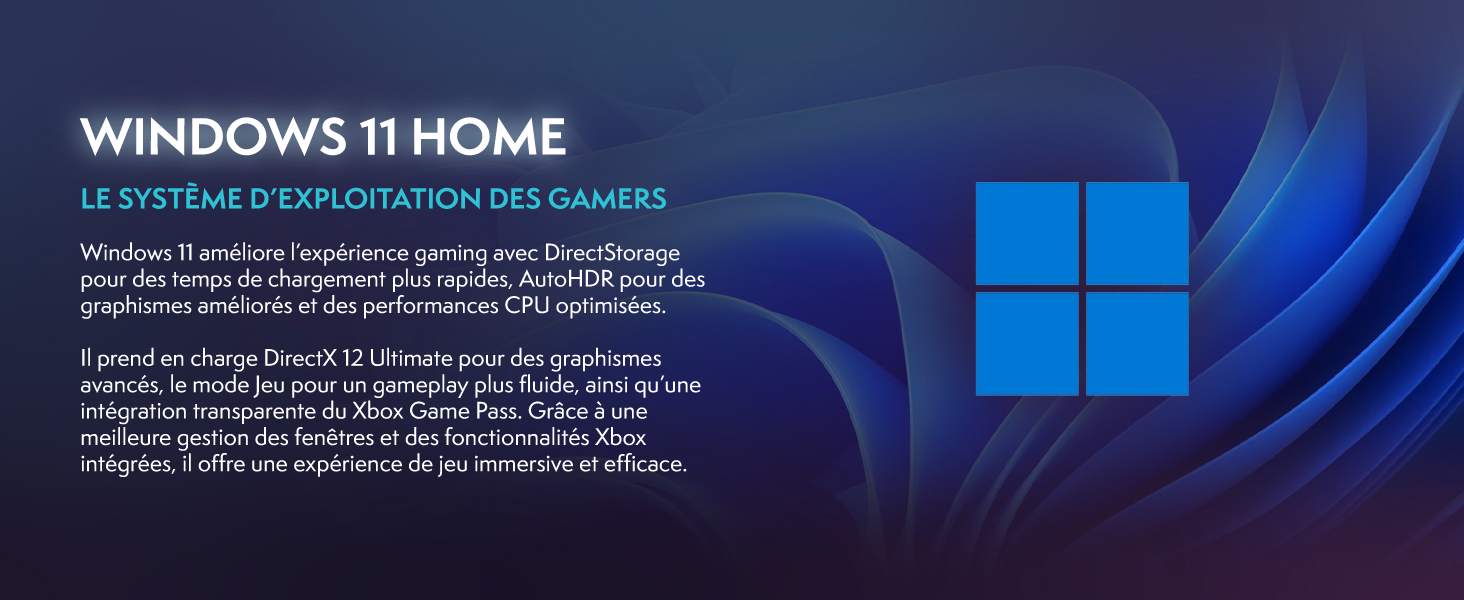
Windows 11 Home, the operating system designed for gamers.
3.2 การเล่นเกมและประสิทธิภาพ
The Intel Core i9-12900KF processor and Nvidia GeForce RTX 5060 graphics card provide excellent performance for demanding games and applications. The 16GB DDR4 RAM ensures smooth multitasking.
For optimal gaming performance, ensure your graphics drivers are up to date. You can manage RGB lighting effects using the dedicated button on the front panel or through compatible software.
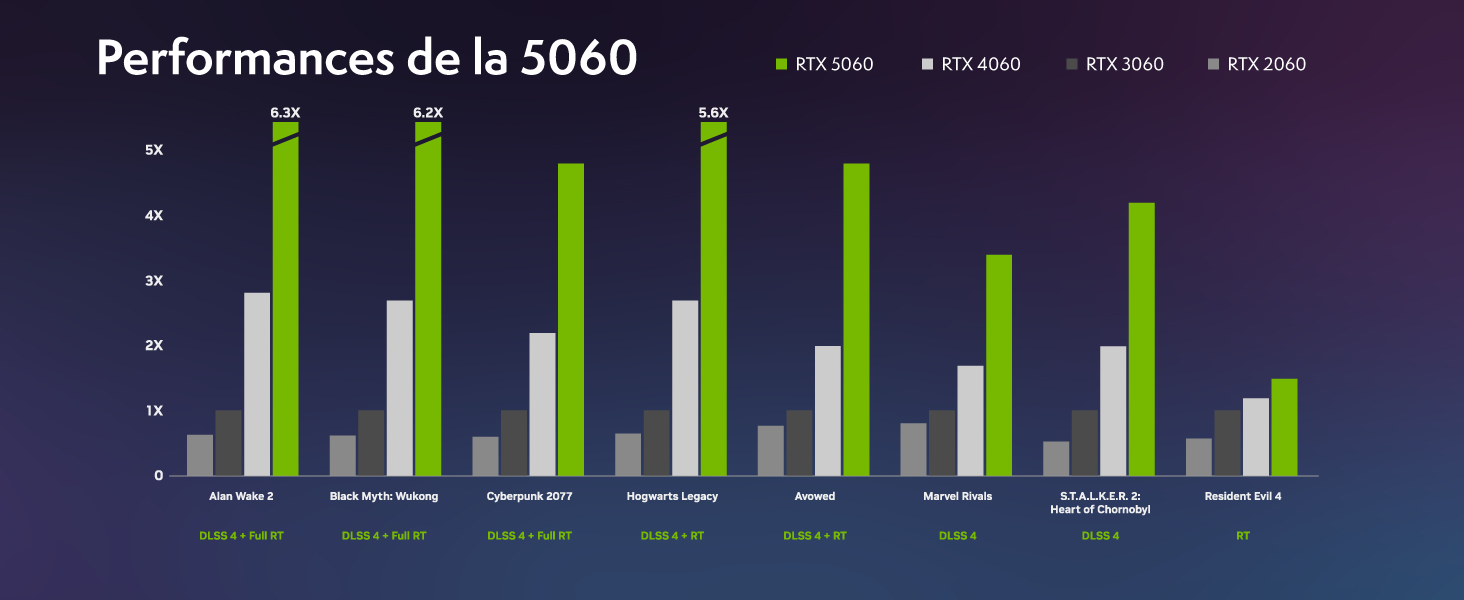
Performance benchmarks for the RTX 5060 in popular games.
4. การบำรุงรักษา
4.1 ระบบทำความเย็น
Your VIBOX VIII-100 PC features an advanced cooling system, including a 120mm AIO liquid cooler for the CPU and Hex RGB Infinity 120mm fans for optimal airflow. The mesh design of the ATX gaming case ensures excellent ventilation.
- ชุดระบายความร้อนด้วยของเหลว AIO: Provides efficient and quiet CPU cooling.
- Hex RGB Fans: Enhance airflow and allow for customizable aesthetics.
- การออกแบบตาข่าย: Promotes superior air intake and exhaust.

The VIBOX AIO 120mm liquid cooler ensures stable CPU temperatures.
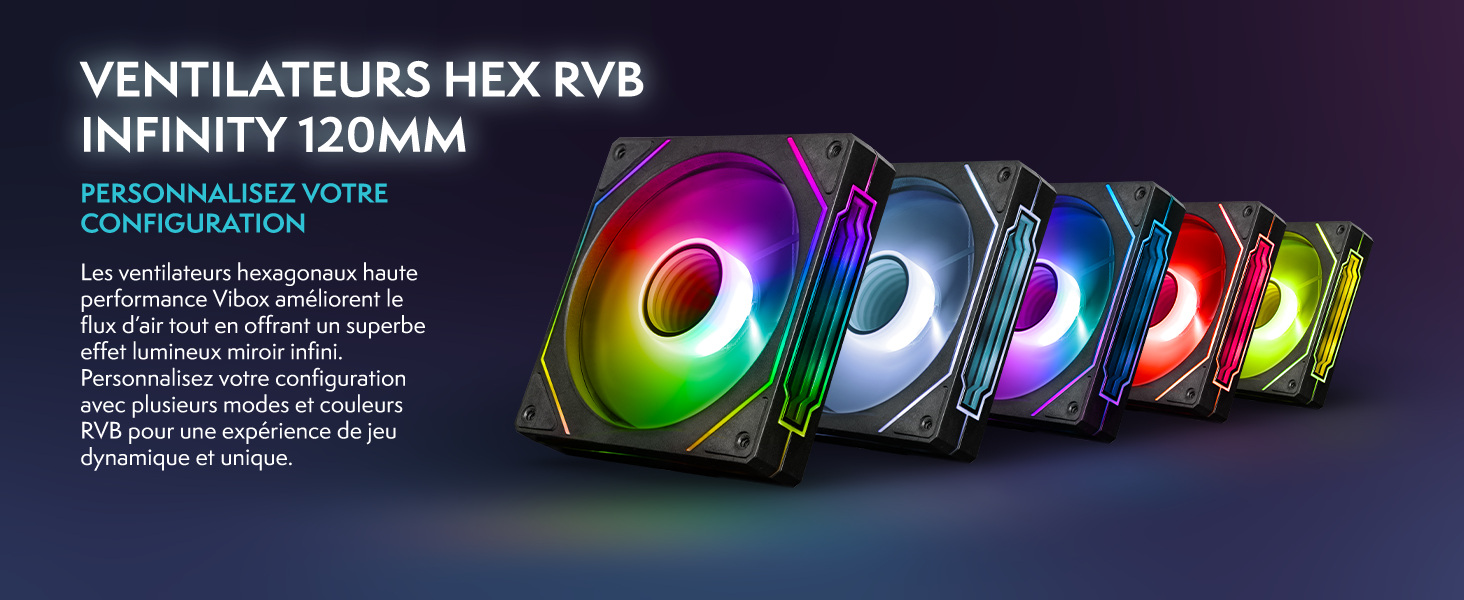
Hex RGB Infinity 120mm fans for personalized aesthetics and improved airflow.
4.2 การทำความสะอาด
Regular cleaning helps maintain optimal performance and extends the lifespan of your PC. The VTX-3 case features a magnetic, hinged tempered glass side panel for easy access to components for cleaning and maintenance.
- ภายนอก: เช็ดพื้นผิวภายนอกด้วยผ้านุ่ม damp ผ้า. หลีกเลี่ยงสารเคมีที่รุนแรง
- ภายใน: Periodically open the side panel and use compressed air to remove dust from fans, heatsinks, and other components. Ensure the PC is powered off and unplugged before cleaning the interior.

The modern ATX gaming case with mesh design and tempered glass side panel for easy access.
4.3 การอัปเดตซอฟต์แวร์
Keep your operating system and drivers updated to ensure stability, security, and optimal performance. Windows Update will handle OS updates, and graphics drivers can be updated via NVIDIA's official webเว็บไซต์หรือซอฟต์แวร์ GeForce Experience
5 การแก้ไขปัญหา
If you encounter issues with your VIBOX VIII-100 PC, consider the following common troubleshooting steps:
- ไม่มีไฟฟ้า: Ensure all power cables are securely connected to the PC and the wall outlet. Check the power switch on the power supply unit (PSU) at the back of the PC.
- ไม่มีจอแสดงผล: Verify that the monitor is connected to the graphics card's output (HDMI or DisplayPort), not the motherboard's integrated graphics ports. Ensure the monitor is powered on and set to the correct input source.
- เสียงพัดลม: While the cooling system is designed for efficiency, high fan speeds can occur under heavy load. Ensure the PC has adequate ventilation and is not obstructed. If noise is excessive or unusual, check for dust buildup in fans and heatsinks.
- ความไม่เสถียรของระบบ/การขัดข้อง: Ensure all drivers are up to date. Check for Windows updates. Monitor component temperatures using software utilities.
- ปัญหาอุปกรณ์ต่อพ่วง: Try connecting the keyboard, mouse, or headset to different USB ports. Ensure drivers for specialized peripherals are installed.
For persistent issues, refer to the official VIBOX support resources or contact customer service.
6. ข้อมูลจำเพาะ
Detailed technical specifications for your VIBOX VIII-100 Gaming PC:
| ส่วนประกอบ | ข้อมูลจำเพาะ |
|---|---|
| ยี่ห้อ | VIBOX |
| ชื่อรุ่น | VIII-100 |
| ระบบปฏิบัติการ | วินโดวส์ 11 โฮม |
| รุ่นซีพียู | Intel Core i9-12900KF |
| ความเร็วซีพียู | 3.2 GHz (Max 5.2 GHz) |
| แกนซีพียู | 16 |
| โคโปรเซสเซอร์กราฟิก | การ์ดจอ Nvidia GeForce RTX 5060 |
| Graphics RAM | แรม 8GB GDDR7 |
| RAM Installed | แรม 16GB DDR4 |
| รองรับ RAM สูงสุด | 128GB |
| ความจุในการเก็บข้อมูล | 1TB SSD ความจุ |
| การเชื่อมต่อ | Ethernet, HDMI, USB, Wi-Fi 6 AX900, Bluetooth 5.4 |
| อินเทอร์เฟซเอาท์พุตวิดีโอ | HDMI, ดิสเพลย์พอร์ต |
| วิธีการทำความเย็น | Water Cooling (AIO 120mm) |
| ขนาด (กว้าง x ยาว x สูง) | 40 x 21 x 45 ซม. |
| Included Monitor Size | 23 นิ้ว |
| ความละเอียดจอภาพ | 1920x1080 พิกเซล |
| เค้าโครงแป้นพิมพ์ | อาเซอร์ตี้ |

เกินview of the VIBOX VIII-100's core components.
7. การรับประกันและการสนับสนุน
7.1 ข้อมูลการรับประกัน
Your VIBOX VIII-100 Gaming PC comes with a รับประกันอะไหล่ 2 ปี และ lifetime labor warrantyโปรดเก็บหลักฐานการซื้อไว้เพื่อใช้เรียกร้องการรับประกัน
7.2 การสนับสนุนลูกค้า
For technical assistance, warranty inquiries, or any other support needs, please contact VIBOX customer service. You can also refer to the official user guide PDF for more detailed information.
คู่มือผู้ใช้อย่างเป็นทางการ (PDF): ดาวน์โหลดที่นี่