
1. บทนำ
This manual provides detailed instructions for the safe and effective use of your Jyving LS-K03C Multi-Tool Kit. This kit is designed for various electrical wiring tasks, including crimping terminals and cutting cables. Please read this manual thoroughly before operation and retain it for future reference.
2. ส่วนประกอบผลิตภัณฑ์
The Jyving LS-K03C Multi-Tool Kit includes the following components:
- LS-03C Crimping Tool: Designed for pressing pre-insulated terminals (0.5-6mm²).
- LS-206 Cable Cutter: Capable of cutting cables up to 35mm² maximum.
- Replaceable Dies/Jaws:
- A16WF: For wire-end ferrules (6-16mm²).
- A04WF: For twin wire-end ferrules (1.0-6.0mm²).
- ก101: For non-insulated terminals (0.5-10mm²).
- A03B: For non-insulated open plug-type connectors (0.5-6mm²).
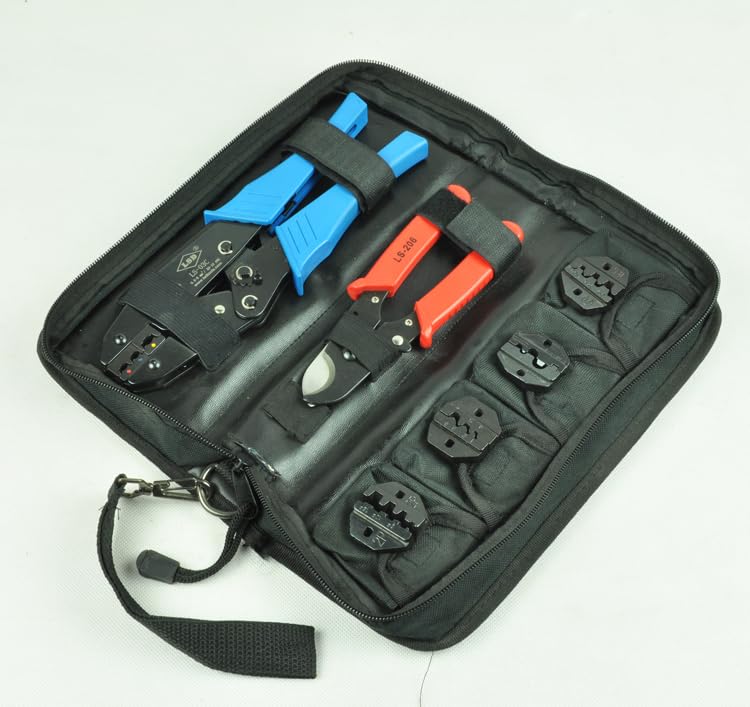
Image 2.1: Complete Jyving LS-K03C Multi-Tool Kit stored in its carrying case, showing the crimping tool, cable cutter, and various dies.
3. ข้อมูลด้านความปลอดภัย
Always follow these safety guidelines to prevent injury and damage to the tools:
- Wear appropriate personal protective equipment, including safety glasses, when using these tools.
- Ensure the tool is clean and in good working condition before each use.
- Do not use tools for purposes other than their intended design.
- Keep hands and fingers clear of moving parts and cutting edges.
- เก็บเครื่องมือไว้ในที่แห้งและปลอดภัย ให้พ้นมือเด็ก
- Never use excessive force; if a tool is not performing as expected, inspect it for damage or incorrect setup.
4. Setup and Die Installation
The LS-03C crimping tool uses replaceable dies for different terminal types. Ensure the correct dies are installed for your application.
4.1 Identifying Dies
Each die is marked with an alphanumeric code (e.g., A16WF, A04WF, A101, A03B) and the corresponding wire gauge or terminal type. Refer to the 'Product Components' section for specific applications.

Image 4.1: Various replaceable dies for the crimping tool, each marked with its specific application and size range.
4.2 Installing/Changing Dies
- Ensure the crimping tool is open and disengaged.
- Locate the two screws on each side of the crimping jaws that secure the dies.
- Using an appropriate screwdriver, loosen and remove these screws.
- Carefully remove the currently installed dies.
- Insert the desired new dies, ensuring they are correctly oriented and seated flush within the tool's mechanism.
- Reinsert and tighten the screws firmly to secure the new dies. Do not overtighten.
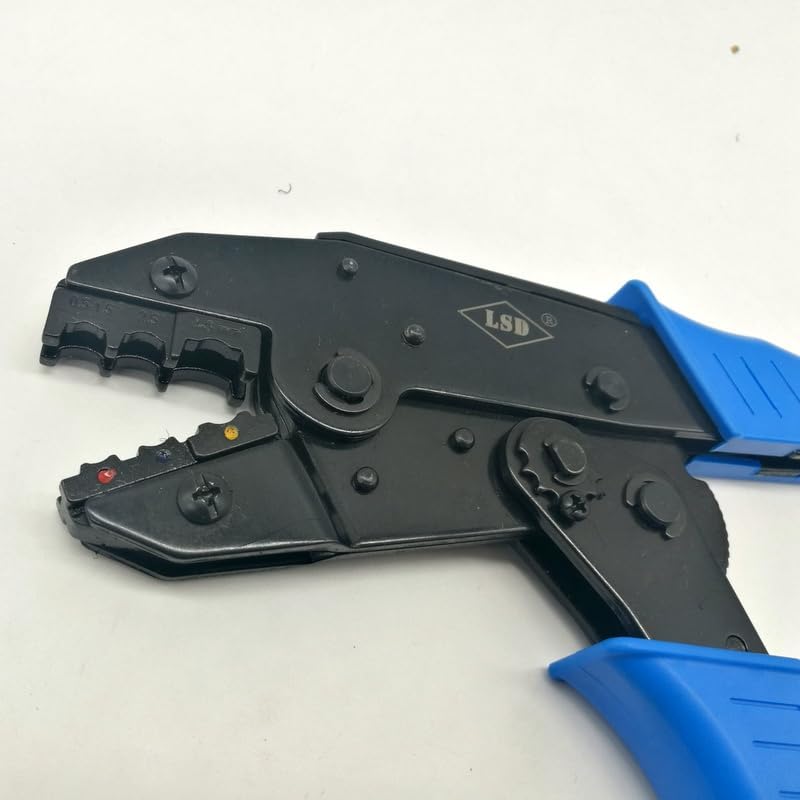
ภาพที่ 4.2: ภาพระยะใกล้ view of the LS-03C crimping tool's jaws, highlighting the screws used to attach and replace the dies.
5. คู่มือการใช้งาน
5.1 Using the LS-03C Crimping Tool
The LS-03C crimping tool is designed for precise crimps. Always select the correct die for your terminal and wire size.
- เตรียมสายไฟ: Strip the insulation from the end of the wire to the appropriate length for your terminal.
- เลือกขั้วต่อและชิป: Choose the correct terminal and ensure the corresponding die is installed on the crimping tool.
- เสียบขั้วต่อ: Place the terminal into the appropriate slot on the crimping die.
- ใส่ลวด: Insert the stripped wire into the terminal, ensuring all strands are within the crimp barrel.
- จีบ: บีบด้ามจับของเครื่องมือบีบให้แน่นและสุดจนกระทั่งกลไกเฟืองคลายออก วิธีนี้จะช่วยให้การบีบแน่นสนิทและปลอดภัย
- ตรวจสอบการจีบ: Remove the crimped terminal and inspect it for a secure connection. The wire should be firmly held, and the insulation crimp (if applicable) should grip the wire's insulation.
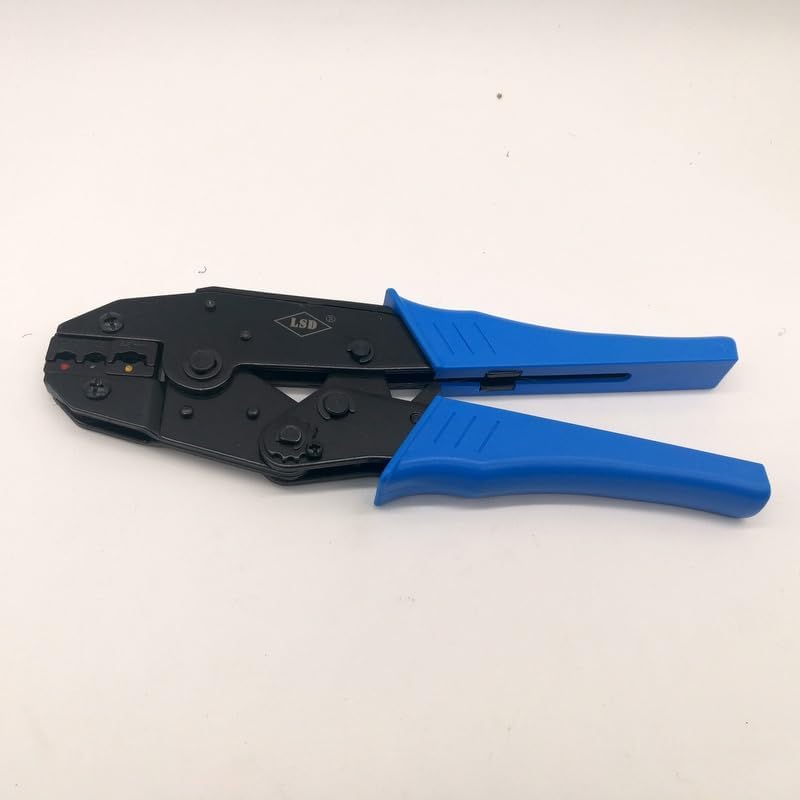
Image 5.1: The LS-03C crimping tool, ready for use with its blue ergonomic handles.
5.2 Using the LS-206 Cable Cutter
The LS-206 cable cutter is designed for clean cuts on various cable types up to 35mm².
- ระบุสายเคเบิล: Ensure the cable to be cut is within the cutter's capacity (max 35mm²).
- ตำแหน่งสายเคเบิล: Place the cable between the cutter blades at the desired cutting point.
- ตัด: Squeeze the handles firmly and steadily to cut through the cable. Ensure a clean, straight cut.
- ความปลอดภัย: Keep fingers clear of the blades during operation.
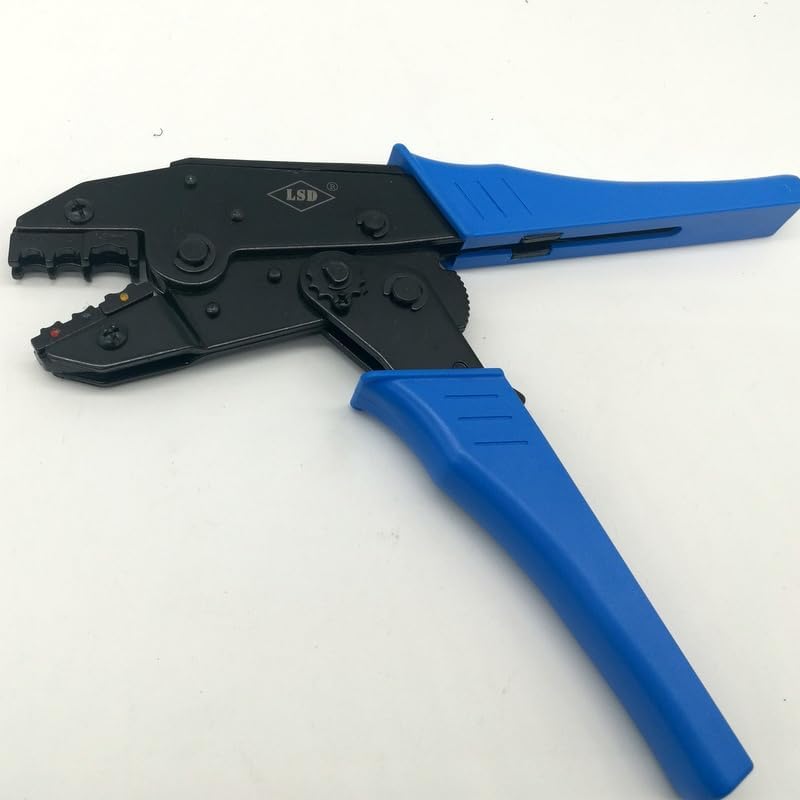
Image 5.2: The LS-206 cable cutter featuring red handles, designed for efficient cable cutting.
6. การบำรุงรักษา
การบำรุงรักษาอย่างถูกวิธีจะช่วยให้เครื่องมือของคุณมีอายุการใช้งานยาวนานและทำงานได้อย่างมีประสิทธิภาพ:
- การทำความสะอาด: After each use, wipe down the tools with a clean, dry cloth to remove any dirt, dust, or debris. For stubborn grime, a mild solvent can be used, ensuring it does not damage plastic components.
- การหล่อลื่น: Periodically apply a light machine oil to the pivot points and moving parts of both the crimping tool and cable cutter to ensure smooth operation.
- การตรวจสอบ: Regularly inspect the dies for wear or damage. Worn dies can lead to poor crimps. Inspect cable cutter blades for nicks or dullness.
- พื้นที่จัดเก็บ: Store the tools and dies in the provided carrying case in a dry environment to prevent rust and damage.
7 การแก้ไขปัญหา
If you encounter issues with your Jyving LS-K03C Multi-Tool Kit, consider the following:
- คุณภาพการย้ำที่ไม่ดี:
- Ensure the correct die is selected for the terminal and wire size.
- ตรวจสอบให้แน่ใจว่าได้ปอกสายไฟตามความยาวที่ถูกต้องและเสียบเข้ากับขั้วต่อจนสุดแล้ว
- Confirm the crimping tool handles are fully squeezed until the ratchet releases.
- Inspect dies for wear or damage; replace if necessary.
- Difficulty Cutting Cable:
- Check if the cable diameter exceeds the LS-206 cutter's maximum capacity (35mm²).
- Inspect the cutter blades for damage or dullness.
- Stiff Tool Operation:
- ทาจาระบีหรือสารหล่อลื่นปริมาณเล็กน้อยบริเวณจุดหมุน
- Clean any accumulated dirt or debris from the tool's mechanism.
8. ข้อมูลจำเพาะ
| คุณสมบัติ | ข้อมูลจำเพาะ |
|---|---|
| ผู้ผลิต | Jyving |
| หมายเลขรุ่น | JY-LS-K03C |
| LS-03C Crimping Capacity | 0.5-6mm² (pre-insulated terminals) |
| LS-206 Cable Cutter Capacity | สูงสุด 35 มม.² |
| Die A16WF Capacity | 6-16mm² (wire-end ferrules) |
| Die A04WF Capacity | 1.0-6.0mm² (twin wire-end ferrules) |
| Die A101 Capacity | 0.5-10mm² (non-insulated terminals) |
| Die A03B Capacity | 0.5-6mm² (non-insulated open plug-type connector) |
| Tool Kit Size | 275*121*7มม. |
| แบตเตอรี่ที่จำเป็น | เลขที่ |
9. การรับประกันและการสนับสนุน
สำหรับข้อมูลการรับประกันหรือการสนับสนุนทางเทคนิค โปรดติดต่อผู้ค้าปลีกหรือตัวแทนจำหน่ายอย่างเป็นทางการของผู้ผลิต webไซต์ โปรดเก็บใบเสร็จรับเงินไว้เป็นหลักฐานการซื้อ