
Fastsun T31
Fastsun T31 Car OBD2 Scanner User Manual
รุ่น : T31
1. บทนำ
The Fastsun T31 Car OBD2 Scanner is a diagnostic tool designed to help vehicle owners and technicians identify and resolve engine-related issues. This device provides comprehensive support for detecting American cars manufactured after 1996 and European cars made after 2000. It effectively identifies the cause of fault light activation, analyzes, and clears fault codes. This manual provides detailed instructions for the proper use, maintenance, and troubleshooting of your T31 OBD2 scanner.
2. ข้อมูลด้านความปลอดภัย
Always observe the following safety precautions when using the T31 OBD2 Scanner:
- โปรดตรวจสอบให้แน่ใจว่าได้ปิดสวิตช์กุญแจรถแล้วก่อนที่จะเชื่อมต่อหรือถอดเครื่องสแกน
- Do not operate the scanner while driving.
- Keep the scanner away from water, moisture, and extreme temperatures.
- หลีกเลี่ยงการทำอุปกรณ์หล่นหรือกระแทกอย่างรุนแรง
- Only use the scanner for its intended purpose as an automotive diagnostic tool.
- Consult a qualified mechanic if you are unsure about any diagnostic results or repair procedures.
3. เนื้อหาบรรจุภัณฑ์
ตรวจสอบว่ามีรายการทั้งหมดอยู่ในแพ็คเกจของคุณ:
- 1 x Fastsun T31 Car OBD2 Scanner
- 1 x คู่มือผู้ใช้
4. สินค้าหมดview
The T31 Car OBD2 Scanner is a compact and user-friendly diagnostic tool. It features a backlit LCD screen for clear display of information and intuitive navigation buttons.
คุณสมบัติหลัก:
- ความเข้ากันได้กว้าง: Supports American cars manufactured after 1996 and European cars made after 2000, covering CAN and general OBD-II protocols.
- มัลติฟังก์ชั่น: Reads and clears engine fault codes, retrieves VIN, CIN, and CVN information.
- อินเทอร์เฟซที่เป็นมิตรกับผู้ใช้: Multilingual menu (English, French, etc.) with DTC definitions.
- จอแสดงผล LCD: อนุญาติ viewing of freeze frame data and live data stream. Features a large, easy-to-read backlit LCD screen.
- ปลั๊กแอนด์เพลย์: Simple connection and operation with bright color-coded LEDs and built-in speakers for readiness verification.
- การดึงรหัส: Retrieves generic (P0, P2, P3, U0) and manufacturer-specific (P1, P3, U1) codes.
- การควบคุม MIL: Can turn off the Check Engine Light (MIL), clear codes, and reset monitors.
ส่วนประกอบ:

รูปที่ 4.1: Fastsun T31 OBD2 Scanner. This image shows the compact design of the scanner, its LCD screen, navigation buttons, and the integrated OBD2 connector cable.

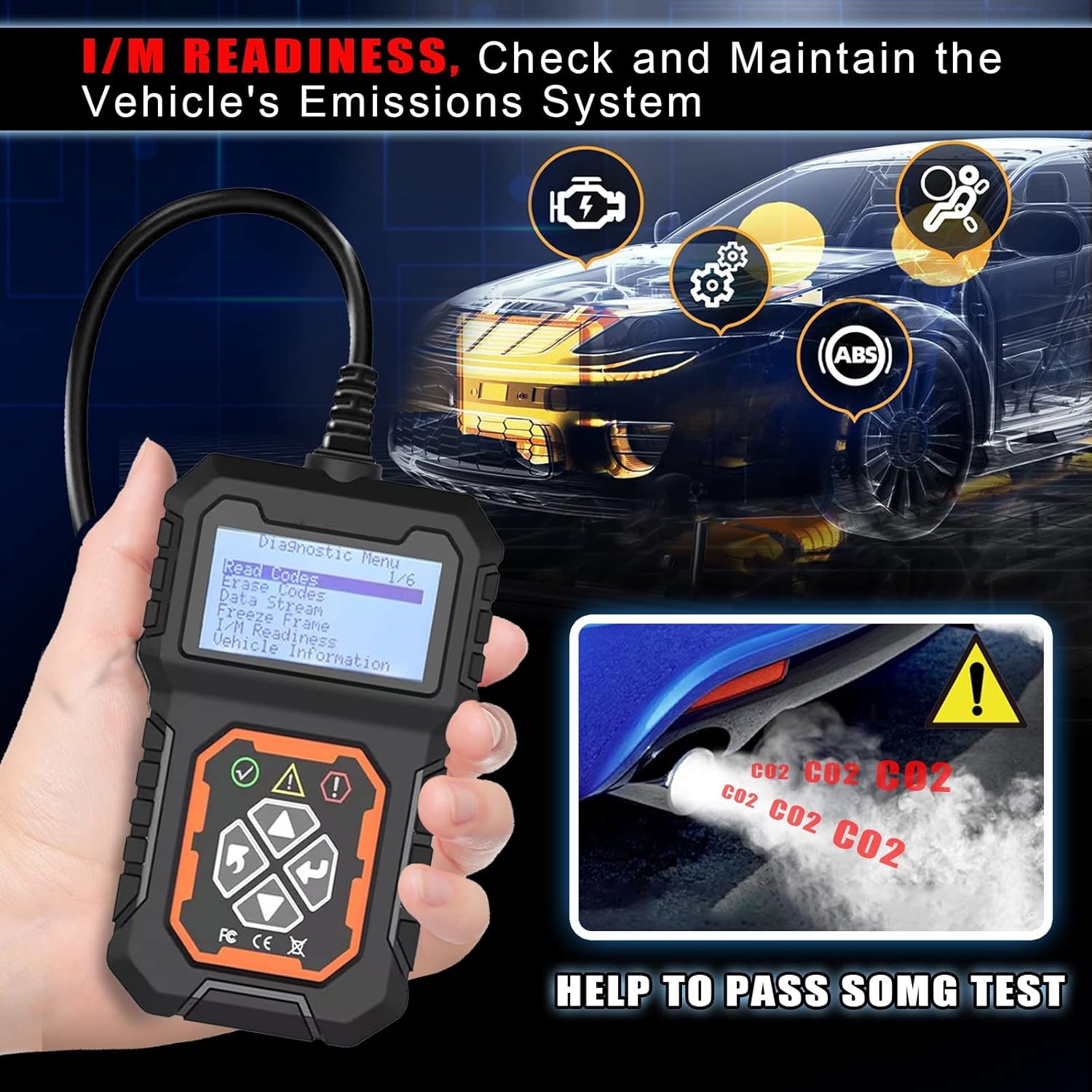
รูปที่ 4.2: T31 Diagnostic Functions. This image highlights the main diagnostic capabilities of the T31 scanner, including reading and erasinรหัส g viewing live data, and checking I/M readiness.
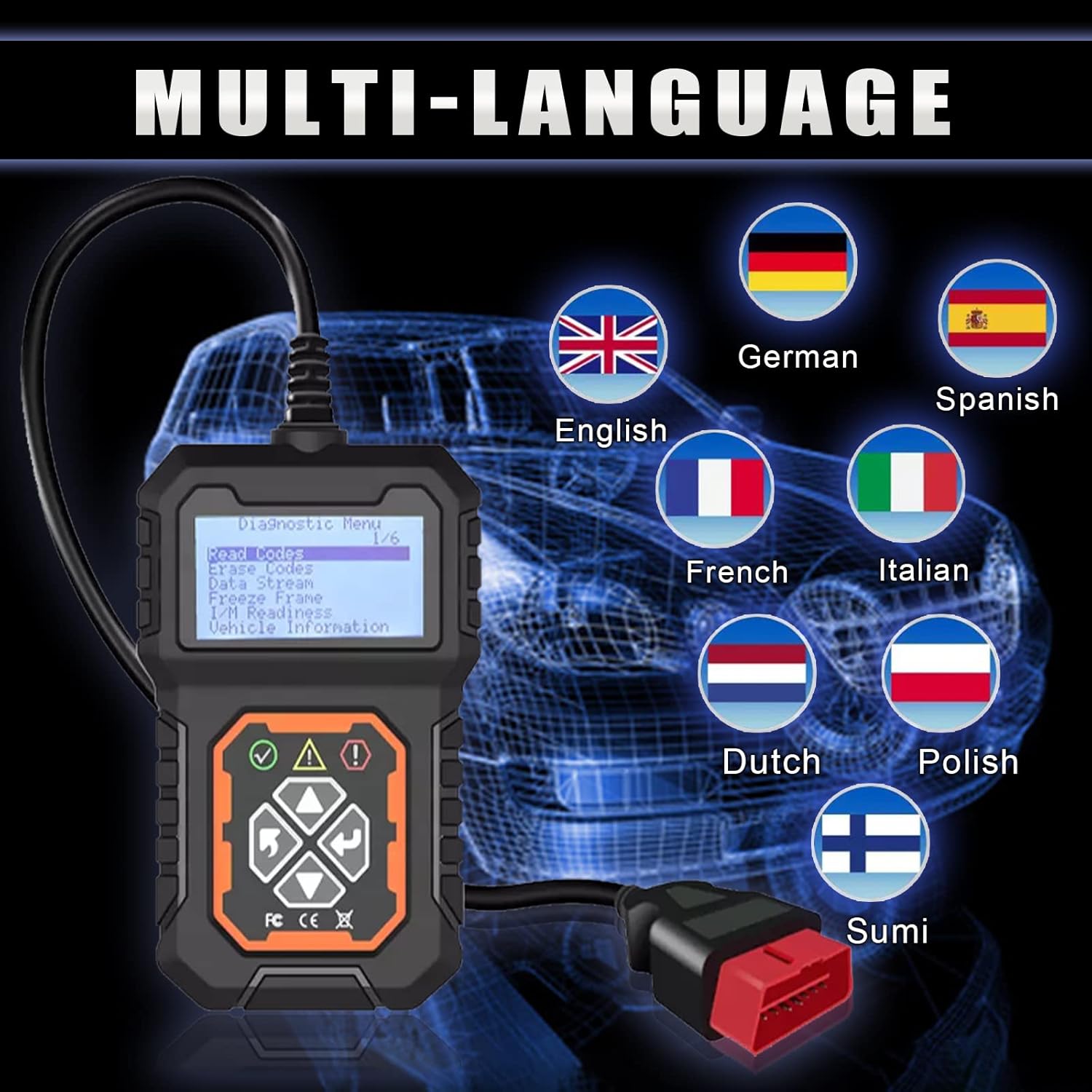
รูปที่ 4.3: Multi-Language Support. The scanner supports multiple languages, making it accessible to a wider range of users.
5. การตั้งค่าและการเชื่อมต่อ
Follow these steps to connect and power on your T31 OBD2 Scanner:
- เปิดสวิตช์กุญแจ: Turn the vehicle's ignition to the "ON" position, but do not start the engine.
- ค้นหาพอร์ต OBD2: Locate the 16-pin Data Link Connector (DLC) in your vehicle. This port is usually located under the dashboard on the driver's side.
- เชื่อมต่อเครื่องสแกน: Plug the T31 scanner's OBD2 connector into the vehicle's DLC. The scanner will power on automatically.
- Select Diagnostic Menu: Once powered on, the scanner will display the main diagnostic menu.
รูปที่ 5.1: Easy Installation and Use. This image illustrates the simple four-step process for connecting and initiating the T31 scanner.
6. คู่มือการใช้งาน
Navigate the scanner using the directional buttons and the OK/Enter button. The main menu provides access to various diagnostic functions.
6.1. อ่านรหัส
This function retrieves Diagnostic Trouble Codes (DTCs) from the vehicle's engine control unit (ECU). These codes indicate specific issues detected by the vehicle's onboard diagnostic system.
- From the main menu, select "Read Codes".
- กดปุ่ม OK ปุ่ม.
- The scanner will display any stored or pending fault codes.
6.2. ลบรหัส
This function clears all stored DTCs from the vehicle's ECU and turns off the Check Engine Light (MIL). Ensure the underlying issue has been resolved before clearing codes.
- From the main menu, select "Erase Codes".
- กดปุ่ม OK ปุ่ม.
- ยืนยันการเลือกของคุณเมื่อได้รับแจ้ง
- The MIL will turn off, and codes will be cleared.

รูปที่ 6.1: Code Reading and Clearing. This image illustrates the scanner's ability to quickly read and delete emission codes, helping users identify and resolve issues efficiently.
6.3. สตรีมข้อมูลสด
View real-time operational data from the vehicle's sensors and components. This can help diagnose intermittent problems or verify repairs.
- From the main menu, select "Data Stream".
- กดปุ่ม OK ปุ่ม.
- The scanner will display various live data parameters. Use the up/down buttons to scroll.
6.4. เฟรมหยุดนิ่ง
When an emission-related fault occurs, the ECU stores certain vehicle operating conditions at the time of the fault. This "freeze frame" data can help pinpoint the cause of the problem.
- From the main menu, select "Freeze Frame".
- กดปุ่ม OK ปุ่ม.
- The scanner will display the stored freeze frame data.
6.5. ความพร้อมด้าน I/M
This function checks the readiness of the vehicle's emission monitoring systems. It indicates whether all monitors have completed their diagnostic tests, which is crucial for passing emissions inspections.
- จากเมนูหลัก เลือก "ความพร้อม I/M"
- กดปุ่ม OK ปุ่ม.
- The scanner will display the status of various emission monitors (e.g., "OK", "INC" for incomplete).
รูปที่ 6.2: I/M Readiness Check. This function helps verify the vehicle's emissions system status, assisting in preparation for smog tests.
6.6. ข้อมูลยานพาหนะ
This function retrieves vehicle information such as the Vehicle Identification Number (VIN), Calibration Identification Number (CIN), and Calibration Verification Number (CVN).
- From the main menu, select "Vehicle Information".
- กดปุ่ม OK ปุ่ม.
- เครื่องสแกนจะแสดงข้อมูลรถยนต์ที่มีอยู่
7. การบำรุงรักษา
Proper maintenance ensures the longevity and optimal performance of your T31 OBD2 Scanner.
- การทำความสะอาด: ใช้แบบนุ่มๆamp ใช้ผ้าเช็ดทำความสะอาดภายนอกเครื่องสแกน ห้ามใช้สารทำความสะอาดที่มีฤทธิ์กัดกร่อนหรือตัวทำละลาย
- พื้นที่จัดเก็บ: เก็บเครื่องสแกนไว้ในที่แห้งและเย็น หลีกเลี่ยงแสงแดดโดยตรงและอุณหภูมิที่สูงหรือต่ำเกินไป
- การดูแลสายเคเบิล: Avoid bending or crimping the OBD2 cable excessively. Store it neatly to prevent damage.
- การอัปเดตซอฟต์แวร์: ตรวจสอบของผู้ผลิต website periodically for any available software updates to ensure compatibility with newer vehicles and improved functionality.
8 การแก้ไขปัญหา
If you encounter issues with your T31 OBD2 Scanner, refer to the following common problems and solutions:
| ปัญหา | สาเหตุที่เป็นไปได้ | สารละลาย |
|---|---|---|
| เครื่องสแกนเนอร์ไม่สามารถเปิดเครื่องได้ | Loose connection to DLC; Vehicle ignition not on; Vehicle battery low. | Ensure the OBD2 connector is securely plugged in. Turn the vehicle ignition to the "ON" position. Check vehicle battery voltage. |
| ข้อความ "ข้อผิดพลาดลิงค์" หรือ "ข้อผิดพลาดในการสื่อสาร" | Incorrect protocol; Faulty connection; Vehicle not OBDII compliant. | Verify the vehicle is OBDII compliant (1996 US, 2000 EU). Check the connection. Try on another OBDII compliant vehicle if possible. |
| ไม่สามารถล้างโค้ดได้ | Underlying fault still present; Ignition not on. | Ensure the vehicle's ignition is on (engine off). The fault must be repaired before codes can be permanently cleared. |
| หน้าจอมืดหรือไม่สามารถอ่านได้ | Low power; Screen settings. | Ensure proper connection to vehicle. Check if there are brightness settings on the device (refer to device menu). |
9. ข้อมูลจำเพาะ
| ข้อมูลจำเพาะ | รายละเอียด |
|---|---|
| แบบอย่าง | T31 |
| ยี่ห้อ | ฟาสซัน |
| น้ำหนักสินค้า | 8.5 ออนซ์ |
| ขนาดแพ็คเกจ | 6.89 x 4.53 x 2.17 นิ้ว |
| ขนาดหน้าจอ | 2.8 นิ้ว |
| โปรโตคอลที่รองรับ | CAN, OBD-II (all protocols) |
| ภาษาที่รองรับ | English, French, German, Spanish, Italian, Dutch, Polish, Sumi |
| ยูพีซี | 724873545504 |

รูปที่ 9.1: T31 Scanner Dimensions and Display. This image provides a visual representation of the scanner's compact size and its clear LCD screen.
10. การรับประกันและการสนับสนุน
The Fastsun T31 Car OBD2 Scanner comes with a รับประกัน 5 ปี. For any questions, compatibility concerns, or technical support, please contact Fastsun customer service. They offer 7*24hrs customer service online เพื่อช่วยเหลือคุณ
นอกจากนี้ ยังมี คืนสินค้าได้ฟรีภายใน 180 วัน for refund or replacement is provided if you are not satisfied with the product.
Ask a question about this manual
Ask about setup, troubleshooting, compatibility, parts, safety, or missing instructions. Manuals+ will review the question and use this page’s manual context to help answer it.