
การแนะนำ
Thank you for choosing the A4 TECH 2DRUMTEK B25 True Wireless Earbuds. These earbuds feature advanced Bluetooth 5.2 technology for stable connectivity, Hybrid Active Noise Cancelling for an immersive audio experience, and an IPX4 rating for water and dust resistance, making them suitable for active lifestyles. The M.O.C.I (Mycelium of Carbon IT) hybrid diaphragm ensures clear highs, balanced mids, and deep bass. This manual provides detailed instructions for setup, operation, maintenance, and troubleshooting to help you get the most out of your device.
เนื้อหาแพ็คเกจ
- 2DRUMTEK B25 True Wireless Earbuds (Left and Right)
- เคสชาร์จไฟ
- สายชาร์จ
- คู่มือการใช้งาน
สินค้าเกินview
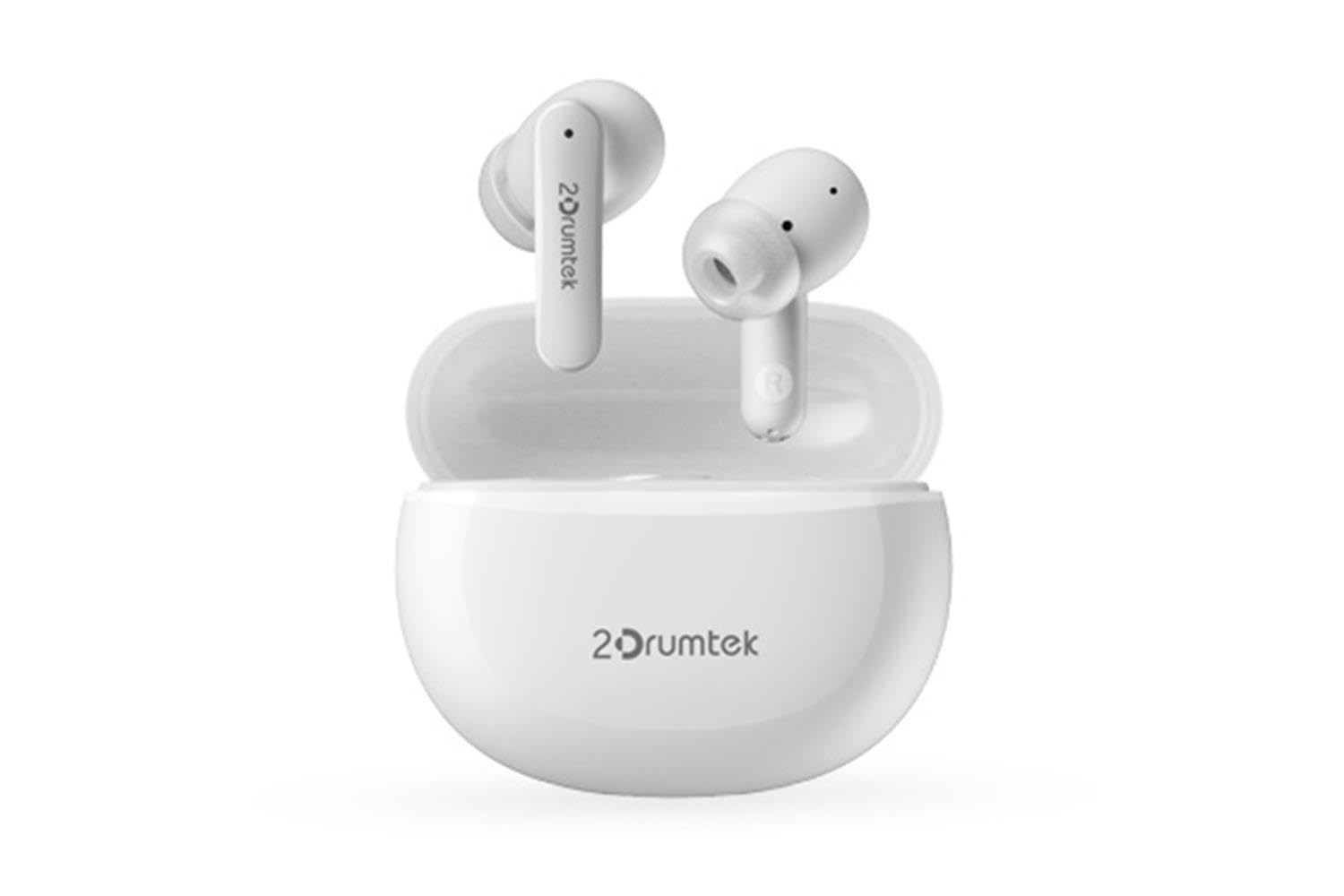
Image: A pair of white A4 TECH 2DRUMTEK B25 True Wireless Earbuds, showing their in-ear design and the '2Drumtek' branding on the stems.
The 2DRUMTEK B25 earbuds feature an ergonomic in-ear design. Each earbud includes a touch control area for various functions, a microphone for calls and voice assistant, and charging contacts at the bottom of the stem. An LED indicator provides status updates for pairing and battery life.
การตั้งค่า
1. การชาร์จหูฟังและเคสชาร์จ
Before first use, fully charge the earbuds and the charging case. Place the earbuds into the charging case. Connect the charging cable to the case and a USB power source. The LED indicators on the case and earbuds will show charging status. A full charge provides up to 5 hours of playback for the earbuds, with an additional 15 hours from the charging case.
2. การจับคู่เบื้องต้น
- เปิดกล่องชาร์จ หูฟังจะเข้าสู่โหมดจับคู่โดยอัตโนมัติ
- บนอุปกรณ์ของคุณ (สมาร์ทโฟน แท็บเล็ต คอมพิวเตอร์) เปิดใช้งานบลูทูธ
- ค้นหา available Bluetooth devices and select "2DRUMTEK B25".
- Once connected, you will hear a confirmation tone, and the LED indicator on the earbuds will change.
3. การเชื่อมต่อใหม่อัตโนมัติ
After the initial pairing, the earbuds will automatically connect to your previously paired device when you open the charging case and take them out, provided Bluetooth is enabled on your device.
คำแนะนำการใช้งาน
1. เปิด/ปิดเครื่อง
- เปิดเครื่อง: เปิดกล่องชาร์จและเอียร์บัดจะเปิดโดยอัตโนมัติ
- หมดแรง: ใส่หูฟังกลับเข้าไปในกล่องชาร์จและปิดฝา หูฟังจะปิดเครื่องโดยอัตโนมัติ
2. Music Playback (Touch Control)
- เล่น/หยุดชั่วคราว: แตะที่หูฟังข้างใดข้างหนึ่งเพียงครั้งเดียว
- เพลงถัดไป: แตะที่หูฟังด้านขวาสองครั้ง
- เพลงก่อนหน้า: แตะที่หูฟังด้านซ้ายสองครั้ง
3. การจัดการสายเรียกเข้า (ระบบควบคุมแบบสัมผัส)
- รับ/วางสาย: แตะที่หูฟังข้างใดข้างหนึ่งเพียงครั้งเดียว
- ปฏิเสธสาย: กดเอียร์บัดข้างใดข้างหนึ่งค้างไว้ 2 วินาที
4. Voice Assistant (Touch Control)
Triple tap on either earbud to activate your device's voice assistant (e.g., Siri, Google Assistant, Amazon Alexa).
5. ระบบตัดเสียงรบกวนแบบแอคทีฟ (ANC)
The earbuds feature Hybrid Active Noise Cancelling. Refer to the specific touch control gestures in the quick start guide for activating and deactivating ANC mode, as these can vary.
การซ่อมบำรุง
- การทำความสะอาด: Regularly clean the earbuds, especially the ear tips and charging contacts, with a soft, dry cloth. Avoid using harsh chemicals or abrasive materials.
- พื้นที่จัดเก็บ: เมื่อไม่ได้ใช้งาน ให้เก็บหูฟังไว้ในกล่องชาร์จเพื่อป้องกันฝุ่นและความเสียหาย
- Water and Dust Resistance (IPX4): The earbuds are rated IPX4, meaning they are resistant to splashing water and sweat from any direction. They are suitable for workouts and outdoor activities but should not be submerged in water. Ensure the earbuds are dry before placing them back in the charging case to prevent damage.
- การดูแลแบตเตอรี่ เพื่อยืดอายุการใช้งานแบตเตอรี่ ควรหลีกเลี่ยงการปล่อยให้หูฟังแบตหมดจนเกลี้ยงบ่อยๆ ควรชาร์จหูฟังเป็นประจำ แม้ว่าจะไม่ได้ใช้งานตลอดเวลาก็ตาม
การแก้ไขปัญหา
- หูฟังไม่จับคู่: ตรวจสอบให้แน่ใจว่าหูฟังทั้งสองข้างชาร์จไฟเต็มแล้ว ใส่หูฟังกลับเข้าไปในเคส ปิดฝา แล้วเปิดฝาอีกครั้งเพื่อเข้าสู่โหมดจับคู่ ตรวจสอบการตั้งค่าบลูทูธของอุปกรณ์ของคุณและลองเชื่อมต่อใหม่อีกครั้ง
- มีหูฟังเพียงข้างเดียวที่ใช้งานได้: Ensure both earbuds are charged. Try resetting the earbuds by placing them in the case and then taking them out. Re-pair with your device if necessary.
- ไม่มีเสียง: Check the volume level on your connected device. Ensure the earbuds are properly paired and connected.
- ปัญหาการชาร์จ: ตรวจสอบให้แน่ใจว่าสายชาร์จเชื่อมต่อกับเคสและแหล่งจ่ายไฟอย่างแน่นหนา ทำความสะอาดจุดสัมผัสการชาร์จบนหูฟังและภายในเคส
- คุณภาพเสียงไม่ดี: Ensure the earbuds are properly seated in your ears. Try different ear tip sizes for a better seal.
ข้อมูลจำเพาะ
| คุณสมบัติ | คำอธิบาย |
|---|---|
| ชื่อรุ่น | 2DRUMTEK B25 |
| เทคโนโลยีการเชื่อมต่อ | ไร้สาย (บลูทูธ 5.2) |
| ระบบตัดเสียงรบกวน | ระบบตัดเสียงรบกวนแบบไฮบริด |
| ระดับความต้านทานต่อน้ำ | IPX4 (ทนน้ำ) |
| การวางตำแหน่งหู | อินเอียร์ |
| ประเภทการควบคุม | การควบคุมแบบสัมผัส |
| อุปกรณ์ที่รองรับ | PCs, Laptops, Mobile Phones, Tablets, Other Bluetooth Devices |
| วัสดุ | Plastic, Metal, Carbon Fiber |
| อายุการใช้งานแบตเตอรี่ (หูฟัง) | สูงสุด 5 ชั่วโมงต่อการชาร์จหนึ่งครั้ง |
| เวลาเล่นทั้งหมด (รวมเคส) | นานถึง 20 ชั่วโมง |
ข้อมูลด้านความปลอดภัย
- ห้ามถอดประกอบหรือดัดแปลงผลิตภัณฑ์
- หลีกเลี่ยงอุณหภูมิที่สูงและแสงแดดโดยตรง
- Avoid exposing the product to fire or high heat.
- ห้ามใช้หูฟังด้วยระดับเสียงที่สูงเกินไปเป็นเวลานานเพื่อป้องกันความเสียหายต่อการได้ยิน
- เก็บให้พ้นจากมือเด็กและสัตว์เลี้ยง
การรับประกันและการสนับสนุน
This product comes with a standard manufacturer's warranty. For detailed warranty information, please refer to the warranty card included in your package or visit the official A4 TECH website. If you encounter any issues or require technical assistance, please contact A4 TECH customer support through their official channels. Please have your model number (B25) and proof of purchase ready when contacting support.