
1. สินค้าหมดview
This manual provides detailed instructions for the AMONIDA Parking Radar Button Cover. This product is a high-quality replacement accessory designed to restore or upgrade the appearance and functionality of your vehicle's parking sensor switch button. Manufactured from durable ABS material, it offers a robust and weather-resistant solution for compatible BMW models.
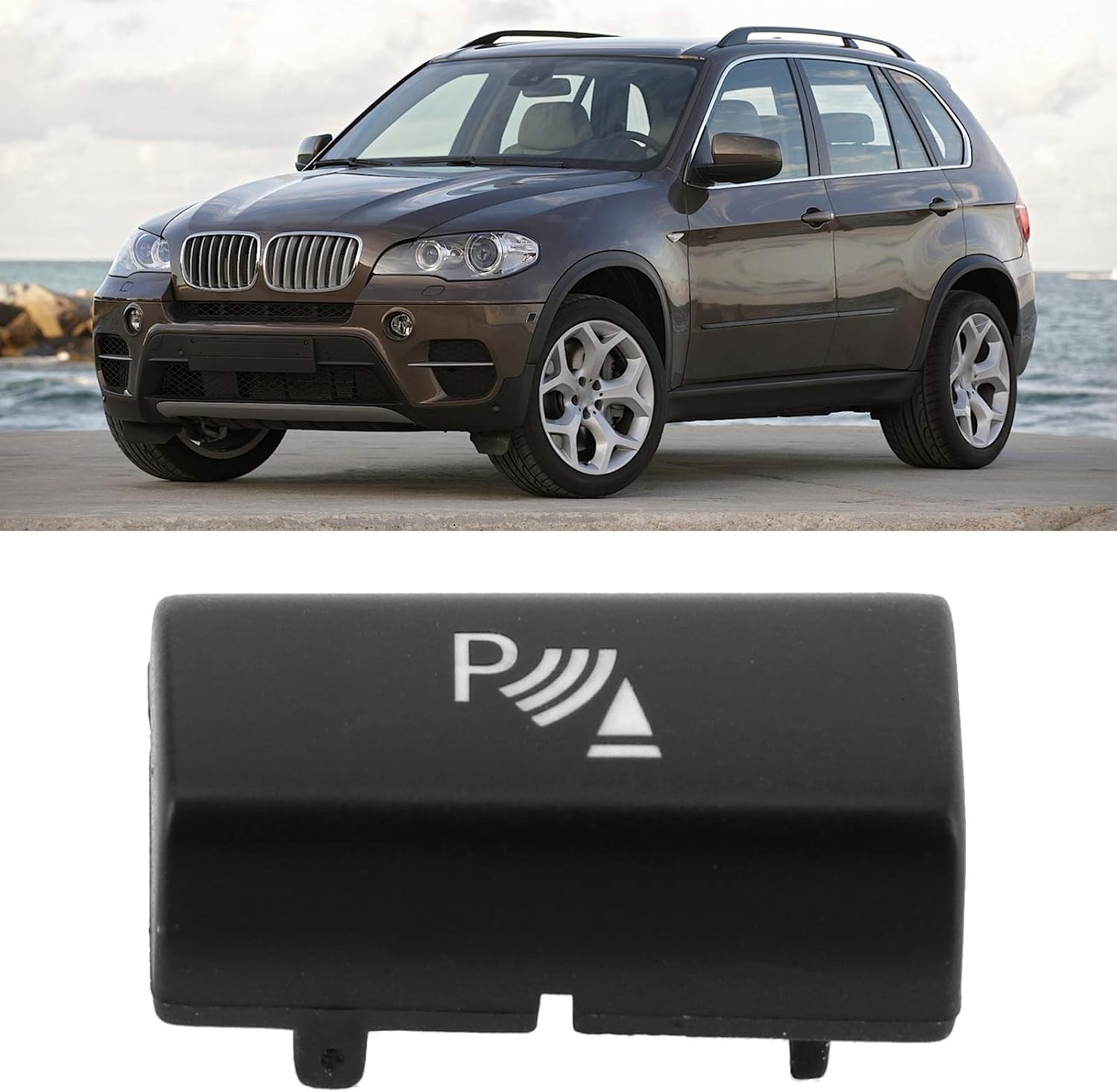
Image 1: The AMONIDA Parking Radar Button Cover shown alongside a compatible BMW X5 vehicle.
2. ข้อมูลด้านความปลอดภัย
Please read and understand all safety instructions before installation. Failure to do so may result in damage to the product, vehicle, or personal injury.
- Always ensure the vehicle's ignition is turned off and the parking brake is engaged before beginning any installation.
- หากคุณไม่แน่ใจเกี่ยวกับขั้นตอนใด ๆ ในกระบวนการติดตั้ง โปรดปรึกษาช่างเทคนิคยานยนต์ที่มีคุณสมบัติเหมาะสม
- เก็บชิ้นส่วนขนาดเล็กและวัสดุบรรจุภัณฑ์ให้ห่างจากเด็กเพื่อป้องกันอันตรายจากการสำลัก
- Do not use excessive force during installation, as this may damage the button cover or the vehicle's dashboard components.
3. เนื้อหาบรรจุภัณฑ์
ตรวจสอบให้แน่ใจว่าสินค้าทุกชิ้นครบถ้วนและไม่เสียหายก่อนเปิดบรรจุภัณฑ์
- 1 x AMONIDA Parking Radar Button Cover
4. ข้อมูลจำเพาะ
| คุณสมบัติ | รายละเอียด |
|---|---|
| ชื่อสินค้า | Parking Radar Button Cover |
| ยี่ห้อ | อโมนิดา |
| วัสดุ | พลาสติก ABS คุณภาพสูง |
| ความเข้ากันได้ | BMW X5 E70 (2006-2013), BMW X6 E71 (2008-2014) |
| ประเภทชิ้นส่วน | Replacement Button Trim |
5. ความเข้ากันได้
This Parking Radar Button Cover is specifically designed for the following BMW models:
- BMW X5 E70: Model years 2006, 2007, 2008, 2009, 2010, 2011, 2012, 2013
- BMW X6 E71: Model years 2008, 2009, 2010, 2011, 2012, 2013, 2014
Please ensure your vehicle's model and year match the listed compatibility before proceeding with installation.

Image 2: The button cover with a visual confirmation of compatibility for BMW X5 E70 and X6 E71 models.
6. การติดตั้ง (ตั้งค่า)
The AMONIDA Parking Radar Button Cover is designed for simple, non-damaging installation without the need for complicated tools.
- เตรียมยานพาหนะ: Ensure your vehicle's ignition is off. Locate the existing parking radar button on your dashboard or center console.
- ถอดฝาครอบเก่าออก (ถ้ามี): Carefully use a plastic trim removal tool or a similar non-marring instrument to gently pry around the edges of the old or damaged button cover. Apply even pressure to avoid damaging the surrounding trim.
- Inspect the Switch: Once the old cover is removed, inspect the underlying switch mechanism for any damage or debris. Clean the area if necessary.
- จัดเรียงปกใหม่: Take the new AMONIDA Parking Radar Button Cover. Observe the clips and alignment tabs on the back of the cover.
- ติดตั้งฝาครอบใหม่: Align the new cover precisely with the switch mechanism. Gently press the cover into place until you hear or feel a secure click. Ensure all edges are flush with the surrounding trim.
- ทดสอบฟังก์ชันการทำงาน: Turn on the vehicle's ignition and test the parking radar button to ensure it operates correctly.

ภาพที่ 3: ด้านหลัง view of the button cover, highlighting the clips for secure installation.

Image 4: The button cover shown installed within a vehicle's dashboard, demonstrating proper fitment.
7. การดำเนินการ
The AMONIDA Parking Radar Button Cover is a cosmetic and protective component. It does not alter the functionality of your vehicle's parking radar system. Once installed, operate the parking radar button as you normally would to activate or deactivate the parking assistance features.
8. การบำรุงรักษา
To ensure the longevity and appearance of your AMONIDA Parking Radar Button Cover, follow these simple maintenance guidelines:
- การทำความสะอาด: Wipe the button cover periodically with a soft, damp ผ้าเพื่อขจัดฝุ่นและรอยนิ้วมือ
- หลีกเลี่ยงสารเคมีที่รุนแรง: Do not use abrasive cleaners, solvents, or harsh chemicals, as these can damage the finish of the ABS material.
- การป้องกัน: หลีกเลี่ยงการเกาพื้นผิวด้วยวัตถุมีคม
9 การแก้ไขปัญหา
If you encounter any issues after installing the button cover, consider the following:
- Button Cover Not Fitting Securely: Ensure the cover is correctly aligned with the switch mechanism and that all clips are engaged. Gently press firmly until it clicks into place.
- Parking Radar System Not Functioning: Verify that the underlying parking sensor switch is not damaged and that the new cover is not obstructing its movement. Re-check the installation steps. If the issue persists, the problem may lie with the vehicle's parking radar system itself, not the button cover.
- ความไม่สมบูรณ์ของเครื่องสำอาง: If the cover appears scratched or damaged upon receipt, do not install it. Contact customer support for assistance.
10. การรับประกันและการสนับสนุน
For information regarding product warranty, returns, or technical support, please refer to the documentation provided with your purchase or contact the seller directly through the platform where the product was acquired. Keep your proof of purchase for any warranty claims.