
1. บทนำ
This instruction manual provides detailed information for the proper installation, operation, and maintenance of your Senzooe 1.14 inch TFT LCD 135 x 240 SPI Display Module. Please read this manual thoroughly before using the product to ensure optimal performance and longevity.
2. สินค้าหมดview
The Senzooe 1.14 inch TFT LCD is a compact display module featuring a 135 x 240 pixel resolution and utilizing a Serial Peripheral Interface (SPI) for communication. This module is designed for integration into various electronic projects requiring a small, color display.
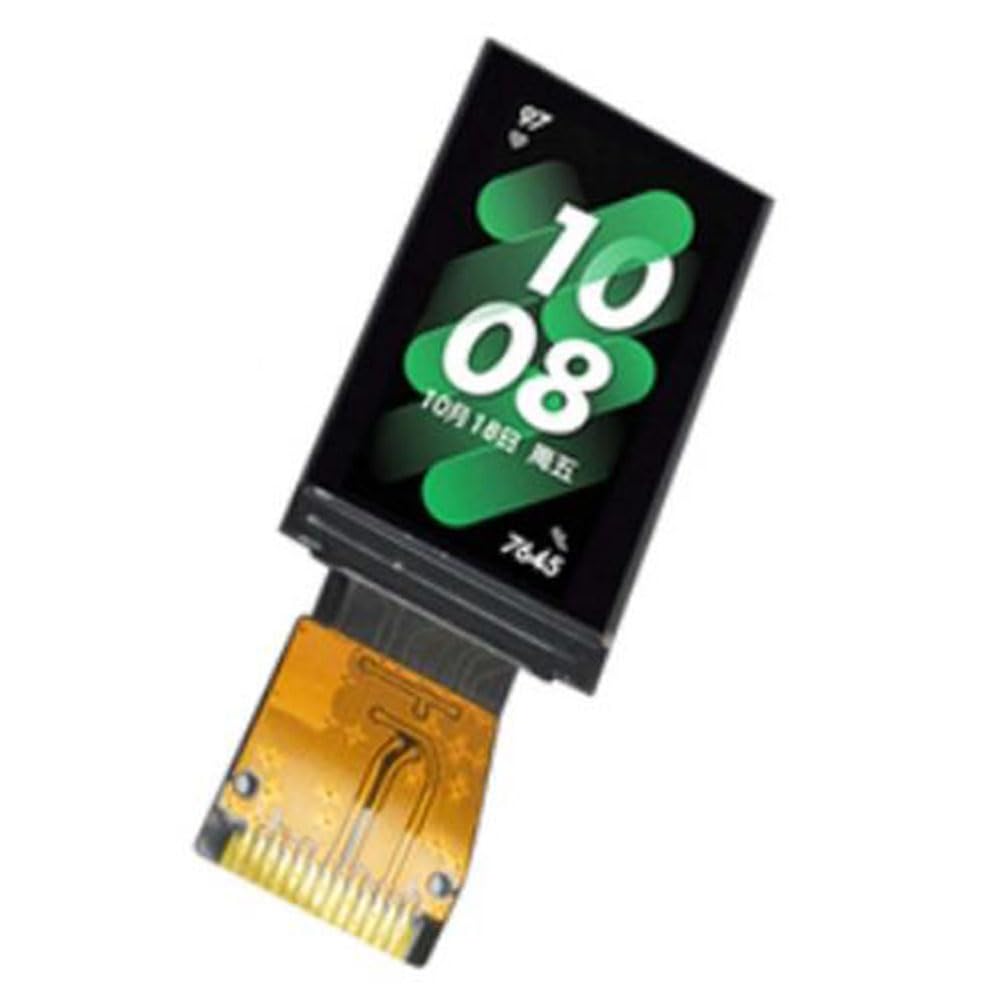
รูปที่ 2.1 : ด้านหน้า view of the 1.14 inch TFT LCD Display Module with an active display.

รูปที่ 2.2 : ด้านหน้า view of the 1.14 inch TFT LCD Display Module, unlit, showing the display area and connection pins.

รูปที่ 2.3: ย้อนกลับ view of the 1.14 inch TFT LCD Display Module, revealing the integrated circuit board and connection pads.
3. คุณสมบัติ
- ขนาดจอแสดงผล: 1.14 นิ้ว
- ความละเอียด: 135 x 240 พิกเซล
- Interface: SPI (Serial Peripheral Interface)
- Display Type: TFT LCD
- Compact and lightweight design (approximately 10g)
4. เนื้อหาบรรจุภัณฑ์
Please verify that all items are present upon opening the package:
- 1x Senzooe 1.14 inch TFT LCD 135 x 240 SPI Display Module
- (Optional) Pin headers or connecting cables (may vary by supplier)
5. คำแนะนำในการตั้งค่า
5.1 คำอธิบายพินเอาต์
The module typically features a set of pins for power, ground, and SPI communication. Refer to the specific pin labels on your module for exact connections. Common SPI pins include:
- วีซีซี: Power supply (e.g., 3.3V or 5V, check module specifications)
- จีเอ็นดี: พื้น
- SCK (SCL): นาฬิกาอนุกรม
- MOSI (SDA): Master Out Slave In (Data)
- CS (CE): เลือกชิป
- DC (A0): Data/Command Select
- อาร์เอสที: รีเซ็ต
- BL (LED): Backlight Control (optional)
5.2 การเชื่อมต่อฮาร์ดแวร์
- การเชื่อมต่อไฟฟ้า: Connect the VCC pin to the appropriate power supply voltage (e.g., 3.3V from your microcontroller) and GND to the ground of your system.
- SPI Connection: Connect the SCK, MOSI, and CS pins to the corresponding SPI pins on your microcontroller.
- พินควบคุม: Connect the DC (Data/Command) and RST (Reset) pins to general-purpose input/output (GPIO) pins on your microcontroller.
- Backlight (Optional): If your module has a BL or LED pin, connect it to a GPIO pin or directly to VCC if constant backlight is desired.
ตรวจสอบให้แน่ใจเสมอว่าปริมาตรถูกต้องtage levels to prevent damage to the display module or your microcontroller.
5.3 การตั้งค่าซอฟต์แวร์
To operate the display, you will need to use a compatible library for your chosen microcontroller platform (e.g., Arduino, ESP32, Raspberry Pi). Popular libraries for TFT displays often include support for the ST7789V or similar display controllers, which are commonly used in 1.14 inch TFT LCDs.
- Install the appropriate display library (e.g., Adafruit GFX Library, Adafruit ST7735/ST7789 Library).
- Initialize the display with the correct pin assignments and display resolution (135x240).
- Refer to the library's documentation and examples for specific initialization code and drawing functions.
6. คู่มือการใช้งาน
Once the hardware is connected and the software library is set up, you can begin programming the display.
6.1 Basic Display Functions
- การเริ่มต้น: Call the display's initialization function in your setup code. This typically involves setting up SPI communication and configuring the display controller.
- Clearing the Screen: Use functions like
fillScreen(color)to clear the display to a specific color. - Drawing Primitives: Libraries provide functions for drawing pixels, lines, rectangles, circles, etc. (e.g.,
drawPixel(x, y, color),drawLine(x0, y0, x1, y1, color)). - แสดงข้อความ: Set text color, size, and position, then use
print()orprintln()functions to display text. - Displaying Images: Convert images to a compatible format (e.g., bitmap arrays) and use image drawing functions provided by the library.
Consult the documentation of your chosen display library for a comprehensive list of available functions and exampเลส.
7. การบำรุงรักษา
- การทำความสะอาด: Use a soft, dry, lint-free cloth to gently wipe the display surface. Avoid abrasive materials or harsh chemical cleaners.
- พื้นที่จัดเก็บ: Store the module in a dry, dust-free environment, away from direct sunlight and extreme temperatures.
- การจัดการ: Avoid applying excessive pressure to the display surface. Handle the module by its edges to prevent damage to the screen or circuit board.
- พลัง: Always ensure the correct power supply voltage is used. Incorrect voltage can permanently damage the module.
8 การแก้ไขปัญหา
8.1 จอแสดงผลไม่สว่างขึ้น
- Check power connections (VCC and GND).
- Verify the backlight (BL/LED) pin connection and ensure it is receiving power or a high signal if controlled by GPIO.
- Ensure the display is properly initialized in your software.
8.2 No Image or Garbled Display
- Double-check all SPI connections (SCK, MOSI, CS, DC, RST) for correct wiring and continuity.
- Confirm that the correct display controller (e.g., ST7789V) and resolution (135x240) are specified in your software library initialization.
- Ensure the SPI clock speed is compatible with the display module.
- Verify that the reset pin is correctly toggled during initialization.
8.3 Incorrect Colors
- Check if the color format (e.g., RGB565) is correctly configured in your software.
- Some displays may require a color inversion command. Consult your library's documentation.
9. ข้อมูลจำเพาะ
| คุณสมบัติ | ข้อมูลจำเพาะ |
|---|---|
| ขนาดจอแสดงผล | 1.14 นิ้ว |
| ปณิธาน | 135 x 240 พิกเซล |
| อินเทอร์เฟซ | SPI (อินเทอร์เฟซอุปกรณ์ต่อพ่วงแบบอนุกรม) |
| ประเภทจอภาพ | ทีเอฟทีแอลซีดี |
| น้ำหนัก | ประมาณ 10 กรัม |
| ผู้ผลิต | Senzooe |
| ASIN | B0C744WPC6 |
10. การรับประกันและการสนับสนุน
For warranty information and technical support, please refer to the documentation provided by your retailer or contact the manufacturer directly. Keep your purchase receipt as proof of purchase.
Manufacturer: Senzooe