
PELONIS PBF15T4AWW
PELONIS Bladeless Tower Fan User Manual
Model: PBF15T4AWW
แบรนด์: PELONIS
1. บทนำ
Thank you for choosing the PELONIS Bladeless Tower Fan. This manual provides important information for the safe operation, maintenance, and troubleshooting of your new fan. Please read it thoroughly before use and retain it for future reference.

Image: The PELONIS Bladeless Tower Fan demonstrating its powerful airflow.
2. คำแนะนำด้านความปลอดภัยที่สำคัญ
ปฏิบัติตามข้อควรระวังด้านความปลอดภัยขั้นพื้นฐานเสมอเมื่อใช้เครื่องใช้ไฟฟ้า เพื่อลดความเสี่ยงต่อการเกิดไฟไหม้ ไฟฟ้าช็อต และการบาดเจ็บต่อบุคคล
- อ่านคำแนะนำทั้งหมดก่อนใช้พัดลมนี้
- Ensure the power source matches the fan's requirements.
- ห้ามใช้งานพัดลมหากสายไฟหรือปลั๊กชำรุด
- Keep the fan away from water or wet surfaces.
- ห้ามสอดนิ้วหรือสิ่งแปลกปลอมใดๆ เข้าไปในช่องเปิดใดๆ
- Unplug the fan from the outlet when not in use or before cleaning.
- เครื่องใช้ไฟฟ้าตัวนี้มีไว้สำหรับใช้ภายในอาคารเท่านั้น
- Keep out of reach of children and pets. The bladeless design enhances safety.
3. การตั้งค่า
The PELONIS Bladeless Tower Fan requires minimal assembly.
- ถอดพัดลมและวัสดุบรรจุภัณฑ์ทั้งหมดออกจากกล่องอย่างระมัดระวัง
- วางพัดลมบนพื้นผิวที่มั่นคงและระดับเดียวกัน
- ตรวจสอบให้แน่ใจว่าสายไฟไม่ถูกหนีบหรือเสียหาย
- เสียบพัดลมเข้ากับเต้ารับไฟฟ้ามาตรฐาน
- For smart features, download the PELONIS app from your smartphone's app store and follow the in-app instructions to connect your fan to your Wi-Fi network.
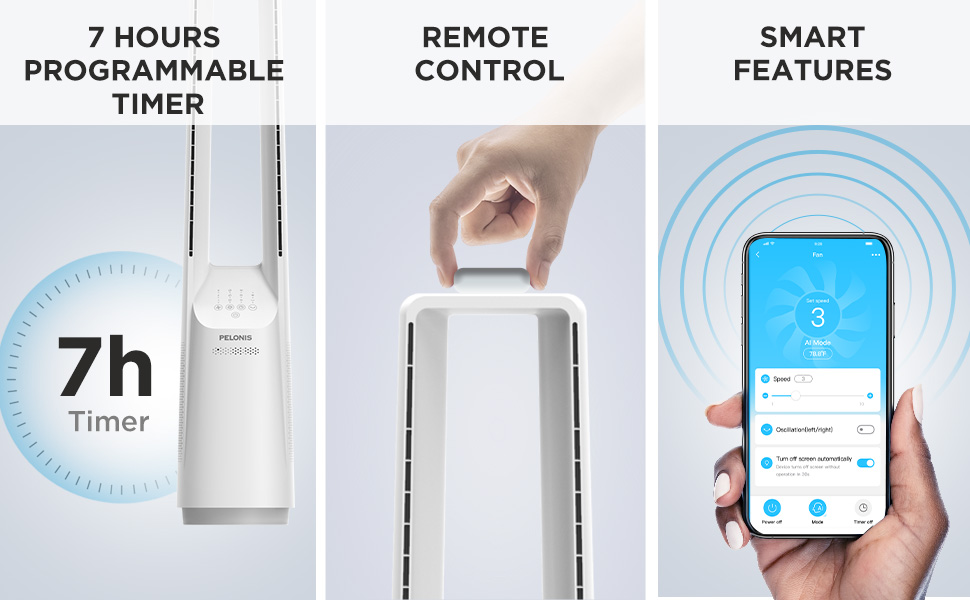
Image: The fan can be controlled via remote or a smartphone app, enabling smart features.
4. คู่มือการใช้งาน
Your PELONIS Bladeless Tower Fan offers multiple ways to customize your cooling experience.
แผงควบคุมและรีโมตคอนโทรล

ภาพ: รายละเอียด view of the fan's intuitive control panel, showing buttons for speed, modes, timer, and oscillation.
- ปุ่มเปิด/ปิด: กดเพื่อเปิดหรือปิดพัดลม
- Speed Settings (6-Speed): Adjust the fan speed from 1 (lowest) to 6 (highest) for personalized airflow.
- Wind Modes (4 Modes): Cycle through different wind modes:
- ปกติ: การไหลของอากาศคงที่ตามความเร็วที่เลือกไว้
- ธรรมชาติ: Simulates a natural breeze with varying speeds.
- นอน: ค่อยๆ ลดความเร็วพัดลมลงเพื่อการทำงานที่เงียบในระหว่างการนอนหลับ
- AI Mode (Sensi Cool Technology): Automatically adjusts fan speed based on ambient room temperature.
- Oscillation (120°): Press to activate or deactivate the 120-degree oscillation function, distributing air across a wider area.
- Timer (7-Hour): Set the fan to automatically turn off after a specified period (1, 2, 4, or 7 hours).
Smart Control (Wi-Fi and Voice Control)
This fan is compatible with Alexa and Google Assistant for convenient voice control. After connecting the fan to your Wi-Fi network via the PELONIS app, you can use voice commands such as:
- "อเล็กซ่า เปิดพัดลมหน่อย"
- "Hey Google, set the fan speed to 3."
- "Alexa, turn off oscillation on the fan."
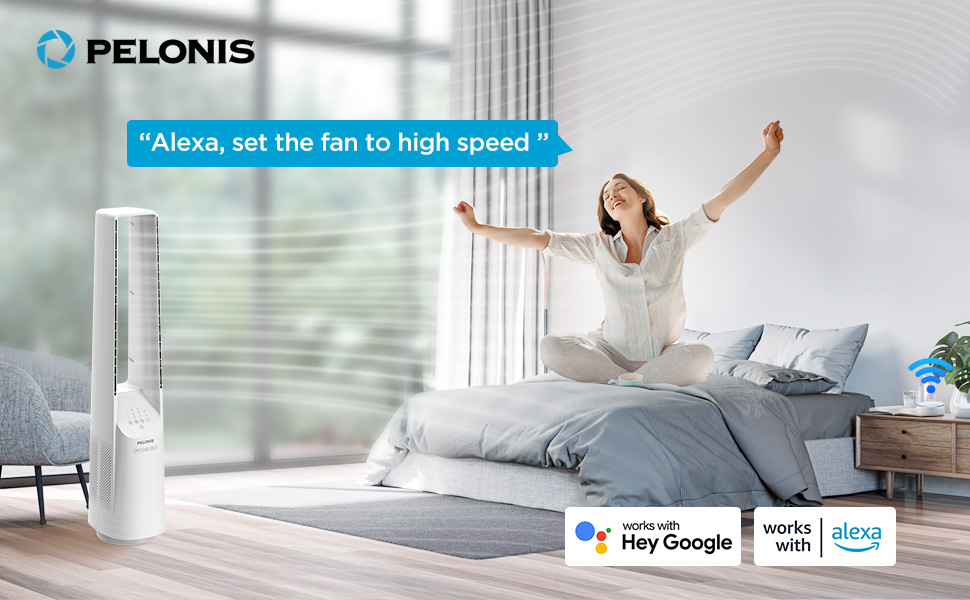
Image: The fan integrates seamlessly with smart home systems like Alexa and Google Assistant for voice-activated control.
วิดีโอ: ผลิตภัณฑ์เหนือview demonstrating the features and operation of the PELONIS Bladeless Tower Fan.
5. การบำรุงรักษาและการทำความสะอาด
Regular cleaning will help maintain your fan's performance and extend its lifespan. Always unplug the fan before cleaning.
- การทำความสะอาดภายนอก: ใช้แบบนุ่มๆamp cloth (towel) to wipe the exterior surfaces of the fan. Do not use abrasive cleaners or solvents.
- ช่องอากาศเข้า/ออก: Use a vacuum cleaner with a brush attachment to gently remove dust from the air inlet and outlet grilles. The bladeless design makes cleaning easier compared to traditional fans.
- ห้ามจุ่มพัดลมลงในน้ำหรือปล่อยให้น้ำหยดลงในตัวเรือนมอเตอร์
- เก็บพัดลมไว้ในที่เย็นและแห้งเมื่อไม่ใช้งาน
6 การแก้ไขปัญหา
| ปัญหา | สาเหตุที่เป็นไปได้ | สารละลาย |
|---|---|---|
| พัดลมไม่เปิด | ไม่ได้เสียบปลั๊ก; เต้าเสียบไฟไม่ทำงาน; ไม่ได้กดปุ่มเปิด/ปิด | Ensure fan is securely plugged into a working outlet. Press the power button. |
| การไหลเวียนของอากาศอ่อน | Low speed setting; air inlets/outlets blocked by dust. | Increase fan speed. Clean air inlets and outlets as per maintenance instructions. |
| พัดลมหยุดทำงานโดยไม่คาดคิด | Timer activated; safety auto-off feature (after 10-15 hours of no commands). | Check timer settings. This is a built-in safety feature to prevent overheating. Turn the fan back on if desired. |
| ฟังก์ชันอัจฉริยะใช้งานไม่ได้ | Fan not connected to Wi-Fi; incorrect app setup; Wi-Fi signal issues. | Ensure fan is connected to your home Wi-Fi via the PELONIS app. Check Wi-Fi signal strength. Refer to app instructions for troubleshooting connectivity. |
| เสียงรบกวนที่ผิดปกติ | Fan not on a level surface; internal obstruction. | Place fan on a stable, flat surface. If noise persists, contact customer support. |
7. ข้อมูลจำเพาะ
- แบบอย่าง: PBF15T4AWW
- ยี่ห้อ: เปโลนิส
- ขนาด (D x W x H): 8.07" x 9.76" x 39.76"
- น้ำหนัก: 3.46 ปอนด์
- ระดับเสียง: 32 เดซิเบล (ขั้นต่ำ)
- ช่วงการไหลของอากาศ: 26-33 ฟุต
- การตั้งค่าความเร็ว: 6
- โหมดลม: 4 (Normal, Natural, Sleep, AI Mode)
- การสั่น: 120°
- ตัวจับเวลา: ตั้งโปรแกรมได้ 7 ชั่วโมง
- วิธีการควบคุม: Touch Panel, Remote Control, Voice (Alexa/Google), App
- แหล่งพลังงาน: DC
- วัสดุใบมีด: พลาสติก (แบบไม่มีใบพัด)
- ใบรับรอง: UL
8. การรับประกันและการสนับสนุน
PELONIS provides a การรับประกันจากผู้ผลิต 1 ปี with the purchase of this product. This warranty covers defects in materials and workmanship under normal use.
For warranty claims, technical support, or any questions regarding your PELONIS Bladeless Tower Fan, please contact PELONIS Customer Service. Please have your model number (PBF15T4AWW) and proof of purchase ready.
You can also refer to the official PELONIS website for additional support resources and FAQs: Visit the PELONIS Store on Amazon
Ask a question about this manual
Ask about setup, troubleshooting, compatibility, parts, safety, or missing instructions. Manuals+ will review the question and use this page’s manual context to help answer it.