
1. บทนำ
Thank you for choosing the Walfront Professional Underground Metal Detector Scanner Device. This advanced instrument is designed for efficient and precise detection of various metals underground, including gold, silver, copper, and precious stones. It features a remote search system and a microcomputer-controlled positioning detection system, offering a modern approach to metal detection.

Figure 1: Walfront Professional Underground Metal Detector Scanner Device.
คุณสมบัติหลัก:
- การกำหนดตำแหน่งขั้นสูง: Utilizes a premium remote search and positioning detection system for accurate target identification.
- การควบคุมอัจฉริยะ: Equipped with a microcomputer control chip unit for calibration, self-checking, and efficient scanning.
- ความไวสูง: Offers excellent sensitivity and stability with a fast inductive detection response.
- การดำเนินงานด้านเศรษฐกิจ: Designed to be an efficient and practical metal testing instrument, reducing manual labor.
2. ข้อมูลด้านความปลอดภัย
Please read and understand all safety instructions before operating the device to ensure safe and effective use.
- Always operate the device in a stable environment, free from excessive interference, especially in wild or jungle settings.
- Ensure both the host detector and the transmitter are switched on simultaneously for proper detection functionality.
- หลีกเลี่ยงการวางอุปกรณ์ไว้ในอุณหภูมิหรือความชื้นที่สูงเกินไป
- ห้ามพยายามถอดประกอบหรือดัดแปลงอุปกรณ์ เนื่องจากอาจทำให้การรับประกันเป็นโมฆะและเกิดความเสี่ยงต่อความปลอดภัยได้
- เก็บอุปกรณ์ให้พ้นจากมือเด็ก
3. การตั้งค่า
Follow these steps to set up your Walfront Metal Detector for first use.
3.1 การแกะกล่องและการระบุชิ้นส่วน
นำส่วนประกอบทั้งหมดออกจากบรรจุภัณฑ์อย่างระมัดระวัง ตรวจสอบว่ามีส่วนประกอบทั้งหมดครบถ้วน:
- Main Detector Unit (Host)
- หน่วยส่งสัญญาณ
- Power Adapter (US Plug)
- การเชื่อมต่อสายเคเบิล
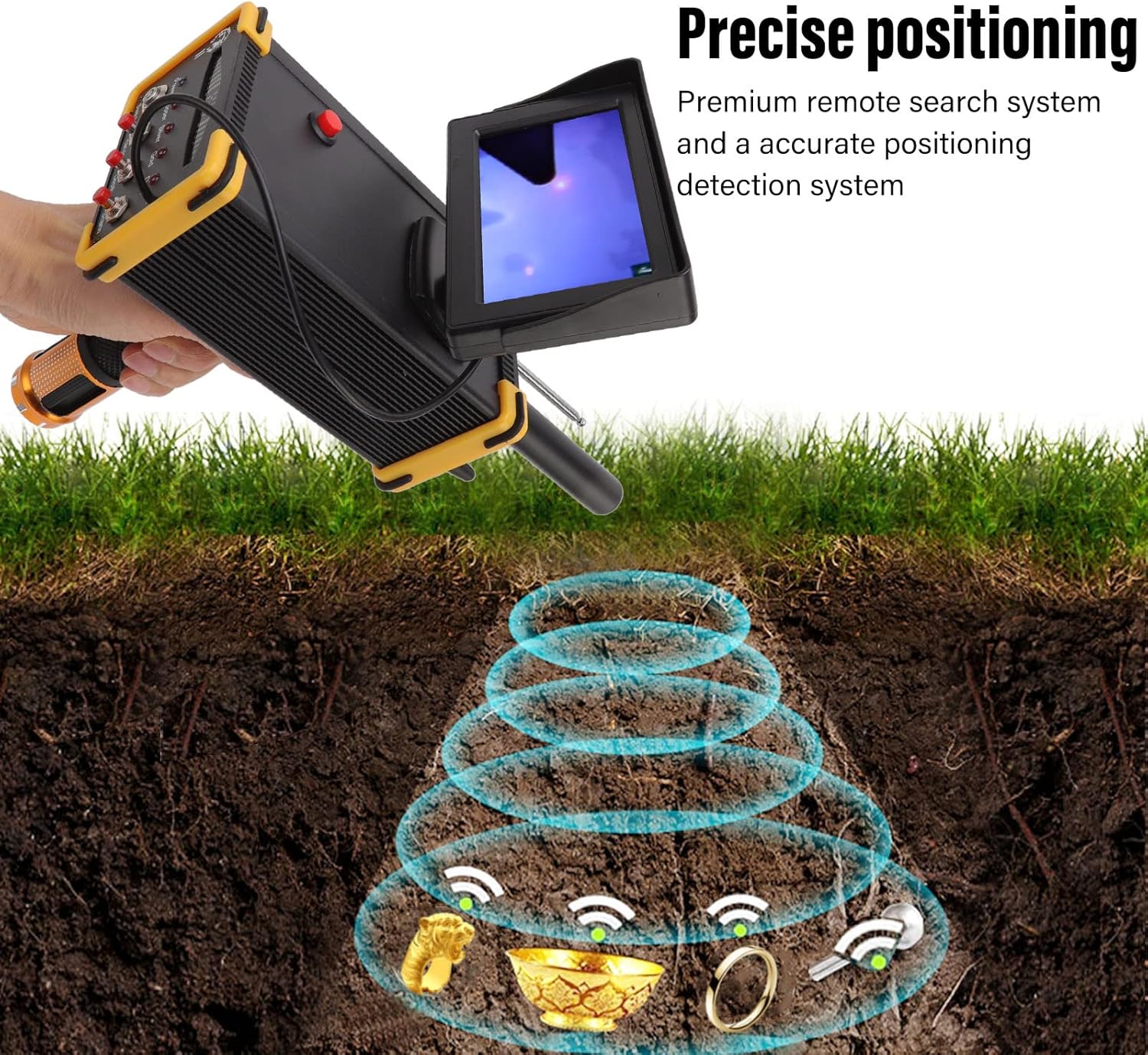
Figure 2: Main detector unit and separate transmitter unit.
3.2 การชาร์จอุปกรณ์
Before initial use, ensure the device is fully charged. Connect the power adapter to the main detector unit and plug it into a standard 100-240V AC outlet. The charging indicator (if present) will show the charging status. A full charge is recommended for optimal performance.
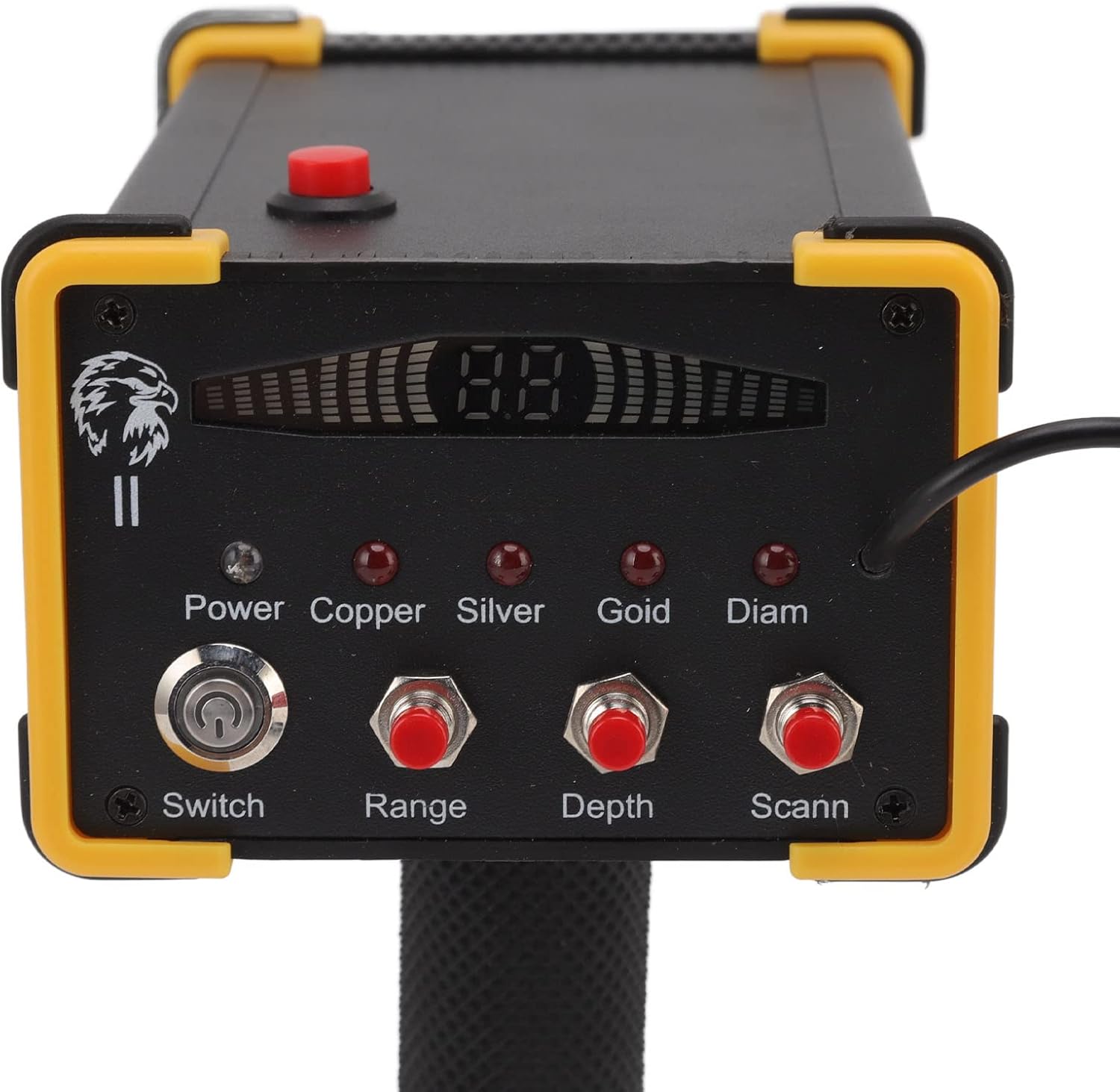
Figure 3: Connecting the power adapter to the main unit.
3.3 การเชื่อมต่อตัวส่งสัญญาณ
Connect the transmitter unit to the main detector unit using the provided cable. Ensure a secure connection. Both units must be powered on for the system to function correctly.
4. คู่มือการใช้งาน
This section details how to operate your metal detector for effective searching.
4.1 การเปิดเครื่องและการตั้งค่าเริ่มต้น
- Ensure both the main detector unit and the transmitter unit are fully charged and connected.
- ค้นหาตำแหน่ง สวิตช์ button on the main unit and press it to power on the device.
- On the control panel, select the desired metal type for detection (Copper, Silver, Gold, Diam - likely referring to Diamond or other precious stones) by pressing the corresponding button.
- ปรับแต่ง พิสัย และ ความลึก settings according to your search requirements using their respective buttons.
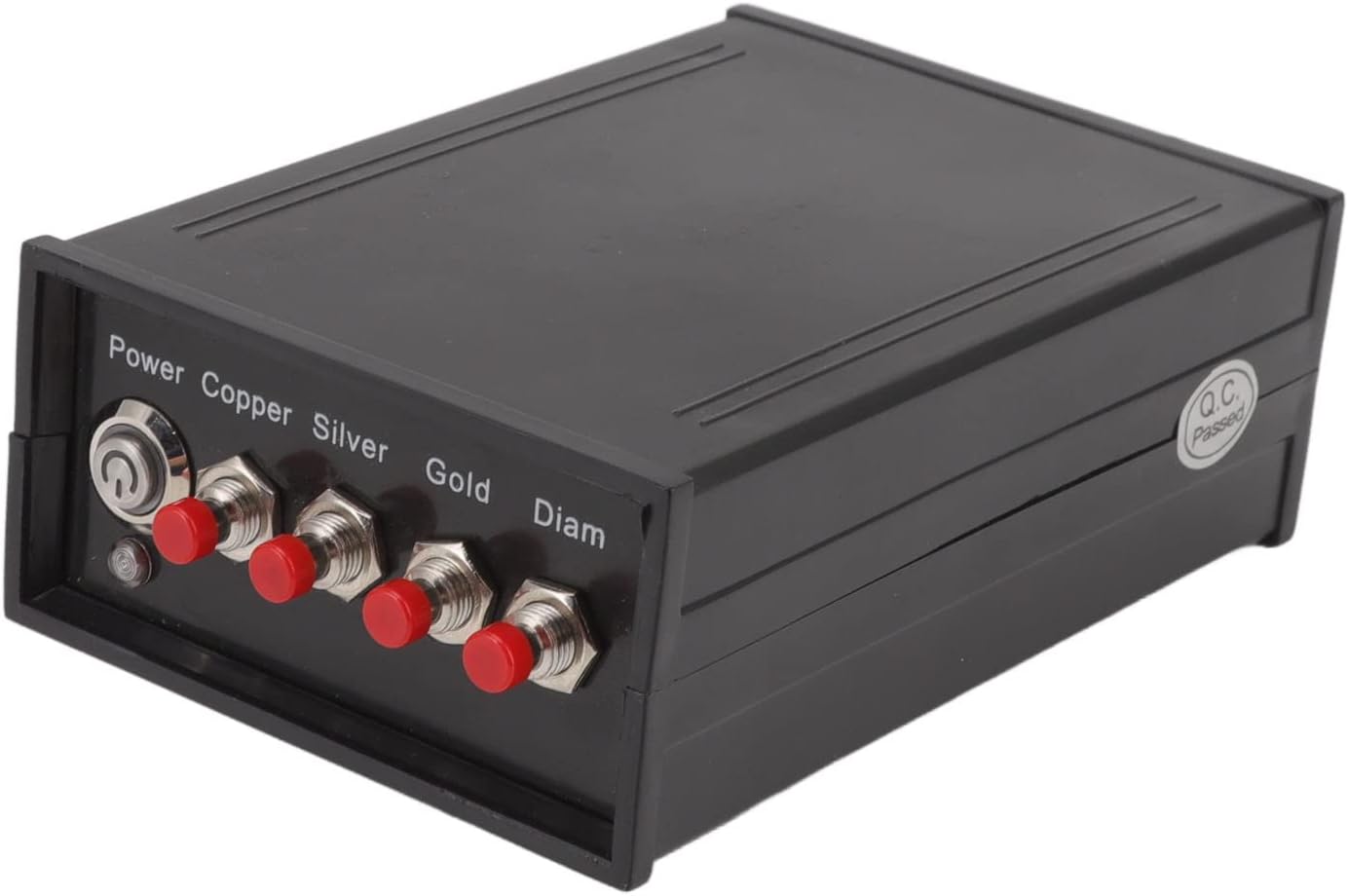
Figure 4: Close-up of the control panel with Power, Range, Depth, and Scan buttons.
4.2 กระบวนการตรวจจับ
The device utilizes a remote search and positioning system. Once powered on and settings are configured:
- Hold the main unit steadily. The device will begin scanning the area.
- When a designated item is detected, the device will indicate its presence. For larger items, the amplitude of the swinging action (if applicable to the device's physical feedback) will increase.
- The microcomputer control chip unit assists in quick scanning and detection, improving efficiency.
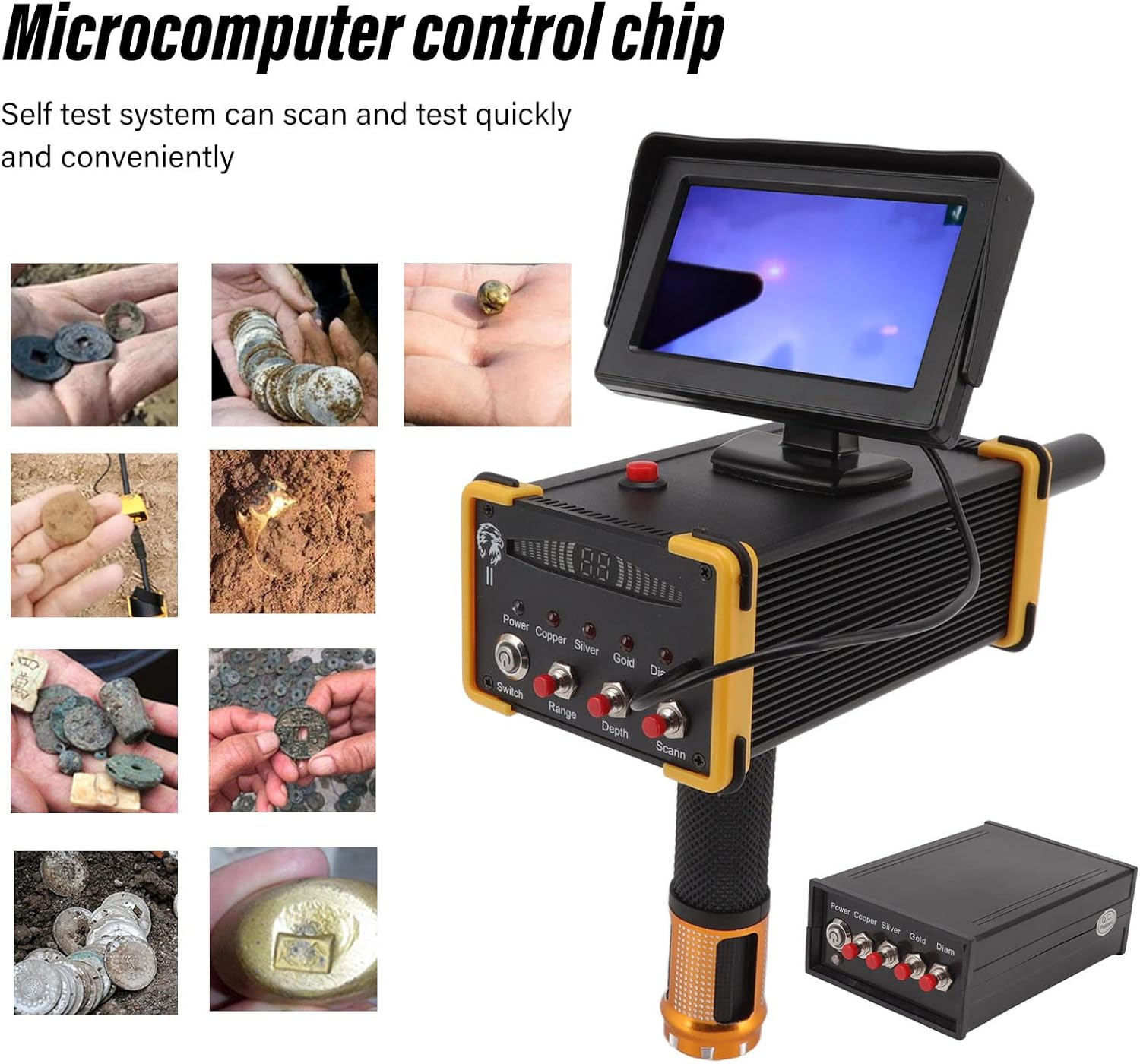
Figure 5: Illustration of the precise positioning detection system.

Figure 6: Various metallic objects that can be detected by the device.
For optimal results, operate the device in open areas without significant electromagnetic interference. Maintain a stable posture during scanning.
5. การบำรุงรักษา
การบำรุงรักษาอย่างถูกวิธีจะช่วยให้เครื่องตรวจจับโลหะของคุณมีอายุการใช้งานยาวนานและทำงานได้อย่างมีประสิทธิภาพสูงสุด
- การทำความสะอาด: After each use, wipe down the device with a soft, dry cloth to remove dirt, dust, and moisture. Do not use abrasive cleaners or solvents.
- พื้นที่จัดเก็บ: Store the metal detector in a cool, dry place, away from direct sunlight and extreme temperatures. Disconnect the transmitter from the main unit if storing for extended periods.
- การดูแลแบตเตอรี่ If the device uses rechargeable batteries, ensure they are charged periodically even when not in use to maintain battery health. Avoid fully discharging the batteries frequently.
- การตรวจสอบ: Periodically check all cables and connections for signs of wear or damage. Replace any damaged components immediately.
6 การแก้ไขปัญหา
If you encounter issues with your Walfront Metal Detector, refer to the following common problems and solutions.
| ปัญหา | สาเหตุที่เป็นไปได้ | สารละลาย |
|---|---|---|
| อุปกรณ์ไม่เปิดเครื่อง | Low battery; loose power connection; power switch not engaged. | Ensure the device is fully charged. Check all cable connections. Confirm the power switch is in the 'ON' position. |
| No detection or inconsistent detection. | Incorrect settings (Range/Depth); environmental interference; transmitter not connected/powered. | Adjust Range and Depth settings. Move to an area with less electromagnetic interference. Verify the transmitter is connected and powered on. Ensure both units are switched on. |
| Device detects items but cannot pinpoint location. | Improper scanning technique; environmental factors. | Practice a steady and consistent scanning motion. Ensure the device is held stable without interference. |
| Display screen is blank or flickering. | Low battery; loose display connection; software issue. | Charge the device fully. If the problem persists, contact customer support. |
7. ข้อมูลจำเพาะ
Detailed technical specifications for the Walfront Professional Underground Metal Detector Scanner Device.
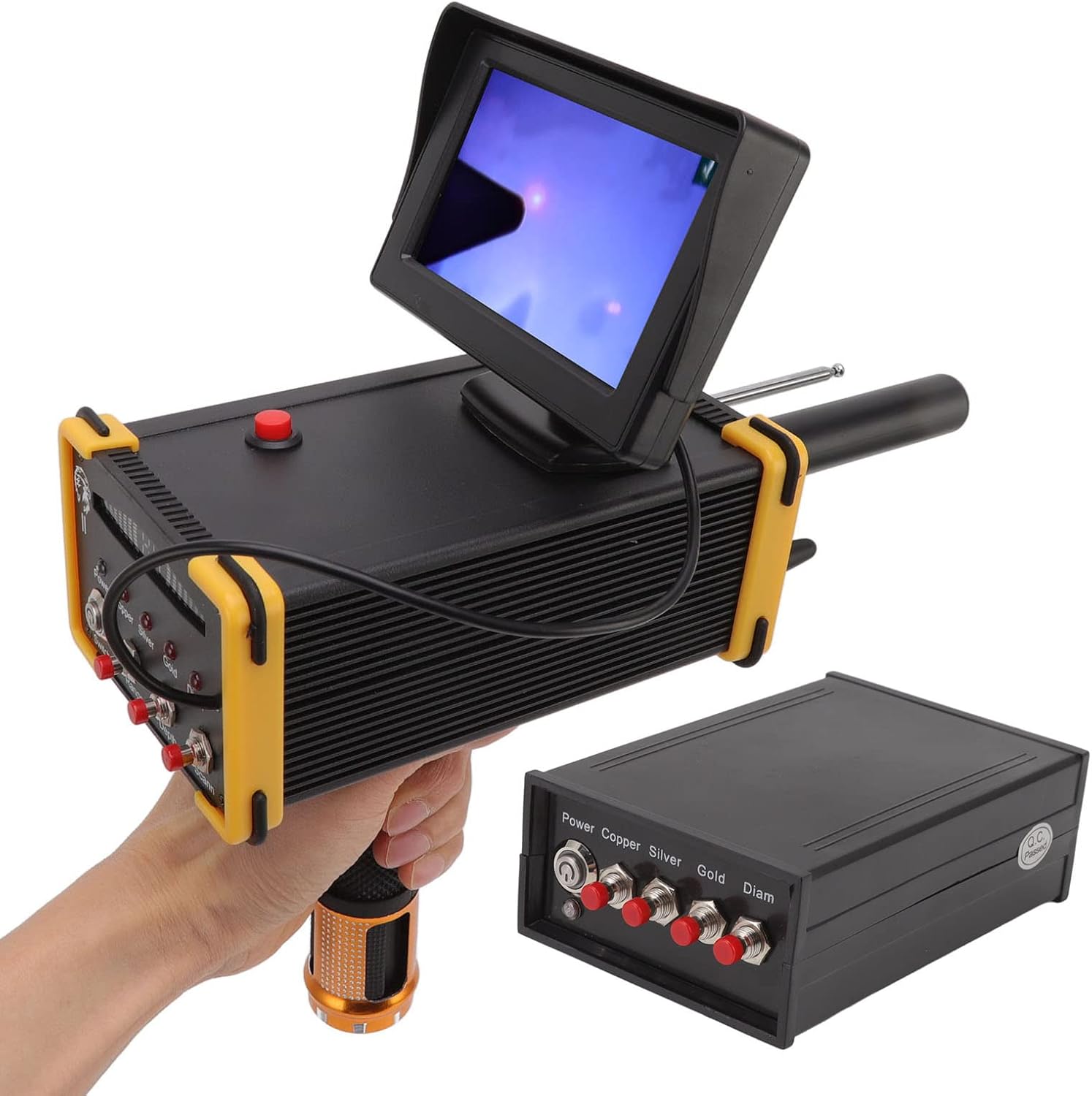
Figure 7: Physical dimensions of the main detector unit and transmitter.
| คุณสมบัติ | รายละเอียด |
|---|---|
| ยี่ห้อ | Walfront |
| หมายเลขรุ่น | WALFRONTgn3vxy9whb-11 |
| ระยะการตรวจจับ | สูงถึง 1000 เมตร |
| ความลึกของการตรวจจับ | สูงถึง 15 เมตร |
| ประเภทการตรวจจับ | Gold, Silver, Copper, Precious Stone |
| ความถี่ในการส่งสัญญาณ | 5.6-6 กิโลเฮิรตซ์ |
| ความถี่ของสัญญาณ | 360-440 เฮิรตซ์ |
| แหล่งพลังงาน | ใช้พลังงานจากแบตเตอรี่ |
| วัสดุ | Gold, Metal (referring to components) |
| น้ำหนักสินค้า | 3.47 ปอนด์ (ประมาณ 1.57 กก.) |
| ขนาดสินค้า | 11.22 x 7.68 x 4.13 นิ้ว (ประมาณ 28.5 x 19.5 x 10.5 ซม.) |
| การให้คะแนนการคุ้มครองระหว่างประเทศ | IP66 |
| รูปแบบการแสดงผล | LCD or OLED (as per specification, implies a screen) |
หมายเหตุ: ข้อมูลจำเพาะอาจมีการเปลี่ยนแปลงโดยไม่ต้องแจ้งให้ทราบล่วงหน้าเพื่อการปรับปรุงผลิตภัณฑ์
8. การรับประกันและการสนับสนุน
For warranty information and customer support, please refer to the purchase documentation or contact Walfront directly through their official channels.
You can visit the Walfront store on Amazon for more products and support information: Walfront Amazon Store