
1. บทนำ
Thank you for choosing the V-TAC VT-1001 Portable Power Station. This device is a versatile and rechargeable power source designed to provide reliable electricity for various applications, from outdoor adventures to emergency backup. It features a 1000W output and a 22.4V, 46.9Ah LiFePO4 battery for long-lasting performance. Please read this manual thoroughly before operating the power station to ensure safe and efficient use.
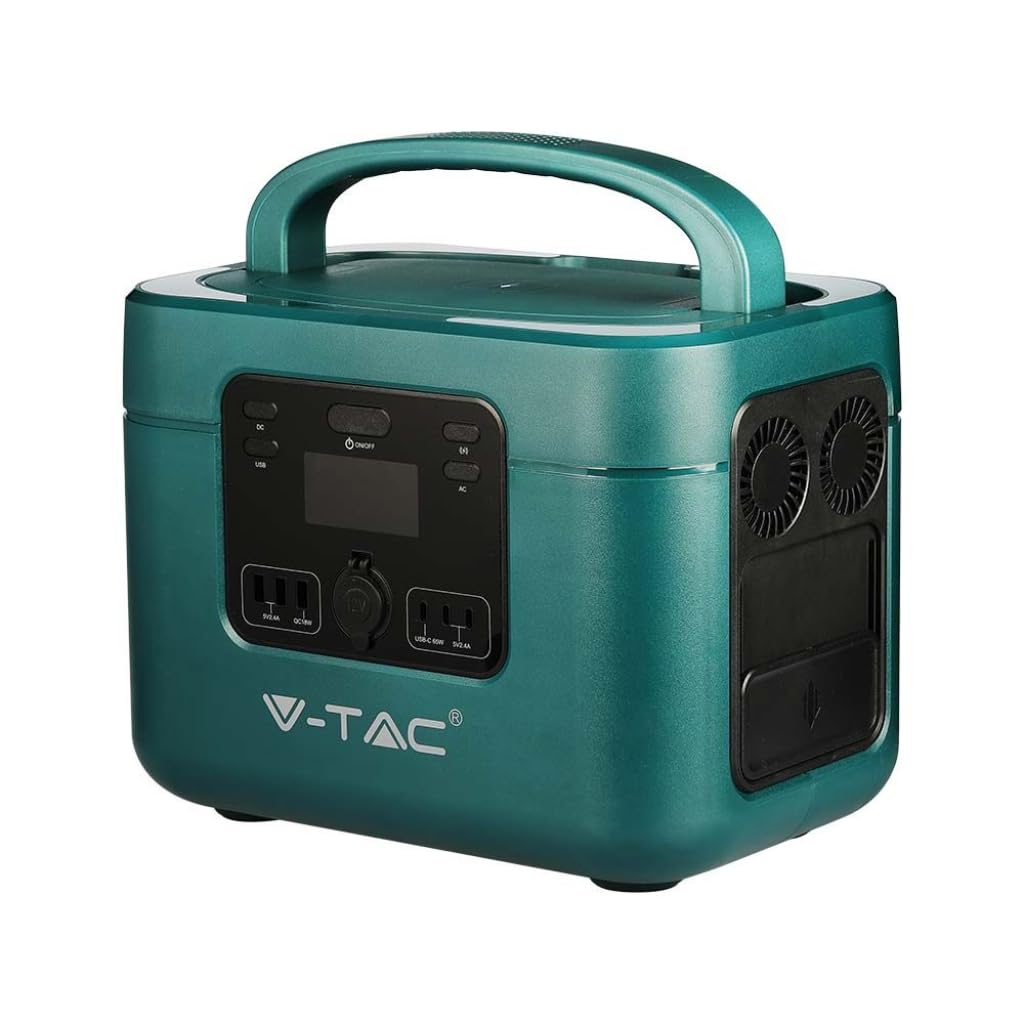
Image: The V-TAC VT-1001 Portable Power Station, a compact and robust power solution.
2. คำแนะนำด้านความปลอดภัย
โปรดปฏิบัติตามข้อควรระวังด้านความปลอดภัยต่อไปนี้เพื่อป้องกันการบาดเจ็บหรือความเสียหายต่ออุปกรณ์:
- ห้ามถอดประกอบ ซ่อมแซม หรือดัดแปลงตัวเครื่อง การประกอบใหม่ที่ไม่ถูกต้องอาจทำให้เกิดไฟไหม้หรือไฟฟ้าช็อตได้
- อย่าวางเครื่องไว้ใกล้ไฟหรือให้โดนความร้อน เก็บให้พ้นแสงแดดโดยตรง
- ห้ามชาร์จ ใช้งาน หรือเก็บเครื่องในห้องน้ำหรือบริเวณที่โดนน้ำหรือความชื้น
- Use only the provided charger or approved charging methods.
- ห้ามใช้งานหากเครื่องชำรุดหรือตกหล่น
- เก็บให้พ้นจากมือเด็กและสัตว์เลี้ยง
- Ensure proper ventilation during use and charging. Do not cover the unit.
- Avoid extreme temperatures. Store and operate the unit within the recommended temperature range.
3. สินค้าหมดview
Familiarize yourself with the various components and interfaces of your power station.
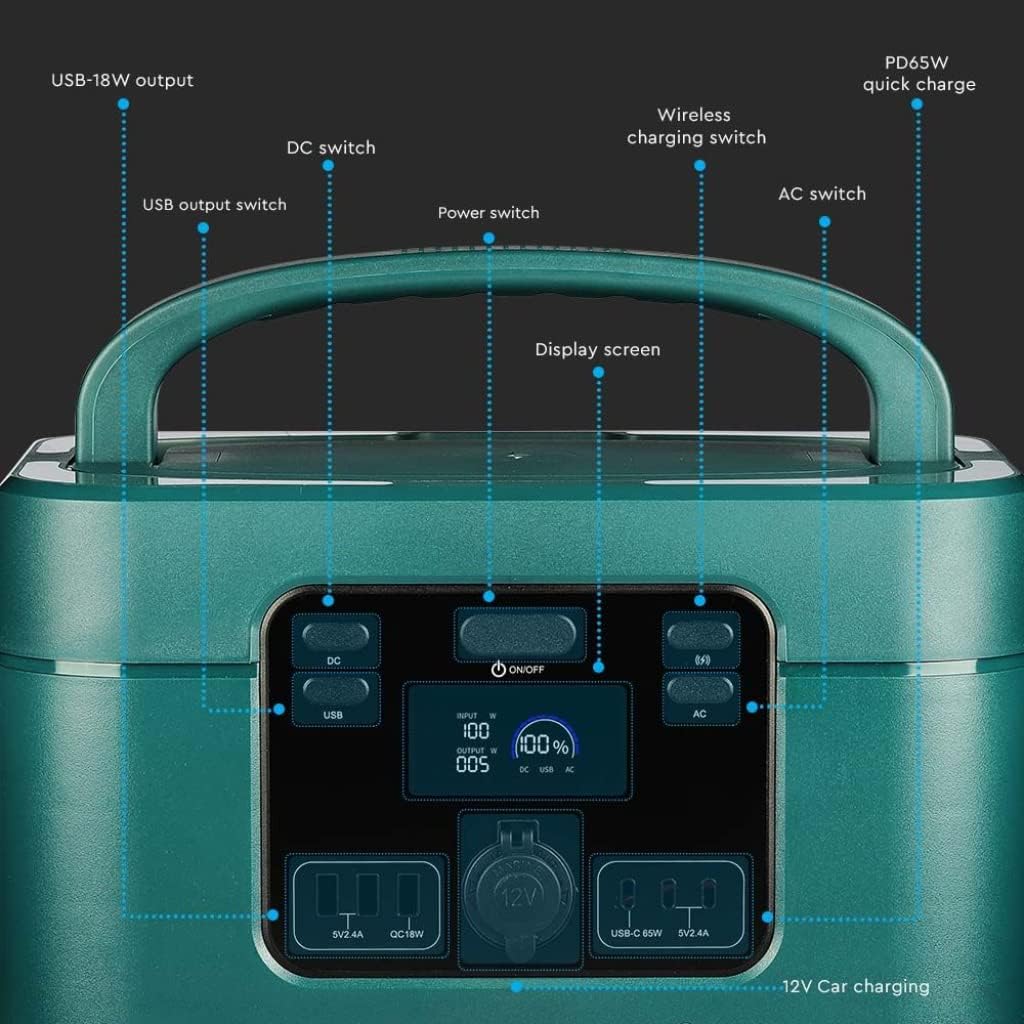
Image: Detailed diagram of the front control panel and output ports.
คุณสมบัติแผงด้านหน้า:
- สวิตช์กระแสตรง: เปิด/ปิดใช้งานพอร์ตเอาต์พุต DC
- USB Output Switch: Controls the USB-A and USB-C output ports.
- สวิตช์เปิด/ปิด (เปิด/ปิด): Main power button for the unit.
- หน้าจอแสดงผล: แสดงค่าน้ำเข้า/ออกtage เปอร์เซ็นต์แบตเตอรี่tage และตัวบ่งชี้สถานะ
- Wireless Charging Switch: Enables/disables the wireless charging pad.
- สวิตช์ไฟ AC: Activates/deactivates AC output sockets.
- USB-18W Output: พอร์ต USB-A มาตรฐาน
- PD65W Quick Charge: USB-C port for fast charging compatible devices.
- 12V Car Charging Port: Standard car accessory socket.

Image: Detailed diagram of the rear input ports and lighting feature.
คุณสมบัติแผงด้านหลัง:
- แสงสว่าง: แหล่งกำเนิดแสงแบบรวม
- สวิทช์ด้านความปลอดภัย: Additional safety mechanism.
- DC Charging 60 Interface: Input port for DC charging, compatible with solar panels.
- AC Fast Charging Input: Port for charging the power station via AC wall outlet.

Image: Diagram showing the side panel with cooling outlet and AC outputs.
คุณสมบัติแผงด้านข้าง:
- ช่องระบายความร้อน: ช่วยให้ระบายความร้อนได้อย่างเหมาะสมระหว่างการใช้งาน
- ฝาถอดออกได้: Covers and protects the AC output sockets.
- เอาต์พุต 220V: Standard AC power sockets for appliances.
4. การตั้งค่า
Before first use, it is recommended to fully charge the power station.
- การแกะกล่อง: ถอดสถานีพลังงานและอุปกรณ์เสริมทั้งหมดออกจากบรรจุภัณฑ์อย่างระมัดระวัง
- ค่าใช้จ่ายเริ่มต้น: Connect the power station to a wall outlet using the provided AC charging cable. The display screen will indicate the charging status. Charge until the battery indicator shows 100%.
5. คู่มือการใช้งาน
The V-TAC VT-1001 offers multiple output options for various devices.
การดำเนินการทั่วไป:
- เปิด/ปิดเครื่อง: กดปุ่มค้างไว้ สวิตซ์ไฟฟ้า (ON/OFF) on the front panel to turn the unit on or off. The display screen will illuminate.
- หน้าจอแสดงผล: The LED display provides real-time information on input/output power (W) and battery charge level (%).

Image: Close-up of the wide LED display, showing input, output, and battery percentage.
การใช้งานพอร์ตเอาต์พุต:
- AC Output (220V): กดปุ่ม สวิตซ์ไฟ AC to enable the AC outlets. Plug in your appliances (e.g., laptops, power tools, mini coolers) into the 220V sockets located under the removable lid on the side. Ensure the total wattagอี ไม่เกิน 1000W.
- DC Output (12V Car Port): กดปุ่ม สวิตซ์ DC to enable the 12V car charging port. Connect your 12V devices.
- USB Output (USB-A, USB-C): กดปุ่ม สวิตช์เอาต์พุต USB to activate the USB ports. Connect your USB-powered devices to the USB-18W or PD65W Quick Charge ports.
- การชาร์จแบบไร้สาย: กดปุ่ม Wireless Charging Switch. Place your compatible device (e.g., smartphone) on the wireless charging pad located on top of the unit.
- แสงสว่าง: Use the dedicated button on the rear panel to activate the integrated light.

Image: The power station simultaneously charging a laptop, mobile phone, and drone.
6. การชาร์จสถานีไฟฟ้า
The VT-1001 can be recharged using multiple methods:
การชาร์จผนัง AC:
Connect the provided AC charging cable to the AC Fast Charging Input port on the rear panel and then to a standard wall outlet. The unit will begin charging automatically.
การชาร์จแผงโซลาร์เซลล์:
Connect a compatible solar panel (not included) to the DC Charging 60 Interface port on the rear panel. Ensure the solar panel is positioned to receive maximum sunlight. The power station features MPPT technology for efficient solar charging.
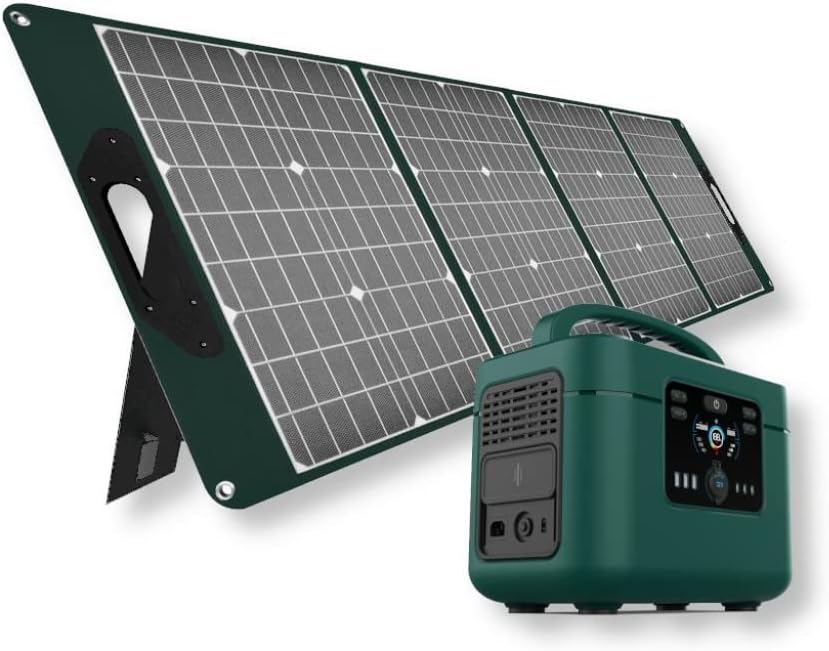
Image: The V-TAC VT-1001 Power Station connected to a portable solar panel for charging.
การชาร์จรถยนต์:
Use a compatible car charger (not included) to connect the power station to your vehicle's 12V accessory outlet. This method is suitable for charging on the go.
7. การบำรุงรักษา
การบำรุงรักษาอย่างเหมาะสมจะช่วยให้โรงไฟฟ้าของคุณมีอายุการใช้งานยาวนานและประสิทธิภาพการทำงาน
- การทำความสะอาด: เช็ดทำความสะอาดตัวเครื่องด้วยผ้าแห้งเนื้อนุ่ม ห้ามใช้สารทำความสะอาดที่มีฤทธิ์กัดกร่อน หรือแช่ตัวเครื่องในน้ำ
- พื้นที่จัดเก็บ: Store the power station in a cool, dry place, away from direct sunlight and extreme temperatures. For long-term storage, charge the unit to approximately 50-80% every 3-6 months to maintain battery health.
- การดูแลแบตเตอรี่ The integrated LiFePO4 battery is designed for durability and safety. The Intelligent BMS (Battery Management System) optimizes battery life and efficiency.
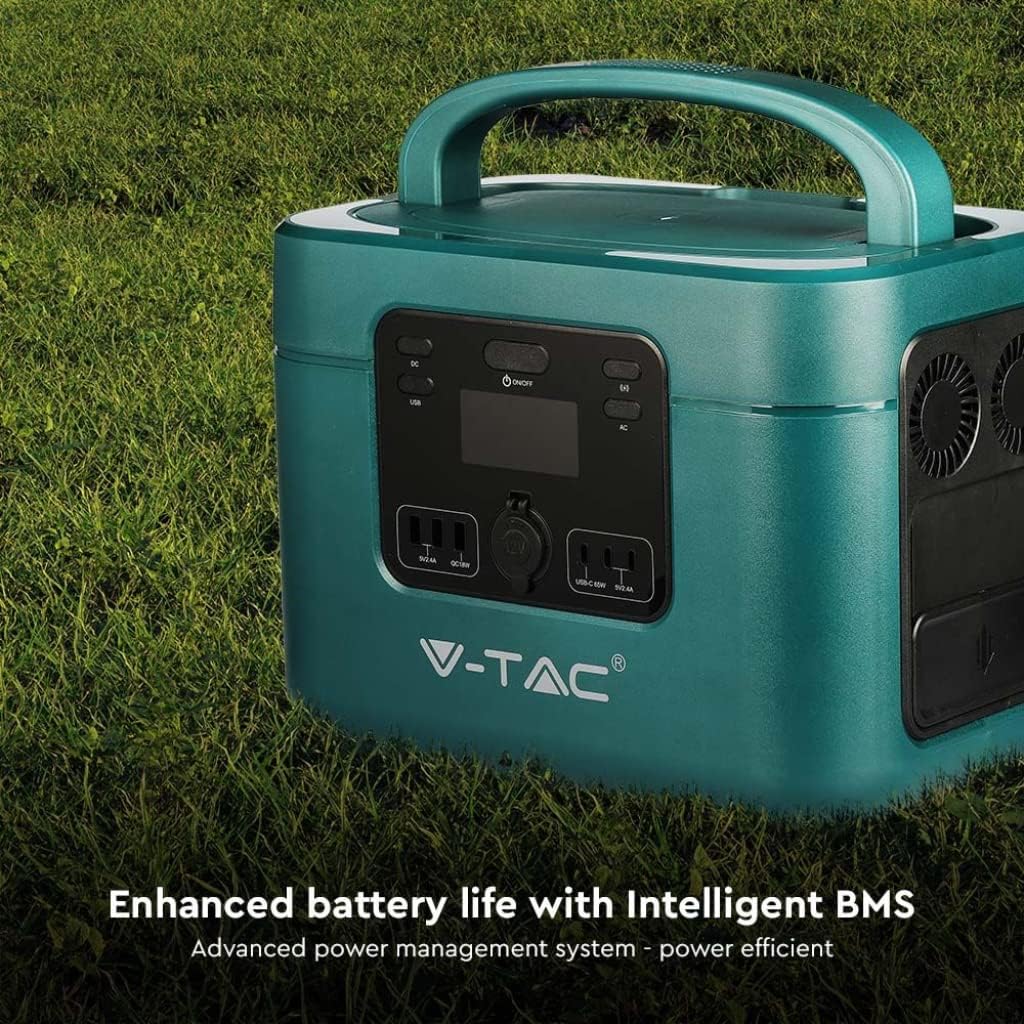
Image: The V-TAC VT-1001 highlighting its Intelligent BMS for enhanced battery life.
8 การแก้ไขปัญหา
If you encounter issues with your power station, refer to the following common solutions:
- หน่วยไม่เปิด: Ensure the battery is charged. If not, connect it to an AC outlet for charging.
- ไม่มีเอาต์พุตจากพอร์ต: Verify that the respective output switch (AC, DC, USB, Wireless) is turned on. Check if the device you are trying to power is within the power station's wattagอีขีดจำกัด
- การชาร์จไม่เริ่มต้น: Ensure all charging cables are securely connected. For solar charging, confirm the solar panel is receiving adequate sunlight.
- ระบบป้องกันการโอเวอร์โหลด: If the unit shuts down, it may be due to an overload. Disconnect some devices and restart the power station.
For persistent issues, contact V-TAC customer support.
9. ข้อมูลจำเพาะ
| คุณสมบัติ | ข้อมูลจำเพาะ |
|---|---|
| หมายเลขรุ่น | 11443 |
| ยี่ห้อ | วี-แทค |
| เอาท์พุทจัดอันดับพลังงาน | 1000วัตต์ |
| ประเภทแบตเตอรี่ | ลิเธียมไอออนฟอสเฟต |
| ความจุของแบตเตอรี่ | 22.4V, 46.9Ah |
| วัสดุ | อะคริโลไนไตรล์บิวทาไดอีนสไตรีน |
| น้ำหนัก | 15 กิโลกรัม |
| เอาท์พุตไฟฟ้ากระแสสลับ | 220V (specific region voltage) |
| ใส่ DC | 60 Interface (Solar Compatible) |
| เอาท์พุต USB | USB-A (18W), USB-C (PD65W) |
| การชาร์จแบบไร้สาย | ใช่ |
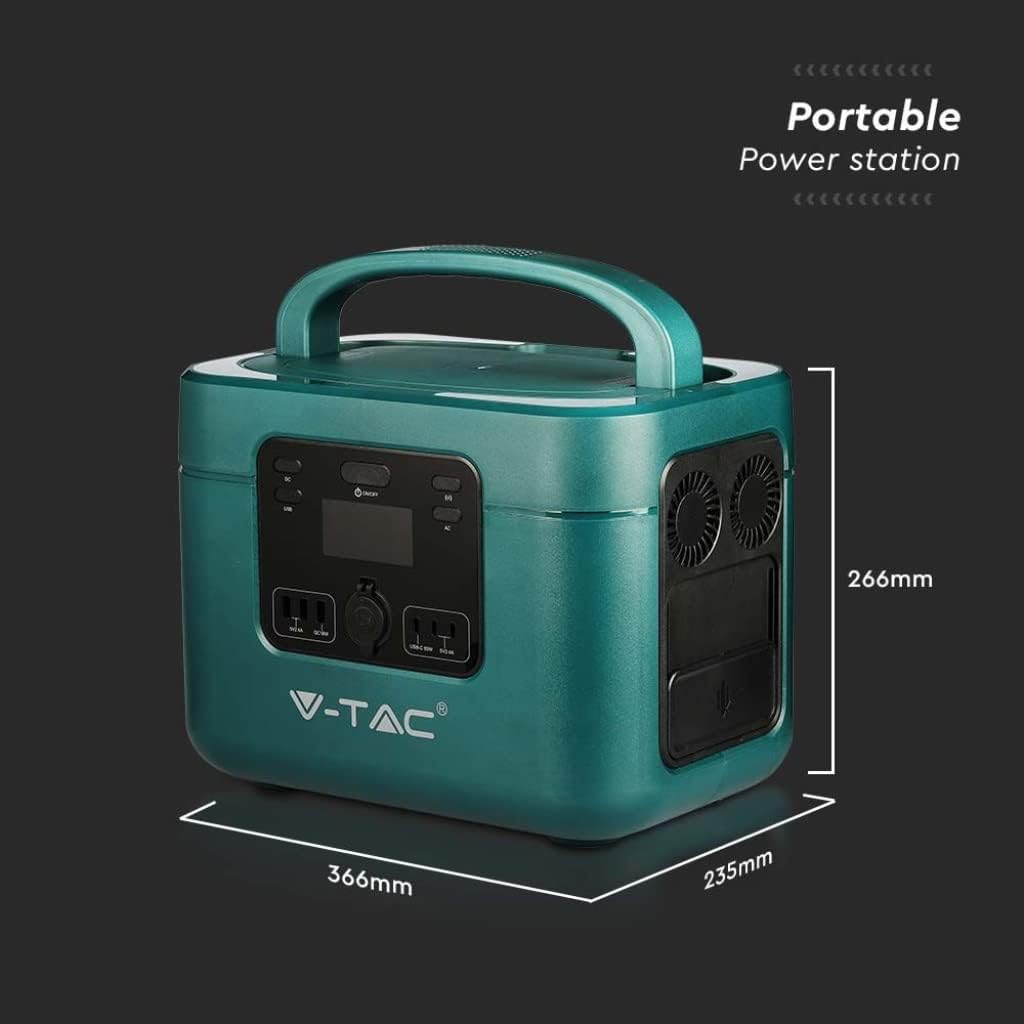
Image: Dimensions of the V-TAC VT-1001 Power Station: 366mm (length) x 235mm (width) x 266mm (height).
10. การรับประกันและการสนับสนุน
For warranty information and customer support, please refer to the warranty card included with your product or visit the official V-TAC webไซต์ โปรดเก็บใบเสร็จรับเงินไว้เป็นหลักฐานการซื้อ