
1. บทนำ
The KKnoon TOOLTOP ET618 is a versatile handheld portable cable tester designed for network and electrical professionals. It integrates multiple functions including cable tracing, cable length measurement, Power over Ethernet (PoE) testing, and a full-featured digital multimeter. This manual provides detailed instructions for the safe and effective use of your ET618 device.
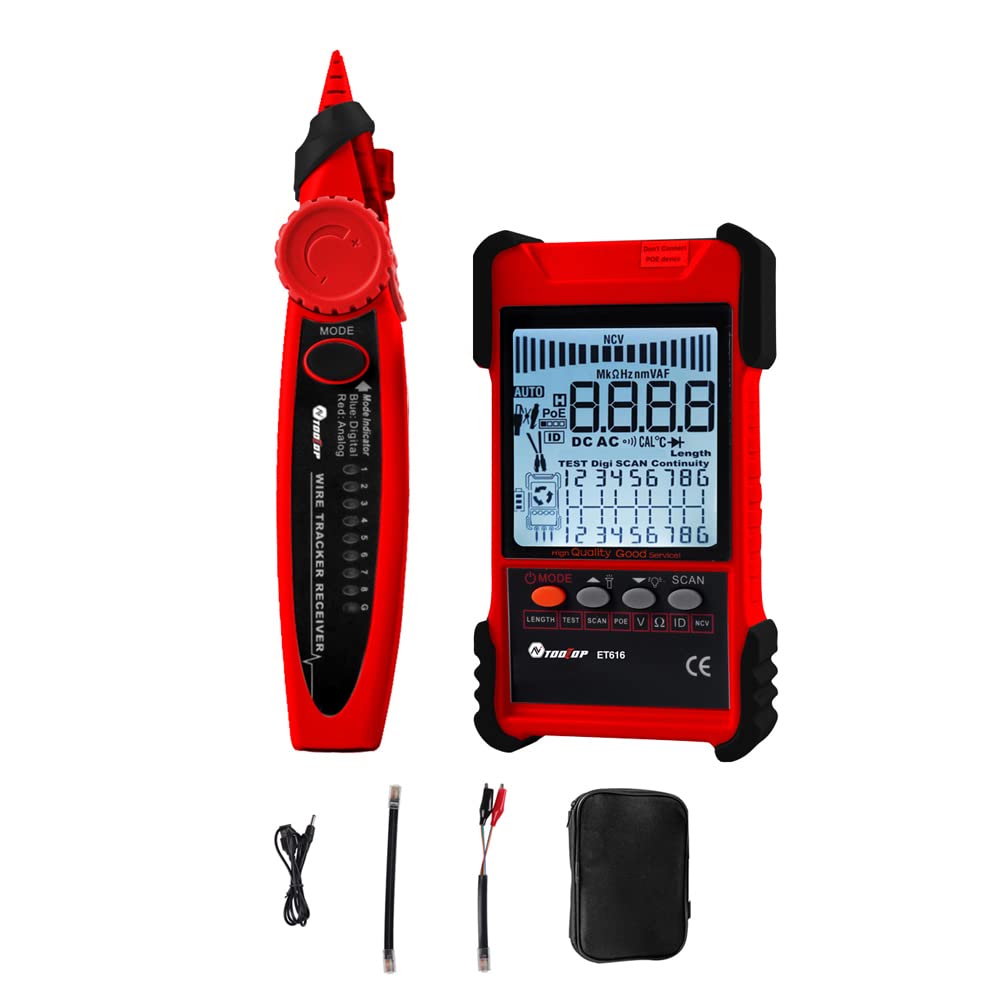
Figure 1: KKnoon TOOLTOP ET618 Handheld Portable Cable Tester (Main Unit and Receiver)
2. ข้อมูลด้านความปลอดภัย
โปรดอ่านและทำความเข้าใจคำเตือนด้านความปลอดภัยและคำแนะนำการใช้งานทั้งหมดก่อนใช้ผลิตภัณฑ์นี้ การไม่ปฏิบัติตามคำแนะนำเหล่านี้อาจส่งผลให้เกิดไฟฟ้าช็อต ไฟไหม้ หรือการบาดเจ็บร้ายแรงได้
- อย่าใช้อุปกรณ์หากพบว่าเสียหายหรือทำงานไม่ถูกต้อง
- Always ensure the device is powered off before connecting or disconnecting cables.
- อย่าให้อุปกรณ์สัมผัสกับความชื้นหรืออุณหภูมิที่สูงเกินไป
- Use only the specified charging cable and accessories.
- Do not attempt to open or repair the device; refer all servicing to qualified personnel.
- Be cautious when working with live circuits, especially during multimeter functions.
3. เนื้อหาบรรจุภัณฑ์
ตรวจสอบว่ารายการทั้งหมดที่ระบุไว้ด้านล่างนี้รวมอยู่ในแพ็คเกจของคุณ:
- 1 x ET618 Host (Main Unit)
- 1 x ตัวรับสัญญาณ
- 1 x คู่มือผู้ใช้ (เอกสารนี้)
- 1 x Clip Line
- 1 x สายเคเบิลเครือข่าย
- 1 x Recharging Line (USB cable)
- 1 x กระเป๋าเก็บของ
- 1 x Temperature Probes
- 1 x Multimeter Probes
4. สินค้าหมดview
The ET618 combines a cable tester and a digital multimeter into one compact device. It features an LCD display for clear readings and a built-in flashlight for use in low-light conditions.

Figure 2: ET618 Main Unit and Receiver with Dual Flashlight
คุณสมบัติหลัก:
- การติดตามสายเคเบิล: Quickly locate target cables in bundles.
- การทดสอบความยาวสายเคเบิล: Measure the length of various metal cables up to 500 meters.
- การทดสอบ PoE: Check cable mapping polarity and voltage ของสวิตช์เครือข่าย PoE
- ฟังก์ชั่นมัลติมิเตอร์: Measure DC/AC voltage, DC/AC current, resistance, continuity, diode, and temperature.
- จอแสดงผล LCD: Large screen for clear data visualization.
- ไฟฉาย: Integrated light for improved visibility in dark environments.
- ความไวที่ปรับได้: Digital tracing sensitivity can be adjusted.
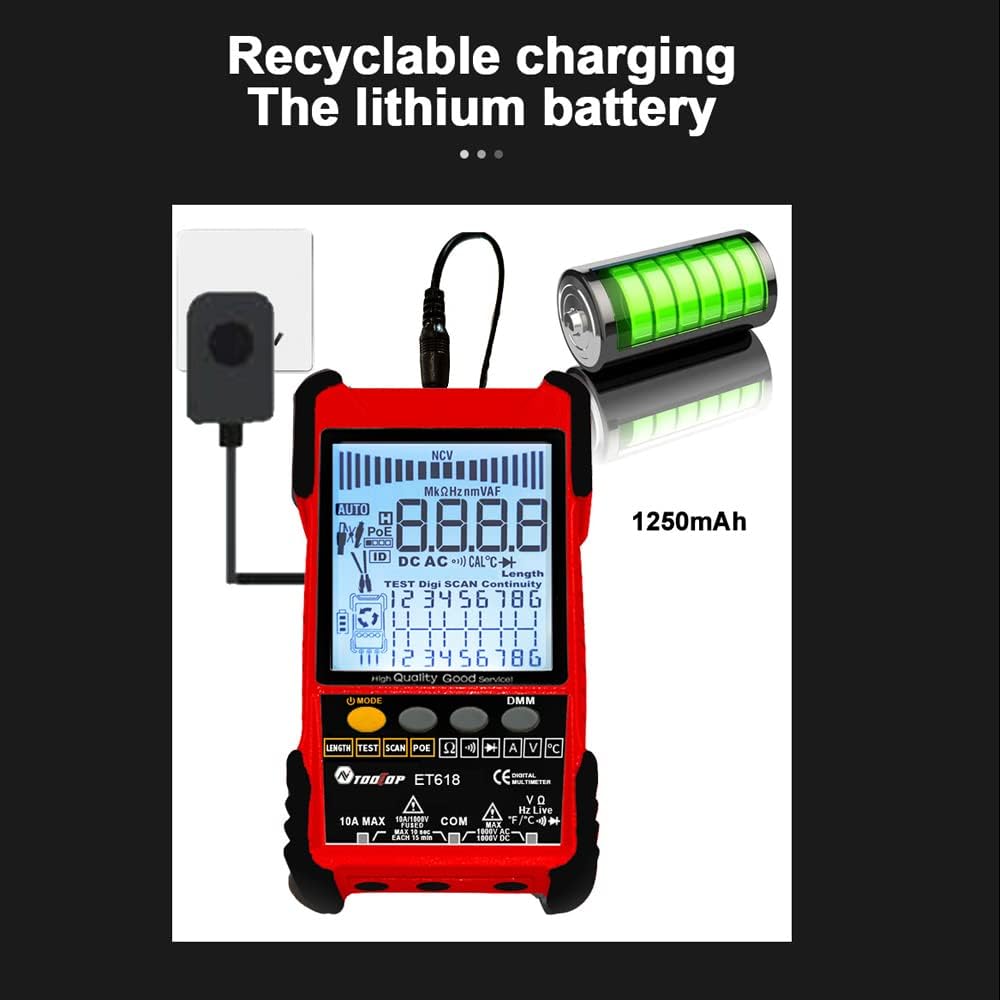
Figure 3: Product Differentiation (ET616 vs. ET618)
The ET618 model includes all features of the ET616, plus a comprehensive multimeter function and an extended cable length measurement range of up to 500 meters.
5. การตั้งค่า
5.1 การชาร์จแบตเตอรี่
The ET618 main unit is powered by a rechargeable lithium battery. Before first use, fully charge the device.
- Connect the provided recharging line (USB cable) to the charging port on the ET618 main unit.
- ต่อปลายอีกด้านของสาย USB เข้ากับอะแดปเตอร์แปลงไฟ USB มาตรฐาน (ไม่ได้รวมอยู่ในชุด) หรือพอร์ต USB ของคอมพิวเตอร์
- ไฟแสดงสถานะการชาร์จบนอุปกรณ์จะแสดงสถานะการชาร์จ เมื่อชาร์จเต็มแล้ว ให้ถอดสายชาร์จออก

Figure 4: Charging the ET618 Lithium Battery
5.2 การเปิด/ปิดเครื่อง
Press and hold the power button on the main unit to turn the device on or off. The LCD display will illuminate upon power-on.
6. คู่มือการใช้งาน
6.1 ฟังก์ชันติดตามสายเคเบิล
This function helps locate a specific cable among many, useful for telephone systems, computer networks, and BNC cables.
- Connect the cable to be traced to the appropriate port on the ET618 main unit (e.g., RJ45 for network cables).
- Select the "Trace" mode on the main unit.
- Use the receiver to scan the cables. The receiver will emit an audible tone or visual indication when it detects the signal from the target cable.
- Adjust the sensitivity on the receiver for precise tracing.
6.2 การทดสอบความยาวสายเคเบิล
Measure the length of various metal cables with at least two cores, including network cables, telephone lines, and BNC cables.
- Ensure the cable is disconnected from any active network or power source.
- Connect one end of the cable to the main unit's appropriate port.
- Select the "Length" test mode. The device will display the measured cable length on the LCD.
6.3 การทดสอบ POE
Test Power over Ethernet (PoE) network switches to check cable mapping polarity and voltage.
- Connect the network cable from the PoE switch to the main unit's RJ45 port.
- Select the "POE" test mode.
- The LCD will display information regarding PoE voltage and cable mapping.
6.4 Multimeter Function (ET618 Only)
The ET618 includes a full-featured multimeter for various electrical measurements. Use the provided multimeter probes for these tests.
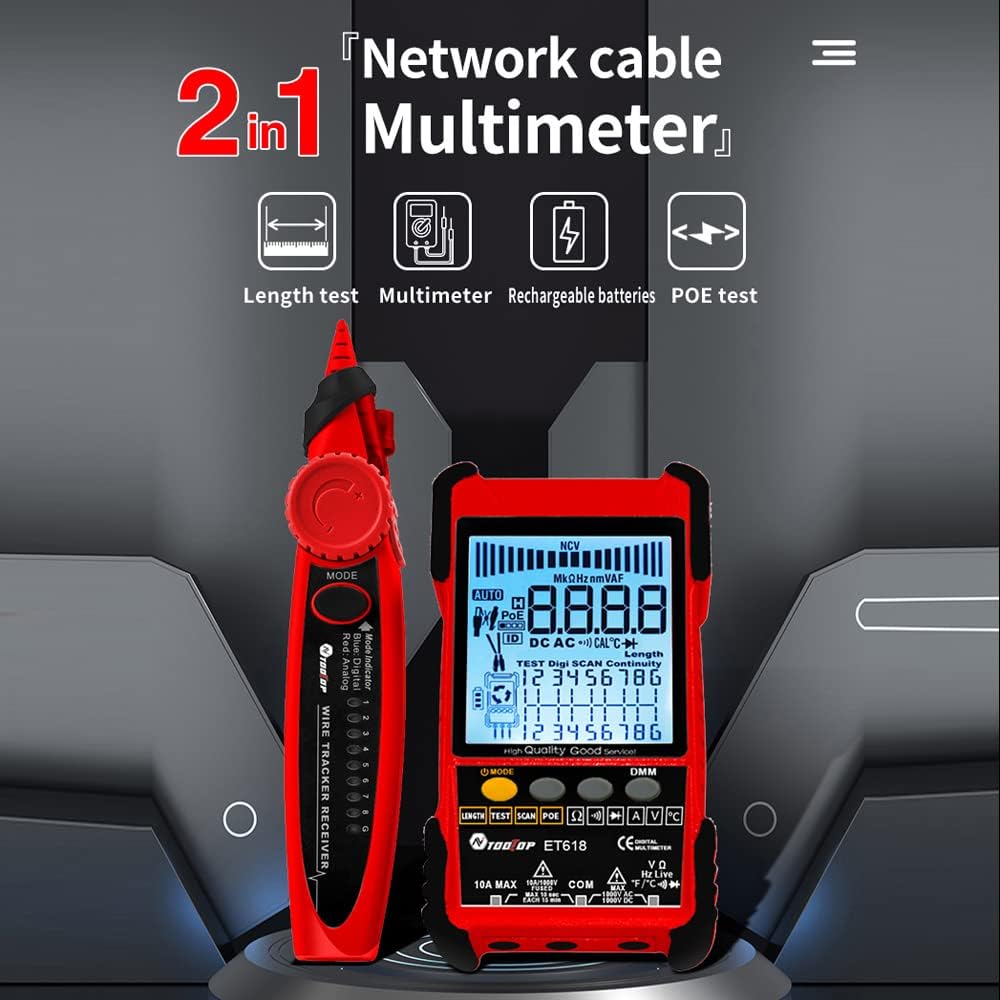
Figure 5: ET618 Multimeter Functions in Use
- DC ฉบับที่tagอี การวัด: Connect probes to the circuit, select DCV mode.
- ฉบับ ACtagอี การวัด: Connect probes to the circuit, select ACV mode.
- การวัดกระแส DC: Connect probes in series with the circuit, select DCA mode.
- การวัดกระแสไฟ AC: Connect probes in series with the circuit, select ACA mode.
- การวัดความต้านทาน: Connect probes across the component, select Ω mode.
- การทดสอบความต่อเนื่อง: Connect probes across the circuit; a beep indicates continuity.
- การทดสอบไดโอด: Connect probes across the diode; the forward voltage drop จะปรากฏขึ้น
- การวัดอุณหภูมิ: Connect the temperature probe to the device and place the sensor at the measurement point.
Always ensure the correct function is selected and probes are connected properly to avoid damage to the device or circuit.
6.5 การใช้ไฟฉาย
The ET618 main unit and receiver are equipped with flashlights. Press the dedicated flashlight button (if available) or refer to the device interface for activation in low-light conditions.
7. การบำรุงรักษา
7.1 การทำความสะอาด
เช็ดอุปกรณ์ด้วยผ้าแห้งเนื้อนุ่ม ห้ามใช้สารทำความสะอาดที่มีฤทธิ์กัดกร่อนหรือตัวทำละลาย ตรวจสอบให้แน่ใจว่าไม่มีของเหลวเข้าไปในอุปกรณ์
7.2 การดูแลแบตเตอรี่
เพื่อยืดอายุการใช้งานแบตเตอรี่ ควรหลีกเลี่ยงการปล่อยให้แบตเตอรี่หมดเกลี้ยงบ่อยๆ หากเก็บรักษาอุปกรณ์ไว้เป็นเวลานาน ควรชาร์จแบตเตอรี่ประมาณ 50% แล้วชาร์จใหม่ทุกๆ สองสามเดือน
8 การแก้ไขปัญหา
- อุปกรณ์ไม่เปิดเครื่อง: Ensure the battery is charged. Connect the recharging line and try again.
- การอ่านค่าที่ไม่ถูกต้อง: Check cable connections. Ensure the correct mode is selected for the measurement. For multimeter functions, verify probe connections and component integrity.
- No signal during cable tracing: Ensure the main unit is in trace mode and the cable is properly connected. Adjust receiver sensitivity.
- LCD display is dim: แบตเตอรี่อาจเหลือน้อย โปรดชาร์จอุปกรณ์
9. ข้อมูลจำเพาะ
The following table outlines the technical specifications for the ET618 model:

รูปที่ 6: ข้อมูลจำเพาะทางเทคนิคview
| คุณสมบัติ | ET618 Specification |
|---|---|
| การติดตามแบบอะนาล็อก | ใช่ |
| ความต่อเนื่อง | ใช่ |
| การติดตามสวิตช์ (พร้อม PoE) | โดยฟังก์ชันมัลติมิเตอร์ |
| การทำแผนที่เคเบิล | ใช่ |
| ไฟแสดงสถานะสวิตช์กะพริบ | ใช่ |
| การติดตามดิจิทัลแบบไร้เสียงรบกวน | ดิจิตอล / การสั่นสะเทือน |
| เล่มที่tage การทดสอบ | โดยฟังก์ชันมัลติมิเตอร์ |
| PoE ฉบับที่tage วัด | เล่มที่tagอี / ขั้ว |
| การแมป ID ระยะไกล | ไม่จำเป็น |
| กราฟแท่งอนาล็อก | ใช่ |
| Main Body Flashlight | ใช่ |
| Multimeter Input Jack Indicator | ใช่ |
| จอแสดงผล LCD | ใช่ |
| ไฟฉายสีขาว | ใช่ |
| Analogue Tracing Sound Adjustable | ใช่ |
| ไฟแสดงสถานะแบตเตอรี่ต่ำ | ใช่ |
| ไฟแบ็คไลท์สีขาว | ใช่ |
| ตัวบ่งชี้การประหยัดพลังงาน | ใช่ |
| 3km Analogue Tracing Signal Selectable | ใช่ |
| Multimeter Functions (ET618 Only) | |
| DC ฉบับที่tage | 400mV~1000V ±(0.8%+3) |
| ฉบับ ACtage | 4V~400V ±(1.5%+5) |
| กระแสไฟฟ้าตรง | 1.0A~10.0A ±(1.2%+4) |
| กระแสไฟ AC | 1.0A~10.0A ±(2.0%+5) |
| ความต้านทาน | 200 Ω~20 MΩ ±(2%+6) |
| ความต่อเนื่อง | < 50 Ω buzzer beeps |
| ไดโอด | ใช่ |
| อุณหภูมิ (ชนิด K) | -20~1000°C / -4~1832°F ±(2.0%+15) |
| การวัดความยาวสายเคเบิลเครือข่าย | 500เมตร |
| สายวัดความยาวสาย BNC | ใช่ |
| การทดสอบการลัดวงจรของสายเคเบิลเครือข่าย / การเปิดวงจร | ใช่ |
| Main Body Power | 1250mAh แบตเตอรี่ลิเธียมแบบชาร์จไฟได้ |
| กำลังรับ | แบตเตอรี่ 9V |
10. การรับประกันและการสนับสนุน
This product comes with a standard manufacturer's warranty. For specific warranty terms, technical support, or service inquiries, please refer to the contact information provided with your purchase or visit the official KKnoon webเว็บไซต์.