
pxton PX-999S
pxton PX-999S Waterproof Long Range Walkie Talkies
คู่มือการใช้งาน
การแนะนำ
Thank you for choosing the pxton PX-999S Waterproof Long Range Walkie Talkies. This manual provides essential information for the safe and efficient operation of your new two-way radios. The PX-999S series is designed for reliable communication in various environments, featuring robust construction, extended battery life, and advanced functionalities like NOAA weather alerts and GMRS channel support.
เนื้อหาแพ็คเกจ
- Walkie Talkies (x6)
- แบตเตอรี่ (x6)
- เสาอากาศ (6 อัน)
- Belt Clips (x6)
- สายคล้องคอ (6 ชิ้น)
- Headsets (x6)
- Charging Bases (x6)
- User Manuals (x3)
การตั้งค่า
การระบุส่วนประกอบ
ทำความคุ้นเคยกับส่วนประกอบหลักของวิทยุสื่อสารของคุณ:
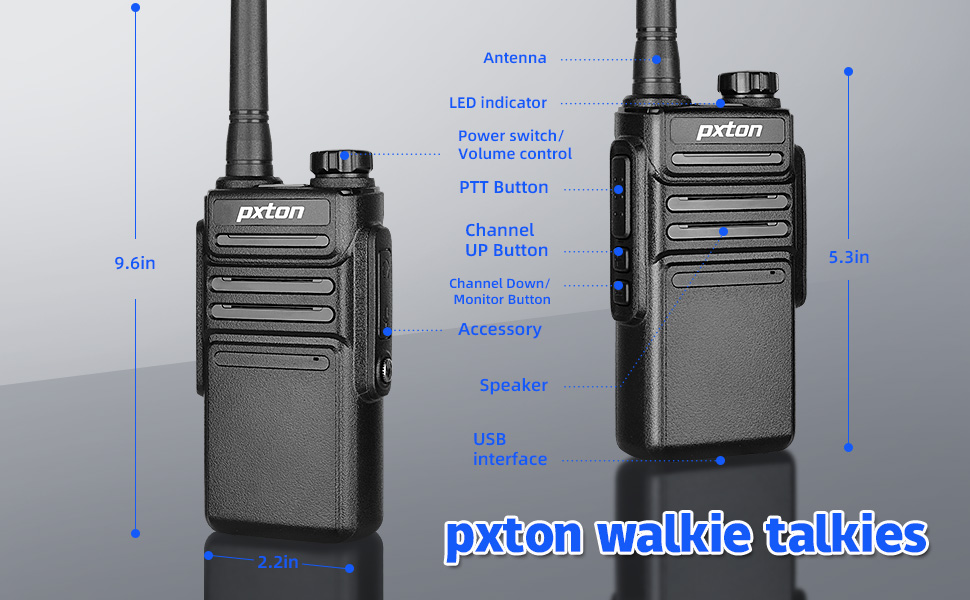
Figure 1: PX-999S Walkie Talkie Components and Dimensions (9.6 inches height, 2.2 inches width).
การติดตั้งและการชาร์จแบตเตอรี่
The PX-999S walkie talkies come with built-in 1500mAh Li-ion batteries. Ensure the battery is securely attached to the radio before use.

Figure 2: Multiple Charging Options for the PX-999S.
- แท่นชาร์จ: Place the walkie talkie into the provided charging base. The LED indicator on the base will show charging status (red for charging, green for fully charged).
- การชาร์จ USB: The walkie talkie features a USB port for diversified charging methods. You can connect it to a power bank, laptop, wall charger, or car charger using a compatible USB cable.
- เวลาในการชาร์จ: A full charge typically takes 2-3 hours or less.
การติดตั้งอุปกรณ์เสริม
- คลิปหนีบเข็มขัด: Attach the belt clip to the back of the radio using a small Phillips screwdriver. This allows for easy carrying.
- Earpieces/Headsets: Connect the provided earpieces to the 2-pin Kenwood accessory jack on the side of the radio for private listening and hands-free operation.
คำแนะนำการใช้งาน
เปิด / ปิดและควบคุมระดับเสียง
- ปุ่มเปิดปิด/ปรับระดับเสียง: Rotate the top knob clockwise to power on the radio and increase the volume. Rotate counter-clockwise to decrease volume and power off.
การเลือกช่องทาง
The PX-999S features 38 GMRS channels. Rotate the channel knob on top of the radio to select your desired channel. A voice prompt will announce the channel number.
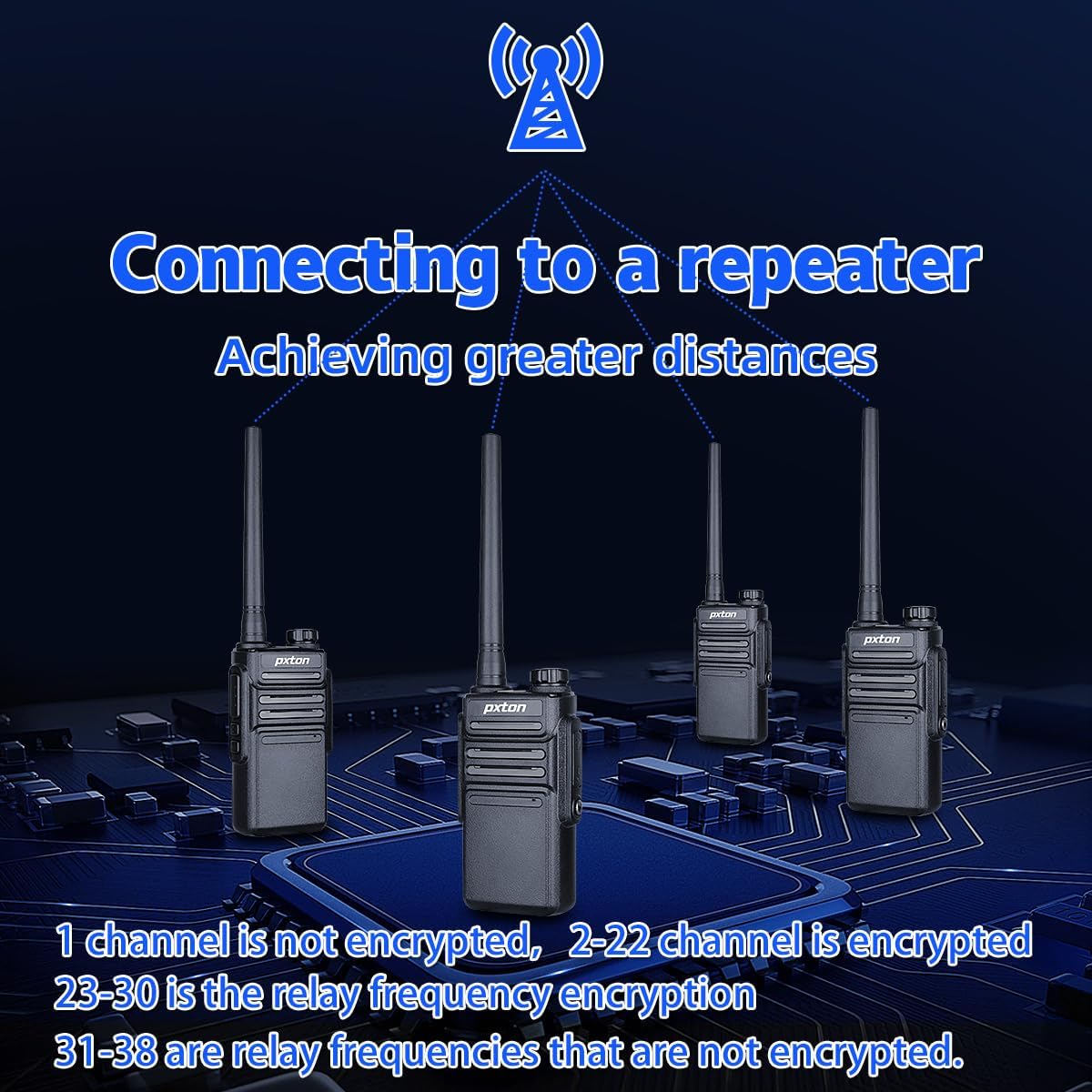
Figure 3: Connecting to a Repeater for Extended Range.
- ช่องทาง 1-14: These are shared with FRS and are typically low power channels.
- ช่องทาง 15-22: These are high power channels, offering better range.
- ช่องทาง 23-38: These channels are designated for repeater use, allowing for significantly longer communication distances when connected to a GMRS repeater.
Push-to-Talk (PTT) Operation
- To transmit, press and hold the PTT button located on the side of the radio. Speak clearly into the microphone.
- ปล่อยปุ่ม PTT เพื่อฟังสัญญาณขาเข้า
ฟังก์ชัน VOX (การส่งสัญญาณด้วยเสียง)
The built-in VOX function allows for hands-free communication. When activated, the radio will automatically transmit when it detects your voice.

Figure 4: Built-in VOX for Hands-Free Communication.
รหัสความเป็นส่วนตัว (CTCSS/DCS)
The PX-999S supports 260 privacy codes (sub-codes) to help prevent interference and ensure more private conversations. While the manual does not detail programming these codes directly on the radio, they are pre-configured on channels to secure call content and prevent crosstalk.
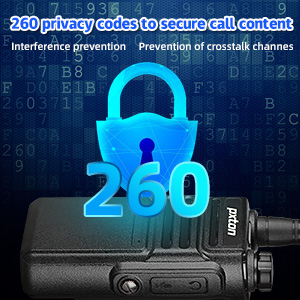
Figure 5: 260 Privacy Codes for Enhanced Communication Security.
NOAA Weather Radio / Scan
Stay informed about weather conditions with the integrated NOAA Weather Radio/Scan feature. This function automatically scans 10 weather (WX) band channels and receives weather reports from designated NOAA stations.
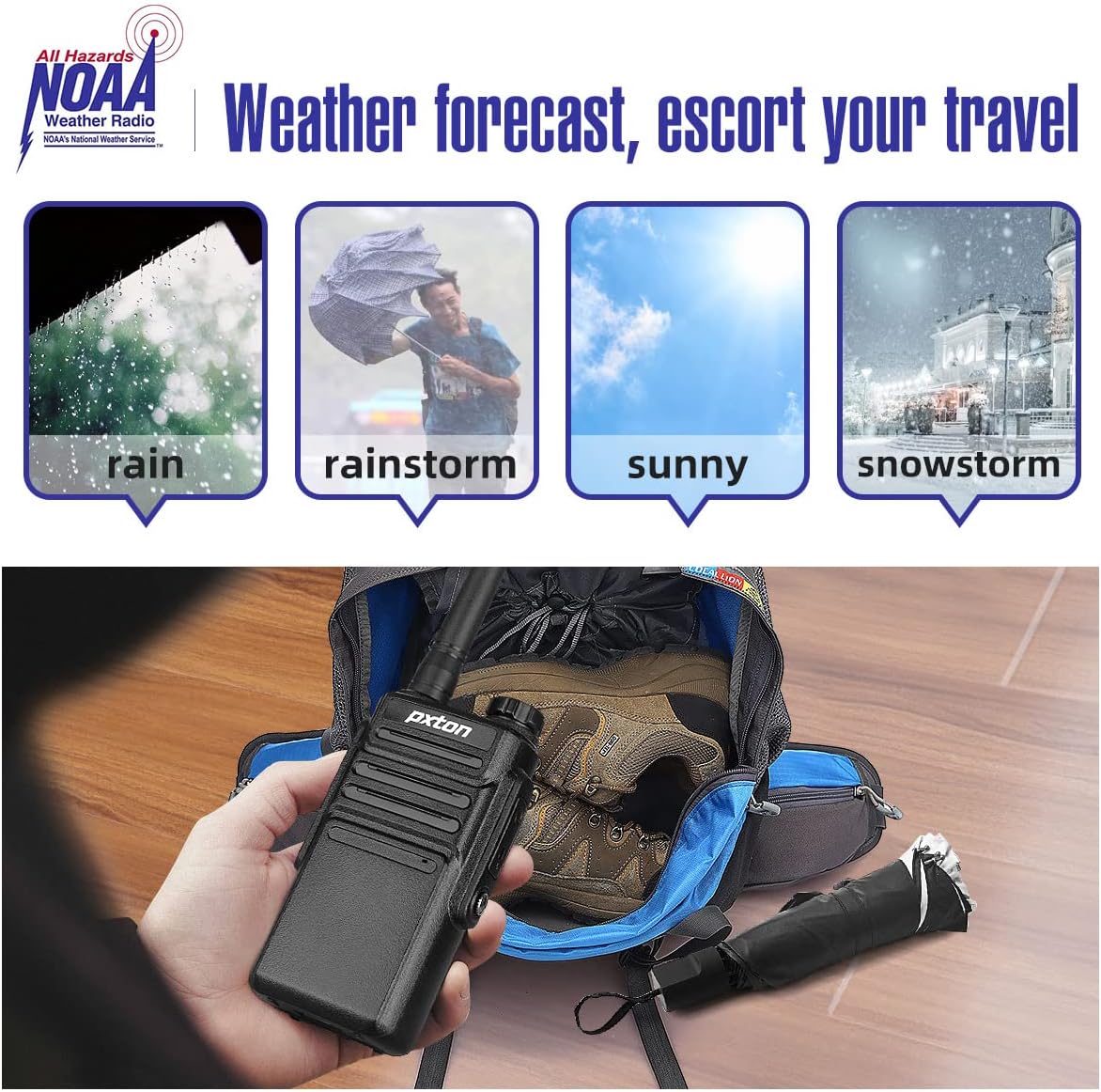
Figure 6: NOAA Weather Radio for Advance Weather Preparedness.
ระดับสเควล์ช
The PX-999S offers 10 squelch levels to filter out weak background noise and improve sound clarity. Adjusting the squelch level helps ensure clear communication by suppressing static when no signal is present.

Figure 7: 10 Squelch Levels for Clear Sound Quality.
การซ่อมบำรุง
การทำความสะอาด
- เช็ดพื้นผิววิทยุด้วยผ้านุ่มๆamp ผ้า. อย่าใช้สารเคมีที่รุนแรงหรือน้ำยาทำความสะอาดที่มีฤทธิ์กัดกร่อน
- ตรวจสอบให้แน่ใจว่าขั้วต่อชาร์จและช่องเสียบอุปกรณ์เสริมสะอาดและปราศจากสิ่งสกปรก
การดูแลแบตเตอรี่
- To maximize battery life, avoid overcharging. Disconnect the radio from the charger once the LED indicator turns green.
- Store radios in a cool, dry place when not in use for extended periods.
- The 1500mAh Li-ion battery provides up to 18 hours of typical usage and 5-7 days of standby time under light use.
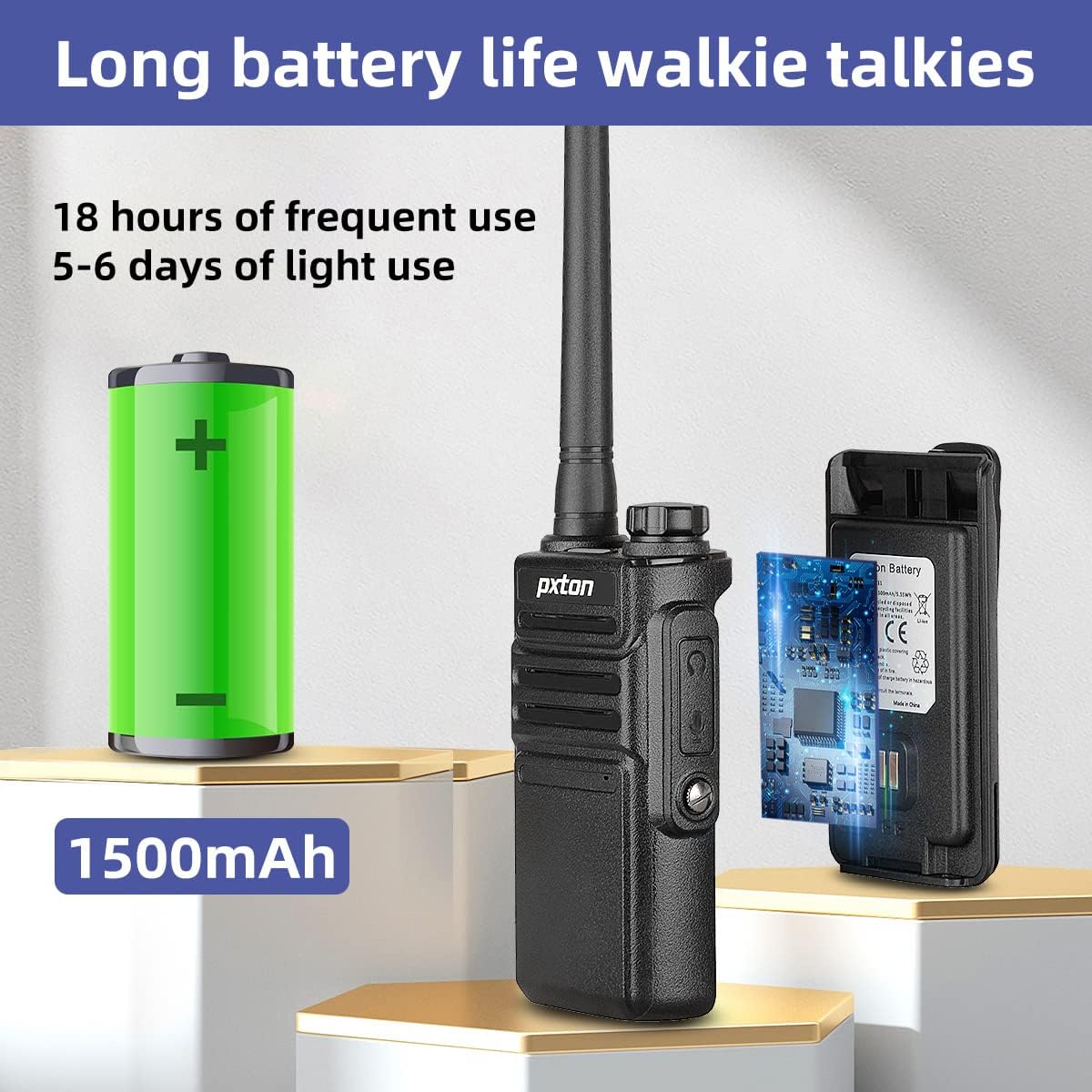
Figure 8: Extended Battery Life of the PX-999S.
Water Resistance and Durability
The PX-999S walkie talkies are IP54 waterproof, making them suitable for everyday use, even in rainy conditions. Their PC/ABS material body provides resistance to falling, abrasion, and shock, adapting well to outdoor and harsh environments.

Figure 9: Enhanced Durability for Harsh Environments.
การแก้ไขปัญหา
| ปัญหา | สาเหตุที่เป็นไปได้ | สารละลาย |
|---|---|---|
| ไม่มีไฟฟ้า | แบตเตอรี่หมดหรือติดตั้งไม่ถูกต้อง | ชาร์จแบตเตอรี่ให้เต็ม ตรวจสอบให้แน่ใจว่าใส่แบตเตอรี่แน่นดีแล้ว |
| ไม่สามารถส่งหรือรับได้ | เลือกช่องสัญญาณไม่ถูกต้อง อยู่นอกระยะสัญญาณ แบตเตอรี่เหลือน้อย | Ensure both radios are on the same channel. Move closer to the other radio. Charge the battery. |
| คุณภาพเสียงไม่ดี/สัญญาณรบกวน | สัญญาณอ่อน ระดับการตัดเสียงรบกวนสูง มีสัญญาณรบกวน | ย้ายไปยังพื้นที่โล่ง ปรับระดับการตัดเสียงรบกวน ตรวจสอบหาแหล่งที่มาของสัญญาณรบกวน |
| มีขอบเขตจำกัด | Obstacles (buildings, terrain). Using low power channels. | Move to an open area. Switch to high power channels (15-22). Consider using a GMRS repeater for extended range. |
| NOAA Weather Radio not working | Not in range of a NOAA station. | Ensure you are within range of a designated NOAA weather station. |
ข้อมูลจำเพาะ
| คุณสมบัติ | รายละเอียด |
|---|---|
| หมายเลขรุ่น | พีเอ็กซ์-999เอส |
| น้ำหนักสินค้า | 1.61 pounds (per 6-pack) |
| ขนาดสินค้า | 1.2 x 2.2 x 9.6 นิ้ว |
| แบตเตอรี่ | แบตเตอรี่ลิเธียมไอออน 6 ก้อน (รวมอยู่ด้วย) |
| สี | สีดำ |
| จำนวนช่องสัญญาณ | 38 (จีเอ็มอาร์เอส) |
| คุณสมบัติพิเศษ | Automatic Squelch, Battery Saver Mode, Long Range, Voice Operated Transmission (VOX), Weather Resistant |
| ช่วงความถี่ | จีเอ็มอาร์เอส |
| ระยะการสนทนาสูงสุด | 7 Mile (dependent on environment and terrain) |
| เล่มที่tage | 3.7 โวลต์ (กระแสตรง) |
| ระดับความต้านทานต่อน้ำ | กันน้ำ (IP54) |
| รหัส FCC | 2AX68PX-999S |
การรับประกันและการสนับสนุน
pxton offers a นโยบายการคืนสินค้าโดยไม่มีเงื่อนไขภายใน 30 วัน และ บริการหลังการขายตลอดอายุการใช้งาน for the PX-999S walkie talkies. If you encounter any problems or have questions regarding your pxton GMRS walkie talkies, please do not hesitate to contact our professional support team through Amazon. We are dedicated to resolving any issues you may have.
For additional information or to explore other pxton products, please visit the official pxton store on Amazon.
Ask a question about this manual
Ask about setup, troubleshooting, compatibility, parts, safety, or missing instructions. Manuals+ will review the question and use this page’s manual context to help answer it.