
ซัมซุง กาแล็คซี่ S23 5G
คู่มือผู้ใช้ SAMSUNG Galaxy S23 5G
Model: Galaxy S23 5G (US Version, 256GB, Phantom Black - Unlocked)
การแนะนำ
Welcome to the user manual for your SAMSUNG Galaxy S23 5G smartphone. This guide provides essential information on setting up, operating, maintaining, and troubleshooting your device to ensure optimal performance and a seamless user experience. Please read this manual thoroughly before using your device.
มีอะไรอยู่ในกล่อง
Upon unboxing your SAMSUNG Galaxy S23 5G, you should find the following items:
- สมาร์ทโฟน SAMSUNG Galaxy S23 5G
- สาย USB Type-C เป็น Type-C
- พินถอดซิม
- คู่มือเริ่มต้นใช้งานฉบับย่อ (คู่มือ)
- Adapter (Charging brick not included, requires a Type-C compatible adapter)
Note: Contents may vary slightly based on region or retailer. Headphones are not included.
สินค้าเกินview
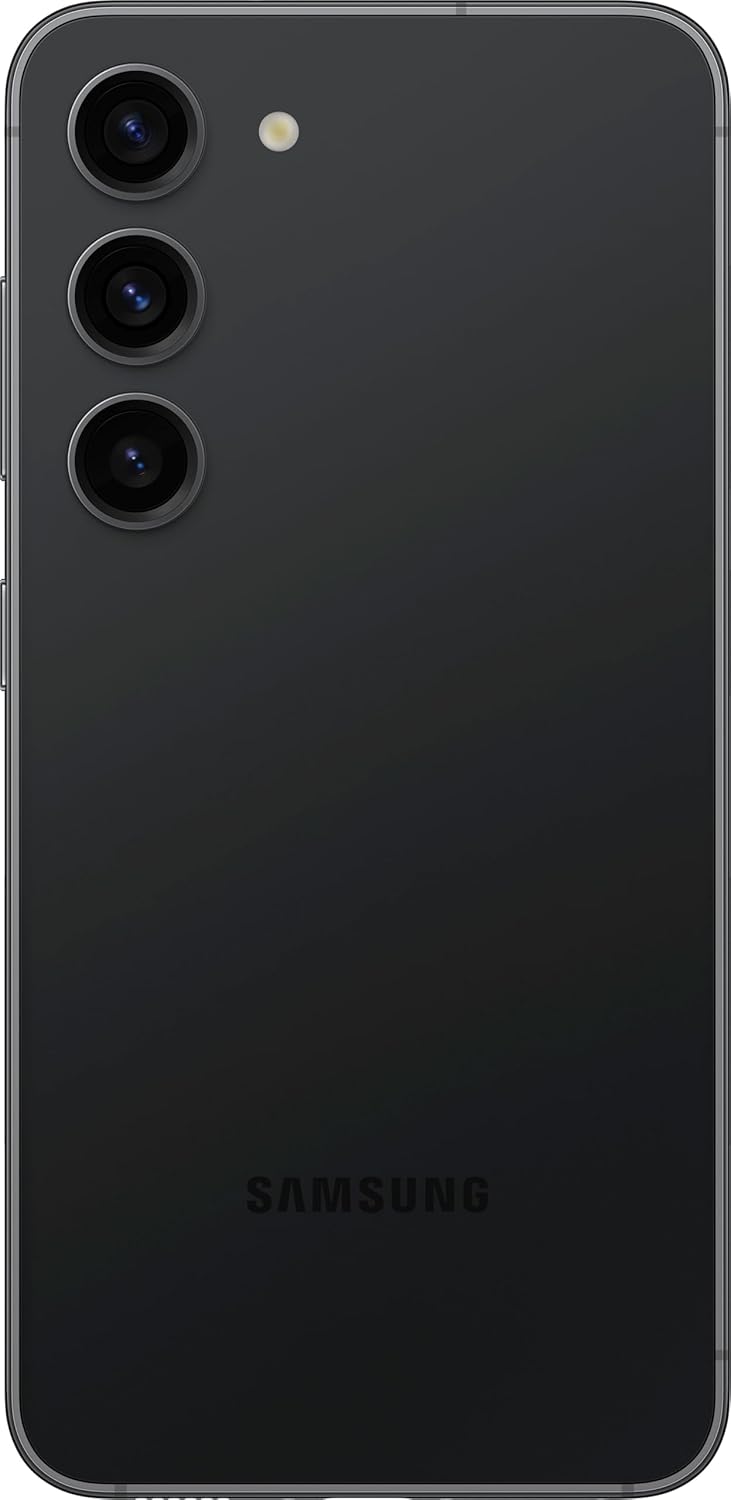
The SAMSUNG Galaxy S23 5G features a sleek design with a durable build and intuitive layout. Familiarize yourself with the device's physical components.

รูปที่ 1: ด้านหน้าและด้านหลัง View of the SAMSUNG Galaxy S23 5G. Shows the vibrant display on the front and the triple camera setup on the rear, along with the Samsung branding.

รูปที่ 2: ด้านขวา View of the SAMSUNG Galaxy S23 5G. Displays the power button and volume rocker located on the right side of the device.
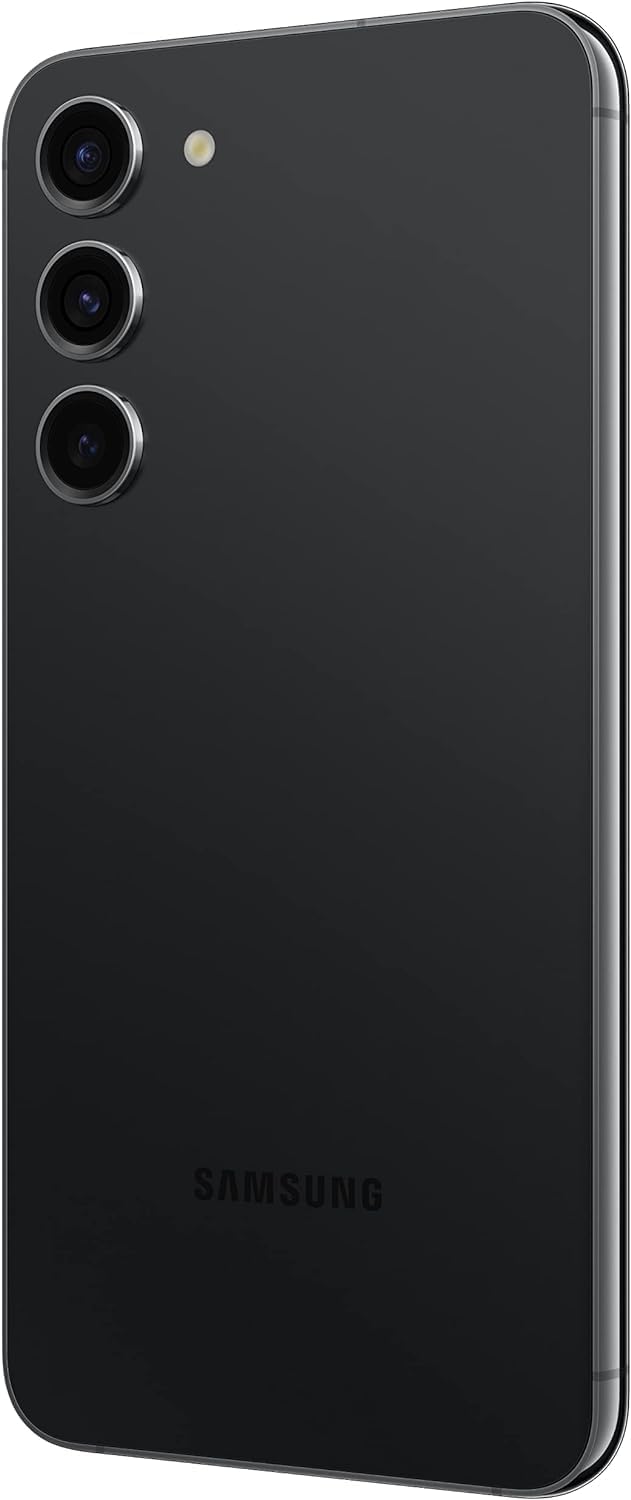
Figure 3: Detailed Back View of the SAMSUNG Galaxy S23 5G. Highlights the distinct triple camera lenses and LED flash arrangement on the rear panel.
รูปที่ 4: ด้านล่าง View of the SAMSUNG Galaxy S23 5G. Shows the USB Type-C charging port, speaker grille, and microphone hole.
คุณสมบัติหลัก:
- แสดง: 6.1" Dynamic AMOLED 2X Infinity-O FHD+ display with 120Hz Adaptive Refresh Rate, 425ppi, and 1750nit (Outdoor Peak) brightness.
- ผลงาน: Powered by Qualcomm SM8550-AC Snapdragon 8 Gen 2 (4nm) Octa-Core processor with 8GB RAM.
- พื้นที่จัดเก็บ: 256GB internal storage (No SD Card Slot).
- ระบบกล้อง: Rear Camera: 50MP, f/1.8 + 10MP, f/2.4 + 12MP, f/2.2 with 30X Space Zoom. Front Camera: 12MP, f/2.2.
- แบตเตอรี่: 3900mAh Battery for extended usage.
- ระบบปฏิบัติการ: Android 13 with Samsung's One UI 5.1.
- การเชื่อมต่อ: Supports 2G, 3G, 4G LTE, and 5G networks (SA/NSA/Sub6/mmWave). Features Nano-SIM and eSIM support.
คู่มือการติดตั้ง
1. การใส่ซิมการ์ด
- หาช่องใส่ซิมการ์ดที่อยู่บริเวณขอบด้านล่างของโทรศัพท์ของคุณ
- เสียบเข็มสำหรับถอดซิมเข้าไปในรูเล็กๆ ที่อยู่ข้างๆ ถาด แล้วดันเบาๆ จนกว่าถาดจะหลุดออกมา
- ใส่ซิมการ์ดนาโนลงในถาดโดยให้ด้านขั้วสีทองหันลง ตรวจสอบให้แน่ใจว่าวางตำแหน่งถูกต้องแล้ว
- ค่อยๆ ดันถาดกลับเข้าไปในโทรศัพท์จนกระทั่งล็อคเข้าที่
2. การเปิดเครื่องครั้งแรกและการกำหนดค่า
- กดปุ่มเปิด/ปิดค้างไว้ (อยู่ทางด้านขวา) จนกว่าโลโก้ Samsung จะปรากฏขึ้น
- Follow the on-screen prompts to complete the initial setup, including selecting your language, connecting to Wi-Fi, signing in to your Google account, and setting up security features (fingerprint, face recognition, PIN/pattern).
3. การชาร์จอุปกรณ์
Your device comes with a USB Type-C to Type-C cable. To charge your phone:
- Connect one end of the USB Type-C cable to the charging port on your phone.
- Connect the other end of the cable to a compatible USB Type-C power adapter (sold separately) or a computer's USB Type-C port.
- For optimal fast charging, use a Samsung 25W Super Fast Charger.
การใช้งานอุปกรณ์ของคุณ
การแสดงผลและการนำทาง
- ท่าทางการสัมผัสหน้าจอ: Navigate your device using standard touch gestures such as tap, swipe, pinch-to-zoom, and long press.
- อัตราการรีเฟรชแบบปรับได้: The 120Hz adaptive refresh rate automatically adjusts to optimize battery life while providing smooth scrolling and gaming.
- การแสดงผลตลอดเวลา (AOD): Customize your AOD settings to show time, notifications, and more without waking the screen.
การใช้กล้อง
- การเปิดใช้งานกล้อง: Double-press the Power button quickly to launch the camera app from any screen.
- โหมด: Explore various camera modes including Photo, Video, Portrait, Nightography, Pro, and more.
- ซูม: Utilize the 30X Space Zoom for distant subjects, combining optical and digital zoom capabilities.
- การถ่ายภาพกลางคืน: Enhance low-light photos and videos with advanced Nightography features.
การเชื่อมต่อ
- ไวไฟ : เชื่อมต่อกับเครือข่ายไร้สายผ่าน การตั้งค่า > การเชื่อมต่อ > Wi-Fi
- บลูทูธ: จับคู่กับอุปกรณ์บลูทูธ เช่น หูฟังหรือลำโพง โดยไปที่ การตั้งค่า > การเชื่อมต่อ > บลูทูธ
- ข้อมูลมือถือ: Manage your mobile data usage and settings via Settings > Connections > Data usage.
- แบ่งปันอย่างรวดเร็ว: แบ่งปันได้อย่างง่ายดาย files, photos, and videos with other Galaxy devices nearby.
การบำรุงรักษาและการดูแล
- การทำความสะอาด: ใช้ผ้านุ่มที่ไม่เป็นขุยทำความสะอาดหน้าจอและตัวเครื่องโทรศัพท์ หลีกเลี่ยงวัสดุที่มีฤทธิ์กัดกร่อนหรือสารเคมีรุนแรง
- อายุการใช้งานแบตเตอรี่: To prolong battery life, avoid extreme temperatures, use original or certified chargers, and manage background app usage.
- การอัปเดตซอฟต์แวร์: Regularly check for and install software updates (Settings > Software update) to ensure your device has the latest features and security patches.
- การจัดการพื้นที่เก็บข้อมูล: ล้างสิ่งที่ไม่จำเป็นออกเป็นระยะๆ fileและแอปต่างๆ เพื่อรักษาประสิทธิภาพการทำงานให้เหมาะสมที่สุด
การแก้ไขปัญหา
| ปัญหา | วิธีแก้ปัญหาที่เป็นไปได้ |
|---|---|
| อุปกรณ์ไม่ได้เปิด | ตรวจสอบให้แน่ใจว่าแบตเตอรี่ชาร์จเต็มแล้ว กดปุ่มเปิด/ปิดค้างไว้ประมาณ 10 วินาทีเพื่อบังคับให้รีสตาร์ท |
| แอปขัดข้องหรือค้าง | ล้างแคชของแอป (การตั้งค่า > แอป > [ชื่อแอป] > พื้นที่จัดเก็บ > ล้างแคช) หากปัญหายังคงอยู่ ให้ติดตั้งแอปใหม่หรือทำการรีเซ็ตเป็นค่าเริ่มต้นจากโรงงาน (สำรองข้อมูลก่อน) |
| อายุการใช้งานแบตเตอรี่ต่ำ | Check battery usage in Settings to identify power-hungry apps. Reduce screen brightness, disable unnecessary features (GPS, Bluetooth, Wi-Fi when not in use). |
| ปัญหาการเชื่อมต่อเครือข่าย | Toggle Airplane Mode on/off. Restart the device. Check SIM card insertion. Reset network settings (Settings > General management > Reset > Reset network settings). |
For more complex issues, refer to Samsung's official support resources or contact customer service.
ข้อมูลจำเพาะ
| คุณสมบัติ | รายละเอียด |
|---|---|
| ยี่ห้อ | ซัมซุง |
| ชื่อรุ่น | กาแล็คซี่ S23 |
| หมายเลขรุ่นสินค้า | กาแล็คซี่ S23 5G |
| สี | สีดำแฟนธอม |
| ระบบปฏิบัติการ | ระบบปฏิบัติการ Android 13, One UI 5.1 |
| ขนาดหน้าจอ | 6.1 นิ้ว |
| ประเภทจอภาพ | Dynamic AMOLED 2X Infinity-O FHD+ |
| ปณิธาน | 1080 x 2340 พิกเซล |
| อัตราการรีเฟรช | 120Hz Adaptive |
| โปรเซสเซอร์ | Qualcomm SM8550-AC Snapdragon 8 Gen 2 (4nm) หน่วยประมวลผลแปดคอร์ |
| แรม | 8GB |
| ความจุของหน่วยความจำ | 256GB |
| พื้นที่เก็บข้อมูลแบบขยายได้ | No SD Card Slot |
| กล้องหลัง | 50MP (f/1.8) + 10MP (f/2.4) + 12MP (f/2.2) |
| กล้องหน้า | 12 ล้านพิกเซล (f/2.2) |
| ซูม | 30X Space Zoom |
| ความจุของแบตเตอรี่ | 3900 มิลลิวินาทีamp ชั่วโมง (มิลลิแอมป์) |
| เทคโนโลยีการสื่อสารไร้สาย | Cellular, Wi-Fi, Bluetooth |
| เทคโนโลยีการเชื่อมต่อ | ไร้สาย |
| ผู้ให้บริการไร้สาย | ปลดล็อคสำหรับผู้ให้บริการทั้งหมด |
| แจ็คเสียง | ไม่มีช่องเสียบหูฟัง |
| น้ำหนักสินค้า | 5.9 ออนซ์ |
| ขนาดสินค้า | 6 x 4 x 2 นิ้ว |
การรับประกันและการสนับสนุน
โปรดทราบว่าผลิตภัณฑ์ปรับปรุงใหม่นี้มาพร้อมกับ ไม่มีการรับประกัน from the manufacturer as stated in the product details. However, renewed products typically come with a separate return or replacement policy from the seller or platform.
For technical assistance, troubleshooting beyond this manual, or inquiries regarding your renewed product's specific return policy, please contact the seller or the Amazon Renewed support team directly.
คุณสามารถเยี่ยมชมฝ่ายสนับสนุน Samsung อย่างเป็นทางการได้ website for general device information, software updates, and community forums:
Ask a question about this manual
Ask about setup, troubleshooting, compatibility, parts, safety, or missing instructions. Manuals+ will review the question and use this page’s manual context to help answer it.