
1. ข้อมูลด้านความปลอดภัย
Please read all safety information before operating the Silverlit TOOKO My First Mist-Projecting Activity Truck. Keep this manual for future reference.
- คำเตือน: ไม่เหมาะสำหรับเด็กอายุต่ำกว่า 36 เดือน เนื่องจากมีชิ้นส่วนเล็กๆ ที่อาจเป็นอันตรายจากการสำลัก
- Adult supervision is recommended during play, especially when filling the water tank.
- ห้ามนำของเล่นไปแช่น้ำ
- ตรวจสอบให้แน่ใจว่าใส่แบตเตอรี่โดยให้ขั้วถูกต้อง ห้ามใช้แบตเตอรี่เก่าและใหม่ปะปนกัน หรือใช้แบตเตอรี่ต่างชนิดกัน
- ถอดแบตเตอรี่ออกหากจะไม่ใช้ของเล่นเป็นเวลานาน
- Use only clean tap water for the mist effect. Do not add any other liquids or chemicals.
2. สินค้าหมดview
The Silverlit TOOKO My First Mist-Projecting Activity Truck is an interactive toy designed for young children aged 2 years and above. It features a unique mist effect, sound and light effects, and a simple 'Press & Go' function for easy operation.

3. เนื้อหาบรรจุภัณฑ์
ตรวจสอบว่ารายการทั้งหมดที่ระบุไว้ด้านล่างนี้รวมอยู่ในแพ็คเกจของคุณ:
- 1 x Silverlit TOOKO My First Mist-Projecting Activity Truck
- 1 x Water Container (for mist effect)
- คู่มือการใช้งาน (เอกสารนี้)
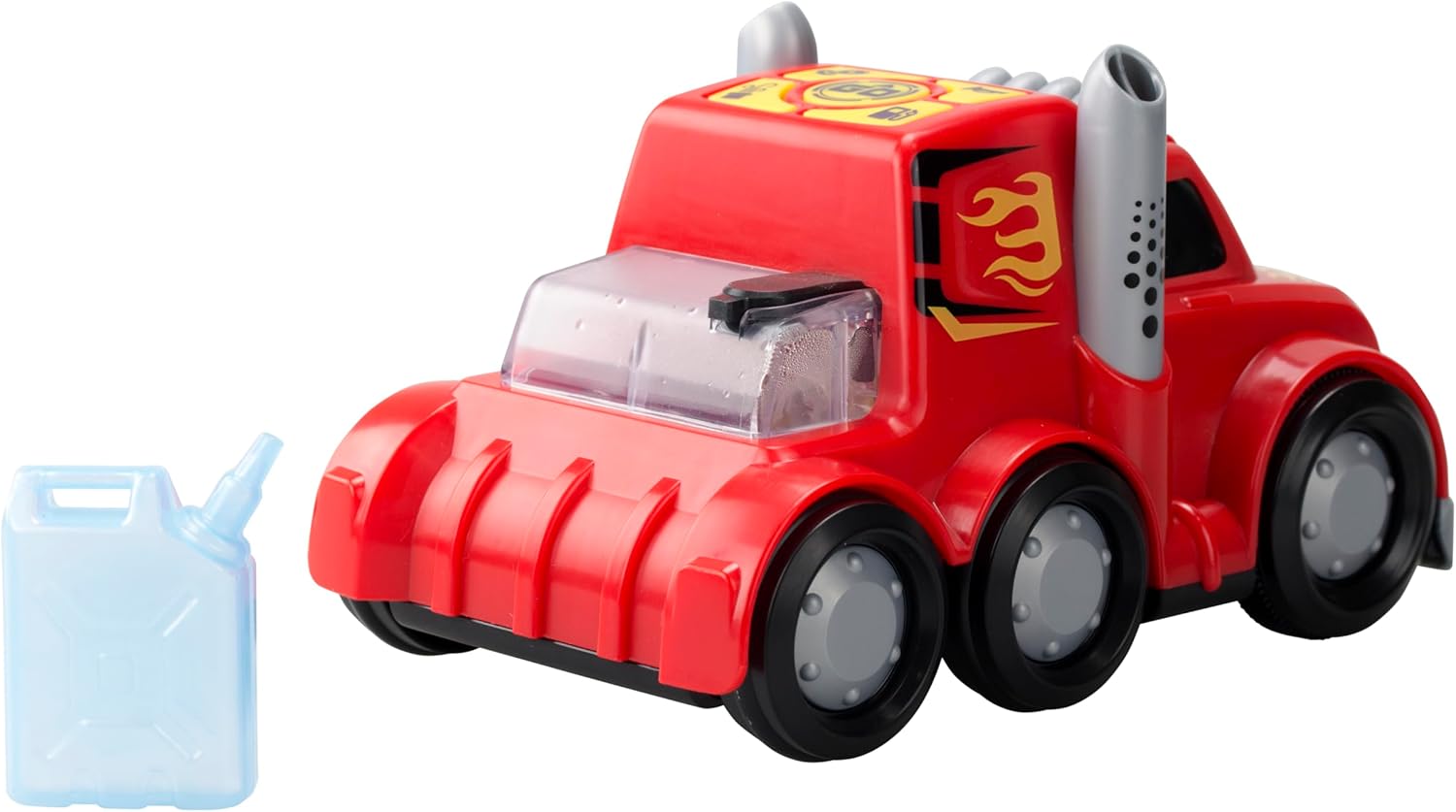
4. การตั้งค่า
4.1 การติดตั้งแบตเตอรี่
The truck requires 3 x AAA batteries (not included) for operation.
- หาตำแหน่งช่องใส่แบตเตอรี่ที่อยู่ใต้ท้องรถบรรทุก
- ใช้ไขควง (ไม่ได้แถมมาด้วย) คลายสกรูฝาปิดช่องใส่แบตเตอรี่ออก
- ใส่แบตเตอรี่ AAA ใหม่ 3 ก้อน โดยตรวจสอบให้แน่ใจว่าขั้วบวก/ลบถูกต้องตามที่ระบุไว้ภายในช่องใส่แบตเตอรี่
- ใส่ฝาปิดช่องใส่แบตเตอรี่และขันให้แน่นด้วยสกรู
4.2 Water Filling for Mist Effect
To activate the mist effect, the water tank needs to be filled.
- Locate the water tank opening on the top rear of the truck.
- Fill the provided water container with clean tap water.
- Carefully pour the water from the container into the truck's water tank opening. Do not overfill.
- Ensure the water tank cap (if present) is securely closed after filling.

5. คู่มือการใช้งาน
5.1 เปิด/ปิดเครื่อง
Locate the power switch on the underside or side of the truck. Slide the switch to the 'ON' position to power on the toy. Slide it to 'OFF' to power off.
5.2 Press & Go Function
The truck features a simple 'Press & Go' mechanism for forward movement.
- Ensure the truck is powered on.
- Press the designated 'Go' button on the top panel of the truck.
- The truck will move forward for a short distance.

5.3 Mist Effect Activation
Once the water tank is filled and the truck is powered on, the mist effect can be activated.
- Press the dedicated mist button on the control panel.
- Mist will be projected from the exhaust pipes, simulating a real misting truck.
5.4 Sound and Light Effects
The truck is equipped with integrated sound and light features.
- These effects typically activate automatically when the truck is in motion or when specific buttons (e.g., horn button) are pressed.
- Refer to the icons on the control panel for specific sound functions.
6. การบำรุงรักษา
6.1 การทำความสะอาด
- Wipe the truck with a soft, damp ผ้า. อย่าใช้สารเคมีที่รุนแรงหรือน้ำยาทำความสะอาดที่มีฤทธิ์กัดกร่อน
- ตรวจสอบให้แน่ใจว่าของเล่นแห้งสนิทก่อนเก็บ
6.2 พื้นที่จัดเก็บ
- เก็บของเล่นไว้ในที่แห้งและเย็น ห่างจากแสงแดดโดยตรง
- ถอดแบตเตอรี่ออกหากจะไม่ใช้ของเล่นเป็นเวลานานเพื่อป้องกันการรั่วซึม
- Empty the water tank completely before storing to prevent mold or residue buildup.
7 การแก้ไขปัญหา
| ปัญหา | สาเหตุที่เป็นไปได้ | สารละลาย |
|---|---|---|
| Truck does not move or power on. | แบตเตอรี่หมดหรือติดตั้งไม่ถูกต้อง | Replace batteries with new ones, ensuring correct polarity. Check power switch is ON. |
| Mist effect is not working. | Water tank is empty or mist nozzle is blocked. | Refill the water tank with clean tap water. Gently check the mist nozzle for any obstructions. |
| Sound or light effects are not working. | Batteries are low or a specific button is not pressed. | Replace batteries. Ensure the correct button for the desired effect is pressed. |
8. ข้อมูลจำเพาะ
| คุณสมบัติ | รายละเอียด |
|---|---|
| หมายเลขรุ่น | สล-81478 |
| ยี่ห้อ | สีเงิน |
| ขนาด (กว้าง x ยาว x สูง) | 23.01 x 10.8 x 14 ซม. (9.06 x 4.25 x 5.51 นิ้ว) |
| น้ำหนัก | 290.3 กรัม (0.64 ปอนด์) |
| วัสดุ | พลาสติก |
| แหล่งพลังงาน | ใช้พลังงานจากแบตเตอรี่ |
| ประเภทแบตเตอรี่ | แบตเตอรี่ AAA 3 ก้อน (แนะนำให้ใช้แบตเตอรี่อัลคาไลน์ แต่ไม่รวมอยู่ในชุด) |
| อายุที่แนะนำ | 24 เดือนขึ้นไป |
| คุณสมบัติพิเศษ | Mist effect, Sound effects, Light effects, Press & Go function |
9. การรับประกันและการสนับสนุน
ผลิตภัณฑ์นี้อยู่ภายใต้การรับประกันมาตรฐานของผู้ผลิต ครอบคลุมเฉพาะข้อบกพร่องด้านวัสดุและฝีมือการผลิต โปรดเก็บหลักฐานการซื้อไว้เพื่อใช้ในการเรียกร้องการรับประกัน
For technical support, troubleshooting assistance, or warranty inquiries, please contact Silverlit customer service through their official webไซต์หรือผู้ค้าปลีกที่ซื้อผลิตภัณฑ์
หมายเหตุ: เงื่อนไขการรับประกันอาจแตกต่างกันไปตามแต่ละภูมิภาค