1. บทนำ
Thank you for choosing AIMA Wireless Earbuds. These earbuds are designed to provide a superior audio experience with advanced Bluetooth 5.2 technology, rich bass, and effective noise reduction. This manual will guide you through the setup, operation, and maintenance of your new earbuds to ensure you get the most out of them.
2. เนื้อหาบรรจุภัณฑ์
กรุณาทำเครื่องหมายในช่องสำหรับรายการต่อไปนี้:
- AIMA Wireless Earbuds (Left and Right)
- เคสชาร์จไฟ
- สายชาร์จ USB
- คู่มือการใช้งาน
3. สินค้าหมดview
Familiarize yourself with the components of your AIMA Wireless Earbuds and charging case.

Image 3.1: AIMA Wireless Earbuds in their orange charging case, displaying a digital battery percentagอีของ 100

Image 3.2: The orange AIMA Wireless Earbuds are shown both inside and outside their transparent charging case, highlighting their compact design.

Image 3.3: Demonstrates the comfortable and stable fit of the earbuds in a user's ear, showing both orange and black earbud variants.
4. การตั้งค่า
4.1 การชาร์จหูฟังและเคส
- ใส่หูฟังลงในกล่องชาร์จ ตรวจสอบให้แน่ใจว่าใส่หูฟังเข้าที่อย่างถูกต้อง
- เชื่อมต่อสายชาร์จ USB เข้ากับพอร์ตชาร์จบนเคสและแหล่งจ่ายไฟ (เช่น อะแดปเตอร์ผนัง USB พอร์ต USB ของคอมพิวเตอร์)
- The digital display on the case will indicate the charging status. A full charge for the case and earbuds takes approximately one hour.
4.2 การจับคู่กับอุปกรณ์ของคุณ
- ตรวจสอบให้แน่ใจว่าได้ชาร์จเอียร์บัดแล้ว
- Open the charging case. The earbuds will automatically enter pairing mode, indicated by a flashing light (if applicable, refer to specific light indicators on your model).
- บนอุปกรณ์ของคุณ (สมาร์ทโฟน แท็บเล็ต คอมพิวเตอร์) ไปที่การตั้งค่าบลูทูธ แล้วเปิดใช้งานบลูทูธ
- ค้นหา available devices. Select "AIMA Earbuds" (or similar name) from the list.
- เมื่อเชื่อมต่อสำเร็จแล้ว หูฟังจะแสดงสัญญาณการจับคู่ที่สำเร็จ (เช่น เสียงแจ้งเตือนหรือไฟแสดงสถานะติดสว่าง)
- เมื่อนำเอียร์บัดออกจากเคส เอียร์บัดจะเชื่อมต่อกับอุปกรณ์ที่จับคู่ไว้ครั้งล่าสุดโดยอัตโนมัติ หากเปิดใช้งาน Bluetooth บนอุปกรณ์
5. คู่มือการใช้งาน
5.1 เปิด/ปิดเครื่อง
- เปิดเครื่อง: เปิดกล่องชาร์จ หูฟังจะเปิดโดยอัตโนมัติ
- หมดแรง: ใส่หูฟังกลับเข้าไปในกล่องชาร์จและปิดฝา หูฟังจะปิดโดยอัตโนมัติและเริ่มชาร์จ
5.2 การควบคุมการเล่นเพลง
The earbuds feature touch-sensitive controls. Specific functions may vary slightly; refer to the quick start guide for precise tap sequences.
- เล่น/หยุดชั่วคราว: แตะที่หูฟังข้างใดข้างหนึ่งเพียงครั้งเดียว
- เพลงถัดไป: แตะสองครั้งที่หูฟังด้านขวา
- แทร็กก่อนหน้า: แตะสองครั้งที่หูฟังด้านซ้าย
- ปรับระดับเสียงขึ้น: แตะสามครั้งที่หูฟังด้านขวา
- ลดเสียงลง: แตะสามครั้งที่หูฟังด้านซ้าย

Image 5.1: Illustrates the 'Deep Rich Bass' capability of the earbuds, showing both orange and black versions with a focus on sound quality.
5.3 การจัดการการโทร
- รับ/วางสาย: แตะเพียงครั้งเดียวที่หูฟังข้างใดข้างหนึ่งในระหว่างที่มีสายเรียกเข้า
- ปฏิเสธสาย: กดปุ่มหูฟังข้างใดข้างหนึ่งค้างไว้ 2 วินาทีในระหว่างที่มีสายเรียกเข้า
5.4 ลดเสียงรบกวน
These earbuds feature Active Noise Cancellation (ANC) technology to filter out background noise for crystal clear calls and music.
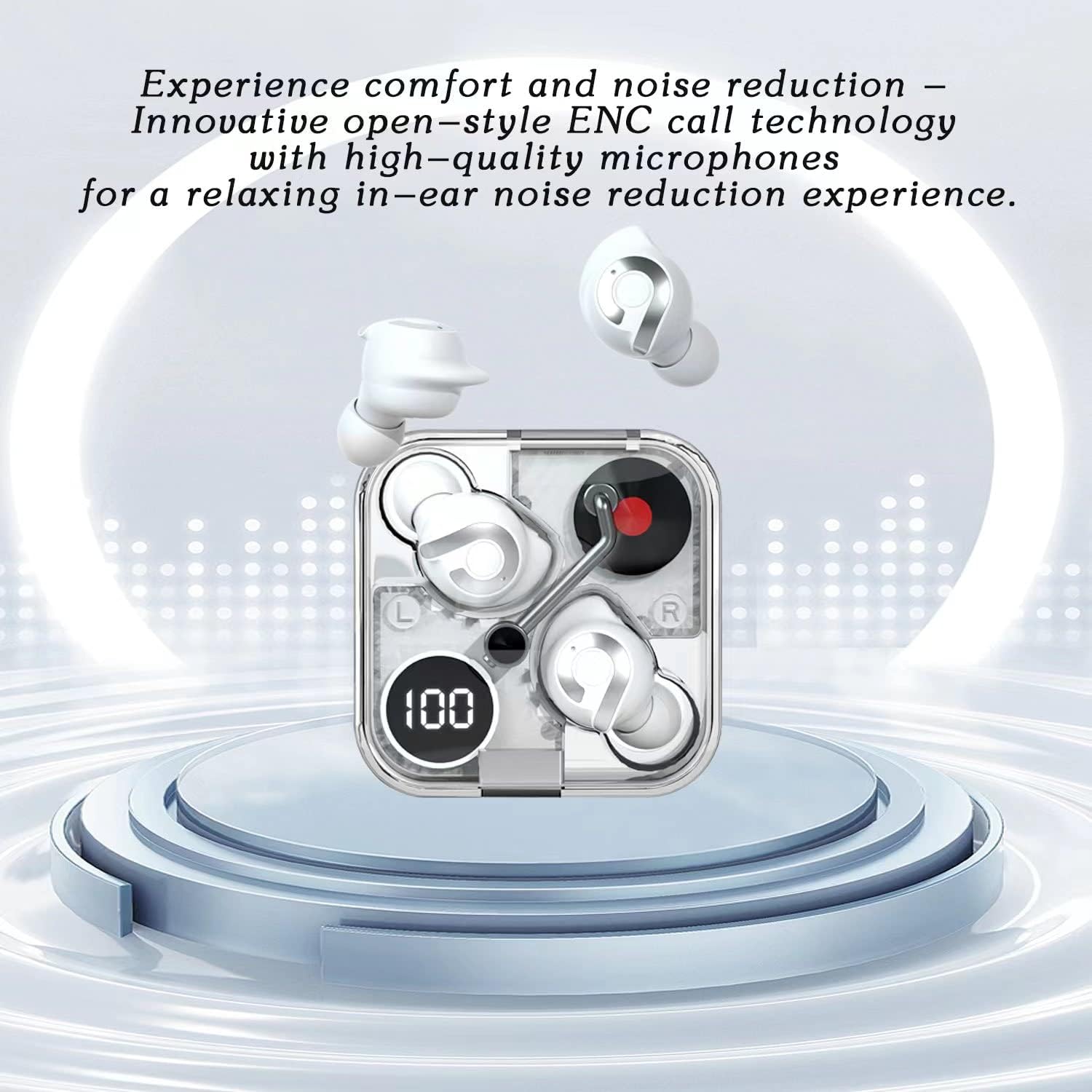
Image 5.2: Highlights the comfort and noise reduction features, showing white earbuds in a transparent case with a focus on ENC call technology.
To activate or deactivate the noise reduction mode, refer to the specific touch control gestures in your quick start guide, typically a long press or specific tap sequence.
6. การบำรุงรักษา
6.1 การทำความสะอาด
- ใช้ผ้าแห้งนุ่มและไม่ขุยในการทำความสะอาดหูฟังและกล่องชาร์จ
- ห้ามใช้สารทำความสะอาดที่มีฤทธิ์กัดกร่อน แอลกอฮอล์ หรือตัวทำละลายเคมี
- ทำความสะอาดหน้าสัมผัสการชาร์จบนหูฟังทั้งสองข้างและเคสอย่างเบามือด้วยสำลีแห้งหากจำเป็น
6.2 พื้นที่จัดเก็บ
- เมื่อไม่ได้ใช้งาน ควรเก็บหูฟังไว้ในกล่องชาร์จเสมอ เพื่อปกป้องหูฟังและให้หูฟังชาร์จไฟอยู่เสมอ
- เก็บไว้ในที่แห้งและเย็น หลีกเลี่ยงอุณหภูมิที่สูงและแสงแดดโดยตรง
6.3 การดูแลแบตเตอรี่
- เพื่อยืดอายุการใช้งานแบตเตอรี่ ควรหลีกเลี่ยงการปล่อยให้หูฟังและเคสชาร์จหมดเกลี้ยงบ่อยๆ
- ควรชาร์จอุปกรณ์เป็นประจำ แม้ว่าจะไม่ได้ใช้งานบ่อยก็ตาม
7 การแก้ไขปัญหา
If you encounter any issues with your AIMA Wireless Earbuds, please refer to the following common solutions:
| ปัญหา | สาเหตุที่เป็นไปได้ | สารละลาย |
|---|---|---|
| หูฟังเอียร์บัดไม่จับคู่ | Low battery; Bluetooth off on device; Earbuds not in pairing mode; Interference. | Charge earbuds and case; Ensure device Bluetooth is on; Place earbuds in case, then open lid to re-enter pairing mode; Move closer to device; Restart device. |
| ไม่มีเสียงจากเอียร์บัดข้างเดียว | Earbud not connected; Low battery; Dirty charging contacts. | Place both earbuds back in case, close lid, then reopen; Ensure earbud is charged; Clean charging contacts. |
| ปัญหาการชาร์จ | Cable faulty; Power source issue; Dirty charging contacts. | Try a different USB cable and power source; Clean charging contacts on earbuds and case. |
| คุณภาพเสียงไม่ดี | Distance from device; Interference; Earbuds not properly seated. | Move closer to your device; Avoid strong electromagnetic fields; Adjust earbud position in ear. |
8. ข้อมูลจำเพาะ
- ยี่ห้อ: Generic (Manufactured by AIMA)
- แบบอย่าง: B0C4BZ7S47
- เวอร์ชันบลูทูธ: 5.2
- การควบคุมเสียงรบกวน: ระบบตัดเสียงรบกวนแบบแอคทีฟ
- ตำแหน่งหู: ในหู
- ฟอร์มแฟกเตอร์: ในหู
- สี: ส้ม
- เวลาสนทนา: สูงสุด 5 ชั่วโมงต่อการชาร์จหนึ่งครั้ง
- เวลาการเล่นเพลง: สูงสุด 5.5 ชั่วโมงต่อการชาร์จหนึ่งครั้ง
- เวลาในการชาร์จ: ใช้เวลาประมาณ 1 ชั่วโมงในการชาร์จจนเต็ม
- เวลาสแตนด์บาย: เกิน 200 ชั่วโมง

ภาพที่ 8.1: ระเบิด view illustrating the internal components of the earbud, highlighting its intricate design and construction for optimal sound.
9. การรับประกันและการสนับสนุน
For warranty information and customer support, please refer to the documentation provided with your purchase or contact the retailer where you purchased the AIMA Wireless Earbuds. Keep your proof of purchase for any warranty claims.