
การแนะนำ
This manual provides detailed instructions for the installation, operation, and maintenance of your UNITOPSCI 10.36 Inch Portable Wireless CarPlay/Android Auto Car Stereo. Please read this manual thoroughly before using the device to ensure proper functionality and safety.
ข้อมูลด้านความปลอดภัย
- โปรดใช้งานอุปกรณ์อย่างมีความรับผิดชอบและสอดคล้องกับกฎจราจรท้องถิ่นอยู่เสมอ การขับขี่โดยขาดสมาธิอาจนำไปสู่อุบัติเหตุได้
- ตรวจสอบให้แน่ใจว่าอุปกรณ์ติดตั้งอย่างแน่นหนาและไม่กีดขวางทางเดินของคุณ view หรือรบกวนการควบคุมรถ
- ห้ามถอดประกอบหรือดัดแปลงอุปกรณ์ การกระทำดังกล่าวอาจทำให้การรับประกันเป็นโมฆะและก่อให้เกิดความเสี่ยงด้านความปลอดภัย
- ควรเก็บอุปกรณ์ให้ห่างจากอุณหภูมิที่สูงจัด แสงแดดโดยตรงเป็นเวลานาน และความชื้น
- ใช้เฉพาะสายไฟและอุปกรณ์เสริมที่ให้มาเท่านั้น
เนื้อหาแพ็คเกจ
ตรวจสอบว่ารายการทั้งหมดที่ระบุไว้ด้านล่างนี้รวมอยู่ในแพ็คเกจของคุณ:
- 1 x Portable Car Stereo
- 1 x สายไฟ
- 1 x Accessories (Mounting Bracket)
- 1 x Bracket Fixing Sticker
- 1 x 3M AUX Cable
- 1 x คู่มือผู้ใช้

รูปที่ 1: เนื้อหาบรรจุภัณฑ์และขนาดผลิตภัณฑ์
คุณสมบัติผลิตภัณฑ์
- Apple CarPlay และ Android Auto แบบไร้สาย: Seamless integration with your smartphone for navigation, calls, music, and more.
- การควบคุมด้วยเสียง: ใช้ Siri หรือ Google Assistant เพื่อการใช้งานแบบแฮนด์ฟรี
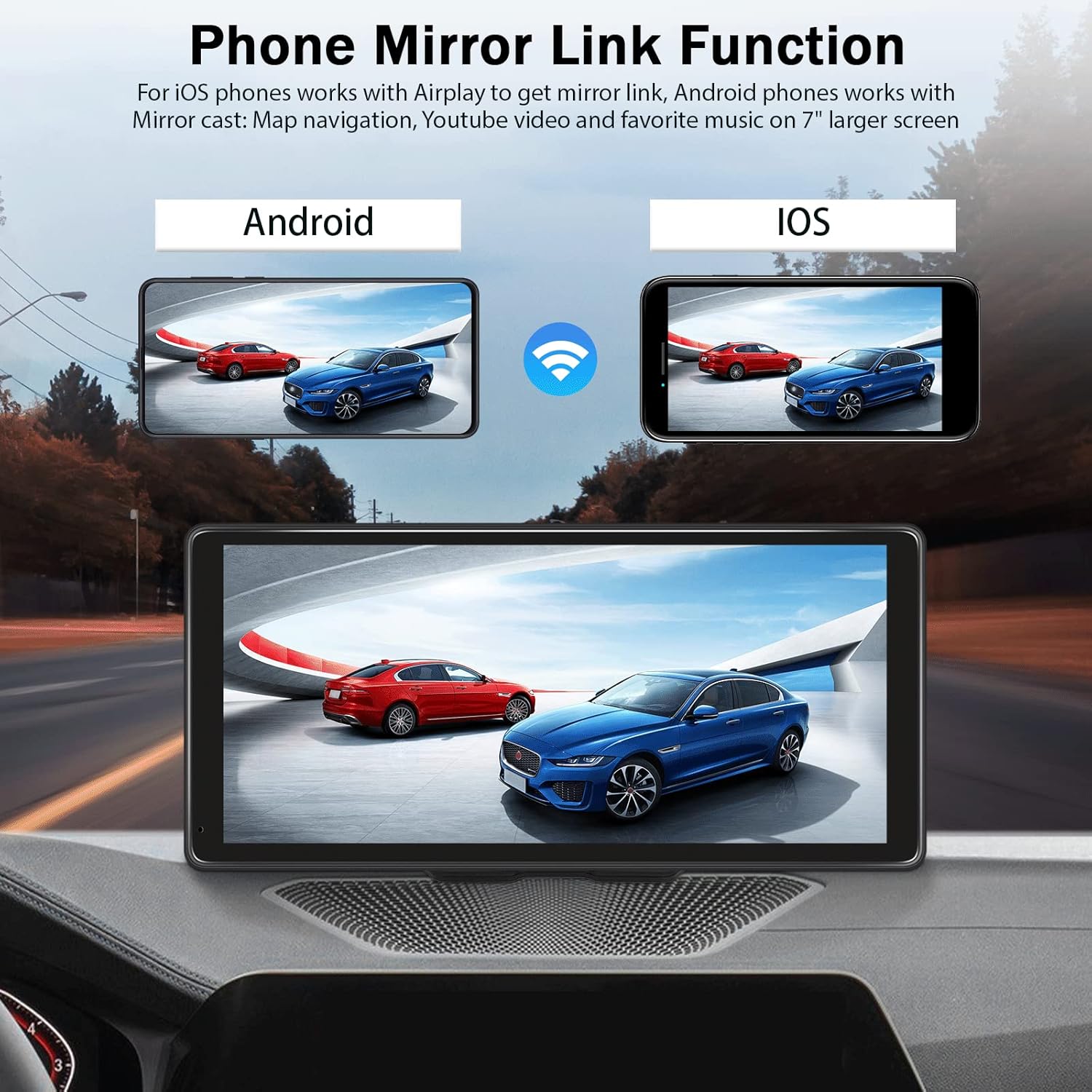
- ฟังก์ชันมิเรอร์ลิงค์: Display your phone's screen (Android Cast for Android, Airplay for iOS) directly on the stereo.
- Hands-free Bluetooth: Make and receive calls, stream music wirelessly.
- ตัวเลือกการส่งออกเสียงหลายแบบ: Built-in speaker, FM radio transmitter, AUX output.
- หน้าจอสัมผัสความละเอียดสูง: 10.36-inch HD capacitive touch screen with 1600*720 resolution for clear visuals and responsive interaction.
- อินพุตกล้องสำรอง: Supports connection to a backup camera (not included) for enhanced parking safety.
- ความเข้ากันได้กว้าง: Compatible with 7-32V DC vehicles, suitable for cars, taxis, trucks, and vans.

รูปที่ 2: ความเข้ากันได้ของยานพาหนะ

Figure 3: High-Resolution Touch Screen and Backup Camera View
การตั้งค่า
1. การติดตั้ง
The UNITOPSCI car stereo is designed for dash mounting. Use the provided accessories and bracket fixing sticker to securely attach the device to your car's center dashboard in a position that does not obstruct your view or access to vehicle controls.
2. การเชื่อมต่อไฟฟ้า
Connect the provided power cord to the device and your vehicle's power outlet (e.g., cigarette lighter socket). The device is compatible with 7-32V DC vehicle power systems.
3. ตัวเลือกเอาต์พุตเสียง
The device offers three methods for audio output:
- ลำโพงในตัว: The unit has an integrated speaker for direct audio playback.
- FM Transmitter: Transmit audio to your car's original stereo system by tuning both the car stereo and the UNITOPSCI unit to the same FM frequency.
- เอาต์พุต AUX: Connect the provided 3M AUX cable from the UNITOPSCI unit's AUX jack to your car's AUX input for a wired audio connection.

Figure 4: Audio Output Methods
คำแนะนำการใช้งาน
1. การเชื่อมต่อ CarPlay / Android Auto แบบไร้สาย
วิธีเชื่อมต่อสมาร์ทโฟนของคุณแบบไร้สาย:
- ตรวจสอบให้แน่ใจว่าเปิดใช้งาน Wi-Fi และ Bluetooth บนสมาร์ทโฟนของคุณแล้ว
- On the UNITOPSCI unit, navigate to the Apple CarPlay or Android Auto section.
- On your smartphone, search for and connect to the device's Bluetooth name (e.g., T86-170EED).
- ยืนยันคำขอจับคู่บนอุปกรณ์ทั้งสอง
- Once connected via Bluetooth, the system will automatically initiate the wireless CarPlay or Android Auto connection.
รูปที่ 5: อินเทอร์เฟซ CarPlay แบบไร้สาย
Video 1: Demonstration of Wireless CarPlay and Android Auto connection and functionality on the 10.36-inch screen.
2. ฟังก์ชัน Mirror Link
The Mirror Link feature allows you to display your smartphone's screen on the UNITOPSCI unit.
- สำหรับโทรศัพท์ iOS: Use Airplay to mirror your screen.
- สำหรับโทรศัพท์ Android: Use Android Cast to mirror your screen.
Connect via Bluetooth, then follow the on-screen prompts or your phone's mirroring instructions to synchronize content like maps, videos, or music.

Figure 6: Phone Mirror Link Function
3. การควบคุมด้วยเสียง
Once connected to CarPlay or Android Auto, you can use voice commands for various functions:
- การนำทาง: "Hey Siri, navigate home" or "OK Google, go to the nearest gas station."
- การโทร: "Hey Siri, call Mom" or "OK Google, message Nelson."
- ดนตรี: "Hey Siri, play music on Spotify."

Figure 7: Voice Control and GPS Navigation
4. Hands-free Bluetooth Calling
With your phone paired via Bluetooth, you can make and receive calls directly through the UNITOPSCI unit, enhancing driving safety.
5. อินพุตกล้องสำรอง
If you have a compatible backup camera (not included), connect it to the designated camera input on the UNITOPSCI unit. When reversing, the screen will automatically display the rear view with calibration lines.
การแก้ไขปัญหา
- ไม่มีไฟฟ้า: Ensure the power cord is securely connected to both the device and the vehicle's power outlet. Check the vehicle's fuse for the power outlet.
- ไม่มีเสียง: Verify your selected audio output method (built-in speaker, FM, AUX). If using FM, ensure the frequencies match. If using AUX, confirm the cable is properly connected and your car's stereo is set to AUX input.
- Bluetooth/CarPlay/Android Auto Disconnection: Ensure your phone's Bluetooth and Wi-Fi are active. Try re-pairing the device. Check for any software updates for your phone or the car stereo.
- การมองเห็นหน้าจอด้วยแว่นกันแดดแบบเลนส์โพลาไรซ์: Due to the screen technology, visibility may be reduced when wearing polarized sunglasses. This is a characteristic of some display types and not a defect.
- หน้าจอสัมผัสไม่ตอบสนอง: รีสตาร์ทอุปกรณ์ หากปัญหายังคงอยู่ โปรดตรวจสอบให้แน่ใจว่าหน้าจอสะอาดและปราศจากฝุ่นละออง
ข้อมูลจำเพาะ
| ขนาดจอแสดงผล | 10.36 นิ้ว |
| ปณิธาน | 1600*720 |
| น้ำหนักสินค้า | 2.4 ปอนด์ |
| ขนาดสินค้า | 10.6 x 3.7 x 5.2 นิ้ว |
| เทคโนโลยีการเชื่อมต่อ | อุปกรณ์เสริม, บลูทูธ, USB, Wi-Fi |
| ประเภทการติดตั้ง | แผงหน้าปัด |
| ประเภทบริการยานพาหนะ | รถยนต์,รถบรรทุก |
| โหมดเอาต์พุตเสียง | สเตอริโอ |
การรับประกัน
The UNITOPSCI 10.36 Inch Portable Wireless CarPlay/Android Auto Car Stereo comes with a 1-year warranty from the date of purchase. Please retain your proof of purchase for warranty claims. The warranty covers manufacturing defects but does not cover damage caused by misuse, accidents, or unauthorized modifications.
สนับสนุน
For further assistance, technical support, or warranty inquiries, please contact UNITOPSCI customer service through the retailer where the product was purchased or refer to the contact information provided on the official UNITOPSCI webเว็บไซต์.