
AULA S505
AULA S505 USB Gaming Headset Instruction Manual
รุ่น: S505 | ยี่ห้อ: AULA
การแนะนำ
Thank you for choosing the AULA S505 USB Gaming Headset. This manual provides essential information for setting up, operating, and maintaining your headset to ensure optimal performance and longevity. Please read this manual thoroughly before use.

Image: AULA S505 USB Gaming Headset with RGB lighting.
คุณสมบัติหลัก
- Immersive Virtual 7.1 Surround Sound: Experience precise positional audio with 50mm neodymium magnet drivers, delivering strong bass and clear treble for an immersive gaming and multimedia experience.
- ไมโครโฟนตัดเสียงรบกวน: The 360° rotatable microphone reduces ambient noise, ensuring clear and loud voice pickup for effective communication. It can be easily turned on or off via the in-line control.
- Charming RGB Backlight: Built-in LED lights display dynamic rainbow lighting effects, enhancing the gaming atmosphere. The lighting can be turned off when not desired.
- การควบคุมแบบอินไลน์ที่สะดวกสบาย: The 2.1m USB wired headset features a one-key control button for quick adjustments to volume, mute, microphone on/off, and RGB lighting control.
- การออกแบบที่เป็นมิตรต่อผู้ใช้: Lightweight (approx. 320g) with an adjustable padded headband for various head shapes. Soft memory earmuffs with breathable cloth reduce pressure and prevent sweat for comfortable long-term use.
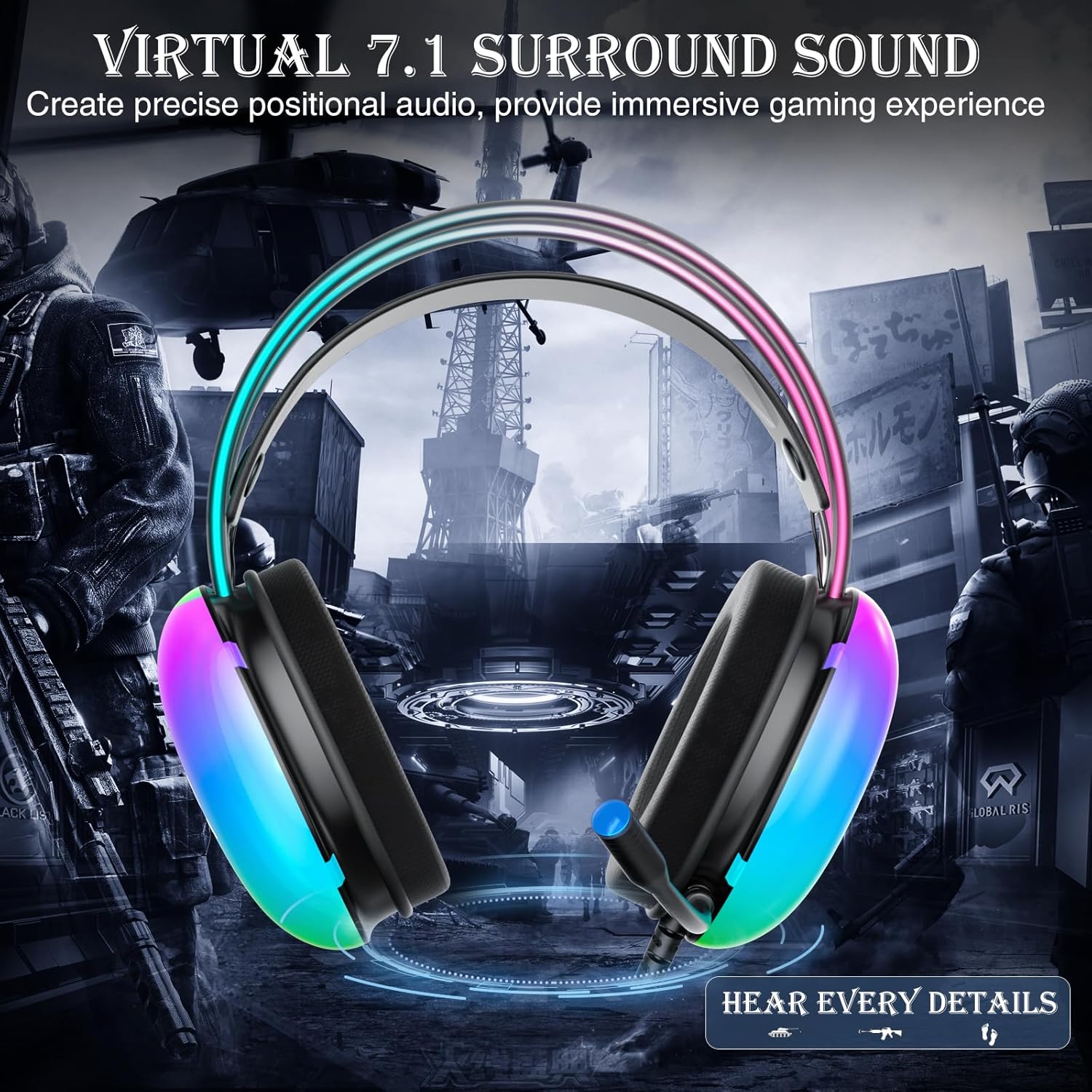
Image: Diagram illustrating virtual 7.1 surround sound and 50mm drivers.
Video: Demonstrating the AULA S505 USB Gaming Headset with Virtual 7.1 Surround Sound.
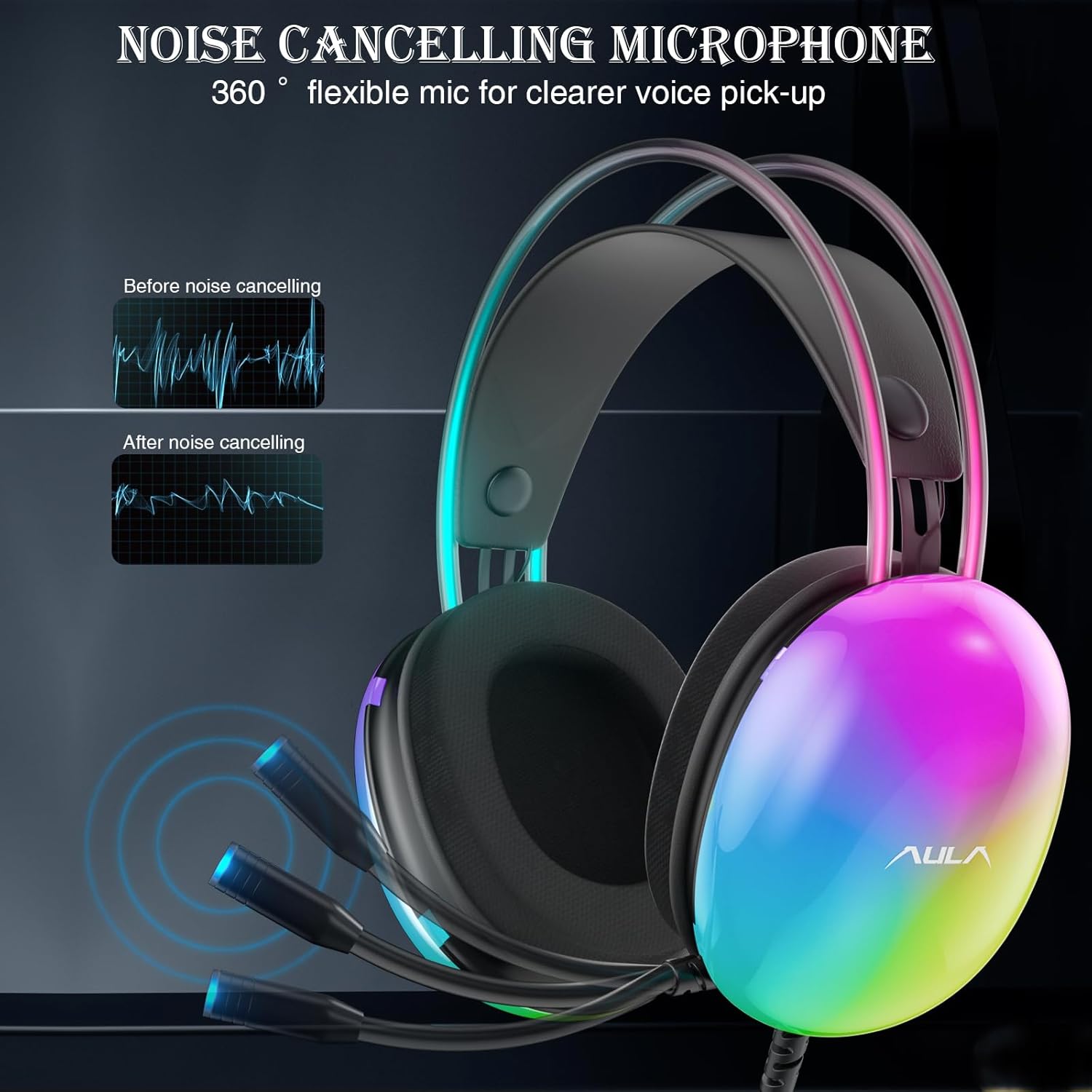
Image: Headset with its noise-canceling microphone extended.
วิดีโอ: โชว์asing the AULA S505 Black USB Gaming Headset with Noise Cancelling Mic.

Image: AULA S505 headset displaying dynamic RGB lighting effects.
Video: Highlighting the unique RGB lighting of the AULA S505 Headset.
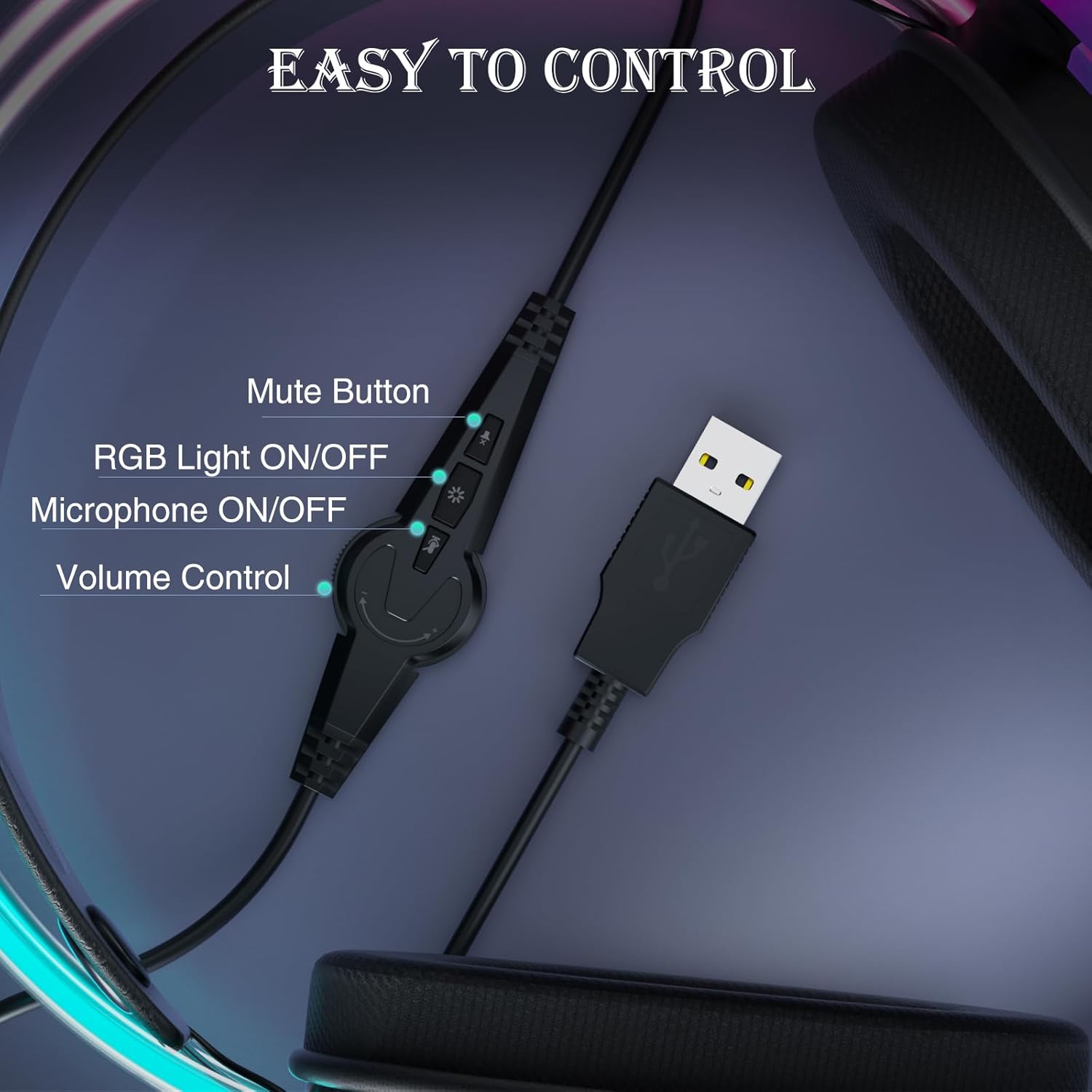
Image: Close-up of the in-line control unit with buttons for volume, mute, mic, and RGB.
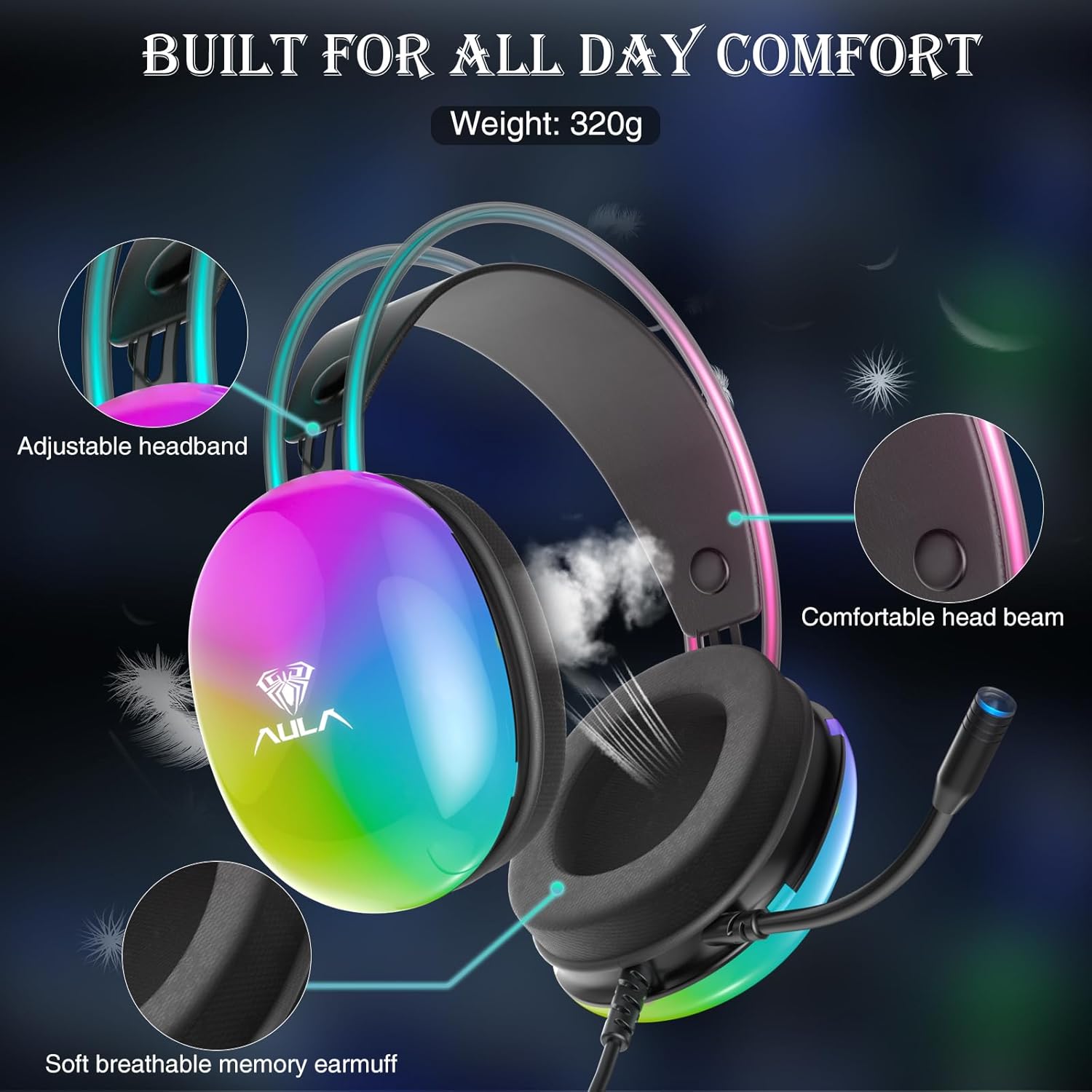
Image: Diagram showing adjustable headband and soft memory earmuffs for comfort.
คำแนะนำการตั้งค่า
- เชื่อมต่อกับอุปกรณ์: Plug the USB connector of the AULA S505 headset into an available USB port on your PC, laptop, or other compatible device. The headset is plug-and-play, requiring no additional drivers or software installation.
- ปรับแถบคาดศีรษะ: Gently adjust the padded headband to fit comfortably on your head. The headband is designed to be auto-adjustable for various head sizes.
- ตำแหน่งไมโครโฟน: Rotate the flexible microphone boom to a position near your mouth for optimal voice pickup.
- ตรวจสอบปริมาณเบื้องต้น: Before starting your game or application, use the in-line volume control to set an appropriate listening level.
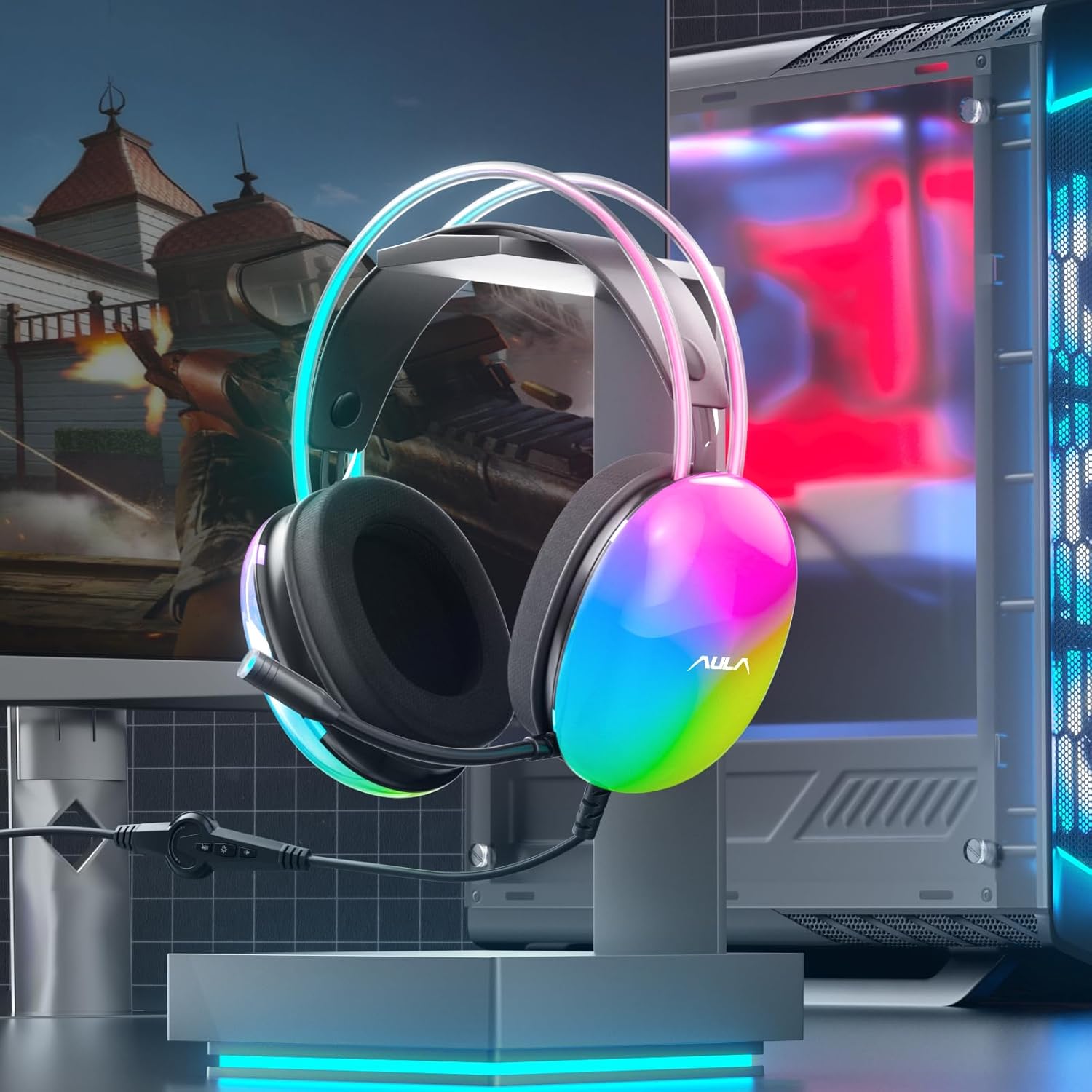
Image: AULA S505 headset connected to a desktop computer setup.
คำแนะนำการใช้งาน
- การควบคุมระดับเสียง: Use the rotary dial on the in-line control unit to increase or decrease the audio volume.
- ปิดเสียงไมโครโฟน: Press the microphone button on the in-line control to mute or unmute the microphone. An indicator light on the microphone tip may show its status (e.g., blue for active).
- การควบคุมแสง RGB: Press the light button on the in-line control to toggle the RGB backlight effects on or off.
- ระบบเสียงรอบทิศทางเสมือนจริง 7.1: The virtual 7.1 surround sound is automatically enabled upon connection. Ensure your device's audio settings are configured to output stereo sound for the headset to process the virtual surround effect.

Image: User wearing the AULA S505 headset with active RGB lighting.
การซ่อมบำรุง
- การทำความสะอาด: ใช้ผ้าแห้งนุ่มเช็ดทำความสะอาดหูฟัง สำหรับที่ครอบหู ให้ใช้ผ้าที่นุ่มกว่าเล็กน้อยamp สามารถใช้ผ้าเช็ดทำความสะอาดได้ แต่ต้องแน่ใจว่าผ้าแห้งสนิทก่อนนำกลับมาใช้ใหม่ ห้ามใช้สารเคมีรุนแรงหรือน้ำยาทำความสะอาดที่มีฤทธิ์กัดกร่อน
- พื้นที่จัดเก็บ: เก็บหูฟังไว้ในที่แห้งและเย็น หลีกเลี่ยงแสงแดดโดยตรงและอุณหภูมิที่สูงหรือต่ำเกินไป ระวังอย่าให้สายพันกัน
- การดูแลสายเคเบิล: ห้ามดึงสายเคเบิลแรงเกินไปหรือดัดให้โค้งงออย่างรุนแรง เพราะอาจทำให้สายไฟภายในเสียหายได้
การแก้ไขปัญหา
- ไม่มีเสียงจากหูฟัง:
- ตรวจสอบให้แน่ใจว่าเสียบขั้วต่อ USB เข้ากับพอร์ตจนสุดแล้ว
- Check the in-line volume control and increase it if necessary.
- Verify your computer's audio output settings are set to the AULA S505 headset.
- Test the headset on another USB port or device to rule out a port issue.
- ไมโครโฟนไม่ทำงาน:
- โปรดตรวจสอบให้แน่ใจว่าไม่ได้ปิดเสียงไมโครโฟนผ่านตัวควบคุมแบบอินไลน์
- Check your computer's microphone input settings and select the AULA S505 headset as the default input device.
- Confirm the microphone boom is positioned correctly.
- ไฟ RGB ไม่ทำงาน:
- Press the RGB light button on the in-line control to ensure it is turned on.
- ตรวจสอบให้แน่ใจว่าการเชื่อมต่อ USB แน่นหนาดีแล้ว
ข้อมูลจำเพาะ
| คุณสมบัติ | รายละเอียด |
|---|---|
| ยี่ห้อ | อูล่า |
| หมายเลขรุ่น | S505 |
| เทคโนโลยีการเชื่อมต่อ | สาย (USB) |
| ขนาดไดร์เวอร์ | 50มม. |
| ประเภทเสียง | ระบบเสียงรอบทิศทาง 7.1 เสมือนจริง |
| ไมโครโฟน | Noise Canceling, 360° Rotatable |
| แสงสว่าง | ไฟแบ็คไลท์ RGB สีรุ้ง |
| การควบคุมในบรรทัด | Volume, Mic On/Off, RGB On/Off |
| การวางตำแหน่งหู | ครอบหู |
| วัสดุที่ใช้ทำที่ครอบหู | Soft Memory Foam with Breathable Cloth |
| น้ำหนักสินค้า | 390 กรัม |
| ความยาวสายเคเบิล | 2.1ม. |
| อุปกรณ์ที่รองรับ | PC, Laptops, Tablets (with USB input) |
ข้อมูลการรับประกัน
The AULA S505 USB Gaming Headset comes with a รับประกันจำกัด 1 ปี นับจากวันที่ซื้อสินค้า การรับประกันนี้ครอบคลุมถึงข้อบกพร่องจากการผลิตและฝีมือการผลิตเท่านั้น ไม่ครอบคลุมถึงความเสียหายที่เกิดจากการใช้งานผิดวิธี อุบัติเหตุ การดัดแปลงโดยไม่ได้รับอนุญาต หรือการสึกหรอตามปกติ โปรดเก็บหลักฐานการซื้อไว้เพื่อใช้ในการเรียกร้องการรับประกัน
สนับสนุน
For further assistance, technical support, or warranty inquiries, please refer to the contact information provided on the product packaging or visit the official AULA website. You may also contact your retailer for support.
Ask a question about this manual
Ask about setup, troubleshooting, compatibility, parts, safety, or missing instructions. Manuals+ will review the question and use this page’s manual context to help answer it.