
1. บทนำ
ขอบคุณสำหรับการซื้อasing the Hoco BS55 Wireless Outdoor Speaker. This manual provides important information regarding the setup, operation, and maintenance of your speaker. Please read it carefully before using the product to ensure proper function and to extend its lifespan. Keep this manual for future reference.
2. สินค้าหมดview
2.1 เนื้อหาบรรจุภัณฑ์
- Hoco BS55 Wireless Outdoor Speaker
- สายชาร์จ
- สายสัญญาณเสียง (AUX)
- Wired Microphone (may vary by package)
- คู่มือการใช้งาน
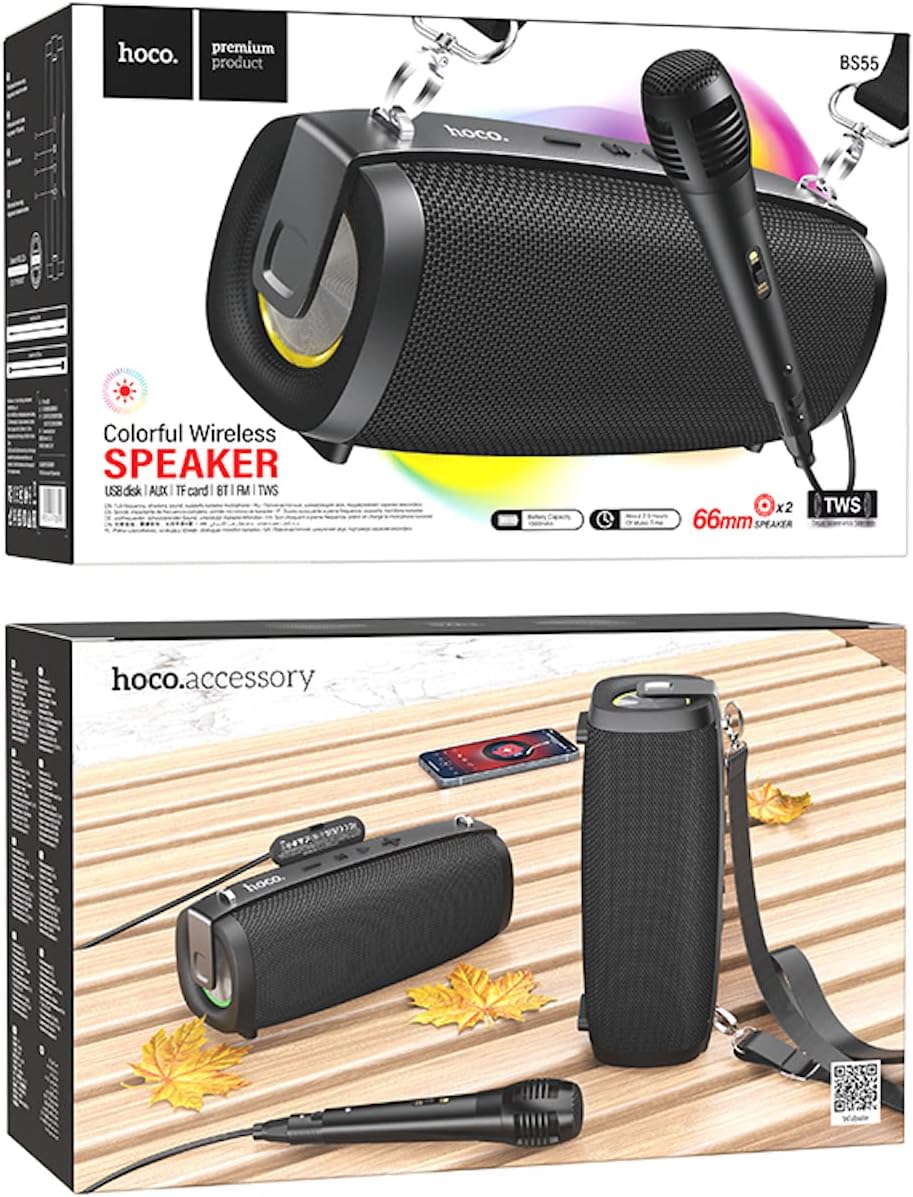
Image: Hoco BS55 Speaker packaging, illustrating the speaker, a wired microphone, and connecting cables.
2.2 ส่วนประกอบและปุ่มควบคุมลำโพง

Image: The Hoco BS55 speaker, highlighting its control panel with buttons and various input ports.
- ปุ่มเปิด/ปิด: Press and hold to turn the speaker ON/OFF. Short press to switch between modes.
- '-' ปุ่ม: กดสั้นเพื่อเล่นเพลงก่อนหน้า กดยาวเพื่อลดระดับเสียง
- ปุ่ม 'M' (โหมด): Short press to cycle through input modes (Bluetooth, FM Radio, TF Card, AUX, USB).
- '>' (Play/Pause) Button: กดสั้น ๆ เพื่อเล่นหรือหยุดเพลงชั่วคราว
- ปุ่ม '+': กดสั้นเพื่อเล่นเพลงถัดไป กดยาวเพื่อเพิ่มระดับเสียง
- พอร์ต USB: สำหรับการเล่นข้อมูลจากแฟลชไดรฟ์ USB
- ช่องเสียบการ์ด TF: สำหรับการเล่นการ์ด TF (MicroSD)
- อินพุต AUX: สำหรับเชื่อมต่ออุปกรณ์เสียงภายนอกผ่านสายสัญญาณเสียงขนาด 3.5 มม.
- อินพุตไมโครโฟน: สำหรับเชื่อมต่อไมโครโฟนแบบมีสาย
- พอร์ตชาร์จ: สำหรับชาร์จแบตเตอรี่ภายในลำโพง
3. การตั้งค่า
3.1 การชาร์จลำโพง
Before first use, fully charge the speaker. Connect the charging cable to the speaker's charging port and the other end to a USB power adapter (not included) or a computer's USB port. The charging indicator light will illuminate during charging and turn off when fully charged. Charging time is approximately 2 hours.
3.2 การเปิด/ปิดเครื่อง
กดปุ่มค้างไว้ ปุ่มเปิดปิด for a few seconds to turn the speaker ON. You will hear an audible prompt. To turn OFF, press and hold the ปุ่มเปิดปิด อีกครั้ง.
4. คู่มือการใช้งาน
4.1 โหมดบลูทู ธ
- Turn on the speaker. It will automatically enter Bluetooth pairing mode, indicated by a flashing light and an audible prompt.
- เปิดใช้งานบลูทูธบนอุปกรณ์เคลื่อนที่ของคุณ (สมาร์ทโฟน แท็บเล็ต ฯลฯ)
- ค้นหา "Hoco BS55" in the list of available Bluetooth devices and select it to pair.
- เมื่อจับคู่สำเร็จแล้ว คุณจะได้ยินเสียงยืนยัน จากนั้นคุณสามารถเล่นเสียงจากอุปกรณ์ของคุณผ่านลำโพงได้
- ใช้ - และ - buttons for volume control, and the '>' button for play/pause. Short press - or - สำหรับเพลงถัดไป/ก่อนหน้า
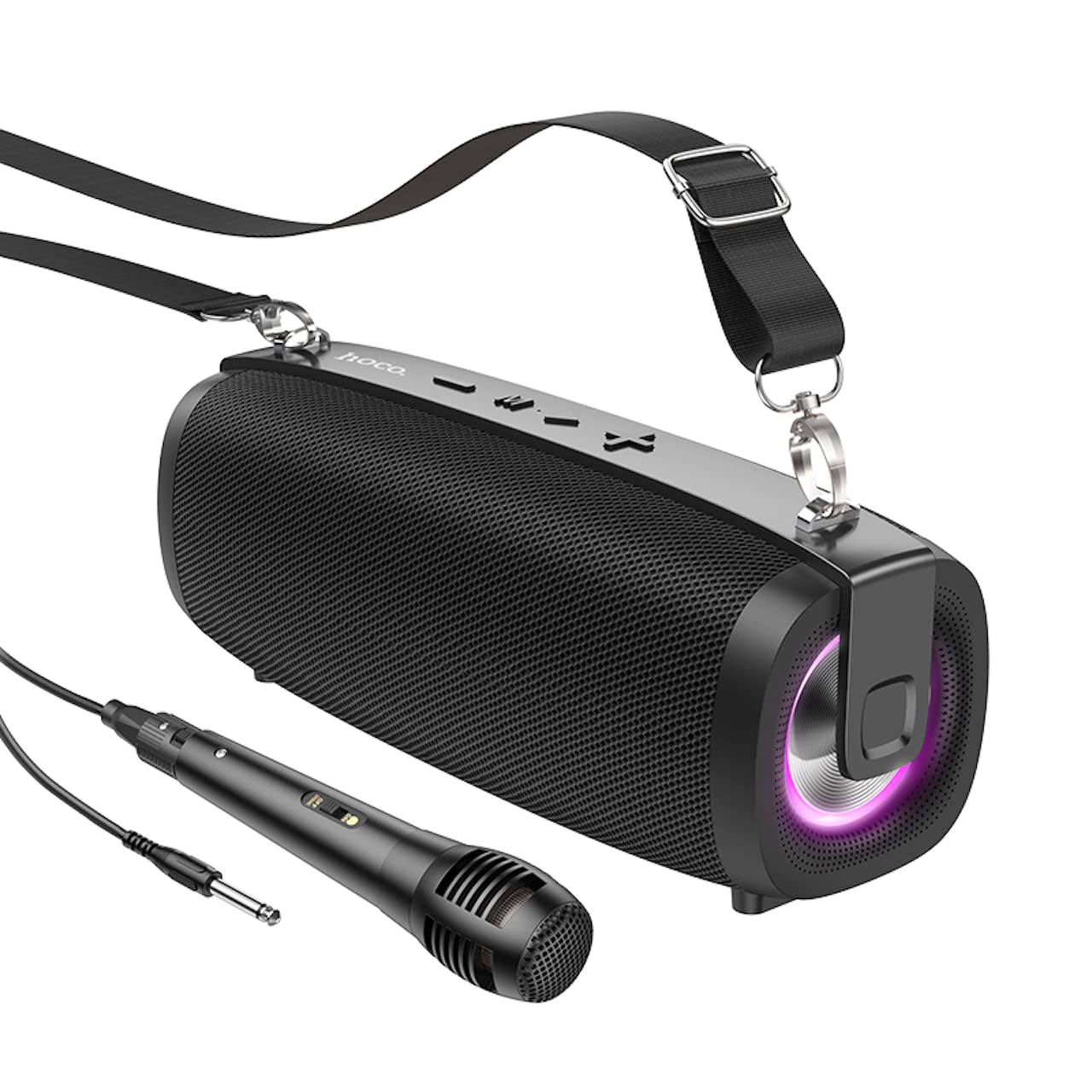
Image: The Hoco BS55 Wireless Outdoor Speaker, ready for use.
โหมดวิทยุ FM 4.2
- กดสั้น ๆ ปุ่ม 'M' (โหมด) until you hear the FM radio prompt.
- หากต้องการสแกนอัตโนมัติและบันทึกสถานีที่ใช้งานได้ ให้กดปุ่มค้างไว้ '>' (Play/Pause) Buttonลำโพงจะสแกนและบันทึกสถานีโดยอัตโนมัติ
- กดสั้น ๆ - or - buttons to switch between saved FM stations.
4.3 TF Card / USB Flash Disk Mode
- Insert a TF (MicroSD) card or a USB flash disk into the corresponding slot.
- The speaker will automatically switch to TF Card or USB mode and begin playing audio files. If it doesn't, short press the ปุ่ม 'M' (โหมด) เพื่อเลือกโหมดที่ถูกต้อง
- ใช้ - และ - buttons for volume control, and short press them for next/previous track. Use the '>' ปุ่มเล่น/หยุดชั่วคราว
4.4 โหมดอินพุต AUX
- Connect one end of the 3.5mm audio cable to the speaker's AUX input port and the other end to the audio output of your external device (e.g., MP3 player, computer).
- กดสั้น ๆ ปุ่ม 'M' (โหมด) until you hear the AUX mode prompt.
- Control playback and volume primarily from your external device. The speaker's volume buttons will also function.
4.5 ฟังก์ชั่น TWS (True Wireless Stereo)
The TWS function allows you to pair two Hoco BS55 speakers together for a stereo sound experience.
- Ensure both BS55 speakers are turned ON and are not connected to any Bluetooth device.
- บนลำโพงตัวใดตัวหนึ่ง (ซึ่งจะเป็นลำโพงหลัก) ให้กดปุ่มค้างไว้ ปุ่ม 'M' (โหมด) จนกว่าคุณจะได้ยินเสียงสัญญาณจับคู่
- ลำโพงทั้งสองตัวจะค้นหาและจับคู่กันโดยอัตโนมัติ เมื่อเชื่อมต่อแล้ว คุณจะได้ยินเสียงยืนยัน
- ทีนี้ ให้เชื่อมต่ออุปกรณ์มือถือของคุณกับลำโพงหลักผ่านบลูทูธตามที่อธิบายไว้ในหัวข้อ 4.1 ลำโพงทั้งสองตัวจะเล่นเสียงในระบบสเตอริโอ
4.6 การใช้งานไมโครโฟนแบบมีสาย
If your package includes a wired microphone, connect it to the speaker's dedicated microphone input port. The speaker will automatically detect the microphone. Adjust the volume as needed using the speaker's volume controls or your connected device.
5. การบำรุงรักษา
- การทำความสะอาด: ใช้ผ้านุ่มและแห้งเช็ดทำความสะอาดลำโพง ห้ามใช้น้ำยาทำความสะอาดหรือสารละลายที่มีฤทธิ์กัดกร่อน
- พื้นที่จัดเก็บ: เก็บลำโพงไว้ในที่แห้งและเย็น หลีกเลี่ยงแสงแดดโดยตรงและอุณหภูมิที่สูงหรือต่ำเกินไป
- การดูแลแบตเตอรี่ To prolong battery life, charge the speaker regularly, even if not in use. Avoid fully discharging the battery frequently.
- ความต้านทานน้ำ: The Hoco BS55 speaker is ไม่กันน้ำ. Avoid exposing it to water, rain, or excessive moisture to prevent damage.
- หลีกเลี่ยงผลกระทบ: อย่าทำลำโพงตกหรือกระแทกอย่างแรง
6 การแก้ไขปัญหา
| ปัญหา | สารละลาย |
|---|---|
| ลําโพงไม่เปิดขึ้น | ตรวจสอบให้แน่ใจว่าลำโพงชาร์จไฟเต็มแล้ว เสียบเข้ากับแหล่งจ่ายไฟแล้วลองใหม่อีกครั้ง |
| ไม่มีเสียง. | ตรวจสอบระดับเสียงทั้งบนลำโพงและอุปกรณ์ที่เชื่อมต่อ ตรวจสอบให้แน่ใจว่าได้เลือกโหมดอินพุตที่ถูกต้องแล้ว |
| ไม่สามารถจับคู่ผ่านบลูทูธได้ | Make sure the speaker is in Bluetooth pairing mode. Disable and re-enable Bluetooth on your device. Move the speaker closer to your device. Ensure no other devices are connected to the speaker. |
| การรับสัญญาณวิทยุ FM ไม่ดี | Try repositioning the speaker. Perform an auto-scan again. |
| การจับคู่ TWS ล้มเหลว | Ensure both speakers are not connected to any other Bluetooth device. Try restarting both speakers and repeating the TWS pairing process. |
7. ข้อมูลจำเพาะ
| คุณสมบัติ | ข้อมูลจำเพาะ |
|---|---|
| แบบอย่าง | BS55 |
| ขนาด (กว้าง x ยาว x สูง) | 202 x 89.5 x 71.4 มม. (20.2 x 7.1 x 9 ซม.) |
| น้ำหนัก | 810 กรัม |
| เวอร์ชันบลูทูธ | 5.3 |
| ชิปบลูทูธ | JLAC6965E |
| ความจุของแบตเตอรี่ | 1500mAh |
| เวลาในการชาร์จ | ประมาณ 2 ชั่วโมง |
| เวลาเล่นเพลง | นานถึง 2.5 ชั่วโมง |
| ขนาดหน่วยลำโพง | 66มม. * 2 |
| กำลังขับ | 5W * 2 (Total 10W) |
| ตัวเลือกการเชื่อมต่อ | Bluetooth, FM Radio, TF Card, AUX, USB Flash Disk, TWS |
| รองรับไมโครโฟน | อินพุตไมโครโฟนแบบมีสาย |
| ความต้านทานต่อน้ำ | ไม่ทนน้ำ |
| สี | สีดำ |
8. การรับประกันและการสนับสนุน
Hoco products are designed and manufactured to the highest quality standards. For warranty information and customer support, please refer to the warranty card included with your purchase or contact your local Hoco distributor or retailer. Keep your proof of purchase for any warranty claims.